
The audit question, already answered
Scan a serial number and see what it is made of, under whose certificate, who built it and where it went. Hold or recall everything affected in one action, and hand over the dossier as a printable page or a ZIP.
One serial number, one question
Traceability is tested with one question, and the question is always specific. A customer names a serial number and asks what is inside it. A military representative asks which certificate covered the steel in that assembly. A supplier reports a defect in one of their batches, and within hours you need to know which units it went into, how many shipped and to whom.
Assembled by hand, that answer costs a week in the archive and is still approximate. And it shows: the affected list does not reconcile with the shipments, and material consumed without a batch stops the chain where nobody is looking.
Syntech Manufacturing builds the chain from what the shop floor and the warehouse already recorded while working: the receipt with its supplier batch and certificate, the issues against the order, the operations with their workers, the output with its batch and serials, labels, shipments and acceptance acts. Nothing is entered twice for traceability.
How it works
- 01
Type or scan a code
a batch number, a supplier batch number, a certificate number, a serial number, a production order, a purchase receipt or a label barcode. If several records match, pick one; the badge shows its type.
- 02
Choose the direction and the depth
where used, composition or both, to a depth of up to 10 assembly levels. Where used runs from a component to every order that consumed it, the batches and serials produced, the sub-assemblies installed further up, then the bin, status, shipment, customer, contract and acceptance act. Composition runs the other way, from a unit to what is inside it, down to purchase receipts and suppliers.
- 03
Read the chain in three views
Tree, with direction arrows, the relation and the quantity per line; Graph, in columns by level, where a click picks a node for the dossier and a double click re-traces from it; Affected list, a table with checkboxes. Filters narrow it by free text, by node type or to items that can be held; KPI tiles count batches, serials, orders, shipments, customers, acts and items already held. Material consumed without a batch appears as untraced material: the system names the gap rather than hiding it.
- 04
Hold or recall everything affected in one action
the list arrives with every holdable item, and every item whose customer must be notified, already ticked. Clear what does not belong, choose Quality hold or Recall, enter the reason, tick the non-conformance option if you want one, confirm. Batches move to On Hold and serials to Quality hold, with the previous status stored per item. Shipped items keep their status and are recorded as "notify customer" with the customer and the shipment document. The campaign gets a number, RC-yyyyMMdd-NNN, and needs the recall and hold right, normally given to the quality inspector and the planner.
- 05
Export the affected list for the notification letters
Excel or CSV, with item type and number, product, status, quantity, order, level, bin and warehouse, customer, shipment document, shipped date and quantity, contract, acceptance acts, proposed action and trace path. Headers follow the user's language and the CSV opens in Excel unaided.
- 06
Release with a decision, not in silence
in the section Recalls and holds, the campaign card lists every item with its current and previous status, bin, customer, shipment and action. A release decision is required; without it the button does nothing. The previous status returns only to items still held. The campaign becomes Partially released or Released, and each decision is appended with date and time.
- 07
Build the electronic dossier
one button opens a printable page the browser saves as PDF, another downloads a ZIP. Inside: general information; supplier certificates of the incoming batches with number, dates, receipt and inspection result; the actual composition by levels; the route with operations, work centres, times and workers; inspections and protocols with their parameters; acceptance acts; labels; shipments with customer and contract; attachments. The ZIP holds dossier.html, index.json, index.csv and the files themselves.
What you get
Both directions from one search box
down to the supplier certificate, up to the customer, the contract and the acceptance act, with no journals to cross-check.
A recall is an action, not a project
holds, separate lines for what has shipped, previous statuses kept, a campaign number and an optional non-conformance, from one click.
A customer letter built from data
the export carries the fields a notification needs: what, to whom, shipped when, under which contract.
A dossier you can hand over
one page or one archive instead of a folder of photocopies, opened from the batch card or the serial number card.
Honest limits, stated up front
the ZIP takes files up to 20 MB each, 40 MB and 300 files in total. Larger files, and files kept in external storage, are listed in index.csv with the reason they were left out. The graph draws up to 1500 nodes and warns when it truncates.
Give us one serial number
In a live demo we run your own scenario: from the number to the certificate, back out to the customer, then a hold on everything affected and a finished dossier.
Як це виглядає в системі
Реальні екрани Syntech Manufacturing на платформі Creatio: планування, склад, якість, зміни, OEE, Andon і маркування.
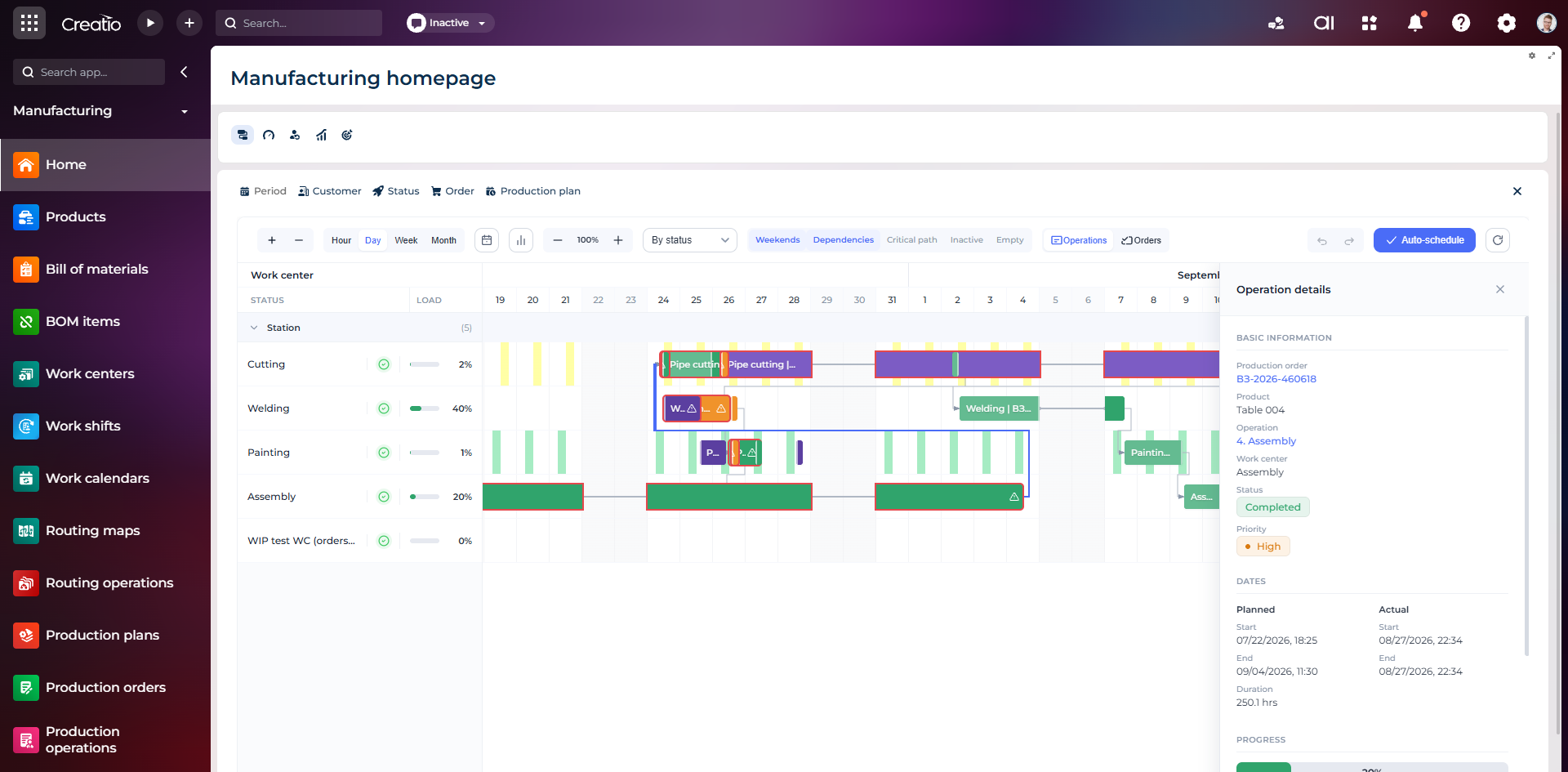
Виробниче планування
Діаграма Ганта за робочими центрами з залежностями, статусами, завантаженням і деталями кожної операції.
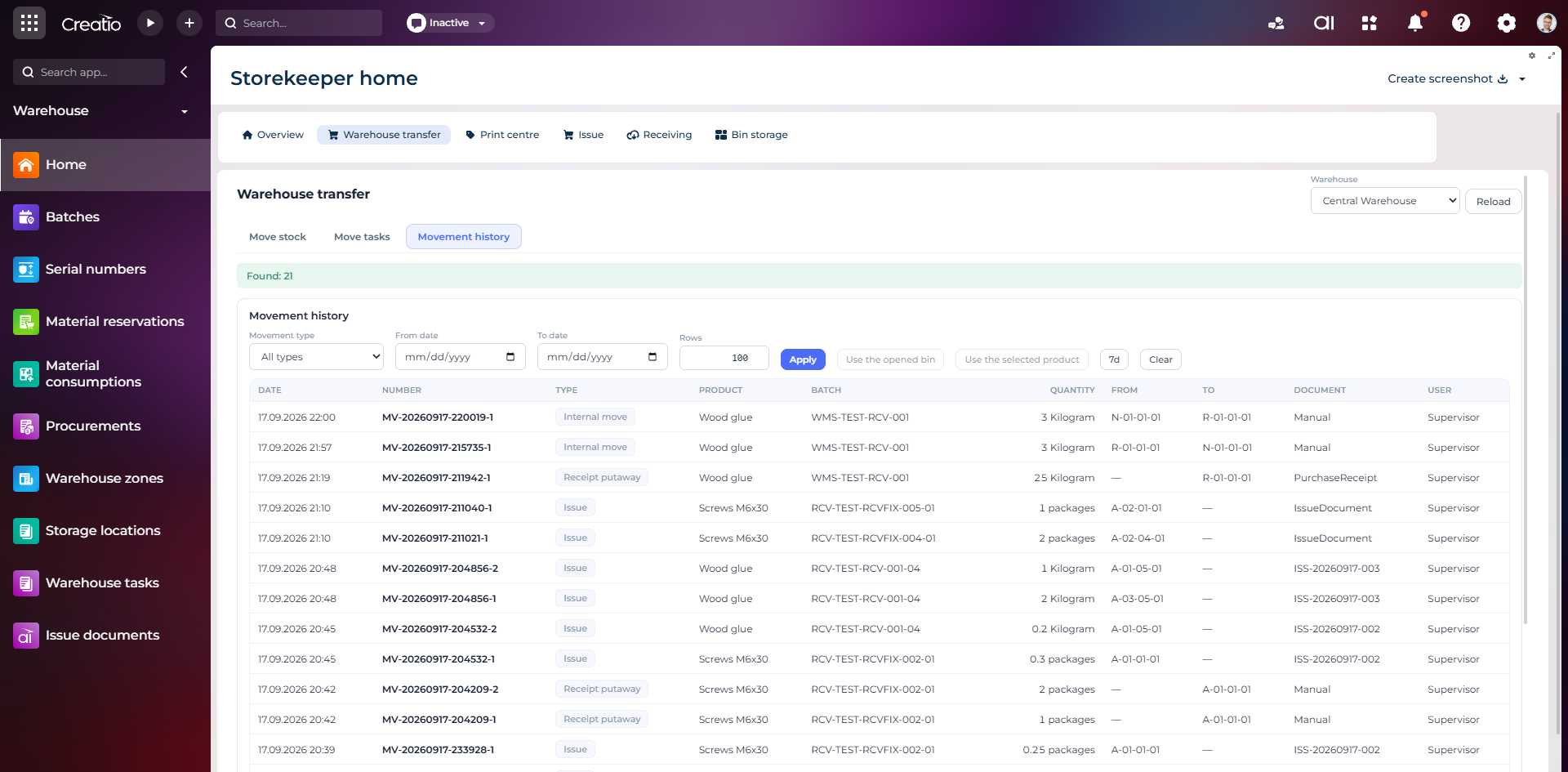
Історія руху запасів
Повний журнал приймання, видачі та внутрішніх переміщень із партією, кількістю, комірками, документом і відповідальним.
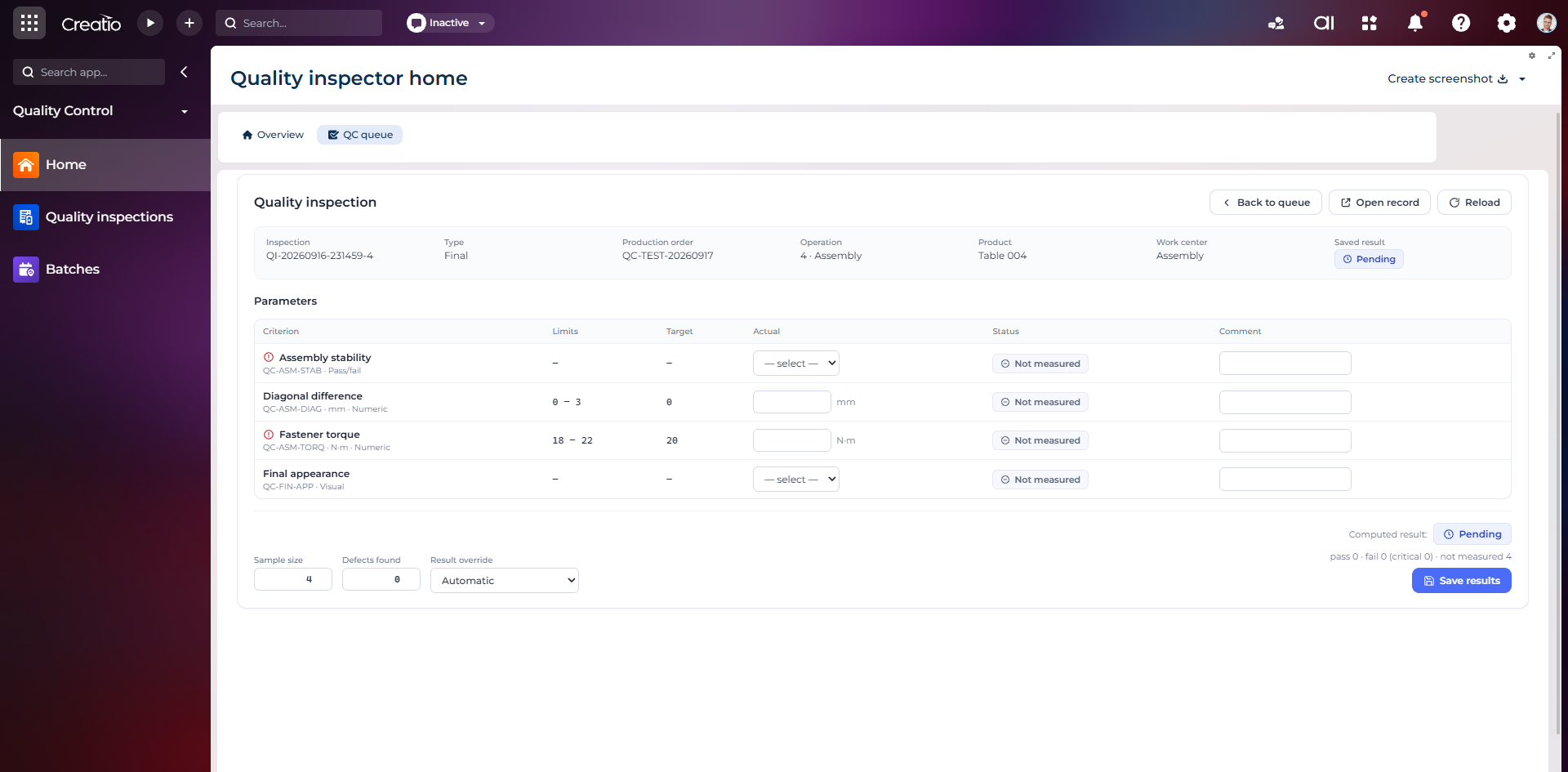
Контроль якості
Фінальна інспекція за критеріями: допустимі межі, фактичні значення, статуси вимірювань, коментарі та підсумковий результат.
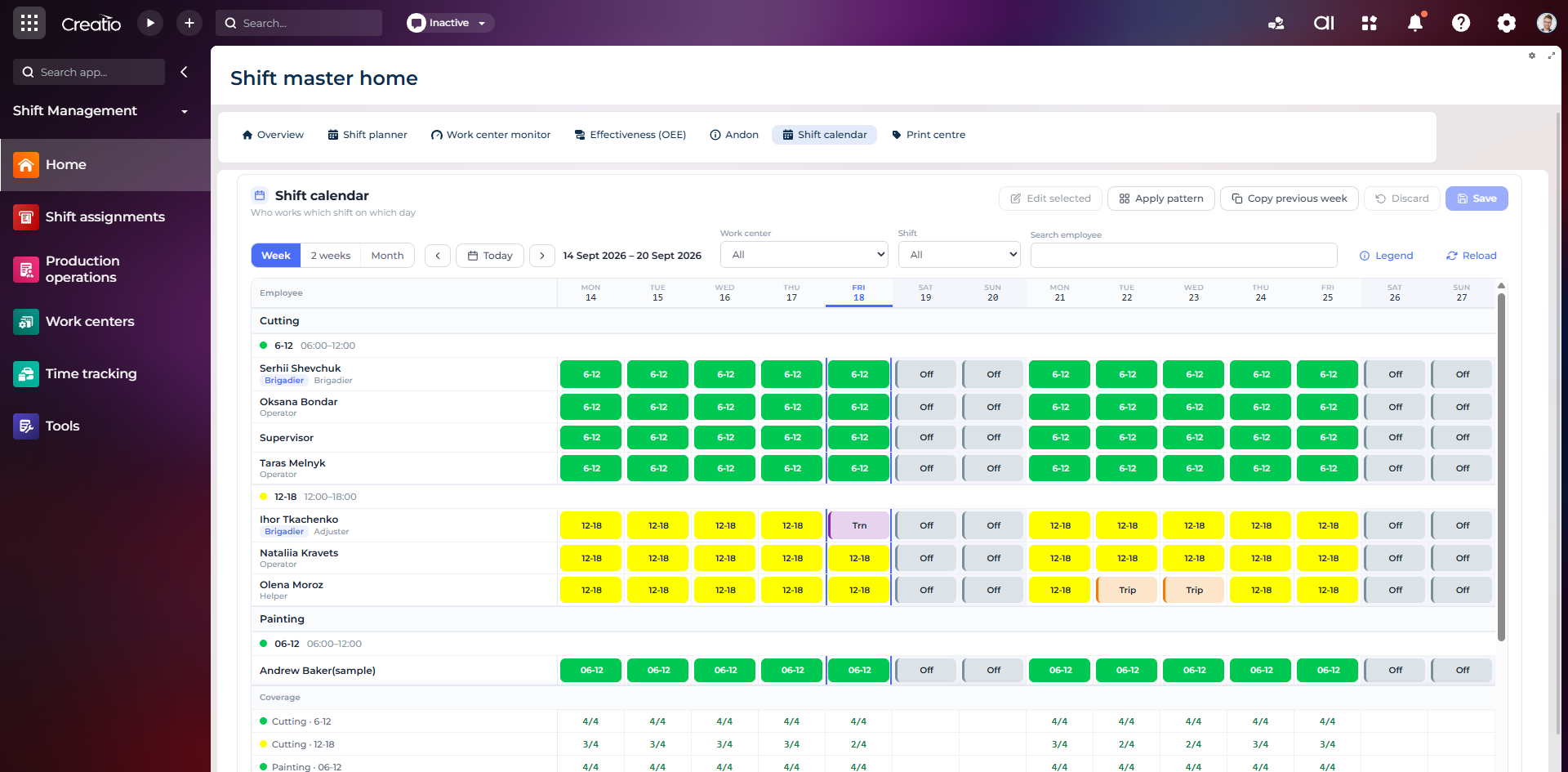
Календар змін
Планування персоналу за робочими центрами: зміни, вихідні, відрядження та контроль покриття потрібної кількості працівників.
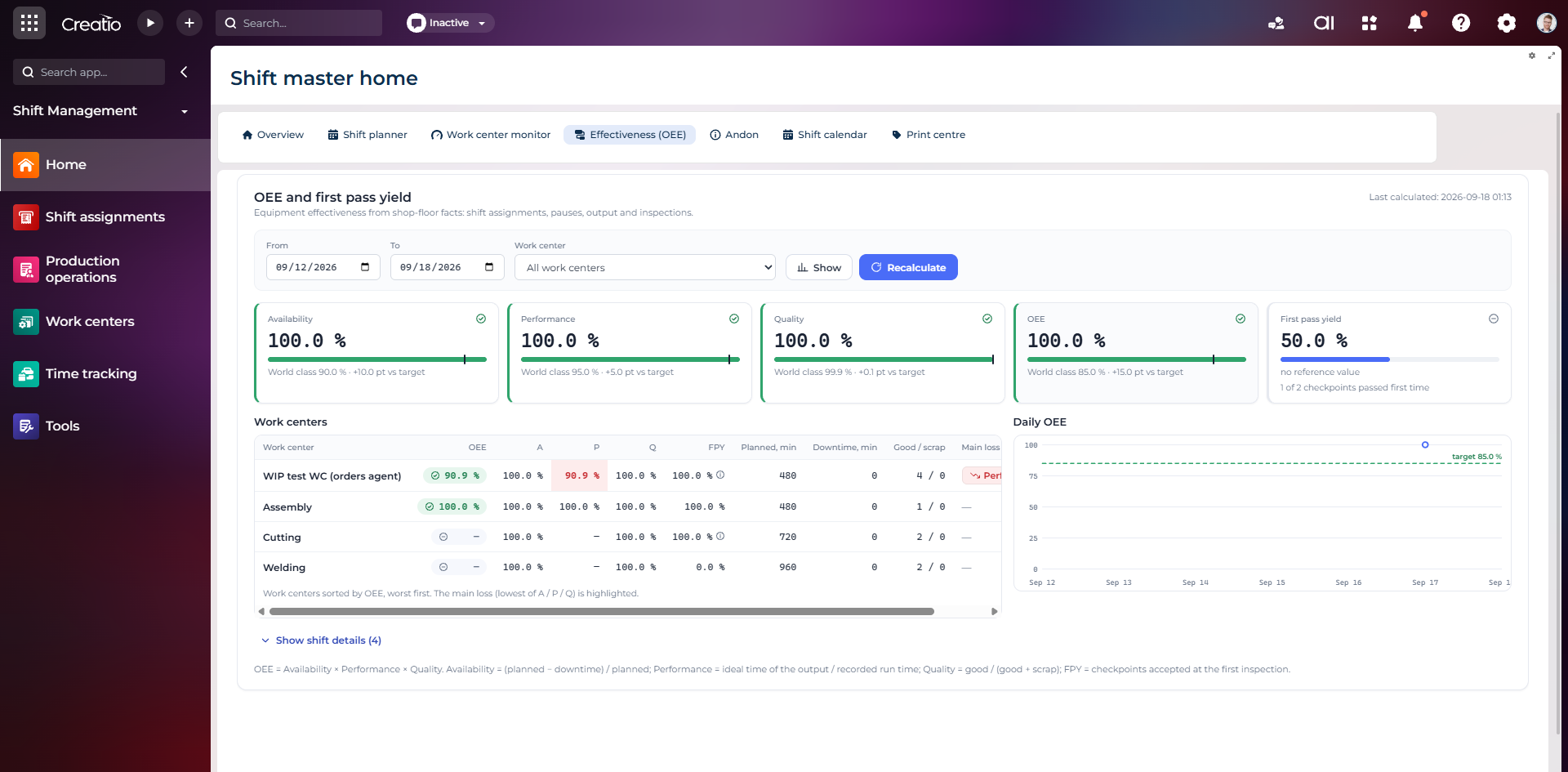
OEE та First Pass Yield
Доступність, продуктивність, якість, OEE і FPY по робочих центрах із порівнянням з цільовими показниками.
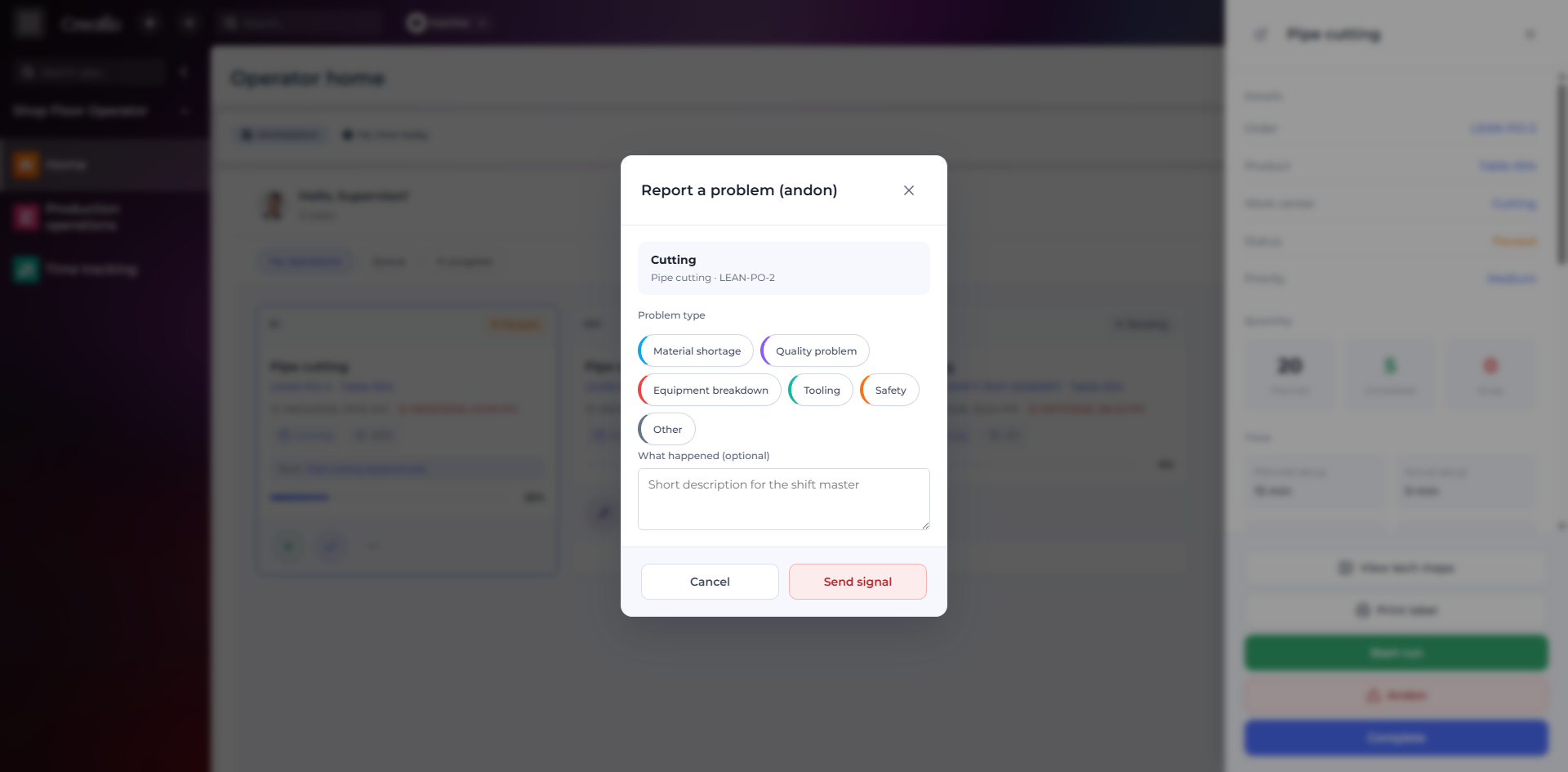
Andon-сигнал з робочого місця
Оператор повідомляє про нестачу матеріалів, проблему якості, поломку, інструмент або небезпеку безпосередньо з операції.
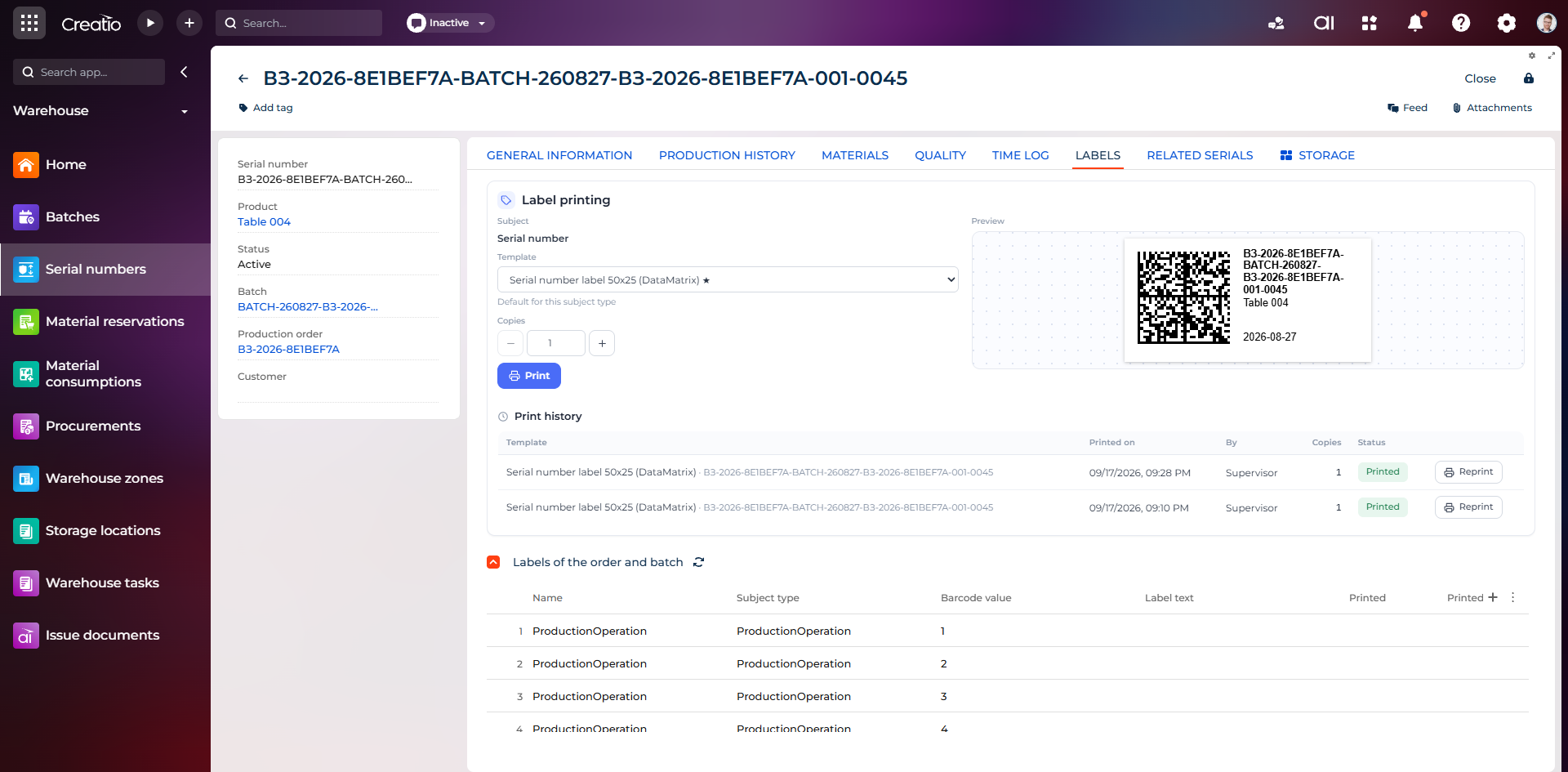
Маркування серійного виробу
Друк етикетки DataMatrix для серійного номера з шаблоном, попереднім переглядом та історією друку.
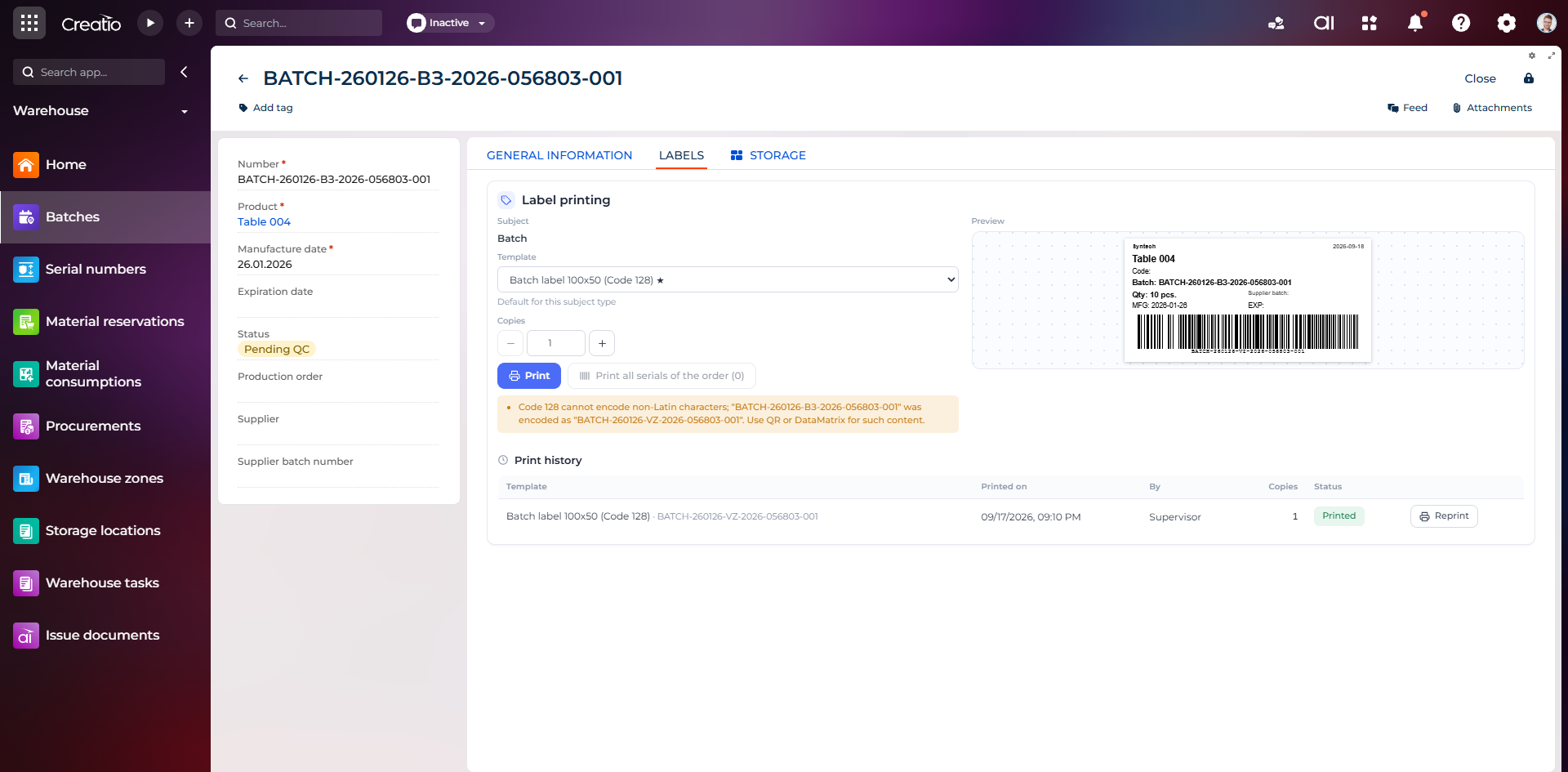
Маркування партії
Етикетка партії з кодом, кількістю, датою виготовлення, терміном придатності та штрихкодом Code 128.
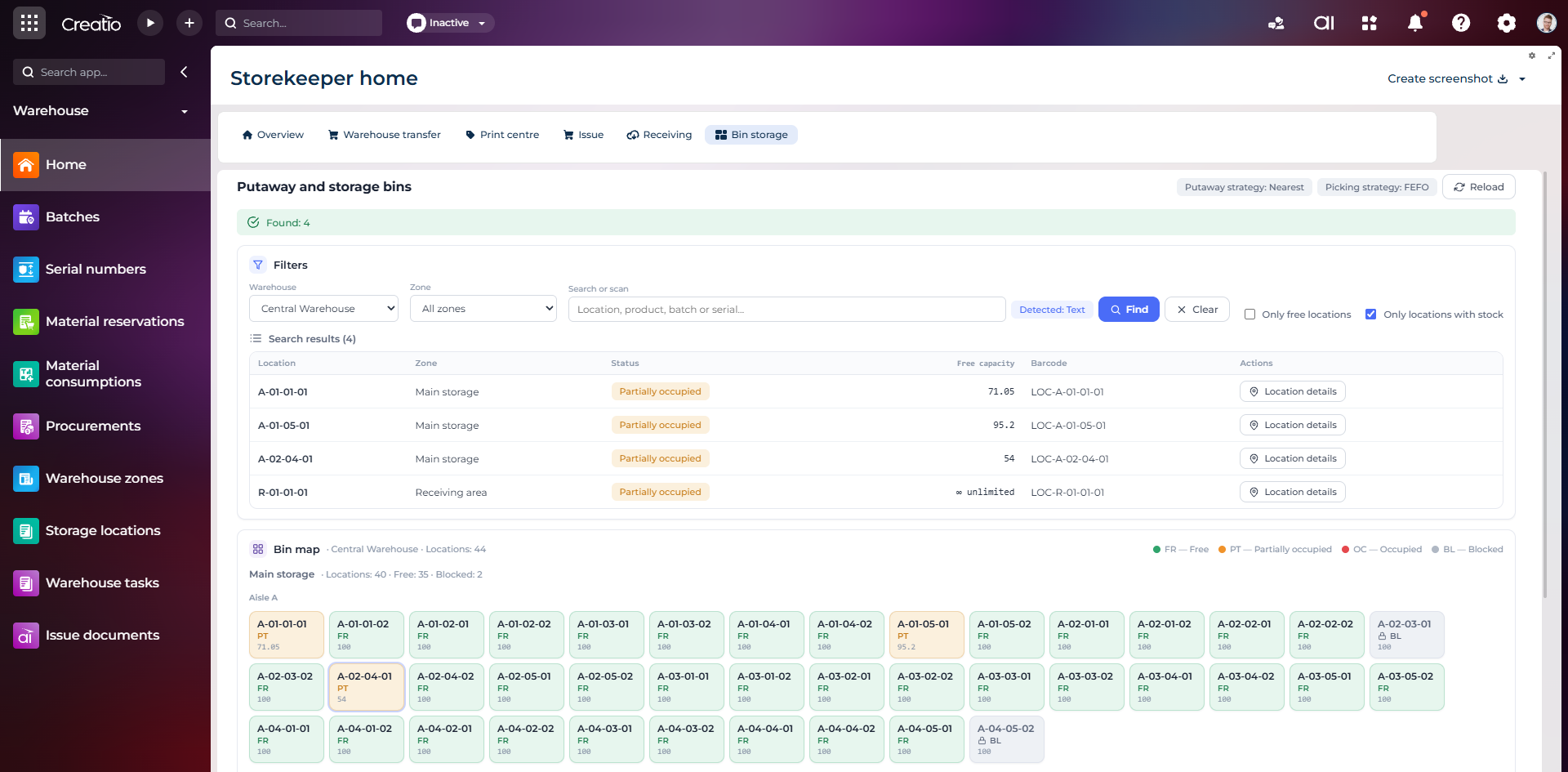
Коміркове зберігання
Пошук складських комірок за зоною, товаром, партією або серійним номером із відображенням місткості та статусу.
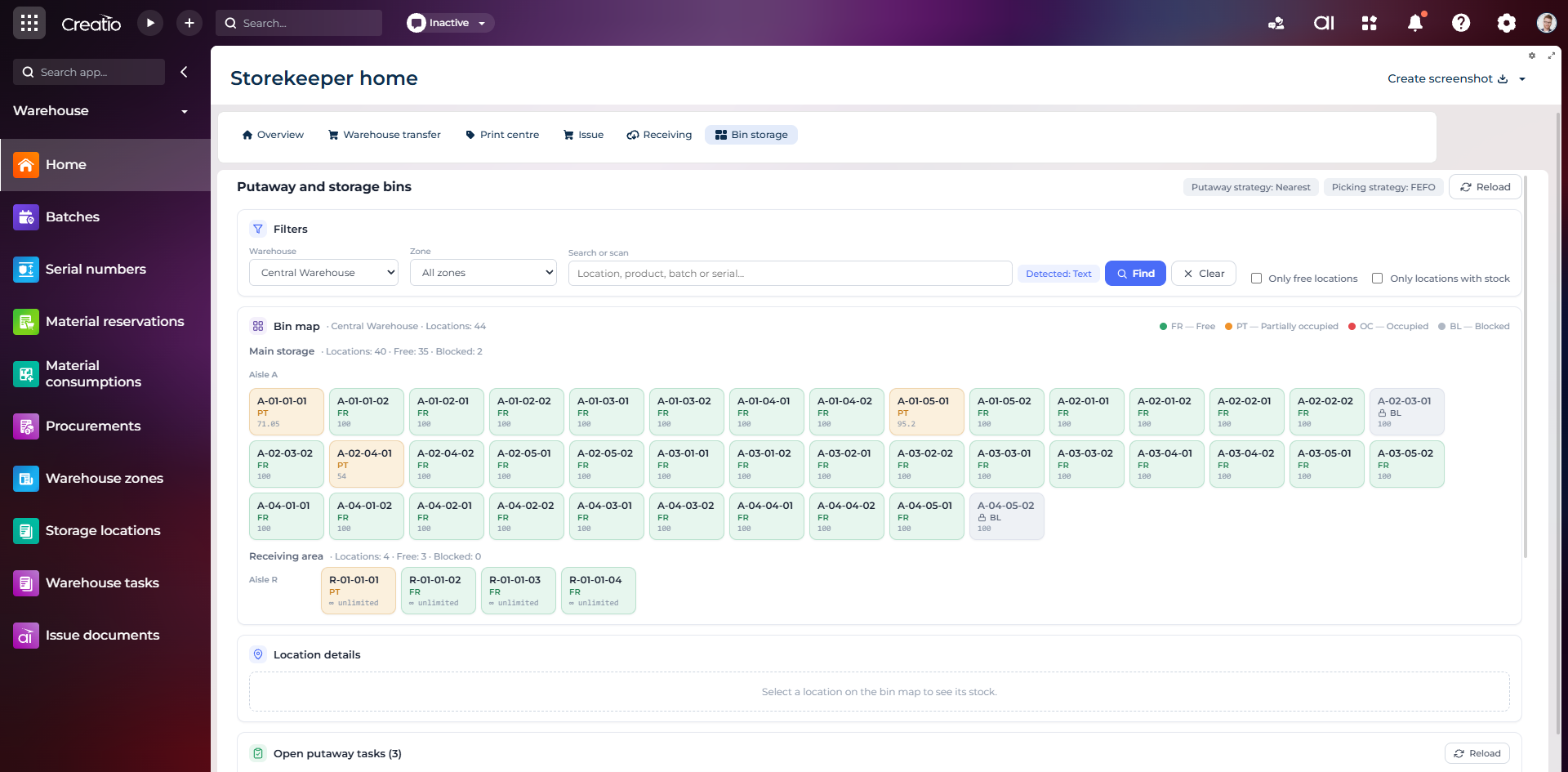
Карта складських комірок
Візуальна карта зон і проходів зі статусами вільних, частково зайнятих, зайнятих та заблокованих комірок.
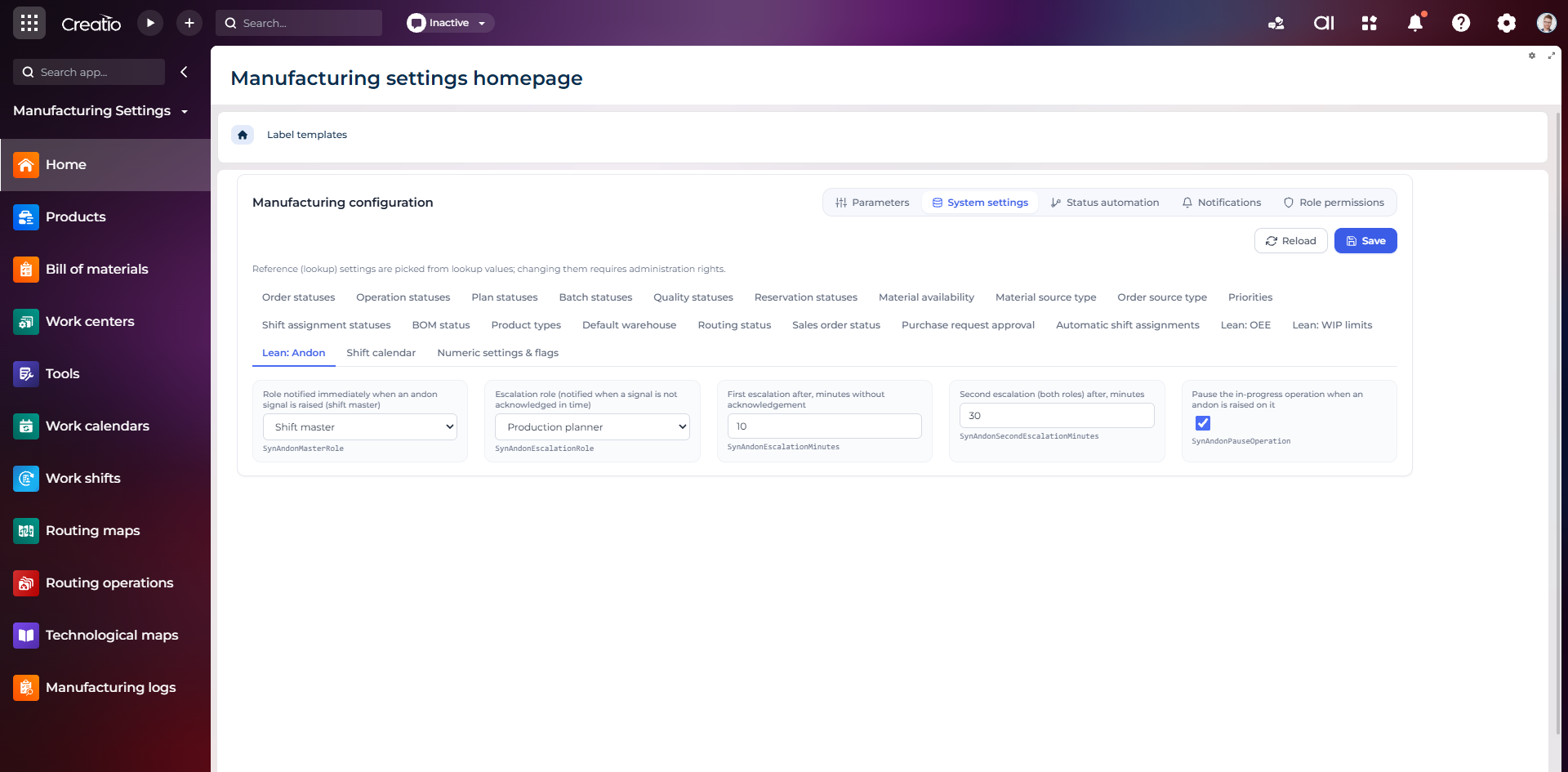
Налаштування Andon
Налаштування ролей сповіщення, строків ескалації та автоматичної зупинки операції після Andon-сигналу.
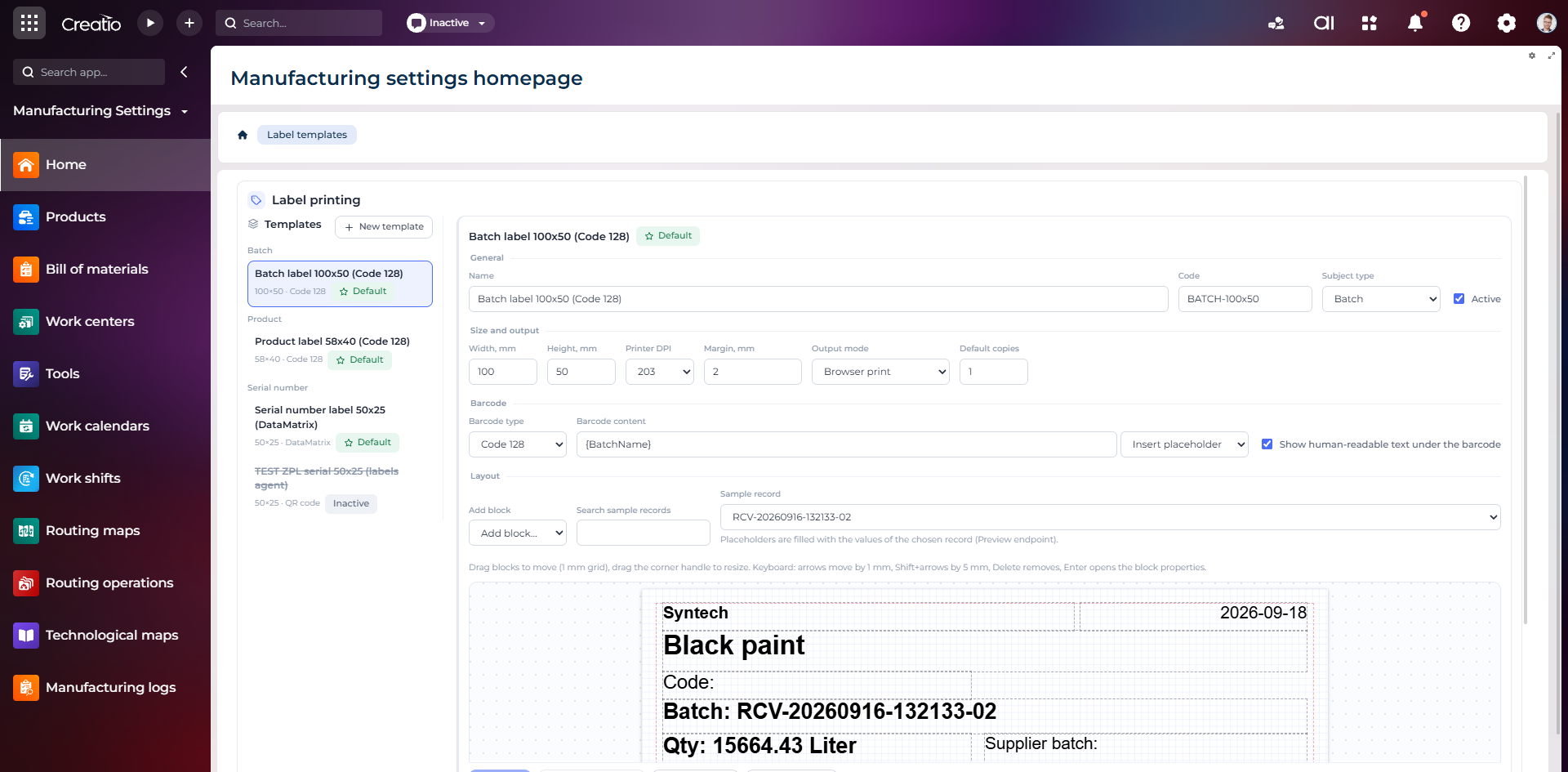
Конструктор шаблонів етикеток
Візуальне створення етикеток для партій і серійних виробів із плейсхолдерами, штрихкодами та попереднім переглядом.