
One queue. Dates you can defend.
Sales orders, state contract deliveries and unit requests become a single ranked queue where every line has a promised date and the recorded chain of reasons that produced it.
Order queue and promised dates
A customer asks for a date and the answer is assembled in a chat: sales look at one file, supply at another, the shop floor says it will try. A month later nobody remembers why that particular date was given, or whose urgent item pushed everything else back. Meanwhile a state contract sits in the same pile as a small order, and the plant learns about a late delivery from the customer.
Order queue and promised dates
- 01
Open the queue
Production planning workplace, tab Order queue. The queue is built from sales order lines in status Confirmation or In progress, from every state contract delivery that still has a remaining quantity, and from unit requests in status Submitted or Accepted. Requests flagged as forecast are listed separately and do not take supply. The tiles above filter the list: open demand, on-time promises, at risk, late, not promised.
- 02
Set the priority
Every line carries a priority class: Critical / defence priority, High, Normal, Low. State contract deliveries arrive with the critical class. The order inside the queue is the planner's: drag a row by its grip or move it with the buttons, and after every move the whole queue is re-promised in the new order.
- 03
See where the date came from
The line number opens the promise panel: requested, calculated and promised dates, ATP and CTP quantities, confidence in per cent, the limiting factor (stock, supply, material, capacity, lead time, no routing) and the reason chain step by step: how much comes from free bin stock, which receipt the rest is waiting for, from which day the work centre is free, how many safety days were added.
- 04
Run the scenario before you commit
The What-if button takes a product, a quantity, a requested date and a priority class and shows the date such an order could get, the position it would take in the queue and whose promises it would push out. Nothing is written.
- 05
Commit the promise
In the panel you can type your own date (earlier than the calculated one lowers the confidence and warns you), reserve free stock, create the plan item and the production order for the CTP quantity, and mark that the customer has confirmed the date. A unit request gets its promised date and moves from Submitted to Accepted.
- 06
Keep the queue alive
The queue is recalculated every night: an item whose new date falls after its promise becomes At risk, an item whose promised date has passed becomes Late. Newly flagged items notify the planning and procurement roles in the recipient's language, and the affected state contracts are recalculated. The nightly run can be switched off in the settings.
- 07
Watch the bottleneck
Below the table sits a weekly load-versus-capacity chart: booked operation hours, the CTP hours coming from the queue, the available capacity, and the work centre that constrains the plant with its utilisation.
Order queue and promised dates
An answer during the call
The planner reads the date off the screen and shows what it is made of, instead of promising to call back in three days.
A date with a record behind it
The promise, the confidence, the limiting factor and the reason chain are stored on the queue item, so a month later you can see why the date was what it was.
Defence priority inside the queue
State contract deliveries enter with the critical class, and requests from military units run through the same mechanism as customer orders.
Risk surfaces before the customer does
The nightly re-promise raises at-risk and late items and notifies the people responsible, instead of waiting for a phone call.
Honest about the limits
The queue plans one BOM level: sub-assemblies are treated as materials with their own stock, orders and lead time. There are no alternative routings, so an operation is planned on the work centre named in the routing map.
Test the queue on your own order book
We load your sales orders, contract deliveries and unit requests and walk the queue with you: rank, what-if scenario and a committed promise.
Як це виглядає в системі
Реальні екрани Syntech Manufacturing на платформі Creatio: планування, склад, якість, зміни, OEE, Andon і маркування.
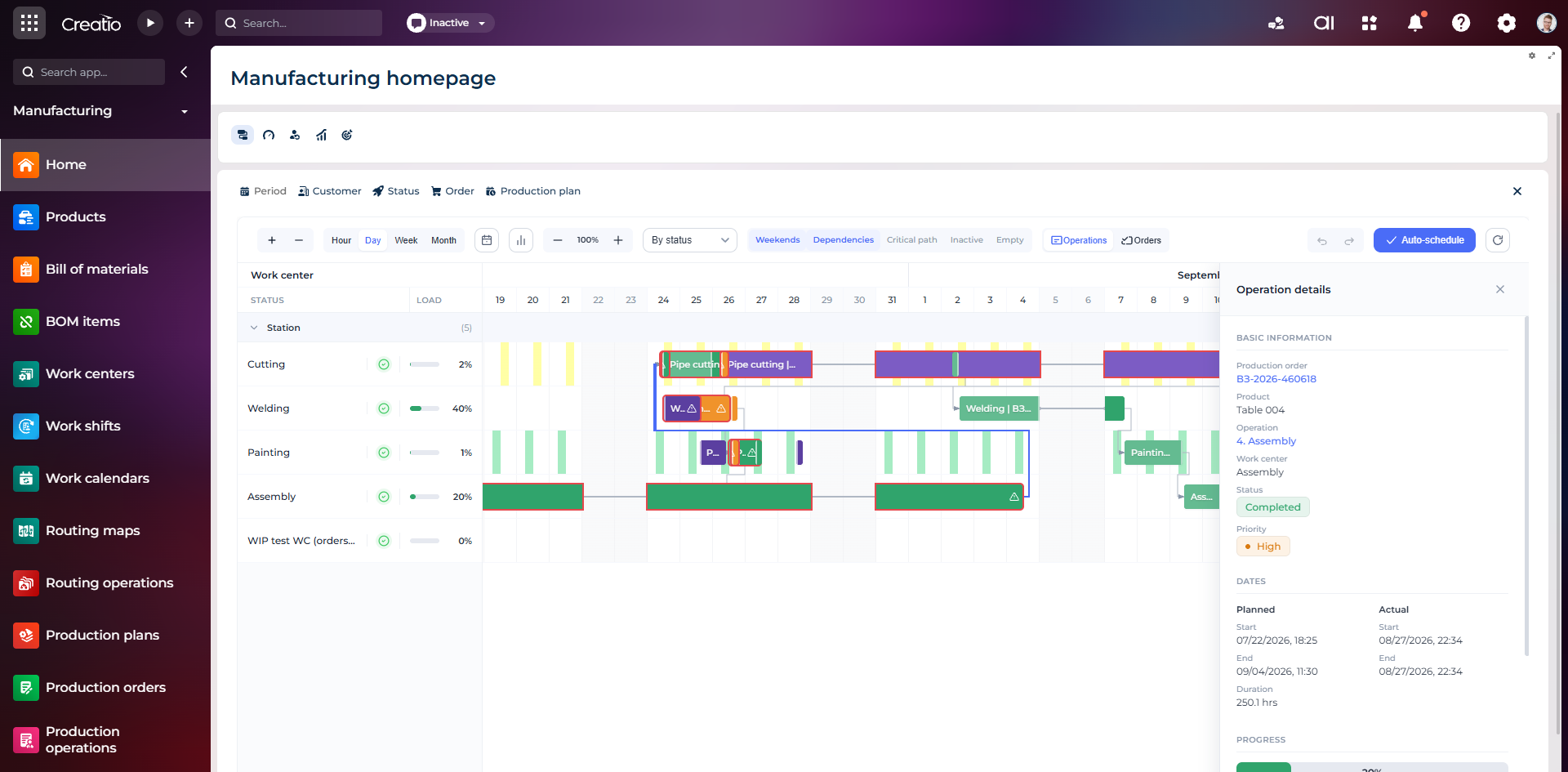
Виробниче планування
Діаграма Ганта за робочими центрами з залежностями, статусами, завантаженням і деталями кожної операції.
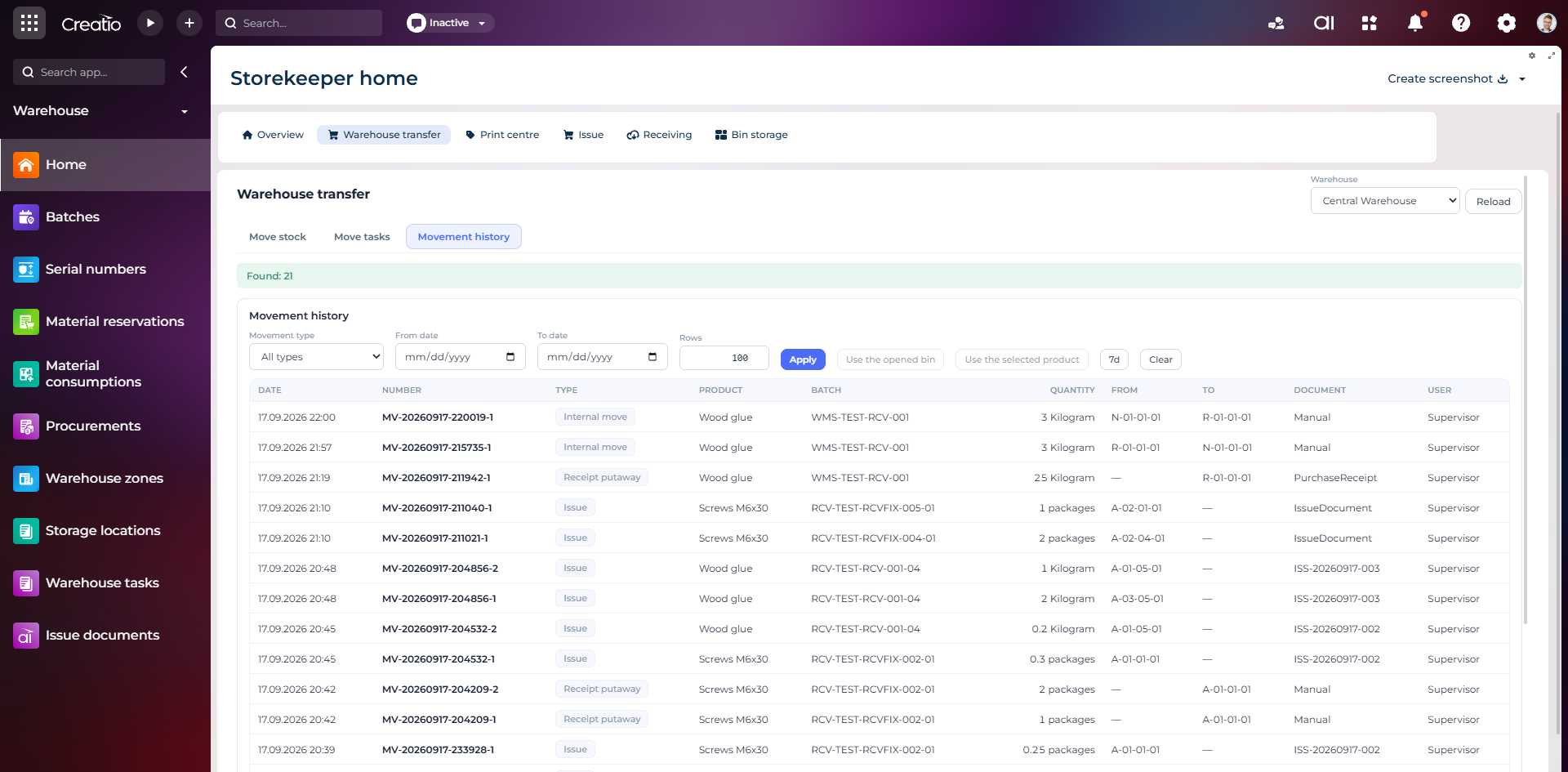
Історія руху запасів
Повний журнал приймання, видачі та внутрішніх переміщень із партією, кількістю, комірками, документом і відповідальним.
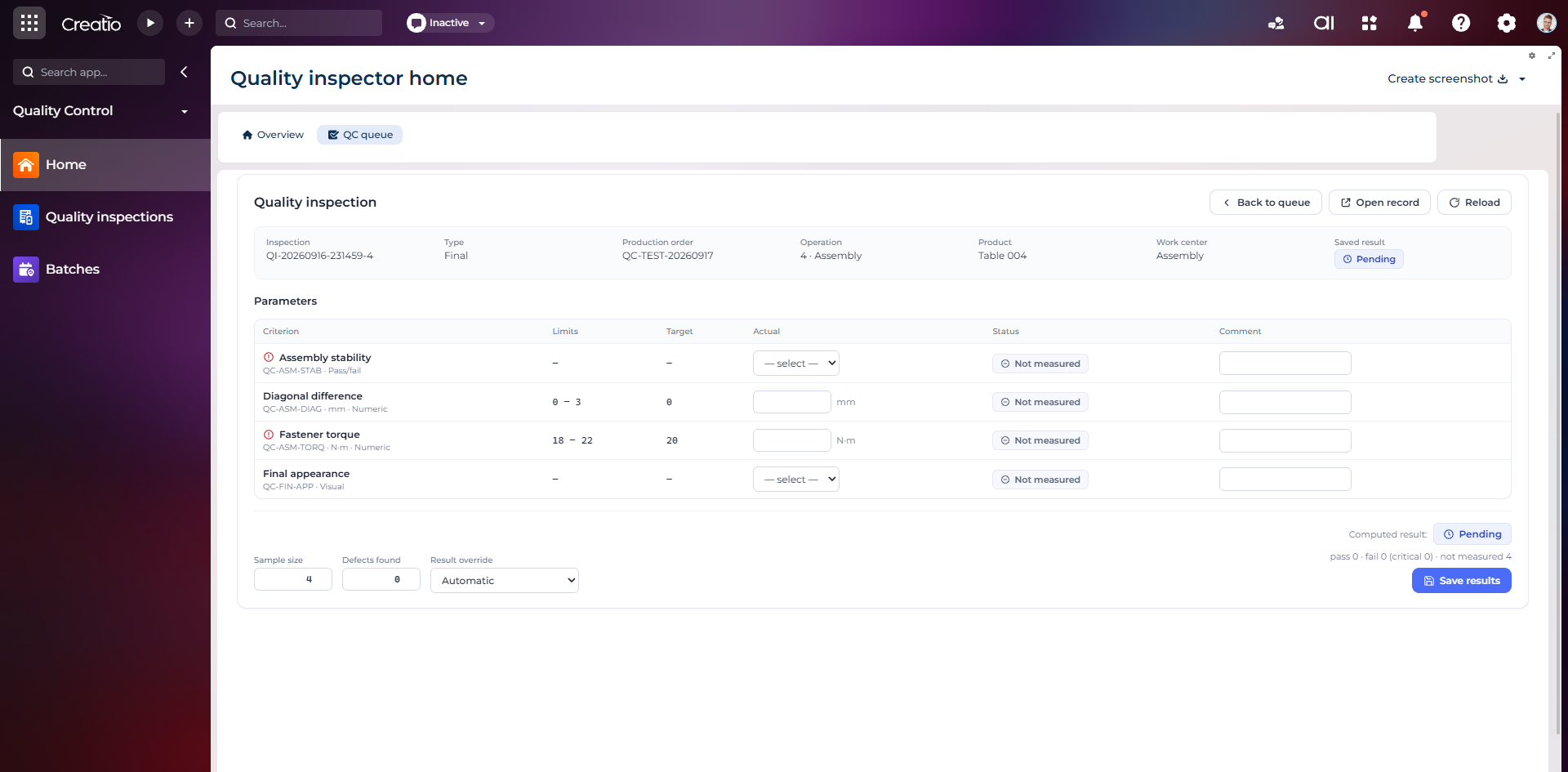
Контроль якості
Фінальна інспекція за критеріями: допустимі межі, фактичні значення, статуси вимірювань, коментарі та підсумковий результат.
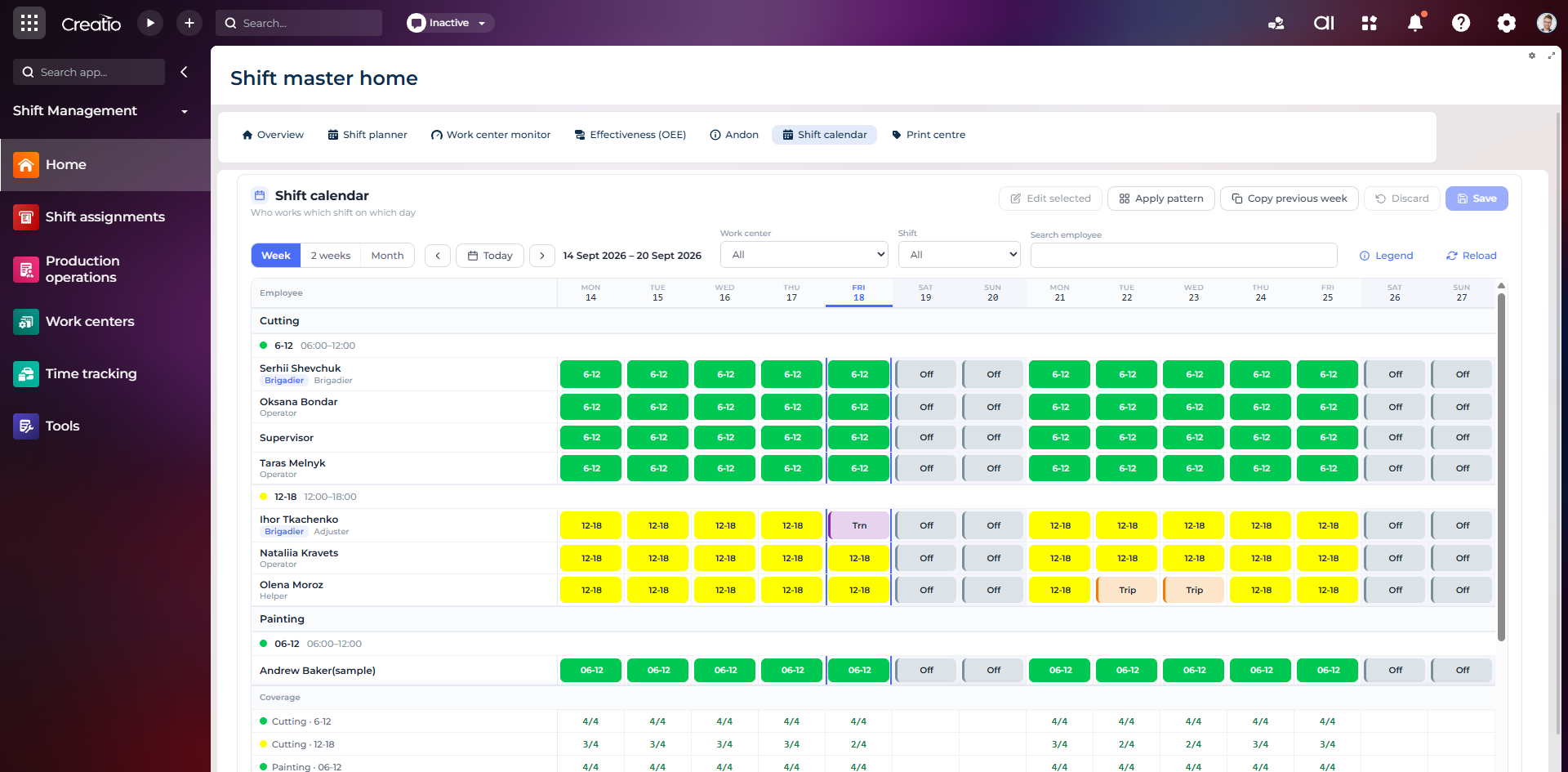
Календар змін
Планування персоналу за робочими центрами: зміни, вихідні, відрядження та контроль покриття потрібної кількості працівників.
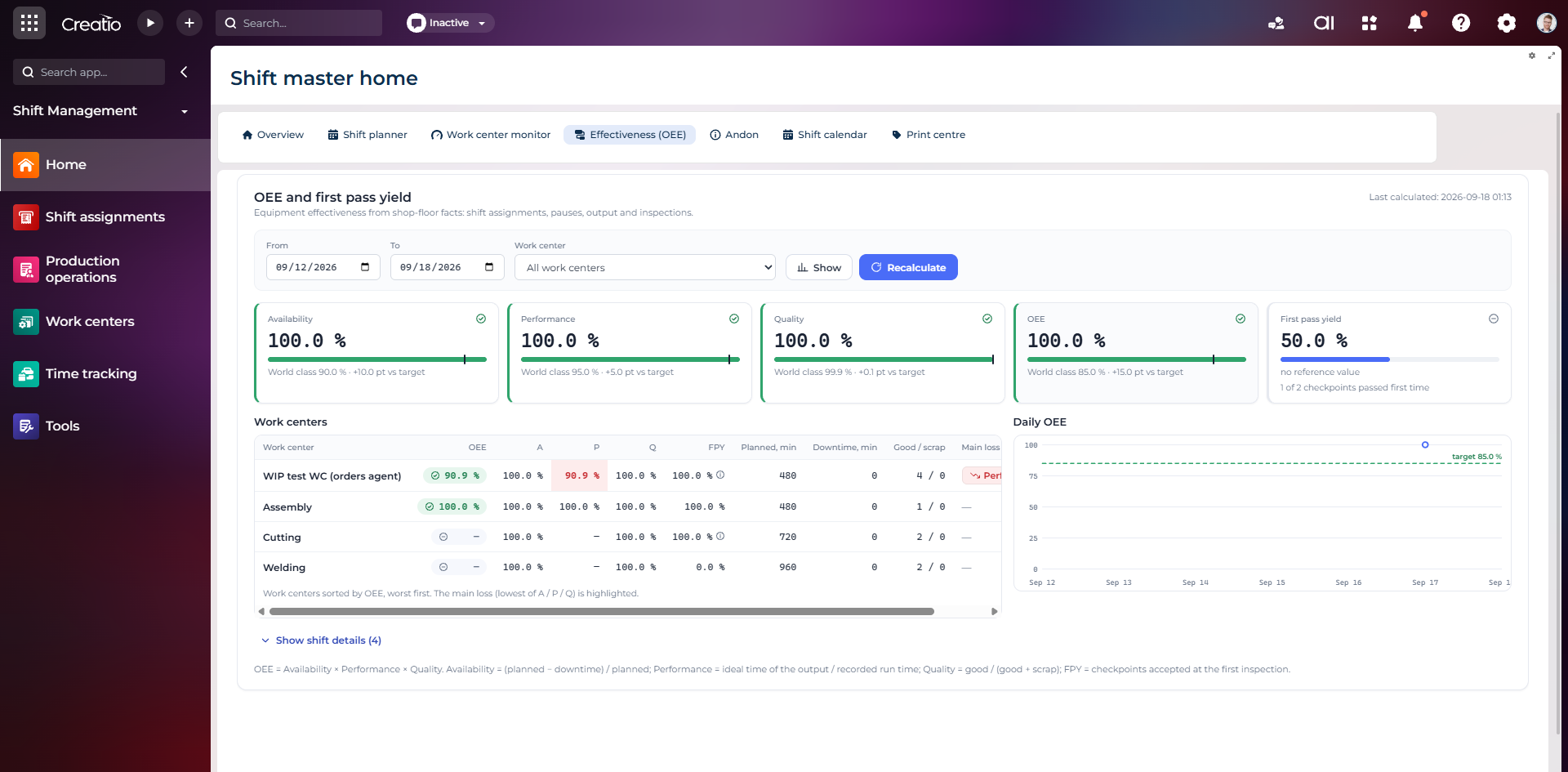
OEE та First Pass Yield
Доступність, продуктивність, якість, OEE і FPY по робочих центрах із порівнянням з цільовими показниками.
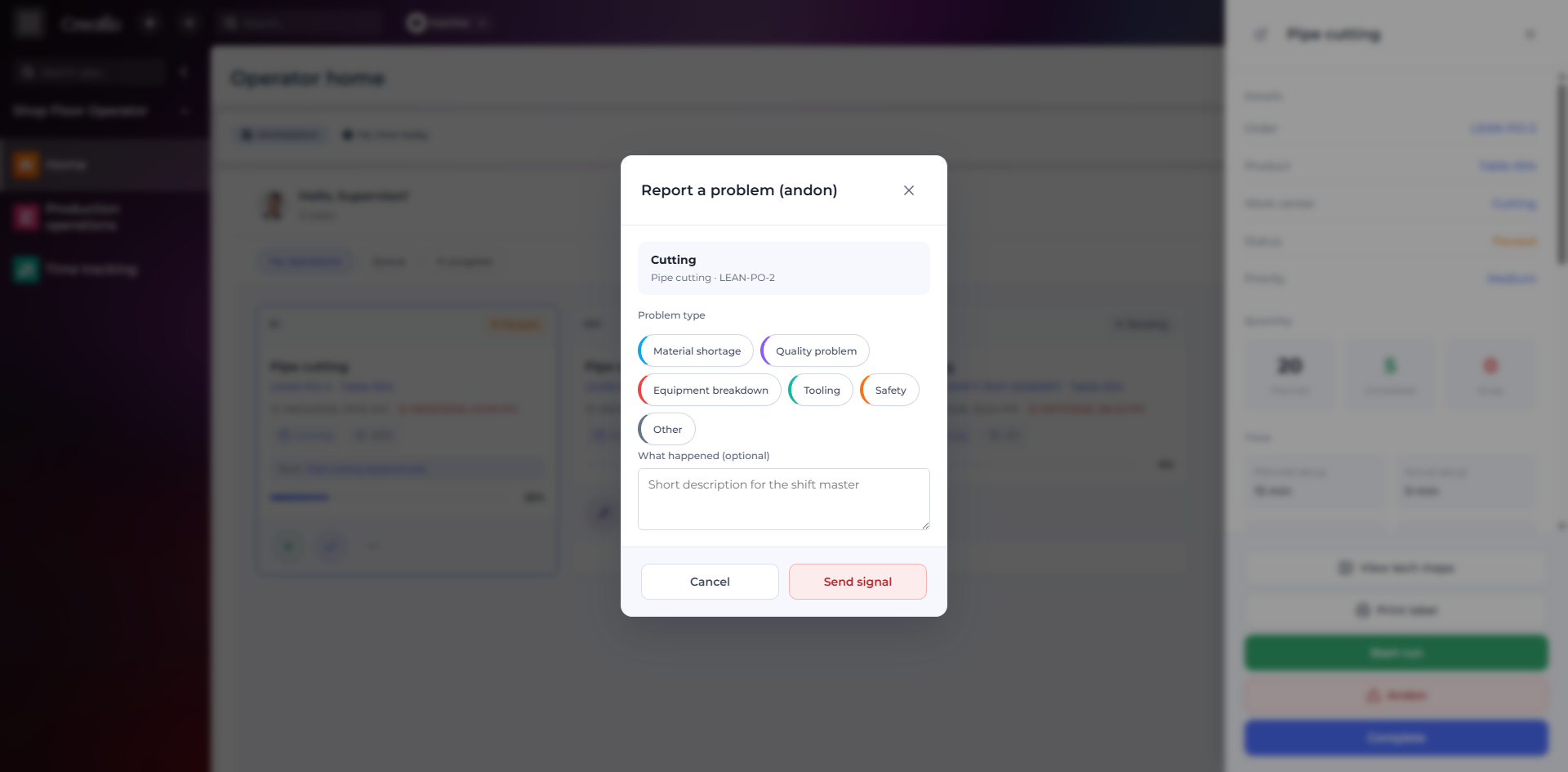
Andon-сигнал з робочого місця
Оператор повідомляє про нестачу матеріалів, проблему якості, поломку, інструмент або небезпеку безпосередньо з операції.
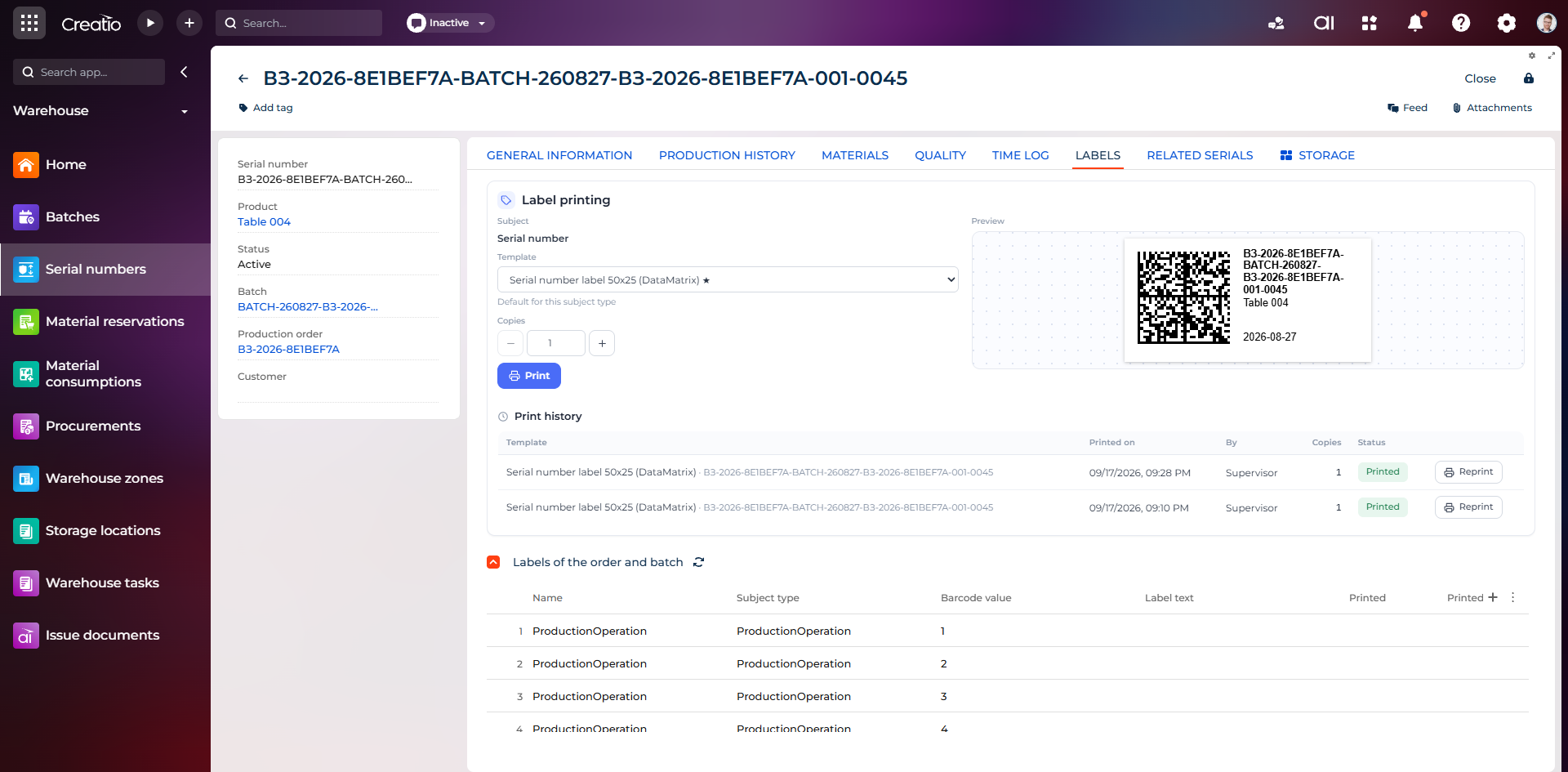
Маркування серійного виробу
Друк етикетки DataMatrix для серійного номера з шаблоном, попереднім переглядом та історією друку.
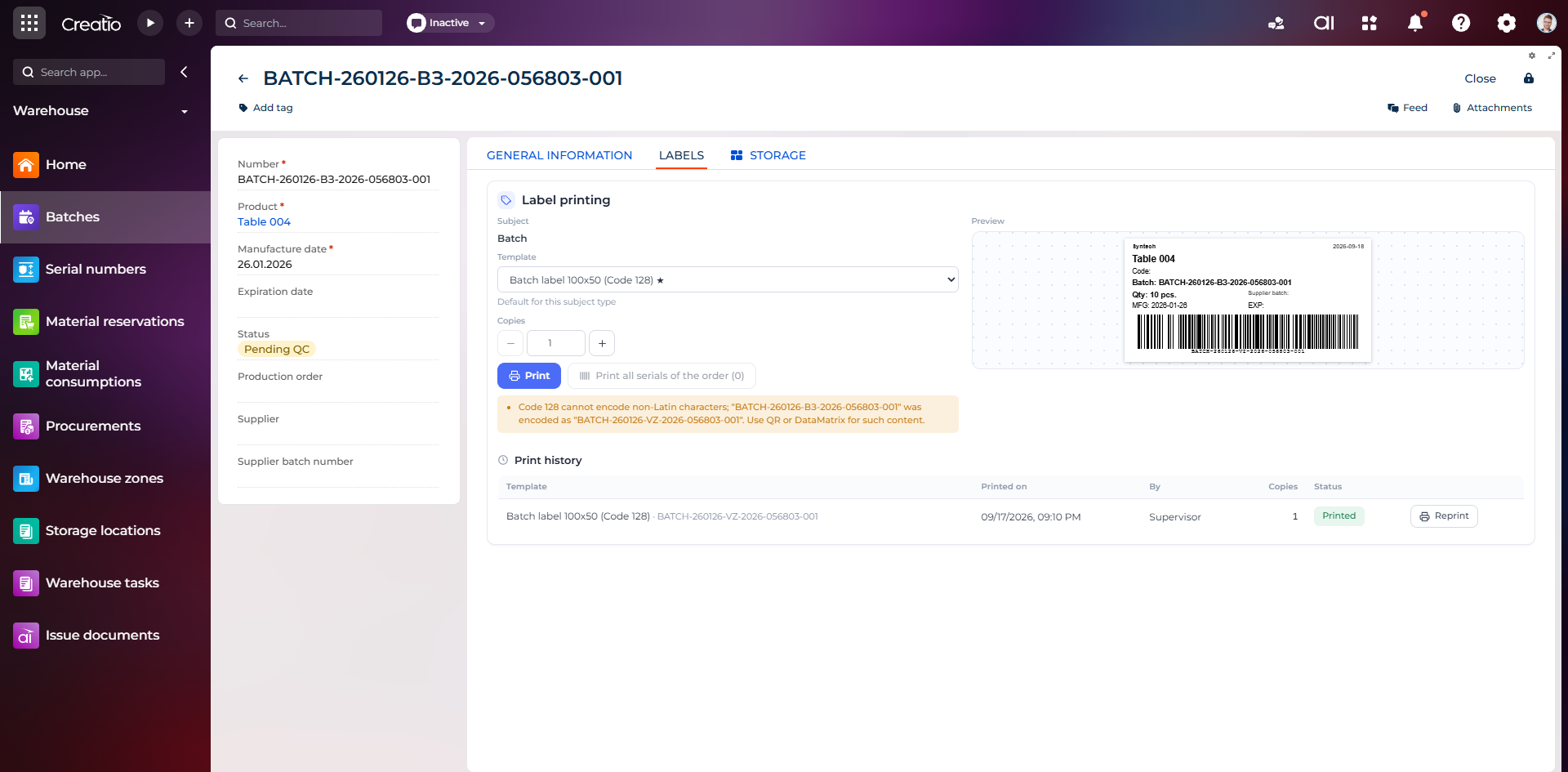
Маркування партії
Етикетка партії з кодом, кількістю, датою виготовлення, терміном придатності та штрихкодом Code 128.
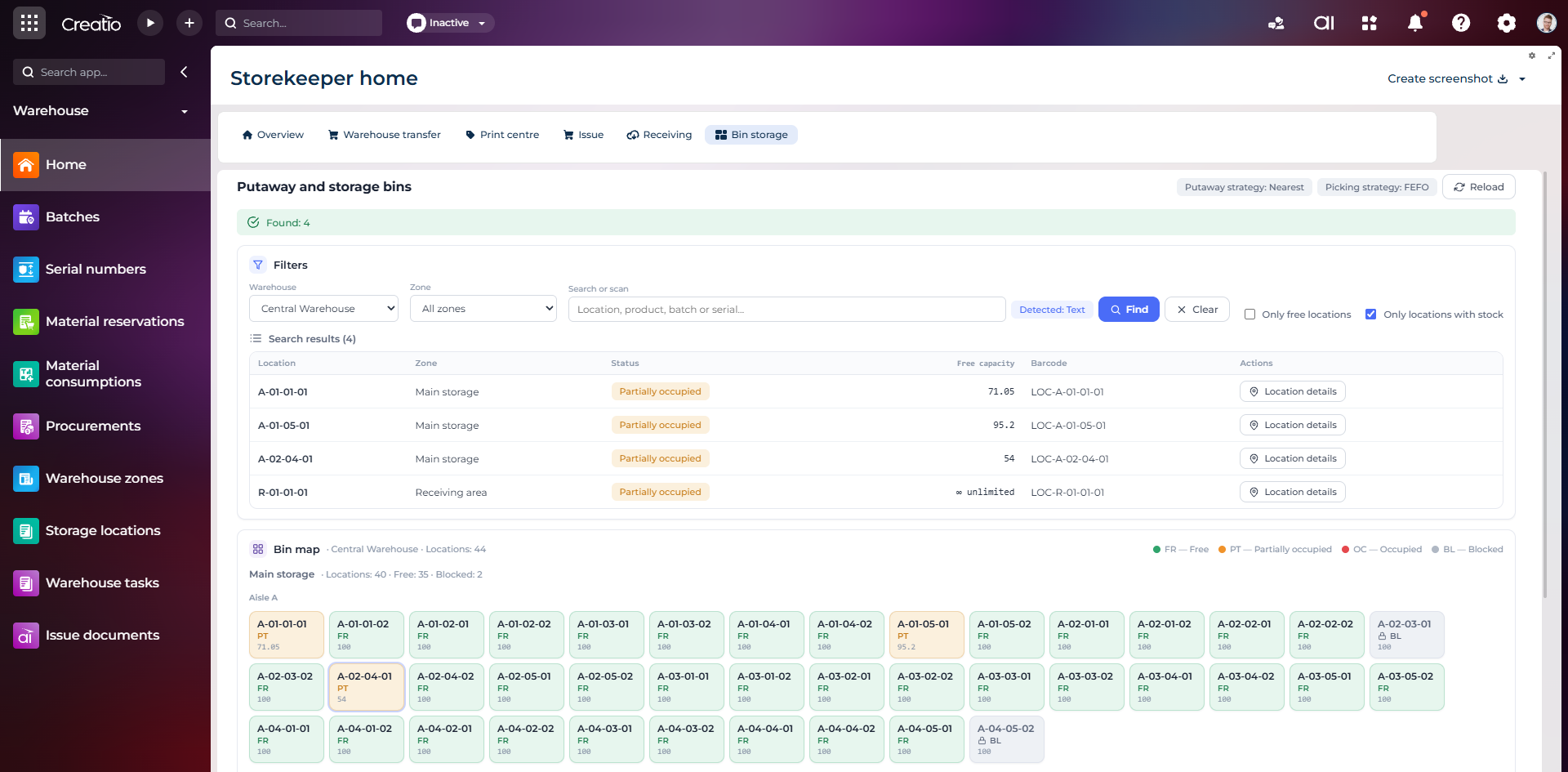
Коміркове зберігання
Пошук складських комірок за зоною, товаром, партією або серійним номером із відображенням місткості та статусу.
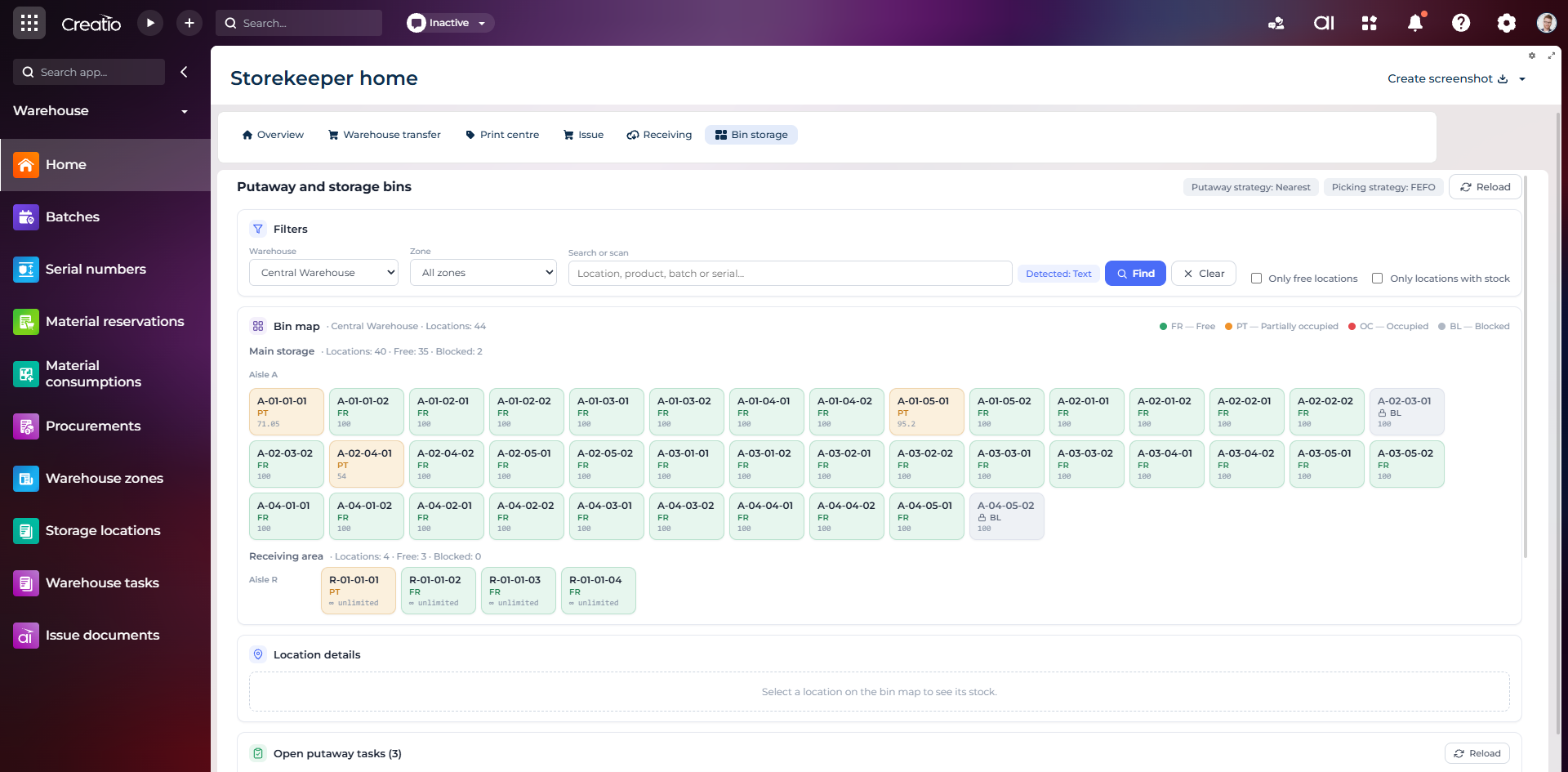
Карта складських комірок
Візуальна карта зон і проходів зі статусами вільних, частково зайнятих, зайнятих та заблокованих комірок.
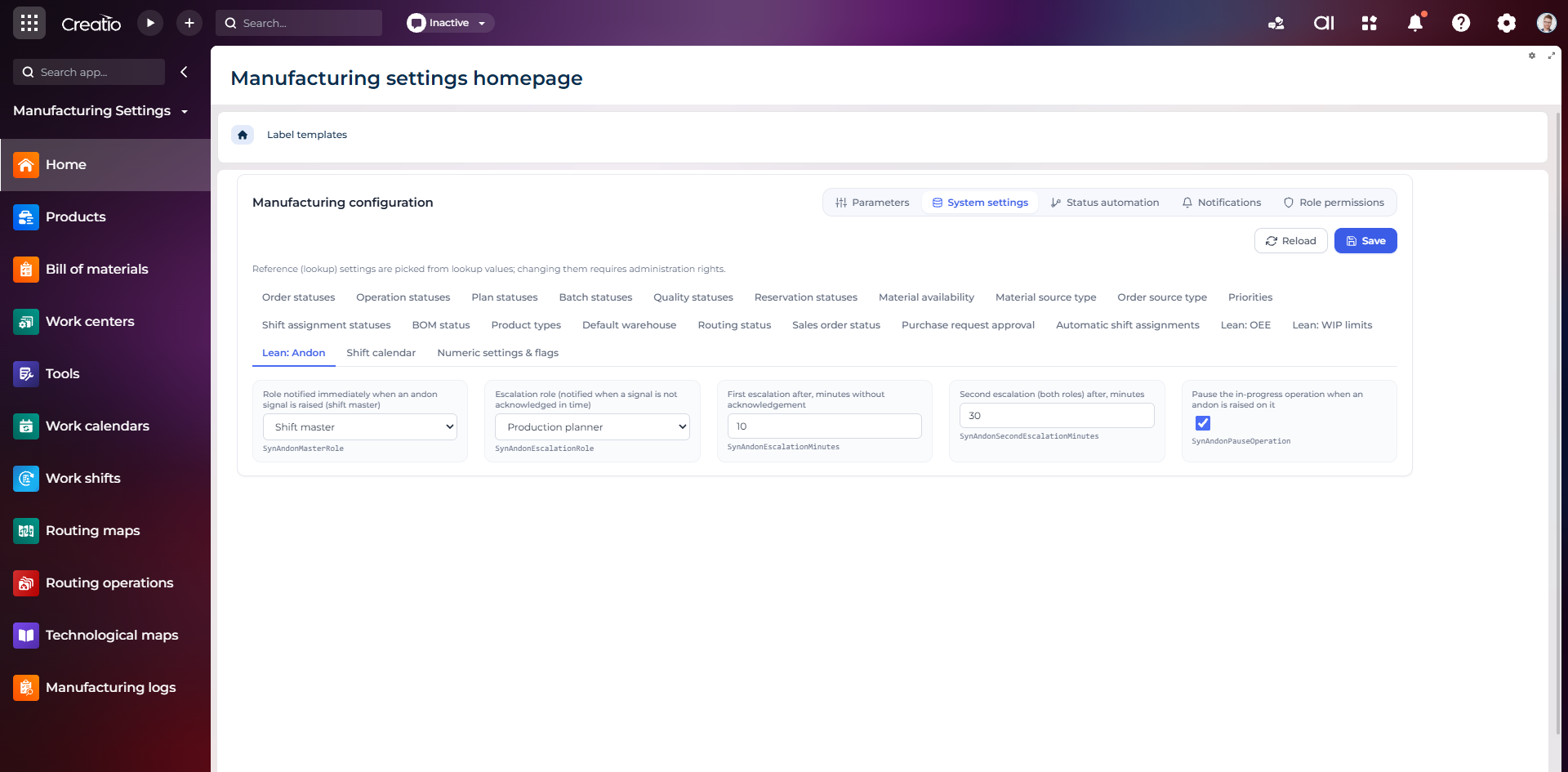
Налаштування Andon
Налаштування ролей сповіщення, строків ескалації та автоматичної зупинки операції після Andon-сигналу.
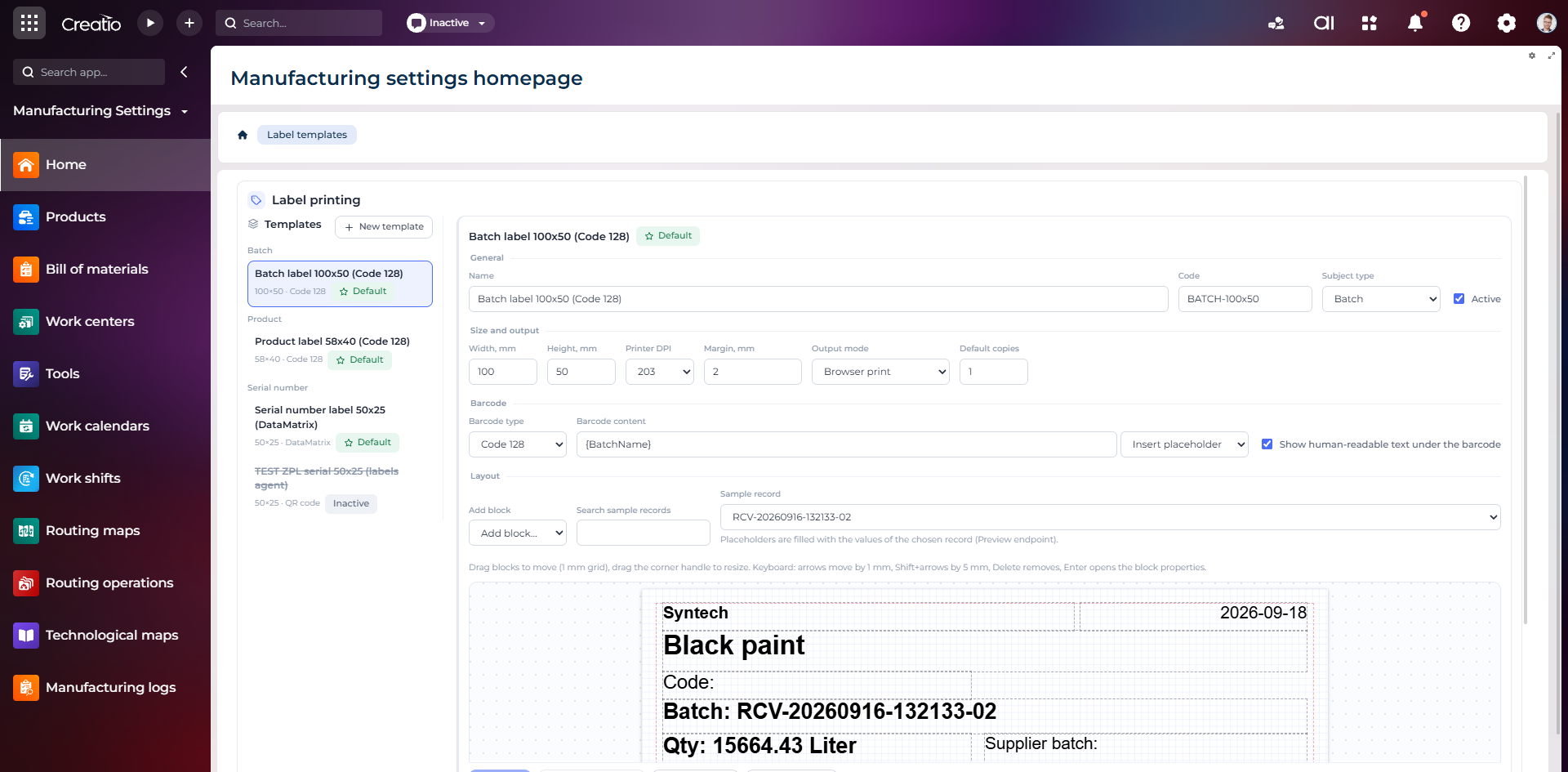
Конструктор шаблонів етикеток
Візуальне створення етикеток для партій і серійних виробів із плейсхолдерами, штрихкодами та попереднім переглядом.