
Machines that are ready when the order is
A passport for every machine, maintenance planned by calendar or by meter, a repair order opened from an andon signal, calibration control, and an equipment check before the operation starts.
The question arrives later than the breakdown
When a customer or a military representative asks which machine made this batch and whether the gauge was in calibration, the answer is assembled from log books, paper certificates and memory. Maintenance is remembered after the breakdown, and the downtime you paid for with a missed date is counted nowhere.
Here equipment, maintenance and metrology live in the same database as the operations. Downtime flows into OEE availability by itself, an overdue calibration stops or warns before the operation starts, and the history belongs to the machine.
How it works
- 01
You create the equipment passport
One card per machine, and a work centre can hold several: inventory number, model, manufacturer, serial number, commissioning date, location, responsible person and criticality A, B or C. Running hours are typed into the meter list or counted from the work centre's operation time.
- 02
You set up preventive maintenance plans
A plan names the machine and the maintenance type: daily check, TO-1, TO-2, lubrication, technical inspection, current repair or overhaul. The interval is in days, running hours or both, with a duration, responsible and checklist. The "Critical" flag makes an overdue plan stop production.
- 03
A background job raises the work orders
Once a day the system creates one order for every active plan that is due or overdue. One plan gives one open order, so nothing is duplicated, and the maintenance role gets a summary.
- 04
A breakdown is reported from the line
An andon signal of type "Equipment breakdown" opens a repair order and puts the machine Under repair. A repeated signal joins the open order instead of creating a second one. If the signal was already resolved, the order is created as Done with its downtime, so the MTBF and MTTR history stays complete.
- 05
The repair closes with spare parts and downtime
The order records the failure code, the work performed and the labour. On completion spare parts are written off from the warehouse bins, the machine returns to In operation unless another open order keeps it down, and the plan moves forward. If a part has no stock, or bin storage is off, the line is only recorded with the reason in its note. A write-off is never invented.
- 06
Downtime flows into OEE by itself
The order's minutes become a pause of the work centre and count towards availability. Minutes already covered by other pauses, such as an andon that stopped the operation, are subtracted, so nothing is counted twice.
- 07
You run metrology and the check at start
An instrument card holds the measuring range, accuracy class, control type (verification or calibration), interval and "valid until" date; the calibration history keeps date, result, certificate, laboratory and verifier. On the routing operation you say which instrument types are required. At operation start the system checks that an operable machine exists, that no critical maintenance is overdue and that the required instruments are in calibration. The mode is Off, Warn (the default) or Block.
What you get
An equipment board instead of a walk-around
Machine status by work centre, maintenance due and overdue, calibrations due, MTBF, MTTR and open work orders. Anyone may report a breakdown; starting and completing orders needs the maintenance right.
Evidence instead of recollection
The calibration and work-order history belongs to the machine and the instrument, so an auditor's answer already exists.
Maintenance is not forgotten
A plan is due seven days before its date, or when the running hours come within five per cent of the next value.
You choose how strict it is
The equipment check ships in warn mode, with the problem written out. Blocking is a setting you switch on when ready.
A workplace of its own for the engineer
The Maintenance workplace with the sections Equipment, Maintenance plans, Maintenance orders and Measuring instruments, which also open in the mobile app.
Let us load your machines into a demo
We will show passports, maintenance plans, orders raised from andon and the check at operation start on your own equipment.
Як це виглядає в системі
Реальні екрани Syntech Manufacturing на платформі Creatio: планування, склад, якість, зміни, OEE, Andon і маркування.
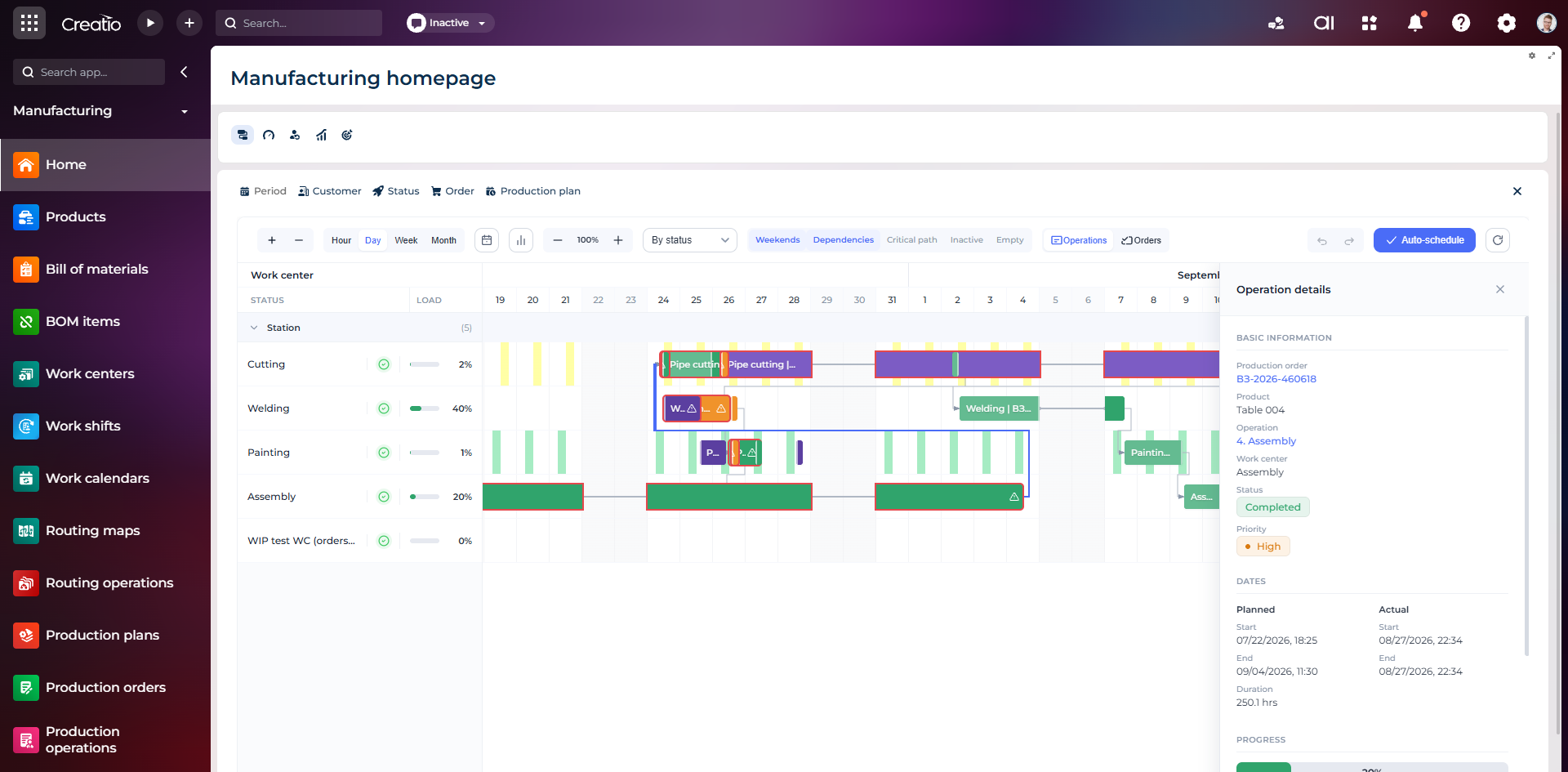
Виробниче планування
Діаграма Ганта за робочими центрами з залежностями, статусами, завантаженням і деталями кожної операції.
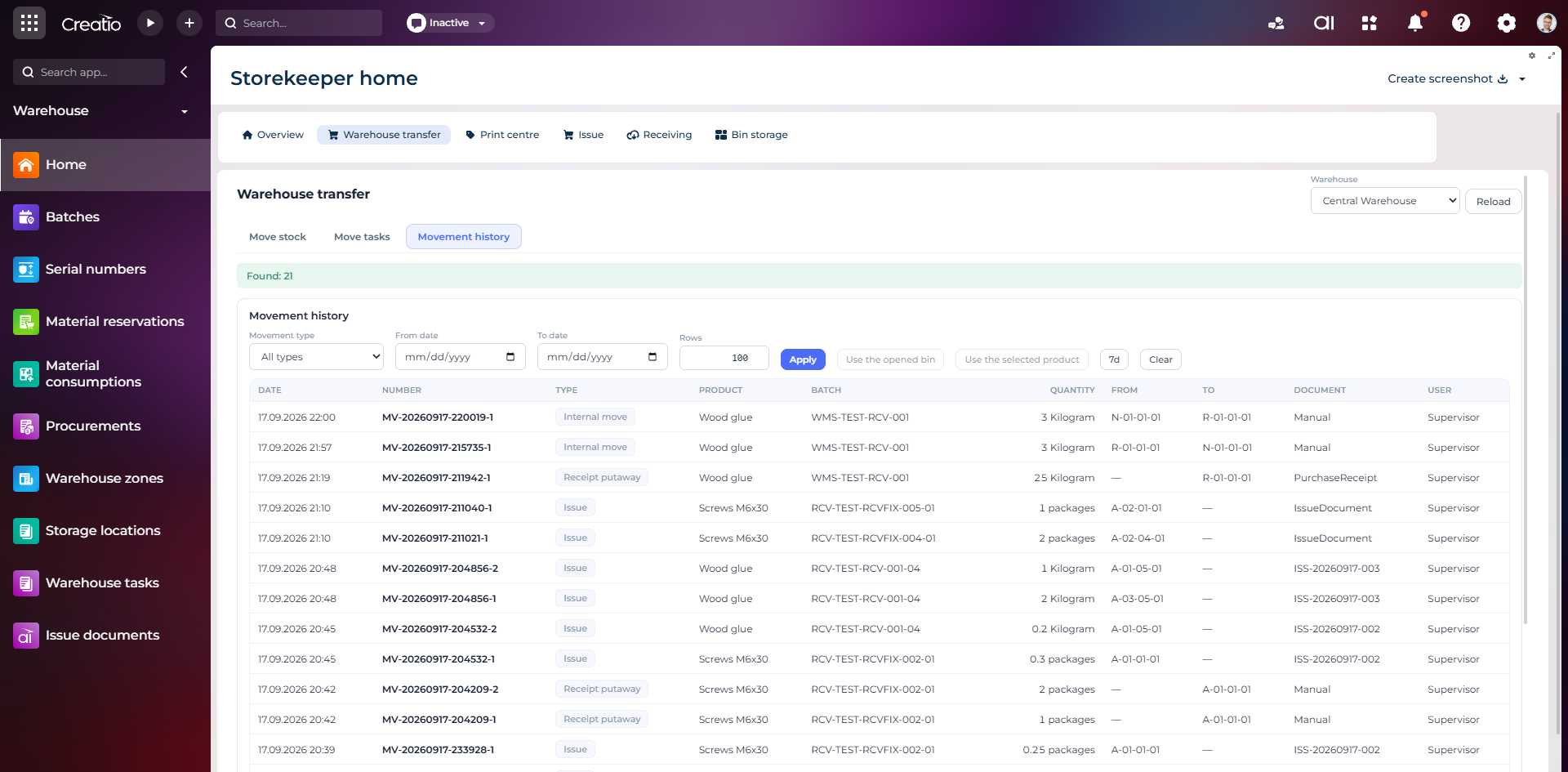
Історія руху запасів
Повний журнал приймання, видачі та внутрішніх переміщень із партією, кількістю, комірками, документом і відповідальним.
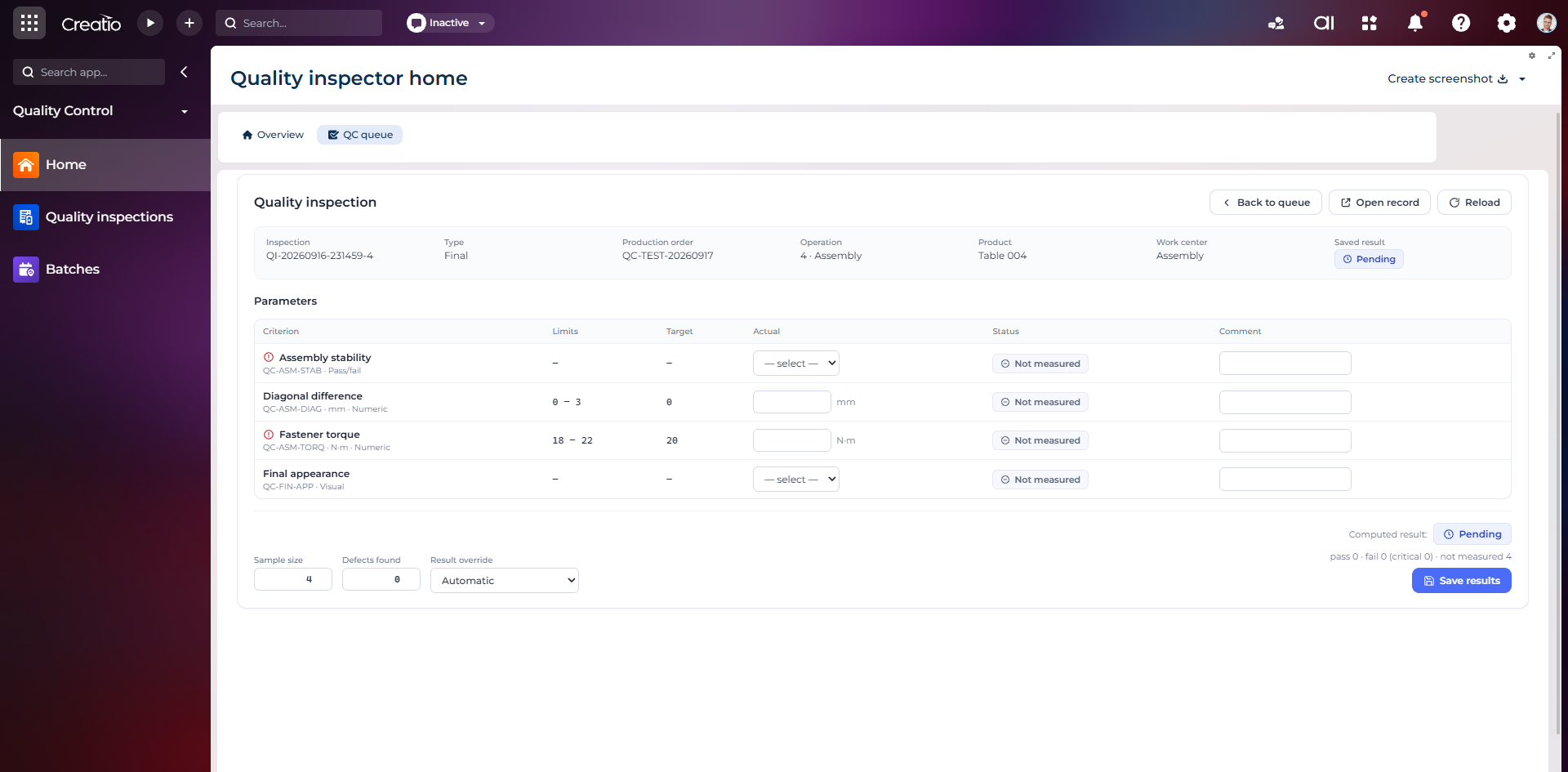
Контроль якості
Фінальна інспекція за критеріями: допустимі межі, фактичні значення, статуси вимірювань, коментарі та підсумковий результат.
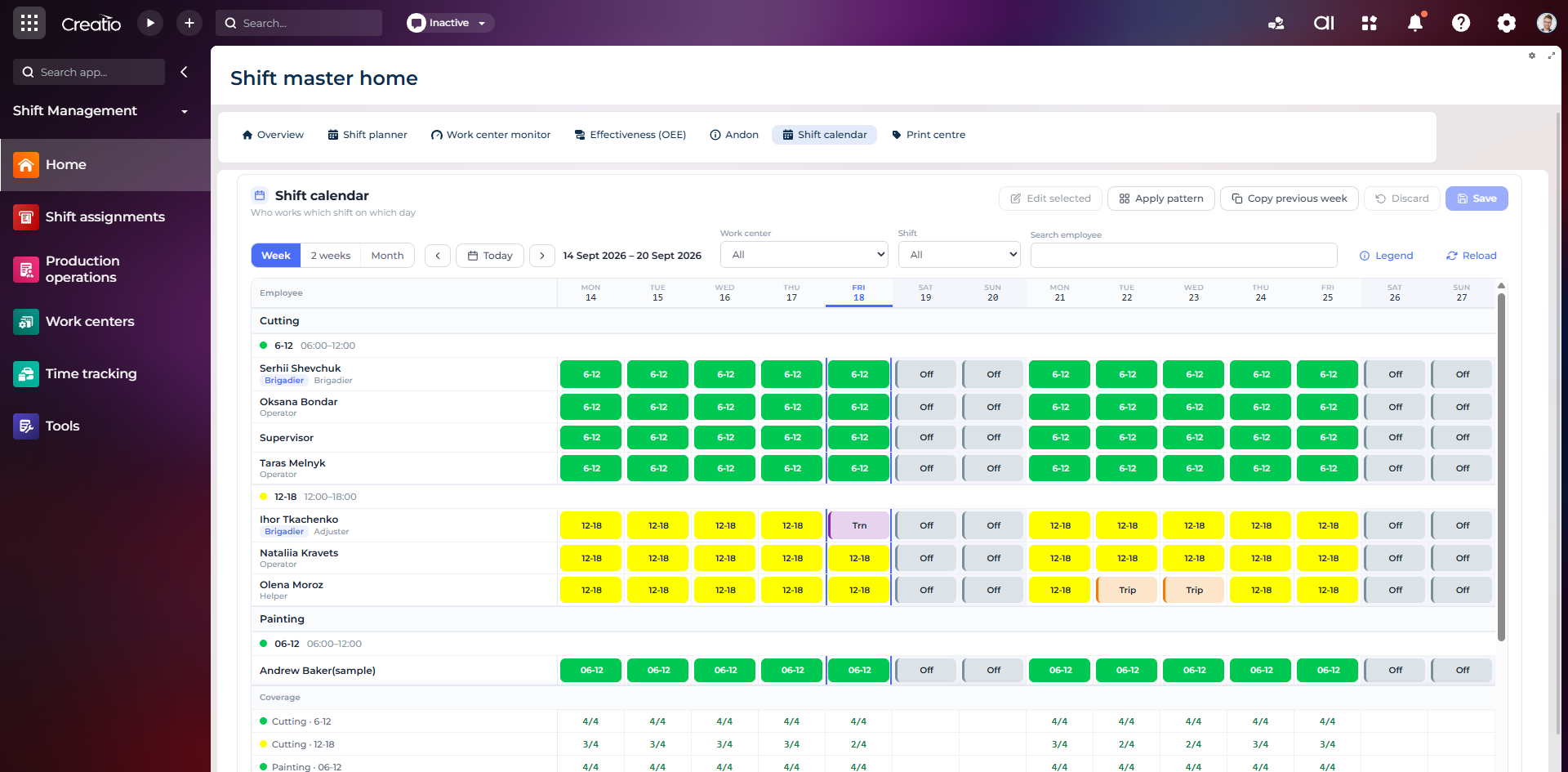
Календар змін
Планування персоналу за робочими центрами: зміни, вихідні, відрядження та контроль покриття потрібної кількості працівників.
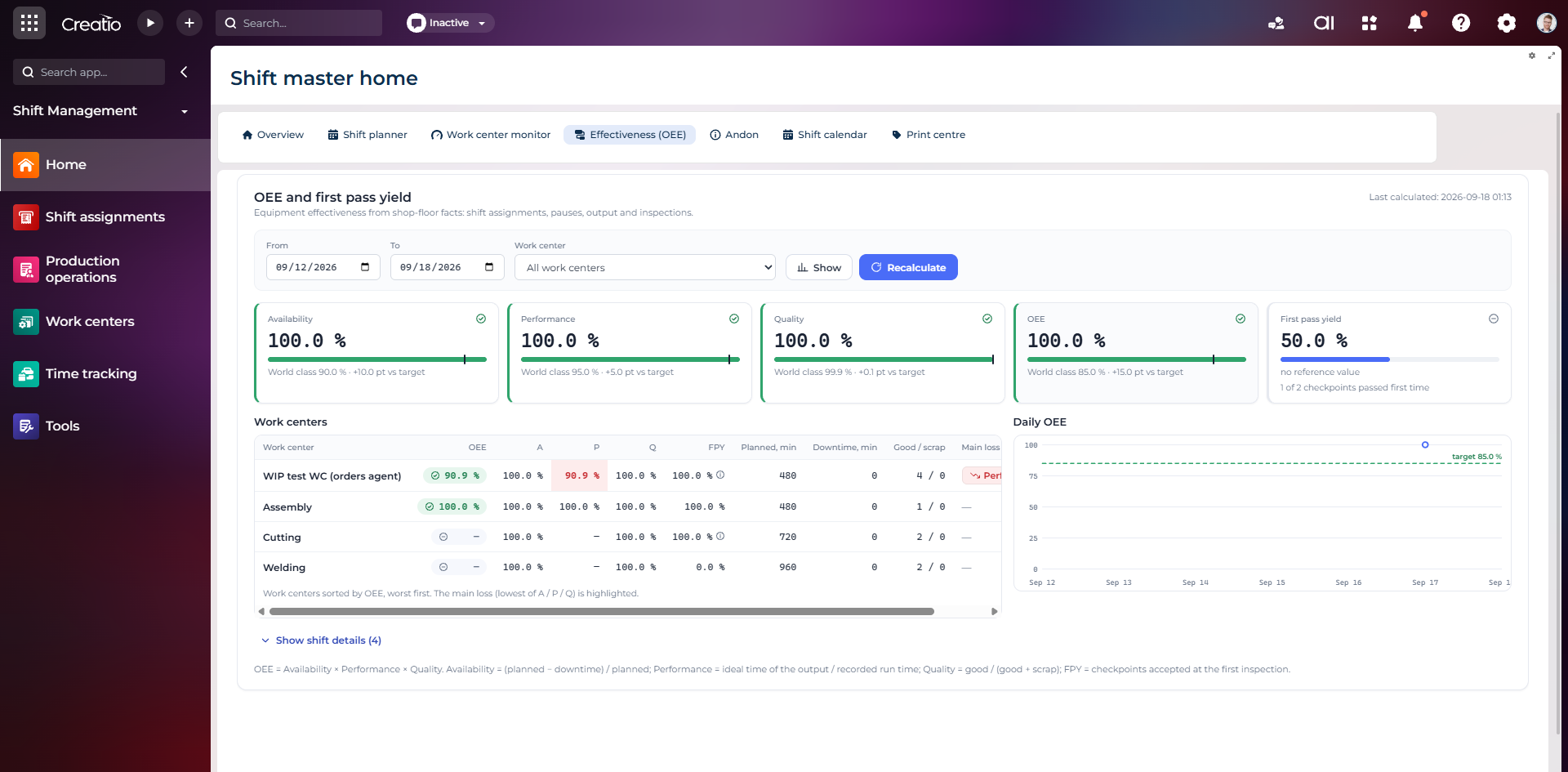
OEE та First Pass Yield
Доступність, продуктивність, якість, OEE і FPY по робочих центрах із порівнянням з цільовими показниками.
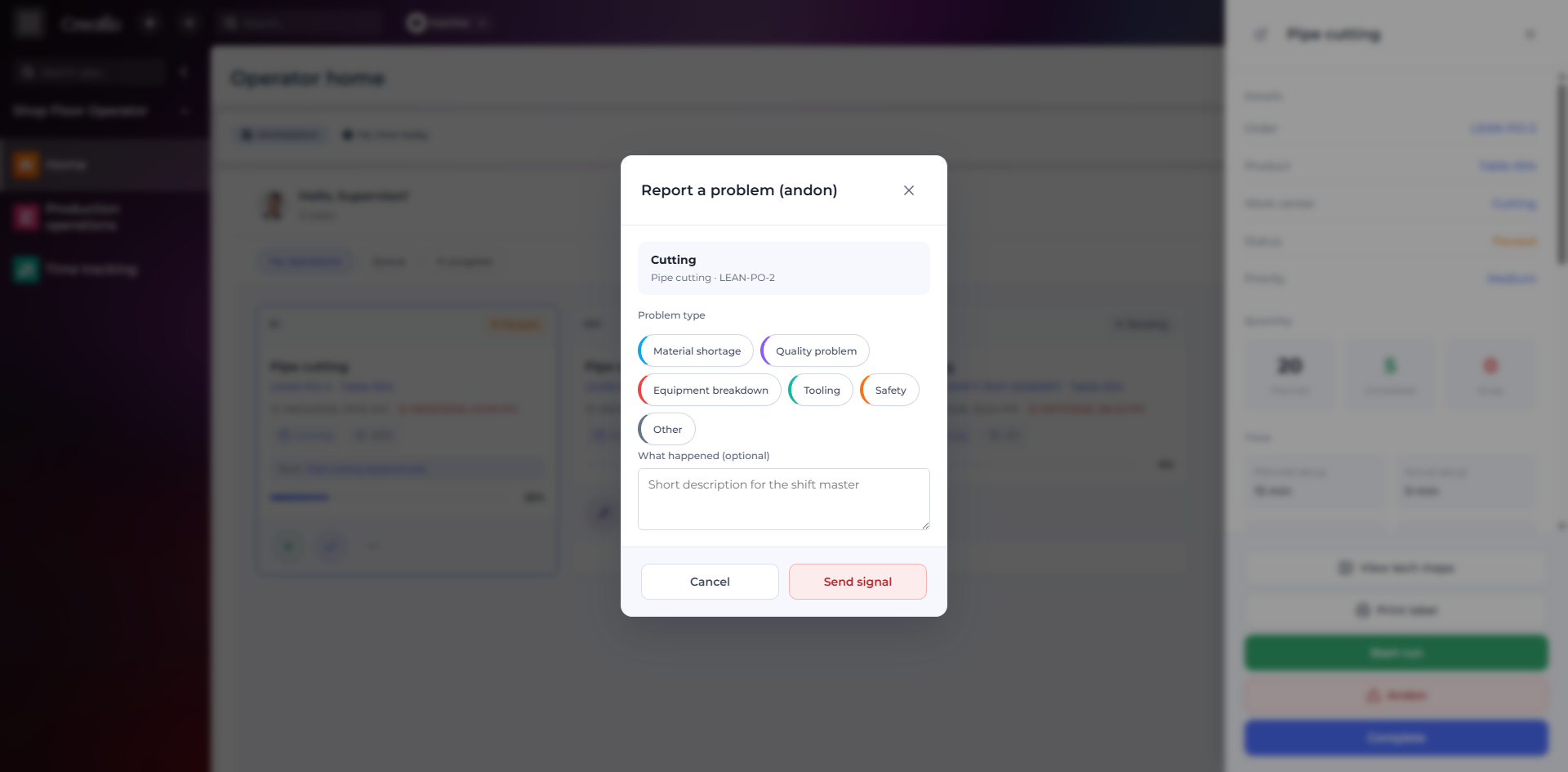
Andon-сигнал з робочого місця
Оператор повідомляє про нестачу матеріалів, проблему якості, поломку, інструмент або небезпеку безпосередньо з операції.
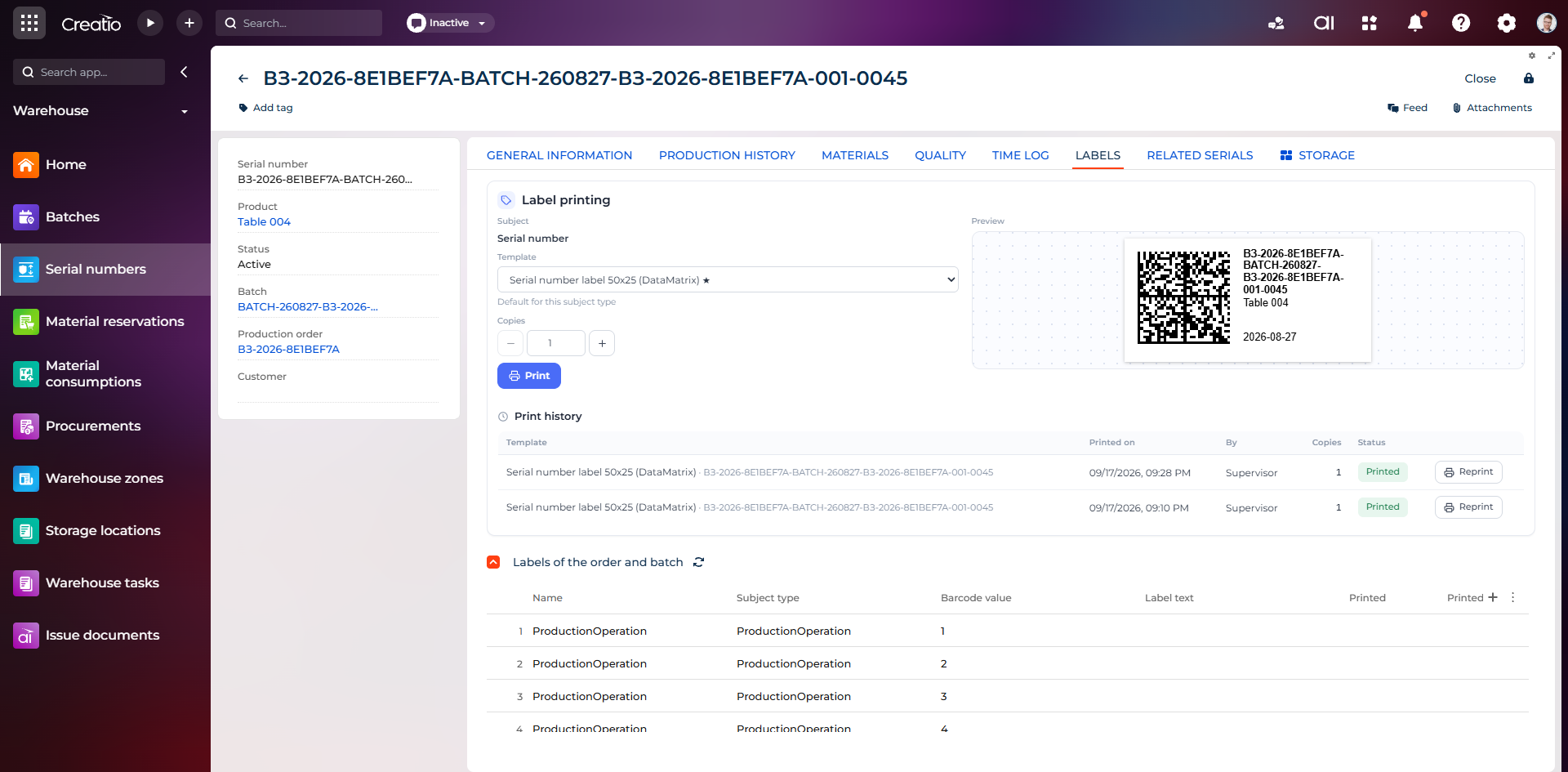
Маркування серійного виробу
Друк етикетки DataMatrix для серійного номера з шаблоном, попереднім переглядом та історією друку.
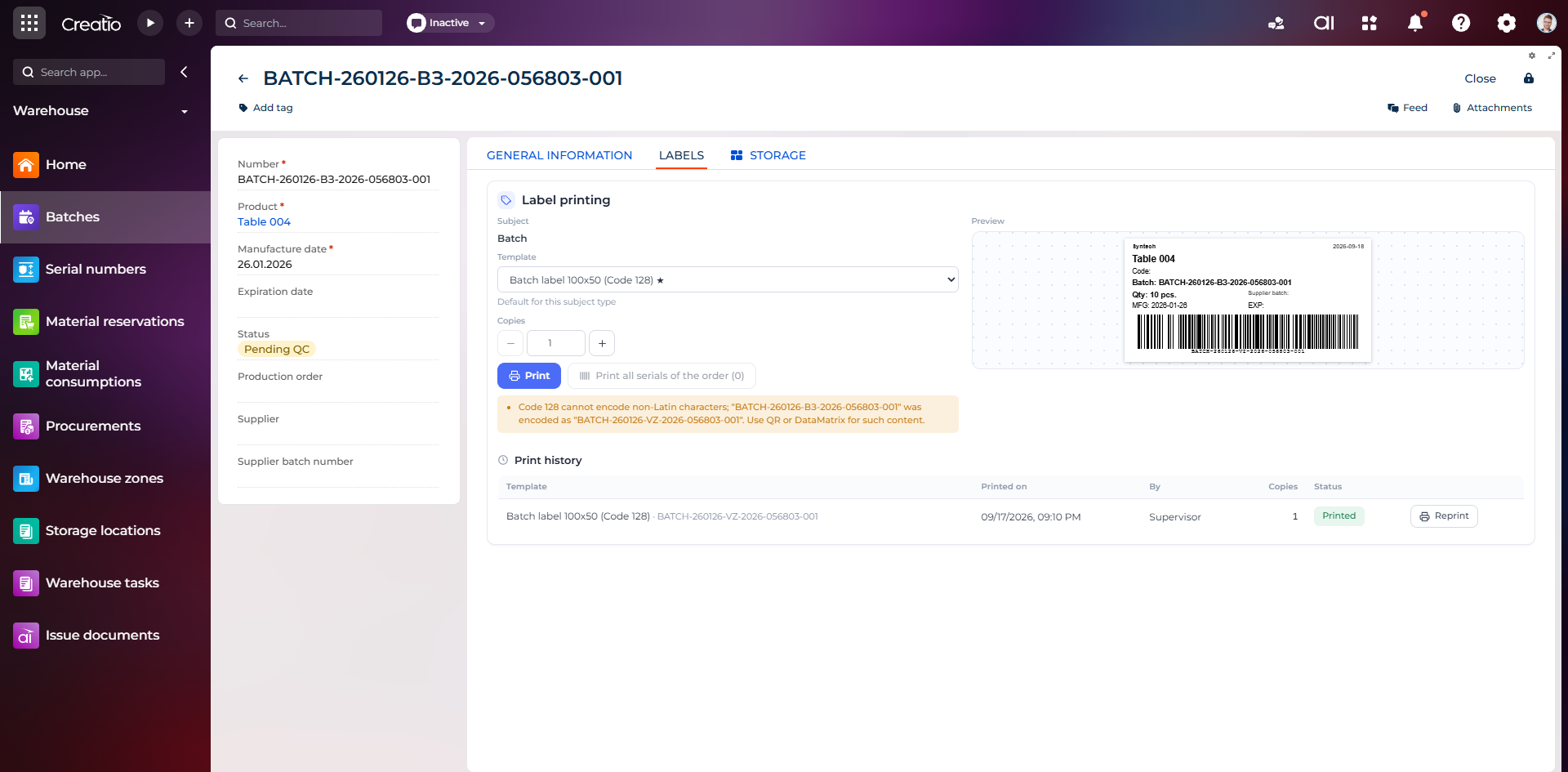
Маркування партії
Етикетка партії з кодом, кількістю, датою виготовлення, терміном придатності та штрихкодом Code 128.
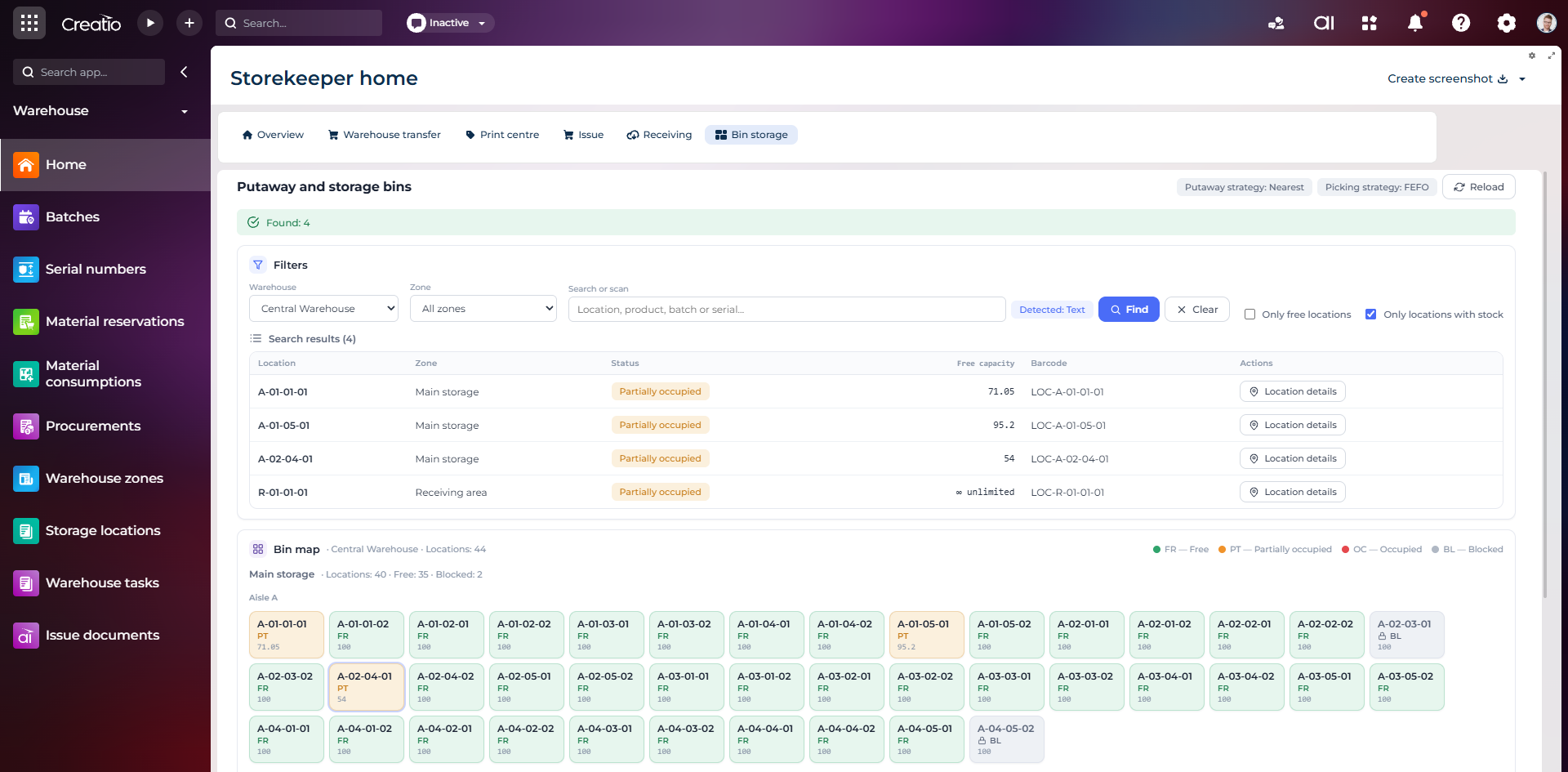
Коміркове зберігання
Пошук складських комірок за зоною, товаром, партією або серійним номером із відображенням місткості та статусу.
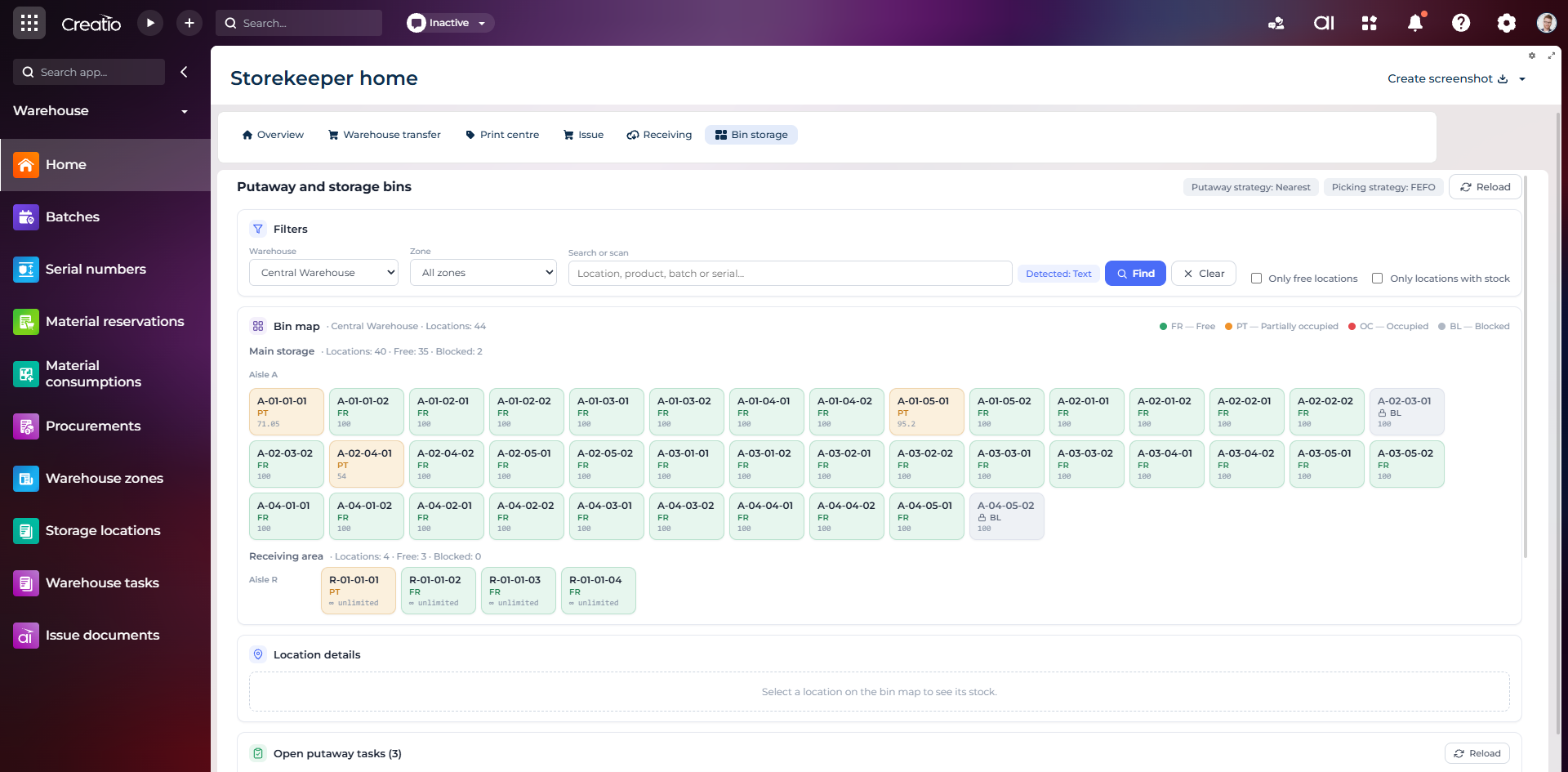
Карта складських комірок
Візуальна карта зон і проходів зі статусами вільних, частково зайнятих, зайнятих та заблокованих комірок.
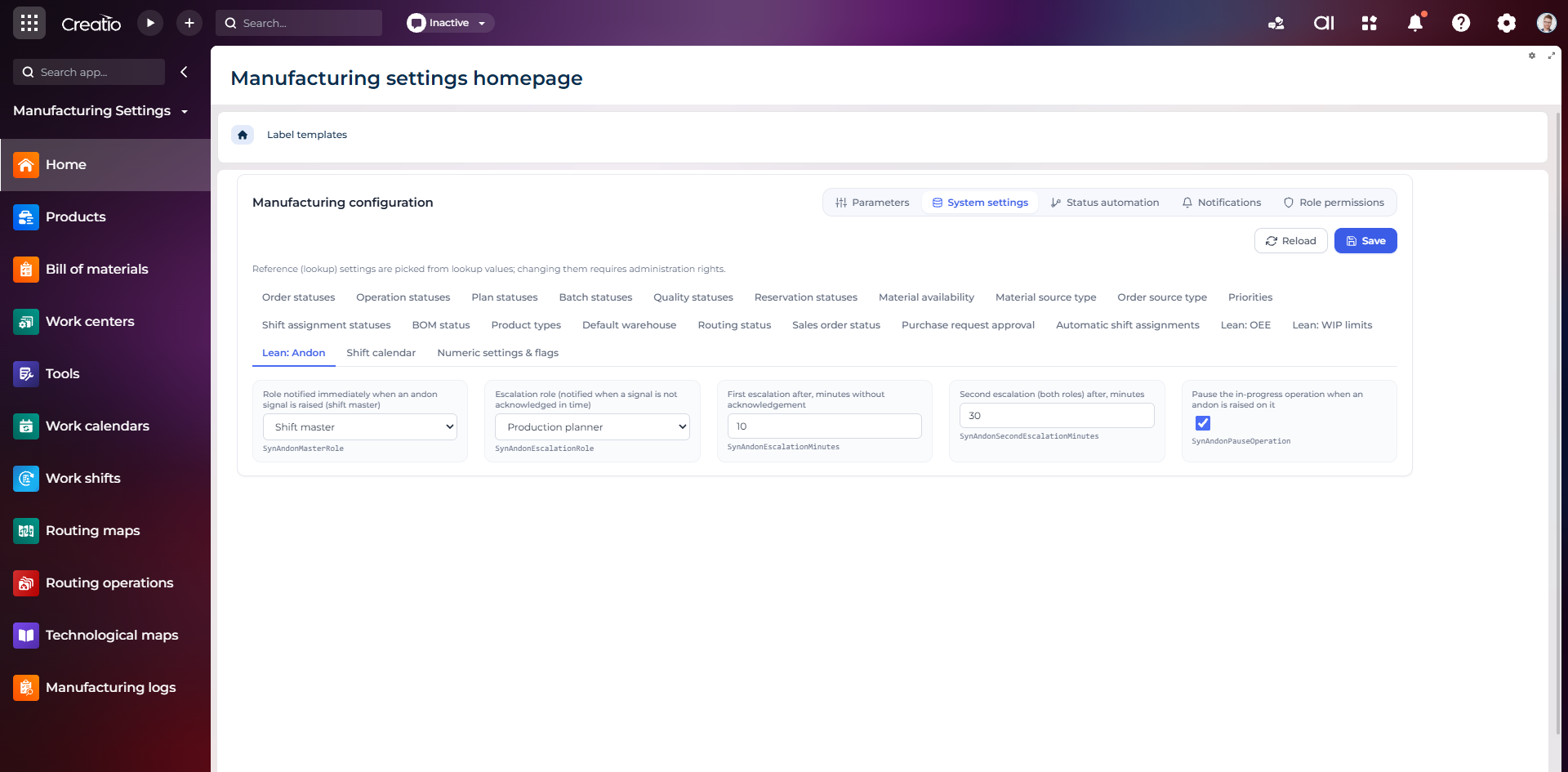
Налаштування Andon
Налаштування ролей сповіщення, строків ескалації та автоматичної зупинки операції після Andon-сигналу.
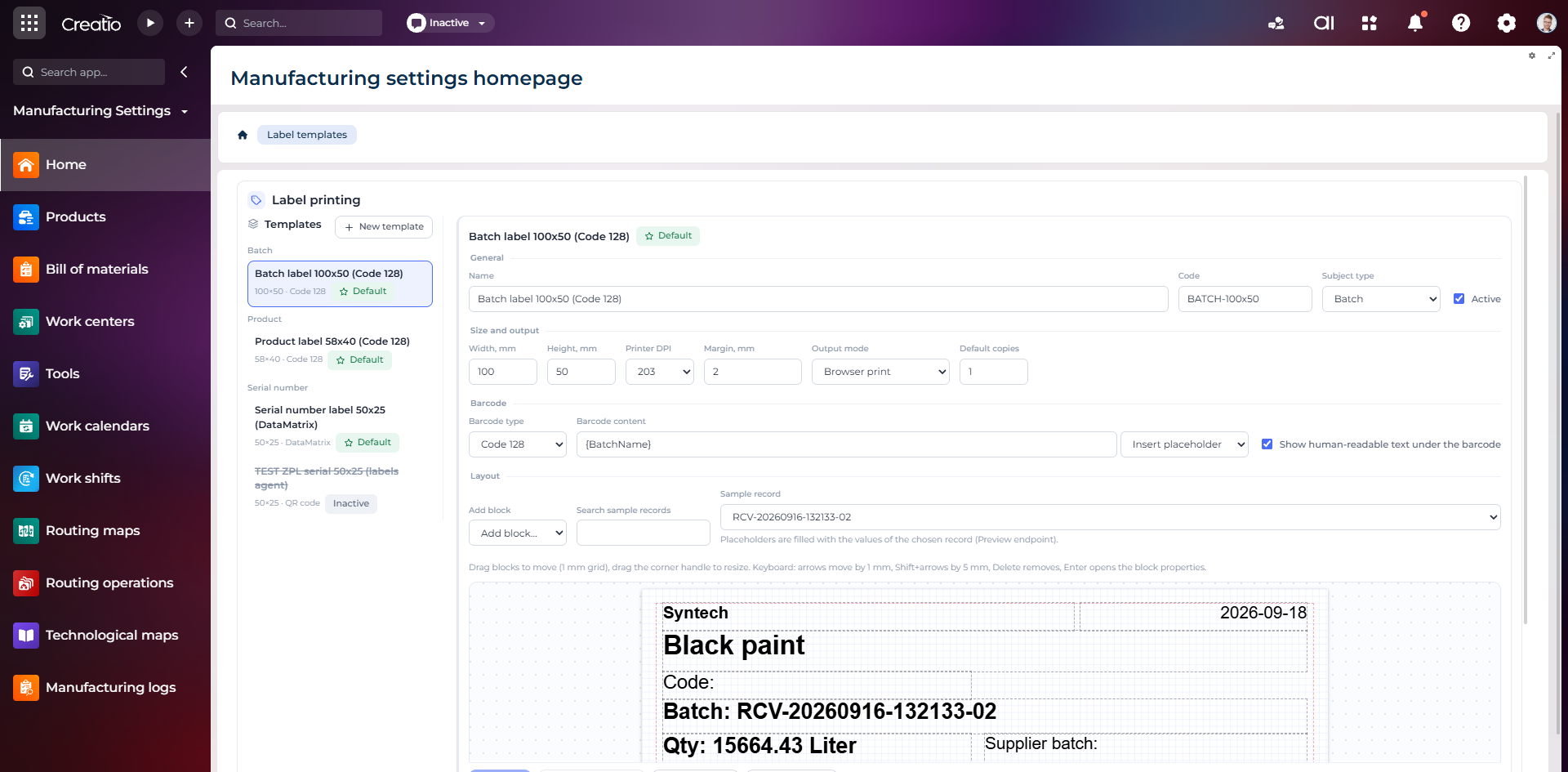
Конструктор шаблонів етикеток
Візуальне створення етикеток для партій і серійних виробів із плейсхолдерами, штрихкодами та попереднім переглядом.