
The check runs before the goods leave
Product classification, licences with remaining quantity and value, screened end users and their certificates — and a check on every shipment the moment the warehouse issues it.
Compliance next to manufacturing instead of inside it
Export control usually sits apart from the warehouse: the classification is in a specialist's file, the licences are a folder of scans, the remaining balance is worked out on a calculator the evening before a shipment, and the screening of a counterparty is remembered only by whoever did it. The mistake becomes visible after the goods have gone. Syntech Manufacturing moves that data into the records the warehouse already works with: the classification is on the product, the licence has items and a remaining balance, the screening decision has an author and a history. The check fires when the storekeeper presses Issue.
How it works
- 01
Classify the product
the "Export control" tab on the product card: the control list (military list, dual-use, national control list, not controlled), the control list entry (ML10.a, 6A003.b.4.b), the classification code (ECCN) and the "Requires export licence" flag. Below it, the destination restrictions: country, "Export prohibited" and the reason. A licence is required when the flag is set or the product is on the military or dual-use list.
- 02
Screen the end user
the "Export control" tab on the account card. The officer records the decision: cleared, watch, denied or not screened; a reason is mandatory for the middle two. Every decision goes into the screening history with its date, previous status and author. There is no external sanctions service — you record the result of your own check.
- 03
Register the licence
the "Export licences" section: type (export, re-export, temporary export, transit, general licence), issuing authority, validity, consignee, end user, destination, contract, currency and licensed value. On the items tab: the product or control list category, licensed quantity, price and value.
- 04
Add the end-use certificate
the "End-use certificates" section: type (end-use certificate, international import certificate, delivery verification), issued by, valid to, end user, licence and the no-re-export undertaking. Export and re-export licences require one.
- 05
Look at the contract in advance
the "Export control" tab on the contract card runs the whole delivery schedule against its planned dates, consuming licences cumulatively, and shows where the licence stops being enough. The same tab on the planner's home page gathers active and expiring licences, exhausted ones, blocked and warned shipments over 30 days, denied parties, the watch list and valid certificates.
- 06
Check the issue document
the "Export control" tab on the issue document shows the parties, destination, licence and verdict: allowed, allowed with warnings or blocked, with a line table and the balance remaining after this shipment. "Check again" re-runs it without writing anything, and the same result is shown next to the Issue button.
- 07
Press Issue
the check runs before anything is written. A prohibited destination blocks the issue, and so does a denied consignee or end user. Every controlled line needs an active licence, valid on the shipment date, whose consignee, end user, destination and contract match, with an item for that product or its category and enough remaining quantity and value; where the licence or its type requires one, a valid end-use certificate too. The watch list, an unscreened end user and a licence expiring soon produce warnings.
- 08
After that the system counts for you
when the shipment moves to picking or is issued, a usage row is kept per line; cancelling it reverses those rows and restores the balance. A daily job recalculates licences, sets them exhausted or back to active, marks licences and certificates expired, and warns ahead of time, 30 days by default. The notifications go to the export control officer role.
What you get
The licence balance is a number, not an estimate
usage is counted by quantity and by value, lines of the same product consume the licence cumulatively, and the licence card shows every shipment that spent it.
A denied party and a prohibited destination never pass
those two checks block even in warning mode. The only way to switch them off is to switch export control off entirely.
You choose the mode
by default the control runs in warn mode: a missing licence or certificate warns rather than refuses. Blocking is a setting you turn on when ready.
Every refusal carries a reason and a trail
the message names the product and the reason, for example how many pieces are left on that licence. Every check is logged and the document keeps its result.
The system enforces your data, not a state register
this is not a government database and not a replacement for a compliance officer. It applies the licences, restrictions and screening decisions that you entered, and shows when they no longer cover a shipment.
The roles ship empty
the export control officer role is created without users: until you add people to it, the notifications reach nobody. Role names in Creatio are available in English only.
Let us run your shipment in the demo
Bring one real licence and one end user. We will run a shipment that should pass and one that should not, and show exactly what the system writes into the log.
Як це виглядає в системі
Реальні екрани Syntech Manufacturing на платформі Creatio: планування, склад, якість, зміни, OEE, Andon і маркування.
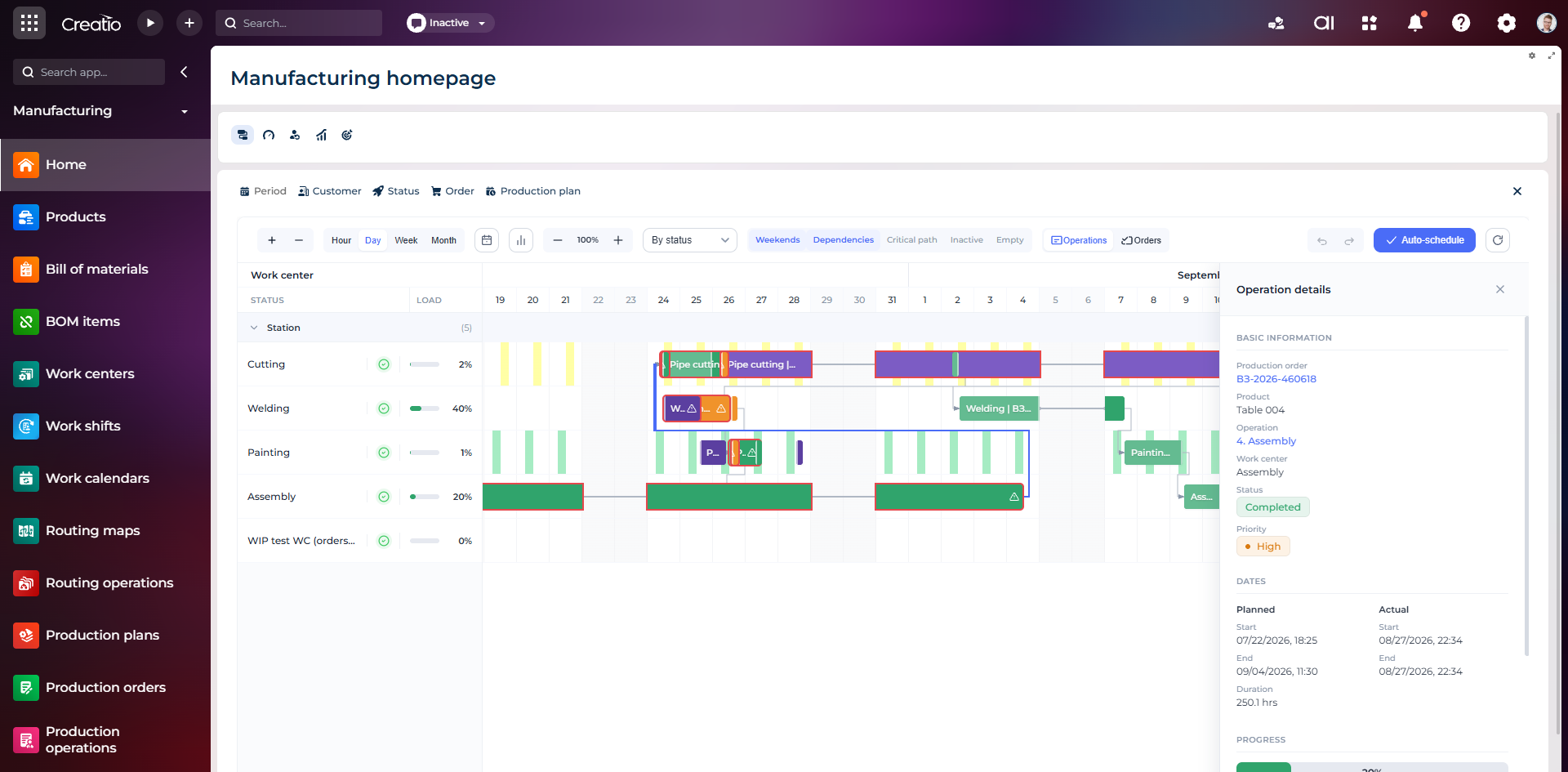
Виробниче планування
Діаграма Ганта за робочими центрами з залежностями, статусами, завантаженням і деталями кожної операції.
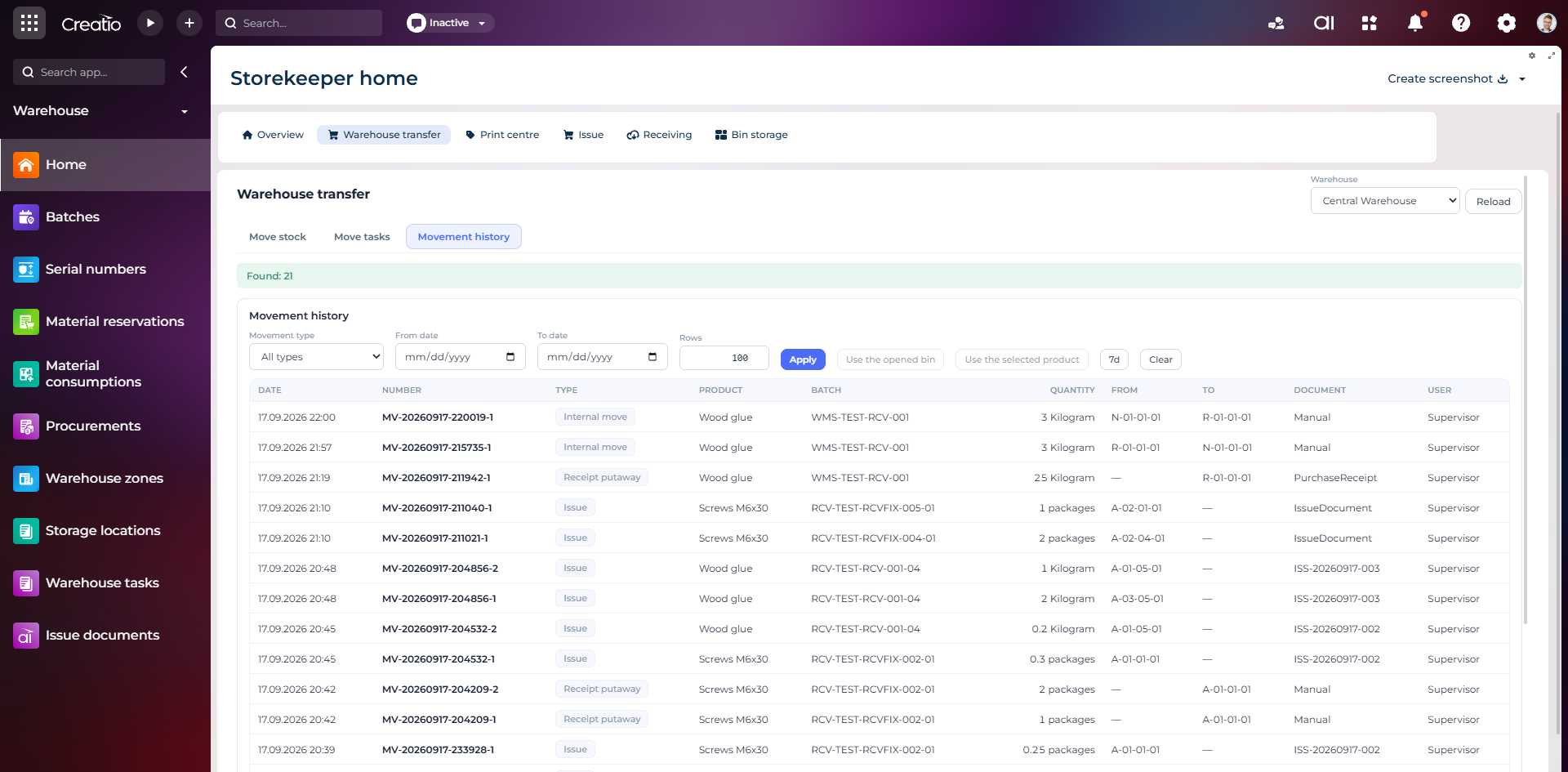
Історія руху запасів
Повний журнал приймання, видачі та внутрішніх переміщень із партією, кількістю, комірками, документом і відповідальним.
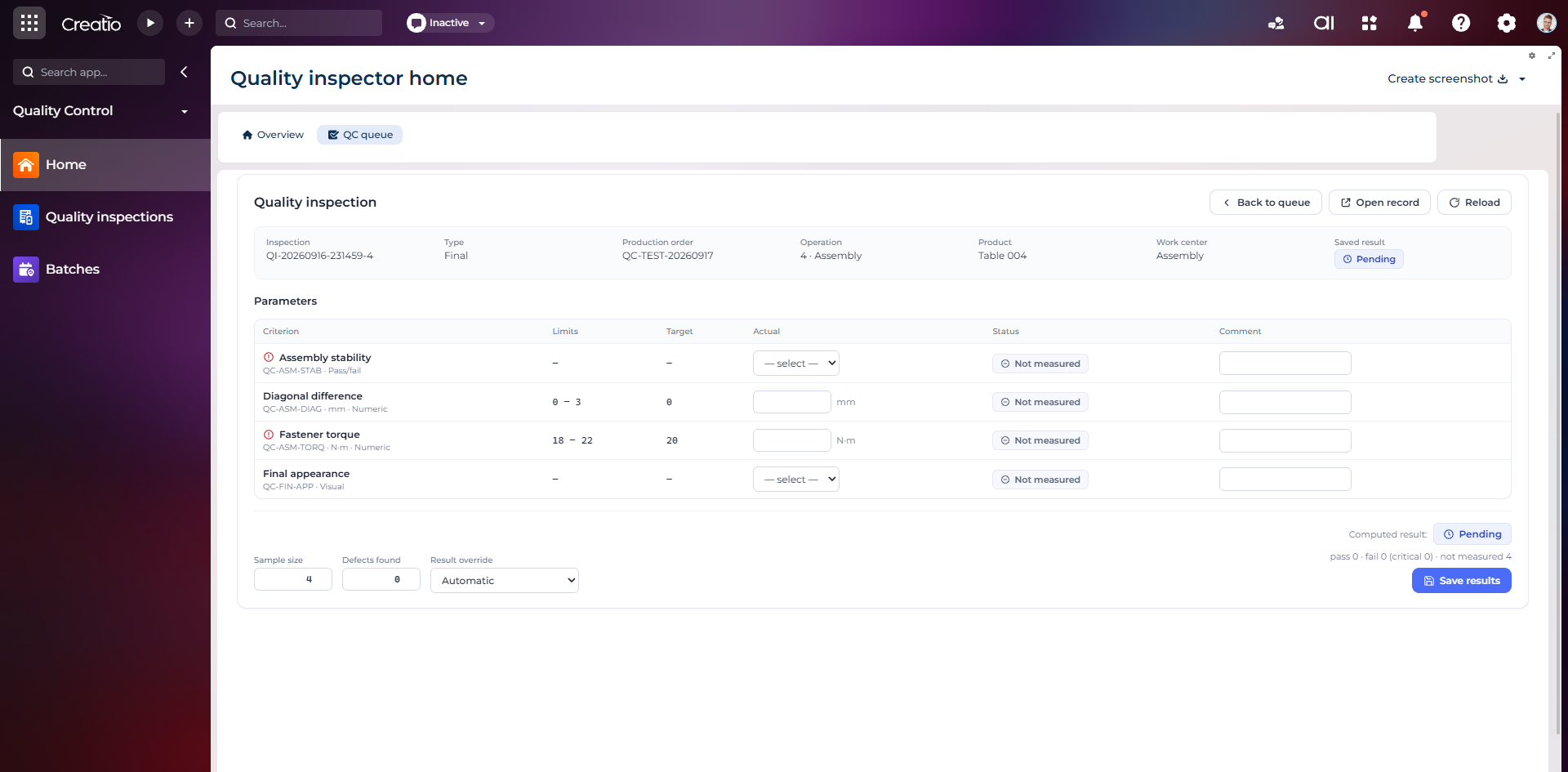
Контроль якості
Фінальна інспекція за критеріями: допустимі межі, фактичні значення, статуси вимірювань, коментарі та підсумковий результат.
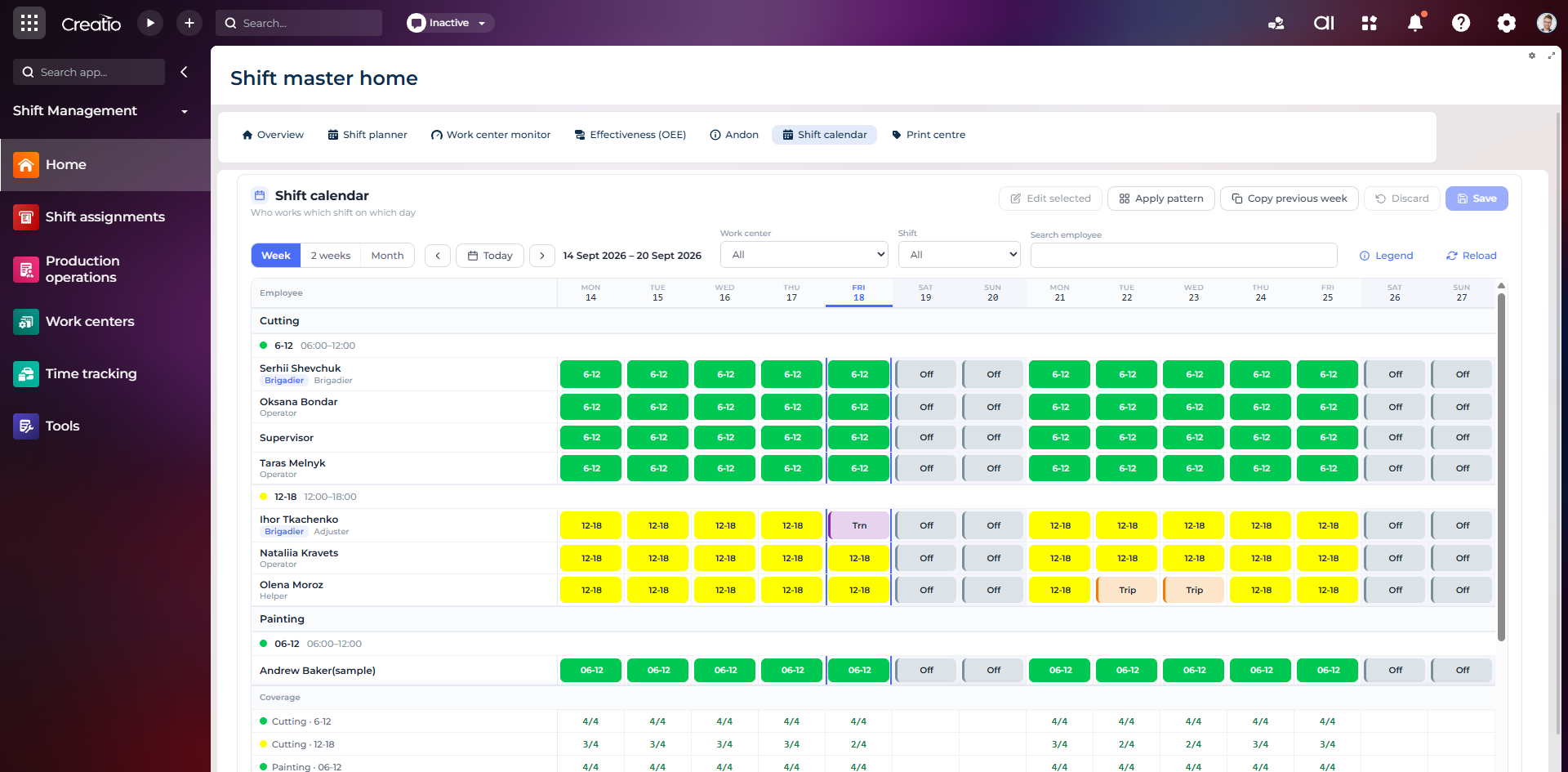
Календар змін
Планування персоналу за робочими центрами: зміни, вихідні, відрядження та контроль покриття потрібної кількості працівників.
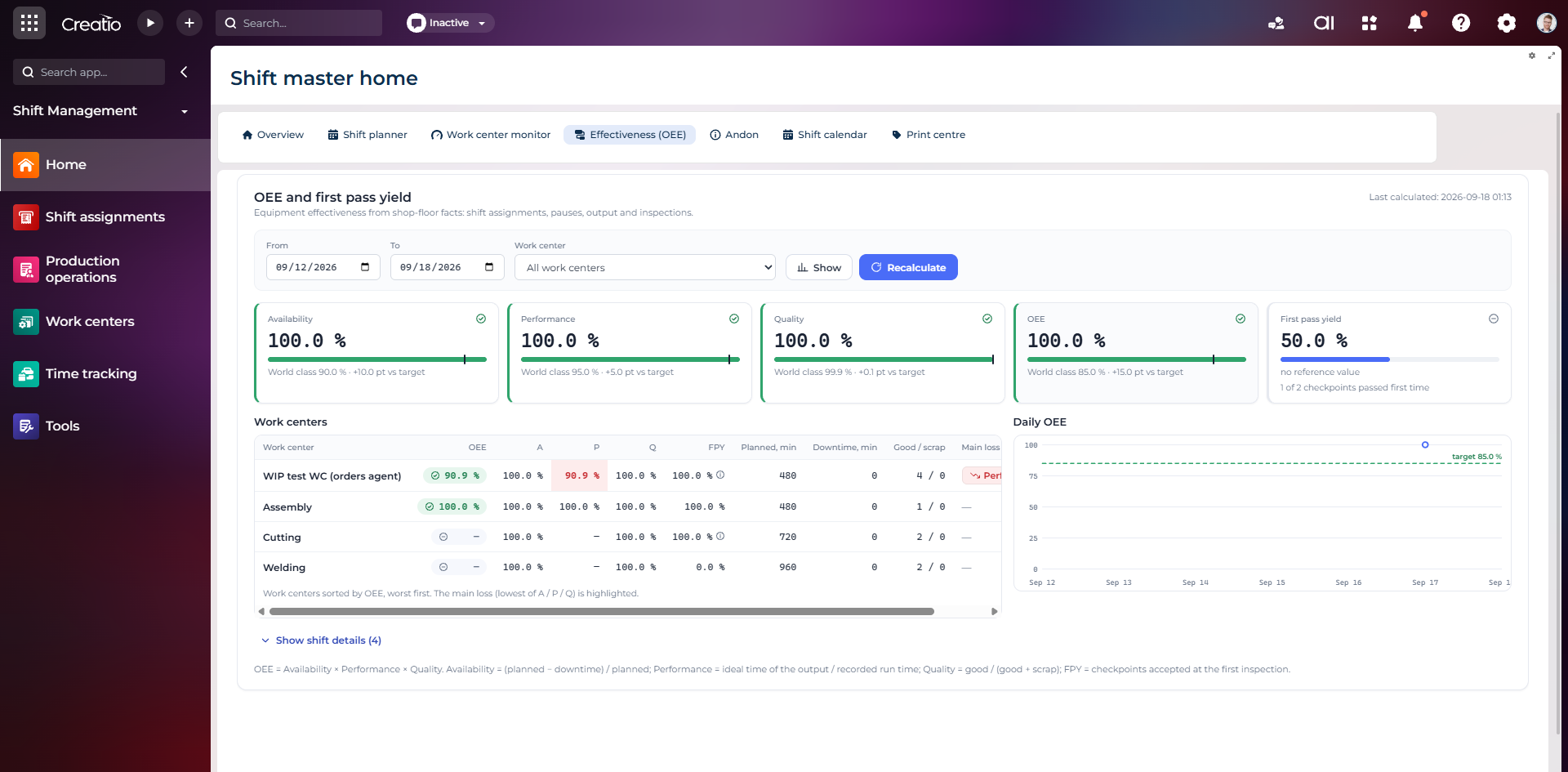
OEE та First Pass Yield
Доступність, продуктивність, якість, OEE і FPY по робочих центрах із порівнянням з цільовими показниками.
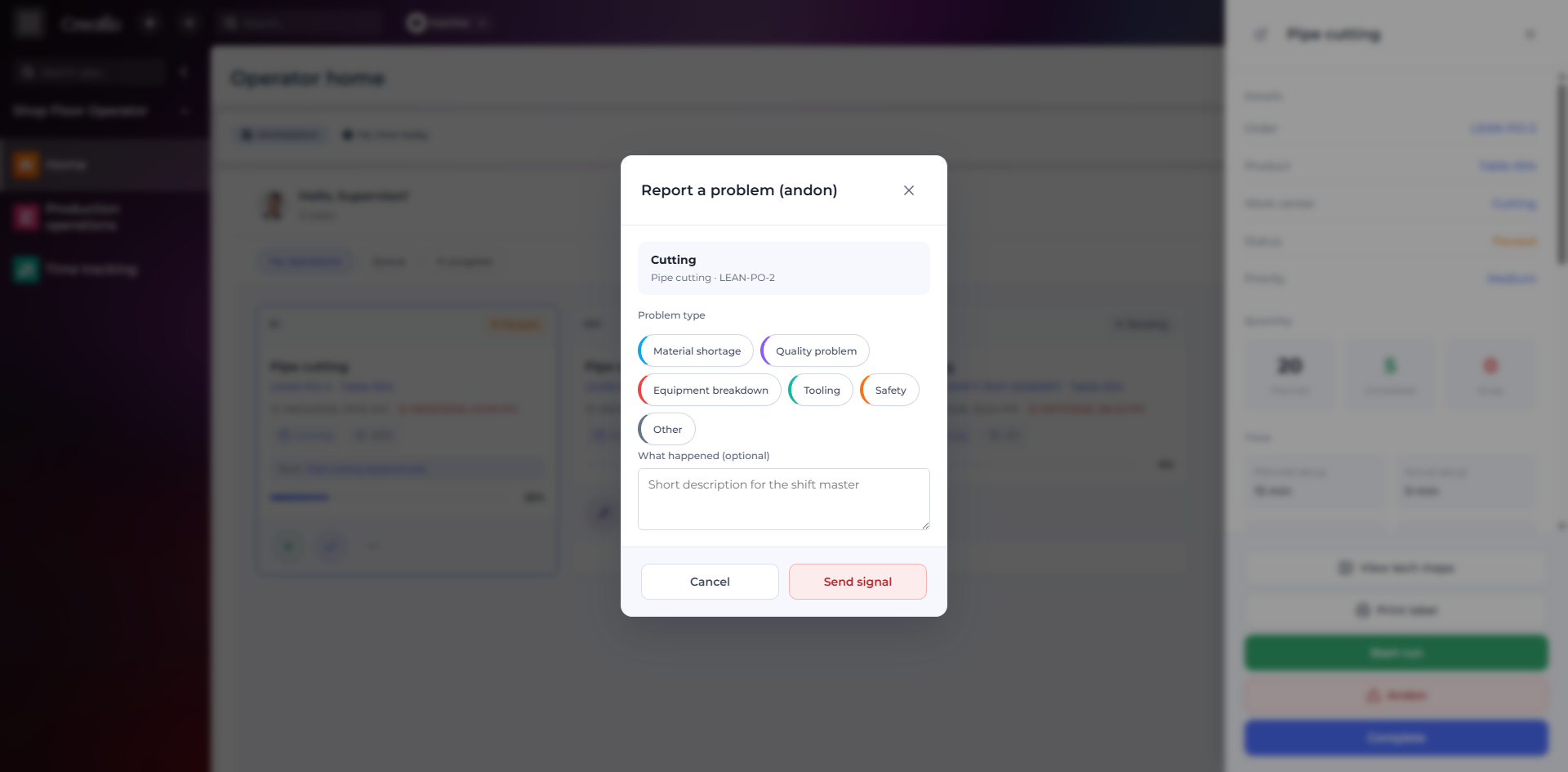
Andon-сигнал з робочого місця
Оператор повідомляє про нестачу матеріалів, проблему якості, поломку, інструмент або небезпеку безпосередньо з операції.
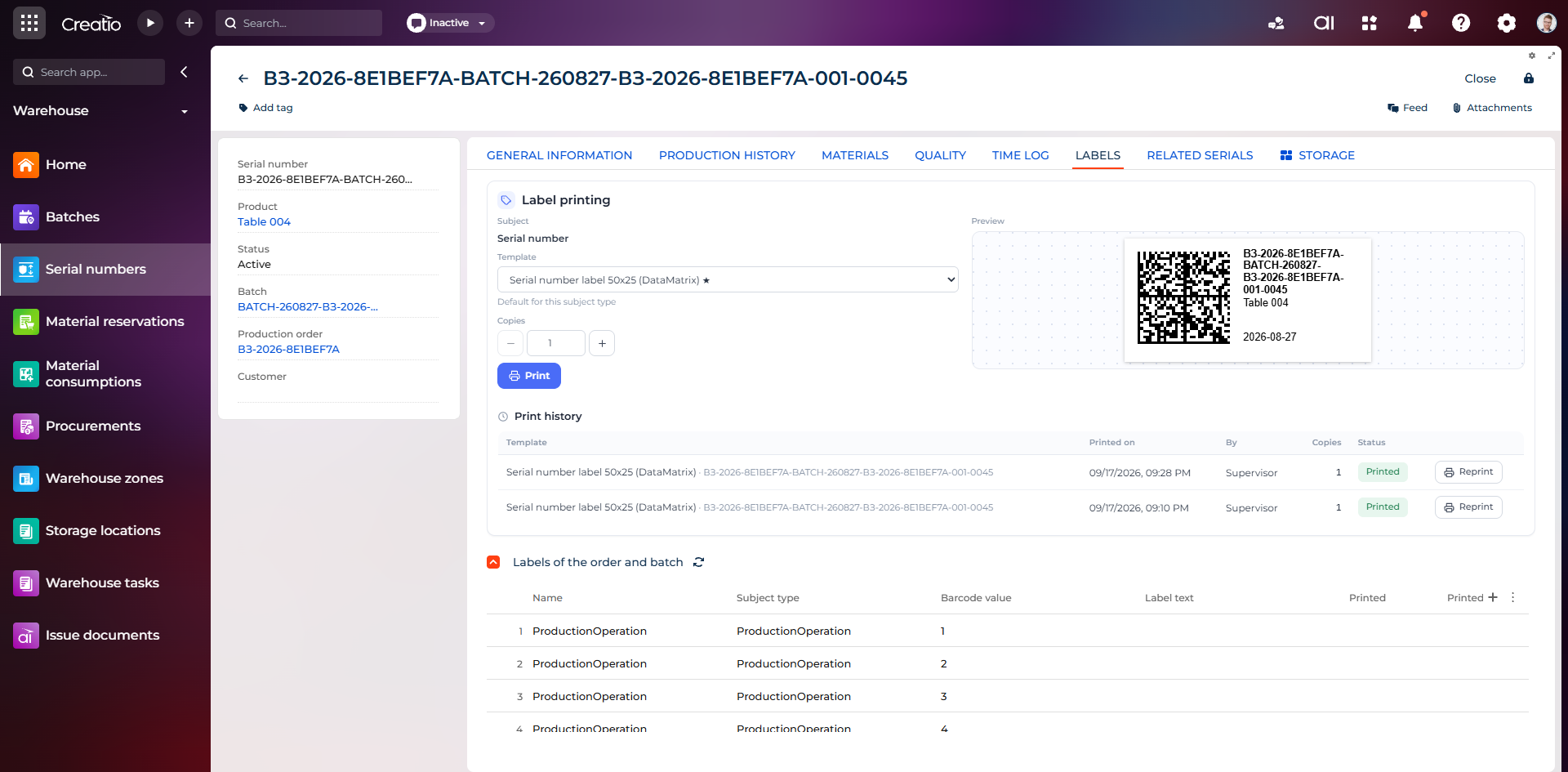
Маркування серійного виробу
Друк етикетки DataMatrix для серійного номера з шаблоном, попереднім переглядом та історією друку.
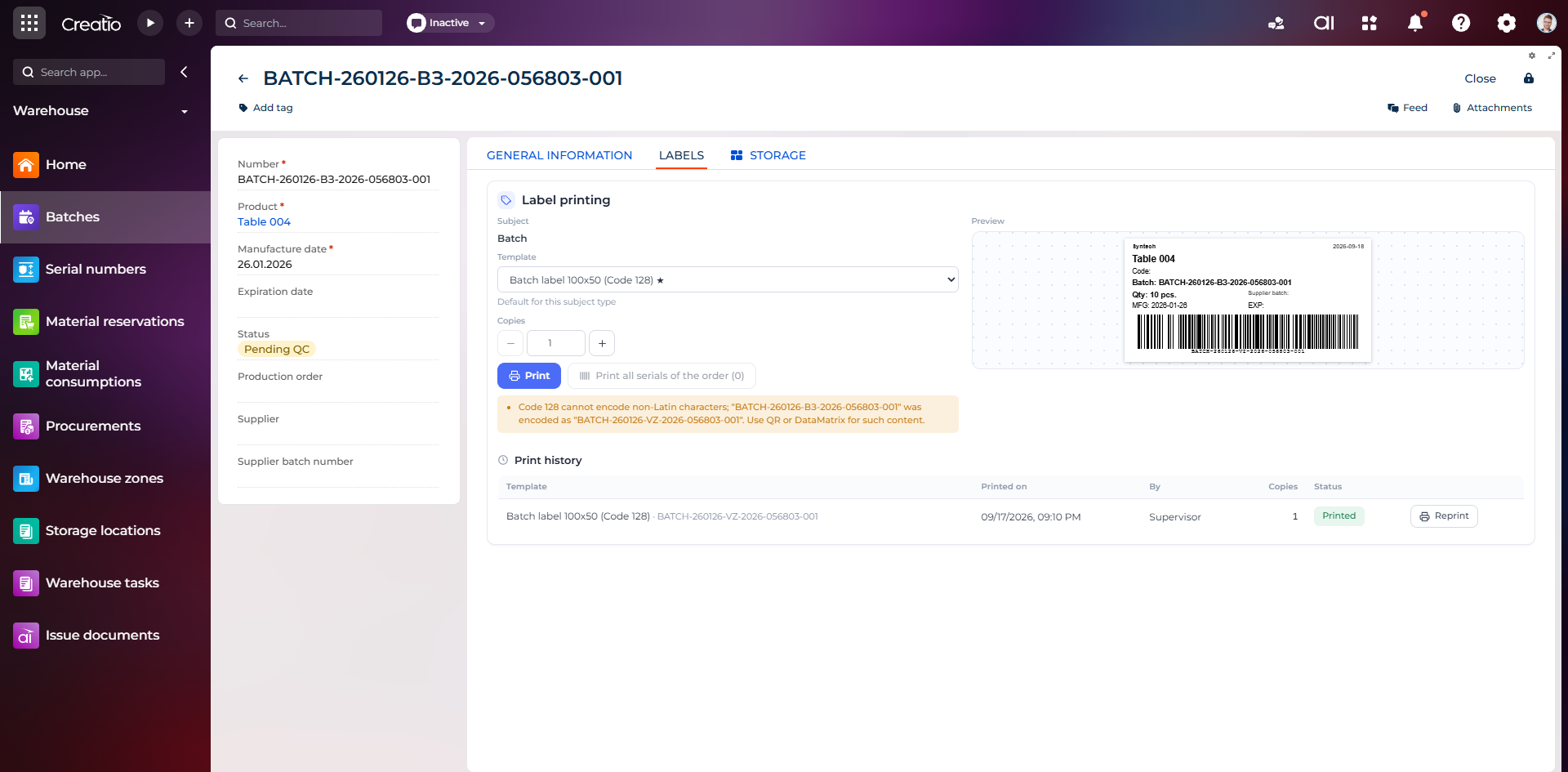
Маркування партії
Етикетка партії з кодом, кількістю, датою виготовлення, терміном придатності та штрихкодом Code 128.
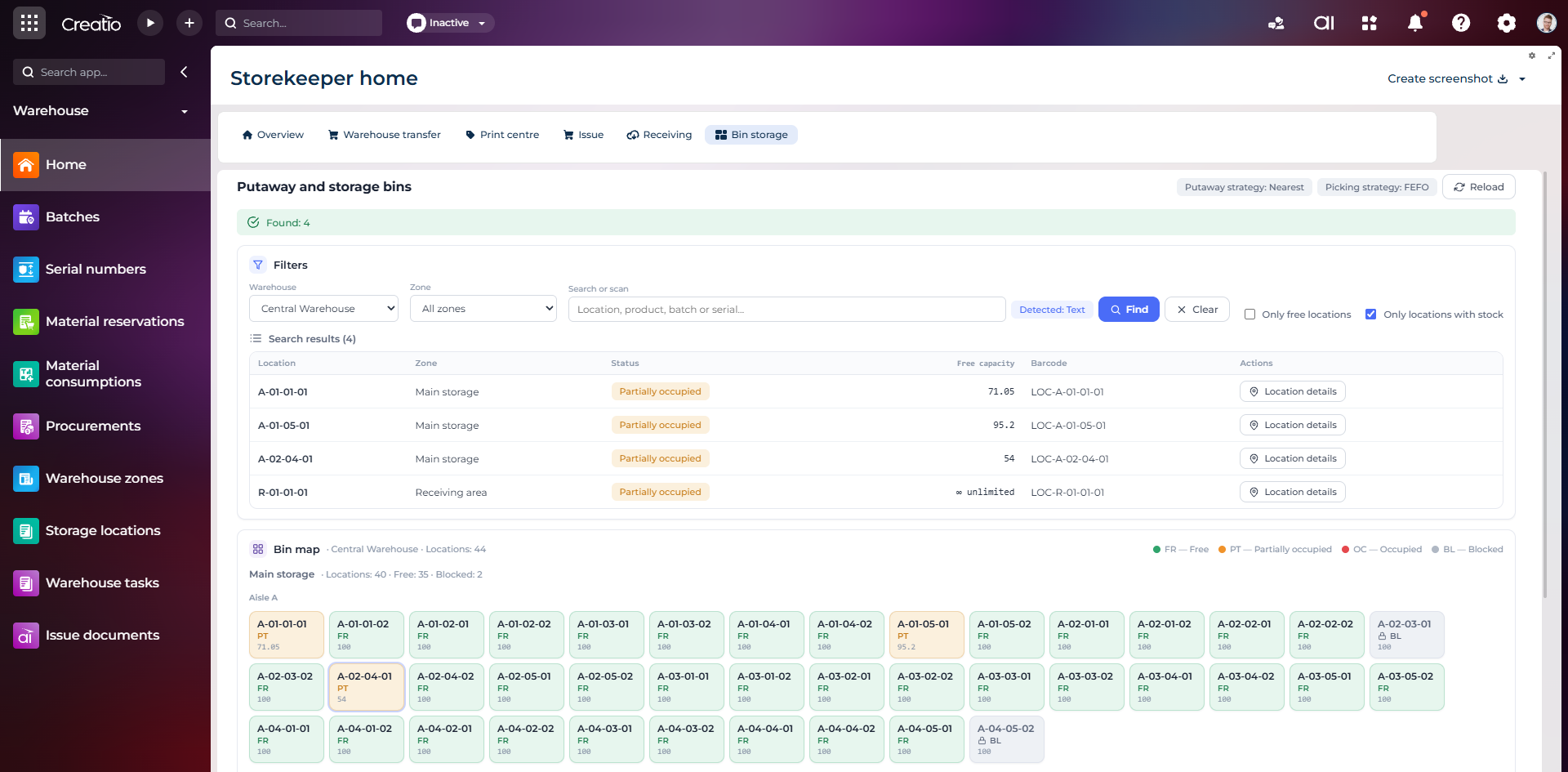
Коміркове зберігання
Пошук складських комірок за зоною, товаром, партією або серійним номером із відображенням місткості та статусу.
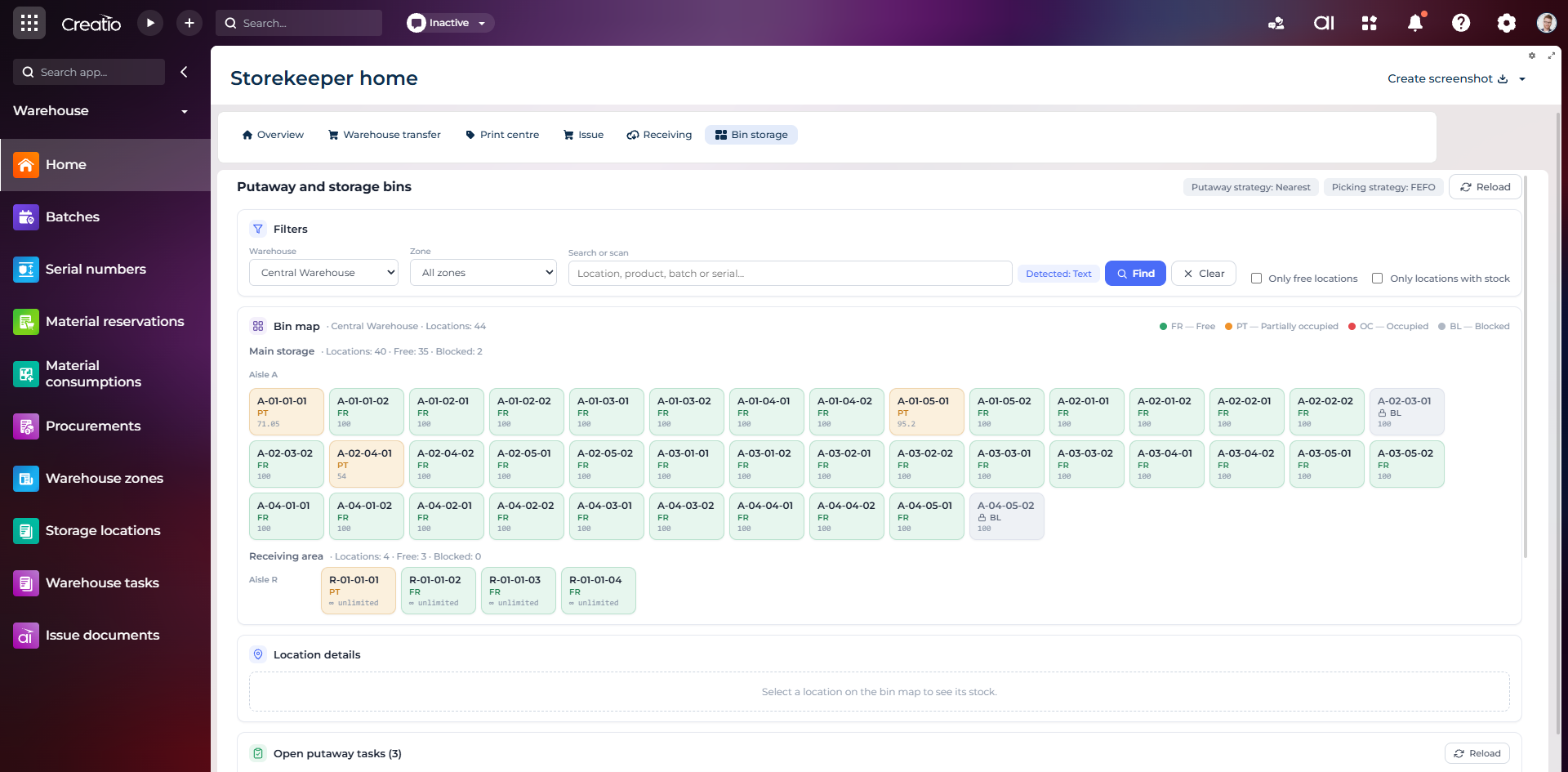
Карта складських комірок
Візуальна карта зон і проходів зі статусами вільних, частково зайнятих, зайнятих та заблокованих комірок.
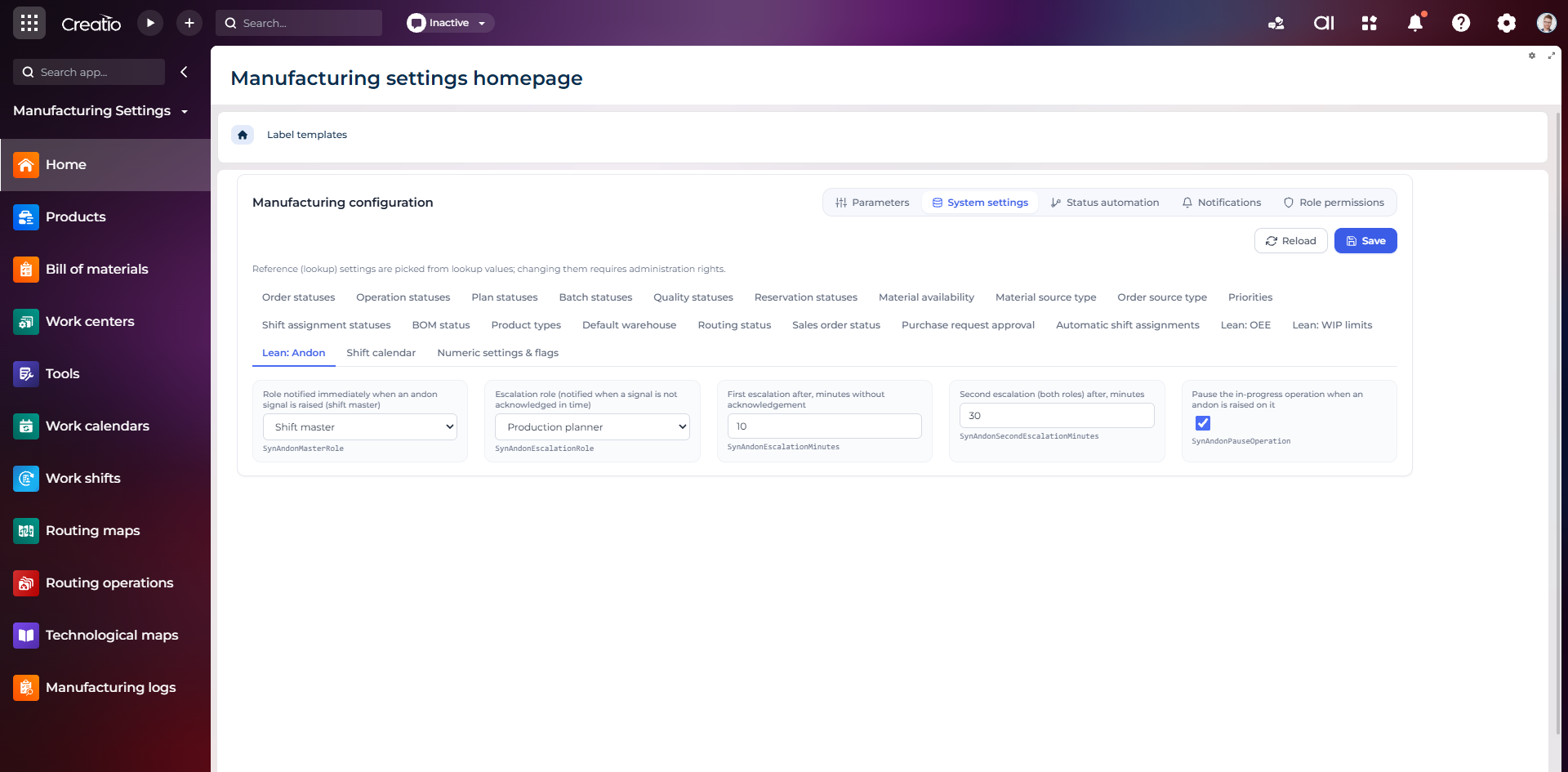
Налаштування Andon
Налаштування ролей сповіщення, строків ескалації та автоматичної зупинки операції після Andon-сигналу.
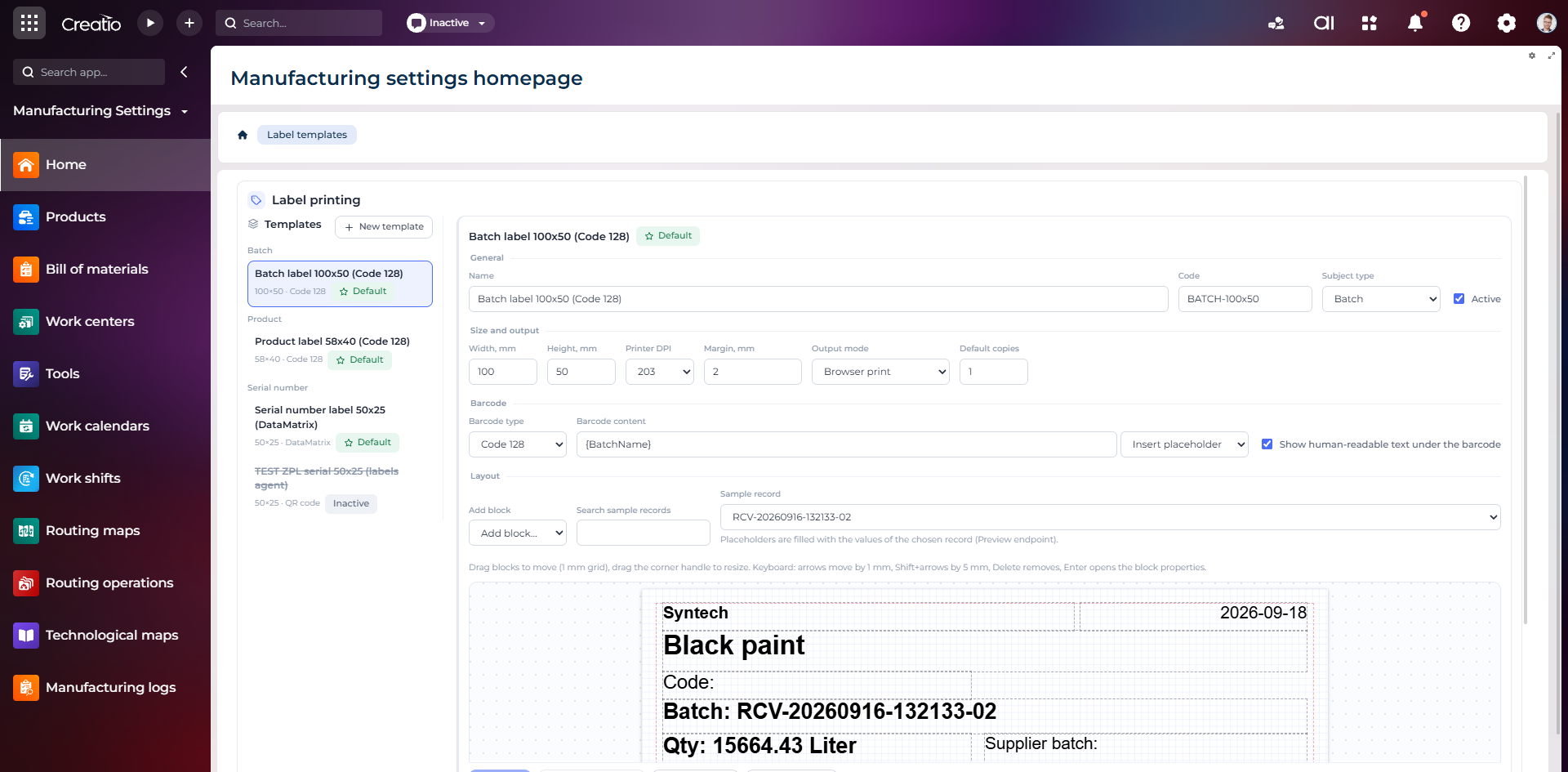
Конструктор шаблонів етикеток
Візуальне створення етикеток для партій і серійних виробів із плейсхолдерами, штрихкодами та попереднім переглядом.