
Quality built into the route
Acceptance criteria belong to the routing operation, the inspection appears the moment the operation is completed, and a rejection opens a non-conformance and sends the stock to quarantine. What to do with the defect is decided by a person.
Why was this batch accepted?
The question "why was this batch accepted" is not asked of you. It is asked of your customer, your military representative or your auditor, and the answer has to carry limits, dates, measured values and the name of whoever measured them. In most plants it is spread across a paper QC log, a spreadsheet and a shift master's memory. While it is assembled, the batch with the deviation moves to the next operation.
The second half of the problem starts after the rejection. Defects get recorded, but the case is not always carried to the end: nobody can see how many non-conformances are open, who was to decide what happens to the stock, or whether the corrective action worked.
Syntech Manufacturing keeps quality inside the route the work already follows. Criterion, inspection, verdict, non-conformance, quarantine and corrective action are links in one chain in one database, not four separate logs.
How it works
- 01
Describe the criterion once
in the lookup "Quality criteria": name, kind (numeric, pass/fail, visual), unit and min / max / target. Attach it to a routing operation in its group "Acceptance criteria". When a product needs tighter limits, override them on the product card, tab "Manufacturing", group "Quality criteria", where its incoming criteria live too.
- 02
Receive the goods and the incoming inspection appears
the storekeeper receives material against the lines of a purchase request, and one action creates the batch, the incoming inspection and the batch label.
- 03
Complete an operation and the inspection appears
when the routing operation is marked "Quality check required", the system creates an inspection with result Pending and copies the criteria into its parameters. That is the system's work (setting SynQcAutoCreateInspection, on by default), not the operator's. The type follows the place: incoming on receipt, in-process after a routing operation, final at the end of the order.
- 04
Work the QC queue
one list of every pending inspection: inspection, type, production order, operation, product, work centre, created on and how many parameters are measured. A row opens the inspection inline, so the inspector clears the queue without leaving the page. Each load also creates the inspections still missing for completed quality-checked operations.
- 05
Record the actual values and give the verdict
the inspector enters a value per parameter and the system marks each one pass or fail. The verdict — Approved, Conditionally approved (with the reason kept on the protocol) or Rejected — is given by a person.
- 06
Decide where the route stops
a separate setting refuses to start the next operation of the order until the required inspection has been approved. The quality gate is off by default: whether to block the line or only warn is your choice, not ours. Raising a non-conformance on a conditional approval is a separate switch as well.
- 07
A rejection opens a non-conformance and isolates the stock
an inspection saved as Rejected, an andon signal "Quality problem" and a receipt that books a rejected batch each create an NCR on their own, with the source, product, batch, order and operation attached. Containment moves the batch to Quarantine, the affected serials to Quality hold and the free stock into a quarantine bin. Quarantine bins are blocked, so that stock is never allocated, issued or put away. Reserved stock stays put, and a warning names the bin.
- 08
Decide the disposition and close the cause
a person chooses what happens: use as is, rework, scrap, return to supplier or regrade. The disposition needs a justification and an approval from a quality inspector holding that right, and on approval the holds are released or kept, depending on the decision. The root cause is worked through in an 8D report (D1–D8, five whys, an Ishikawa 6M diagram) and carried into a CAPA that closes only after an effectiveness check. Every containment, proposal and approval stays on the record with its date and author.
What you get
An answer to "why was it accepted"
the test protocol printed from the inspection card: product, order, batch, serials, operation, inspection type, a parameter table with limits, nominal, measured value and conformance, the conclusion and the signatures of the inspector and the military representative. The protocols of one batch gather into its electronic dossier alongside the supplier certificates, the route and the acceptance acts.
The defect does not move on
stock in a quarantine bin is not allocated, not reserved and not issued. The warehouse enforces that, not an instruction pinned above a desk.
No rejection is lost
one register, NCR-yyyy-NNNN, moving Open → Contained → Dispositioned → Closed. The Quality control workplace home page shows open non-conformances by severity, those awaiting approval, overdue CAPAs, average days to close and the cost of non-quality.
The cause, not only the consequence
8D walks the team from the problem to the root cause and the escape point, and CAPA turns it into dated actions with owners.
Configuration, not a rebuild
the quality gate, automatic inspection creation, automatic containment, the quarantine zone and the reaction to a conditional approval are switches in the manufacturing settings. Criteria, fields and reports you change yourself.
Watch one rejection travel the whole way
In a live demo we reject one inspection and follow the chain to the end: the non-conformance, the quarantine bin, the disposition, the approval, the 8D and the CAPA.
Як це виглядає в системі
Реальні екрани Syntech Manufacturing на платформі Creatio: планування, склад, якість, зміни, OEE, Andon і маркування.
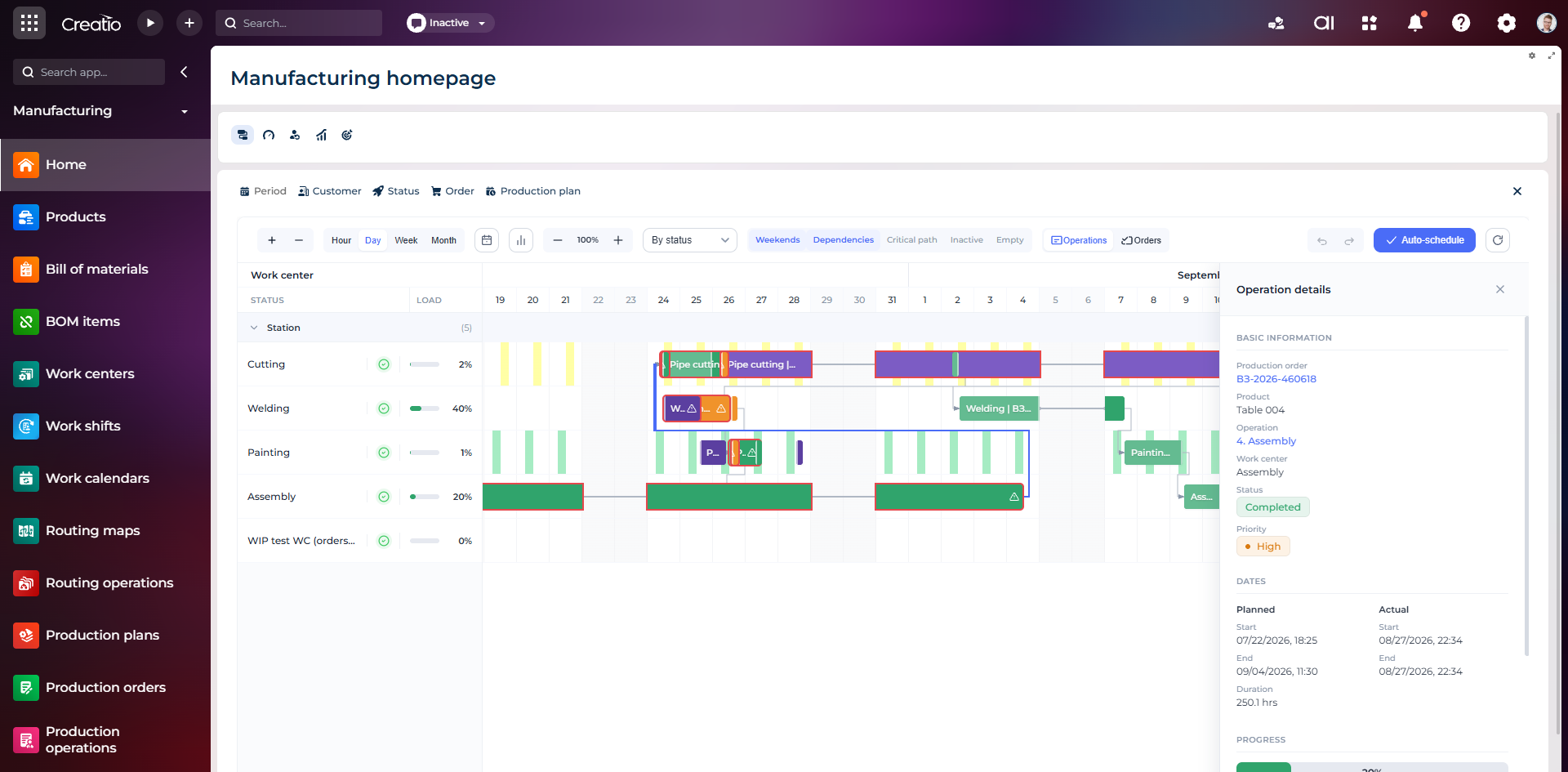
Виробниче планування
Діаграма Ганта за робочими центрами з залежностями, статусами, завантаженням і деталями кожної операції.
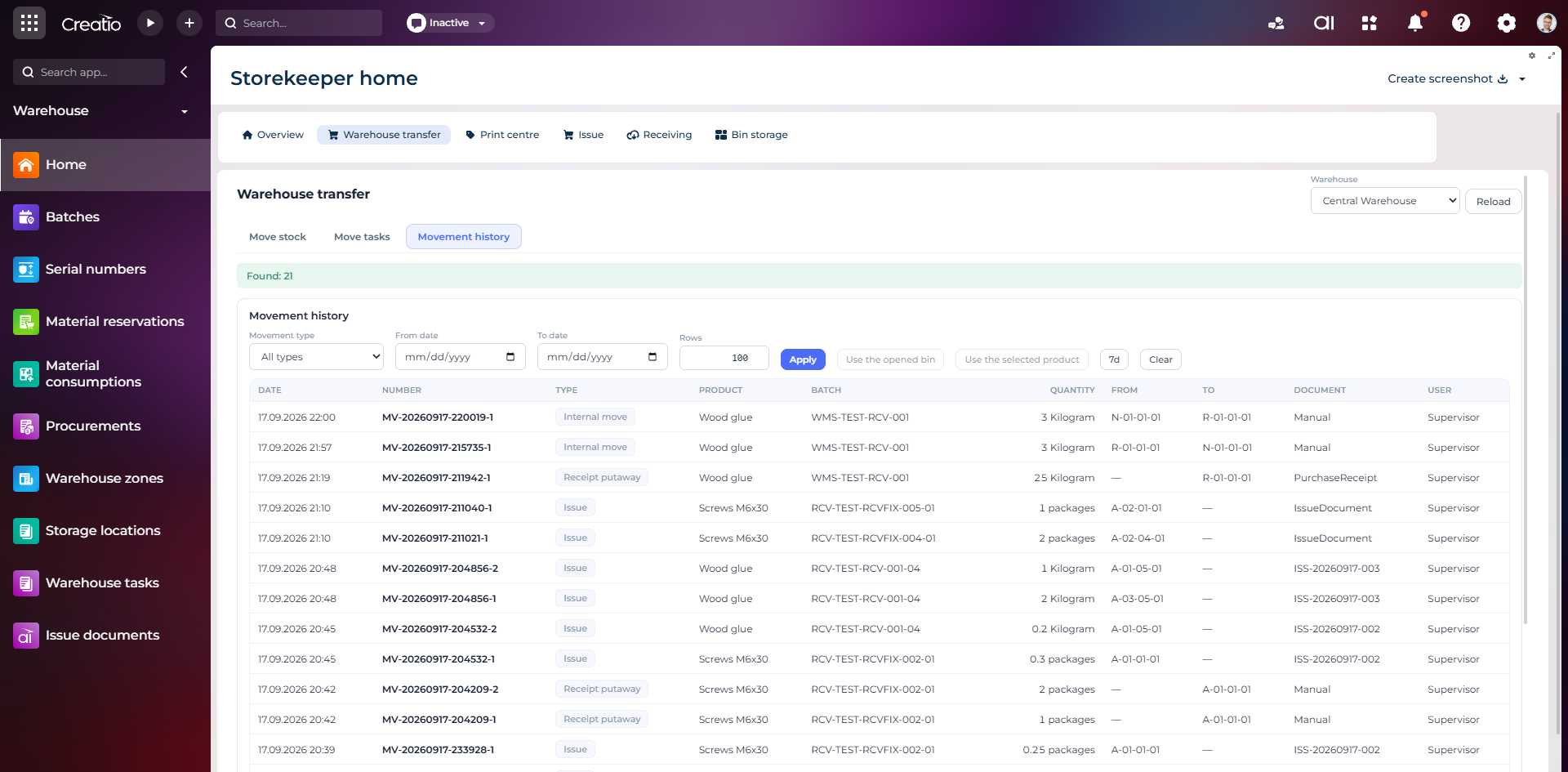
Історія руху запасів
Повний журнал приймання, видачі та внутрішніх переміщень із партією, кількістю, комірками, документом і відповідальним.
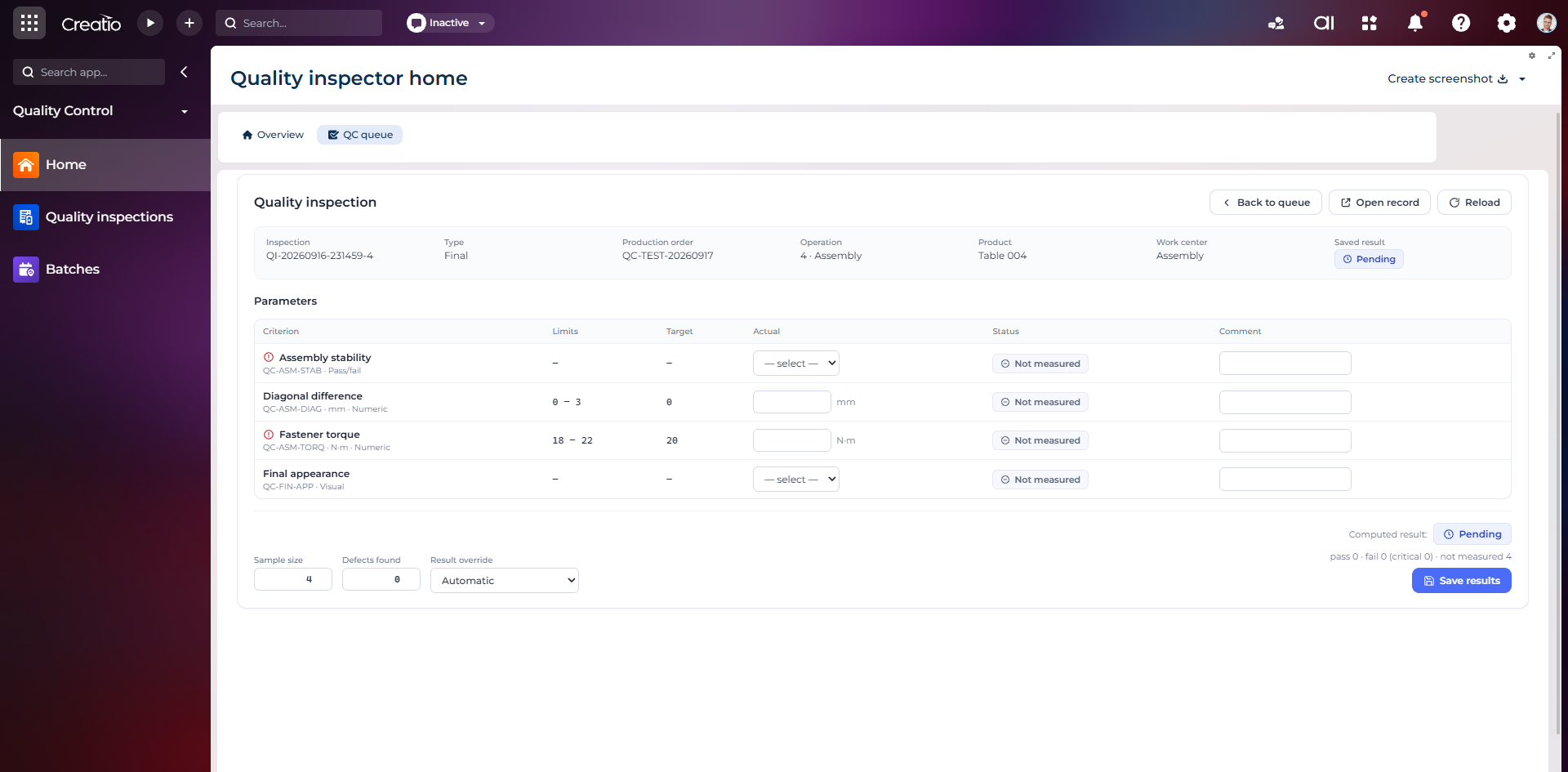
Контроль якості
Фінальна інспекція за критеріями: допустимі межі, фактичні значення, статуси вимірювань, коментарі та підсумковий результат.
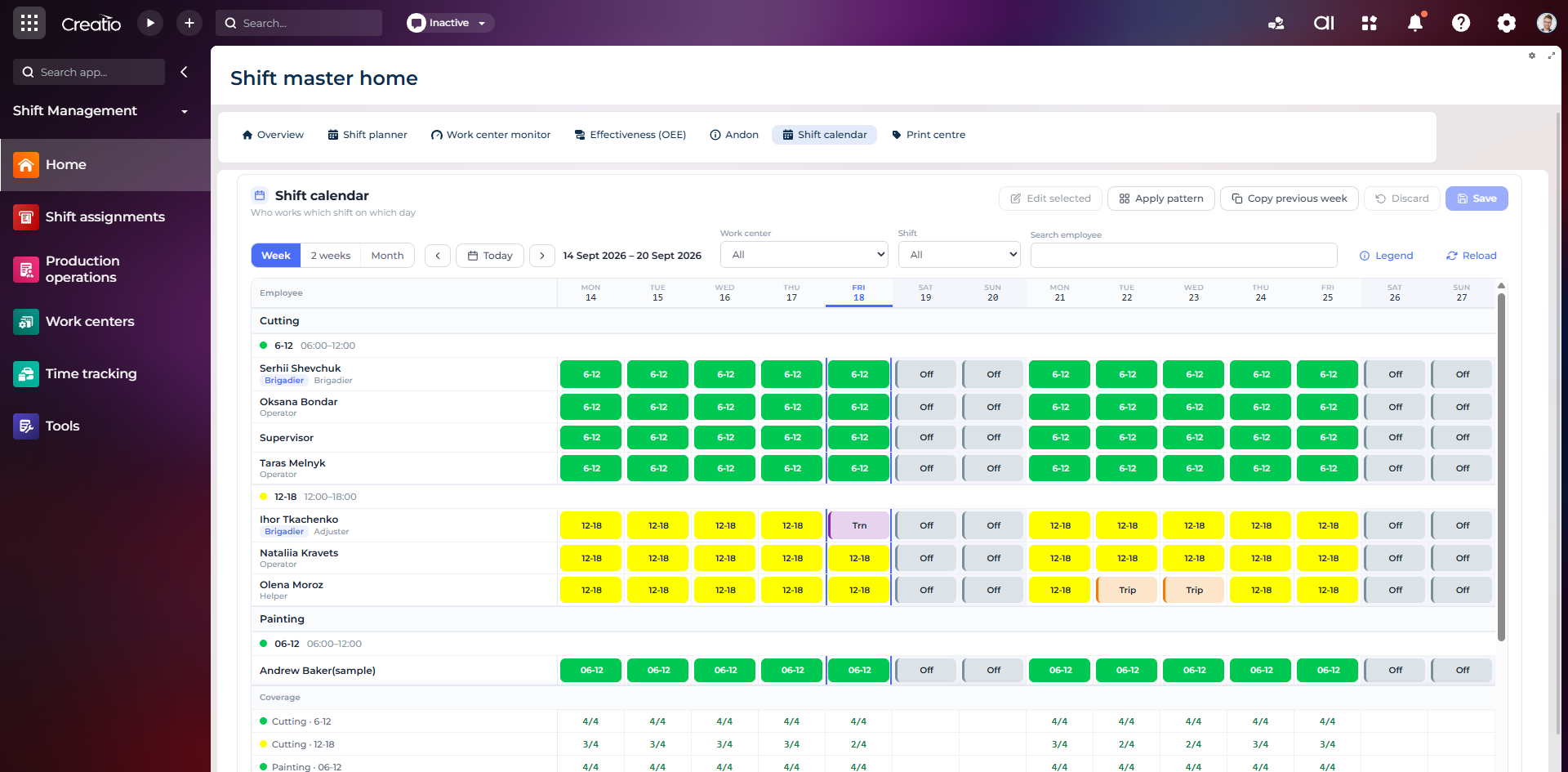
Календар змін
Планування персоналу за робочими центрами: зміни, вихідні, відрядження та контроль покриття потрібної кількості працівників.
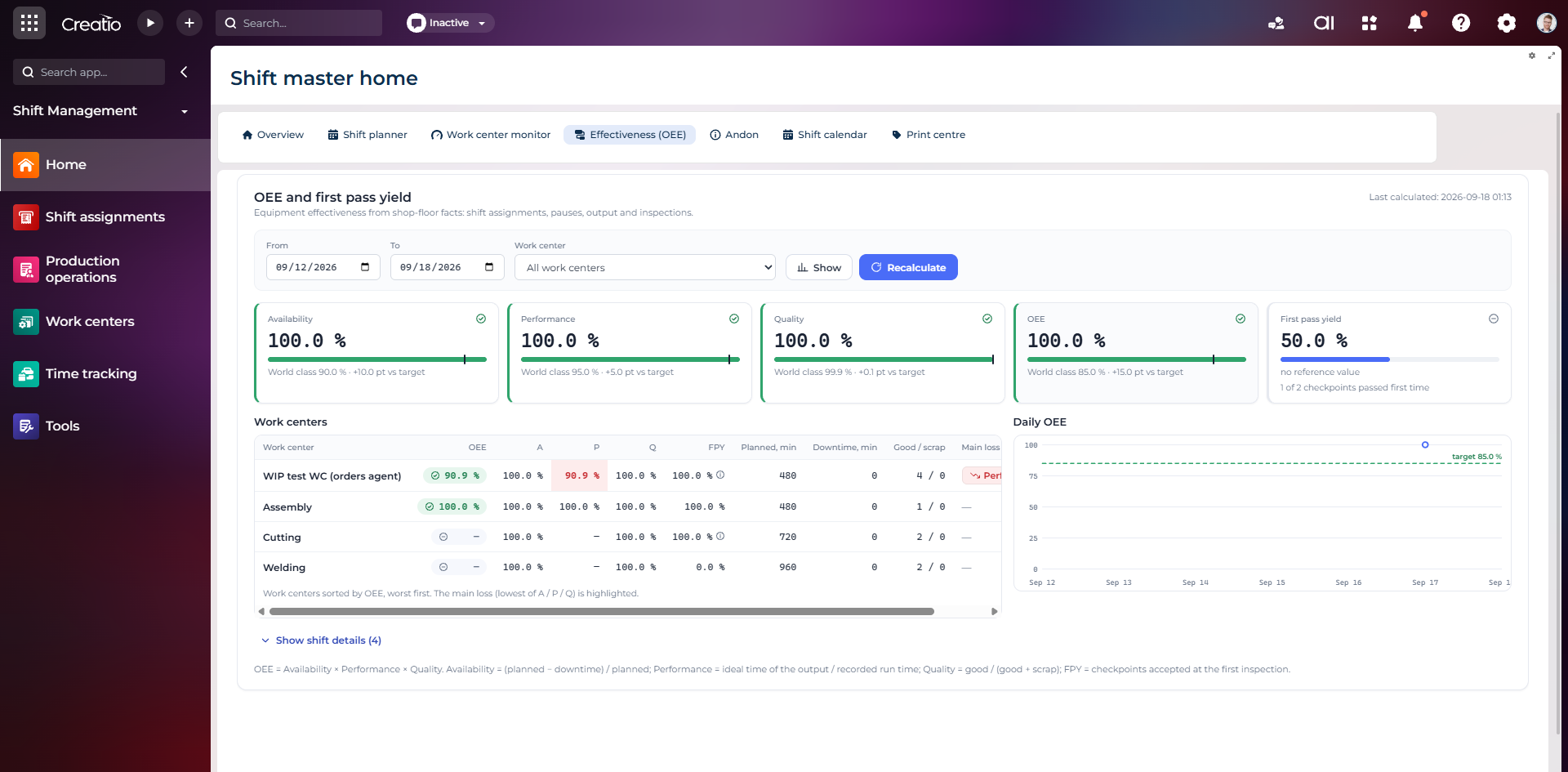
OEE та First Pass Yield
Доступність, продуктивність, якість, OEE і FPY по робочих центрах із порівнянням з цільовими показниками.
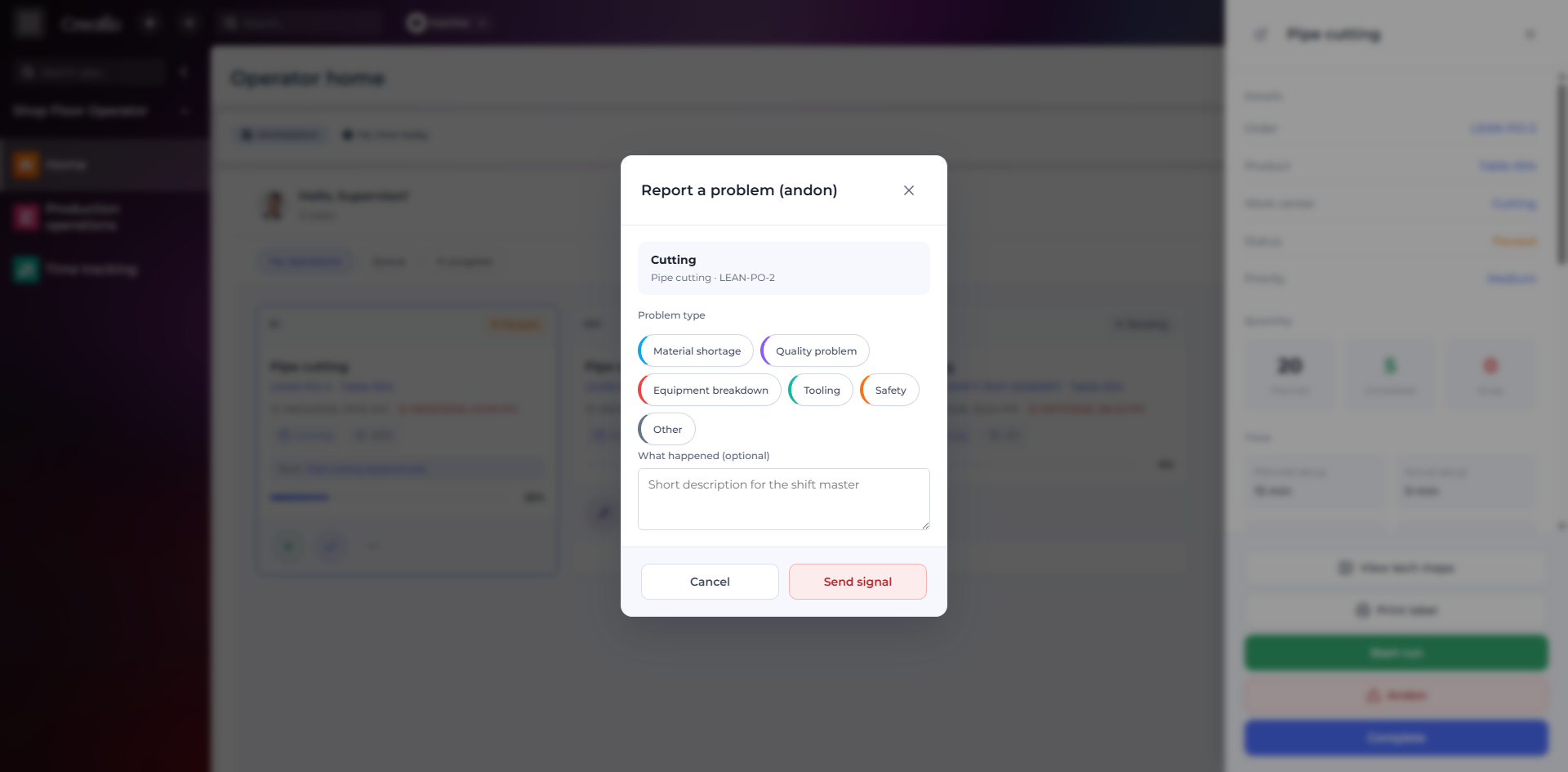
Andon-сигнал з робочого місця
Оператор повідомляє про нестачу матеріалів, проблему якості, поломку, інструмент або небезпеку безпосередньо з операції.
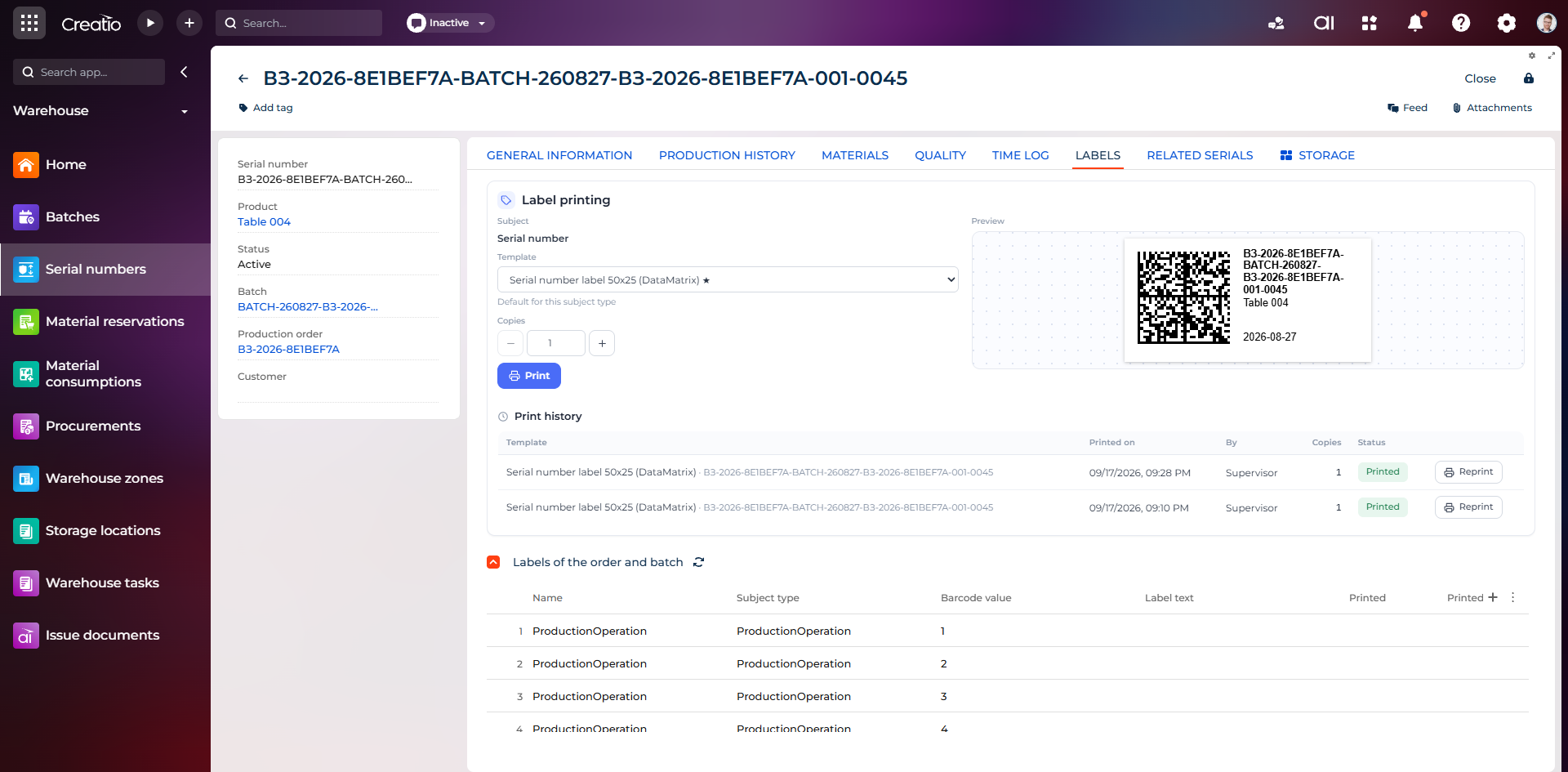
Маркування серійного виробу
Друк етикетки DataMatrix для серійного номера з шаблоном, попереднім переглядом та історією друку.
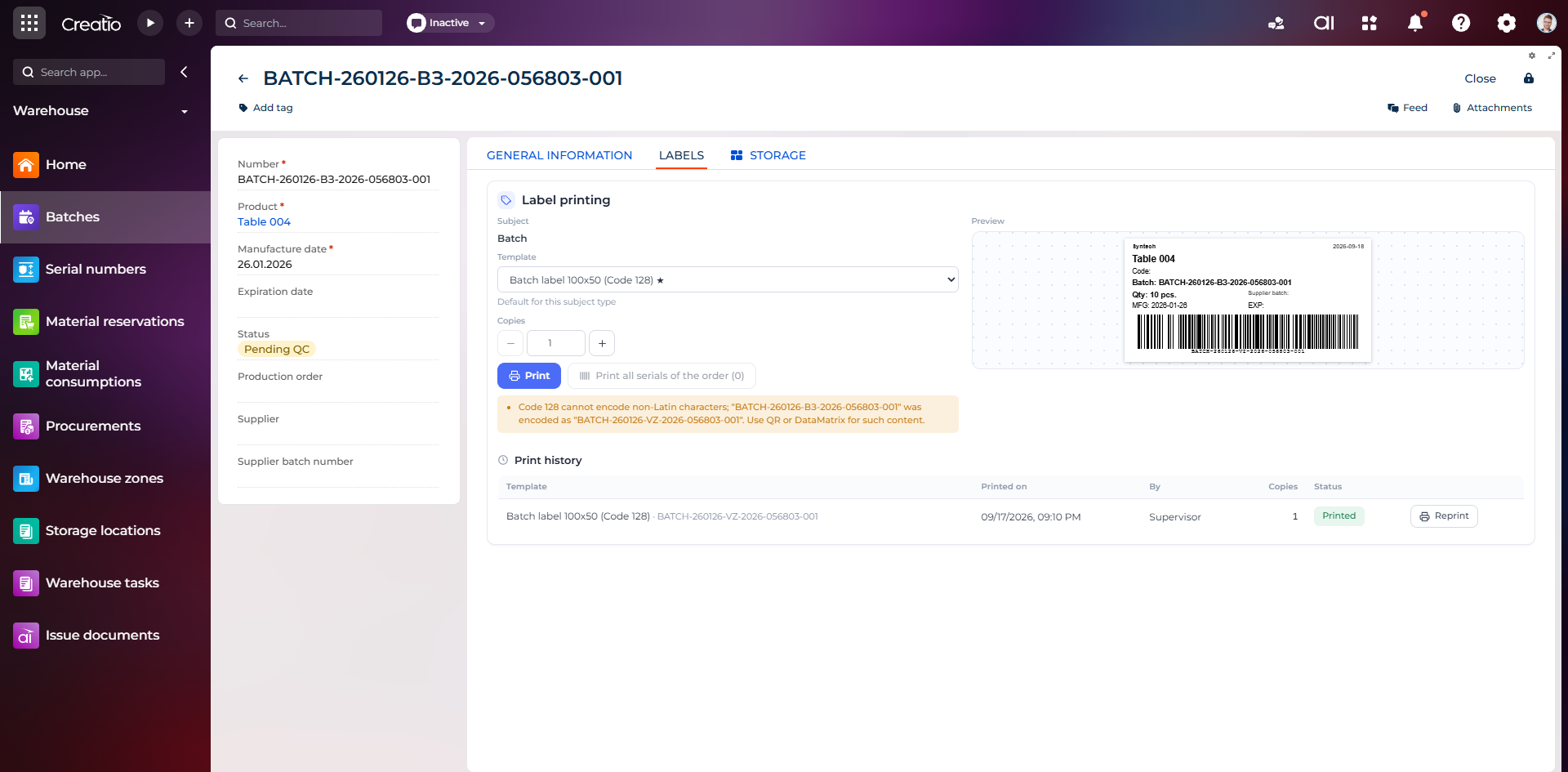
Маркування партії
Етикетка партії з кодом, кількістю, датою виготовлення, терміном придатності та штрихкодом Code 128.
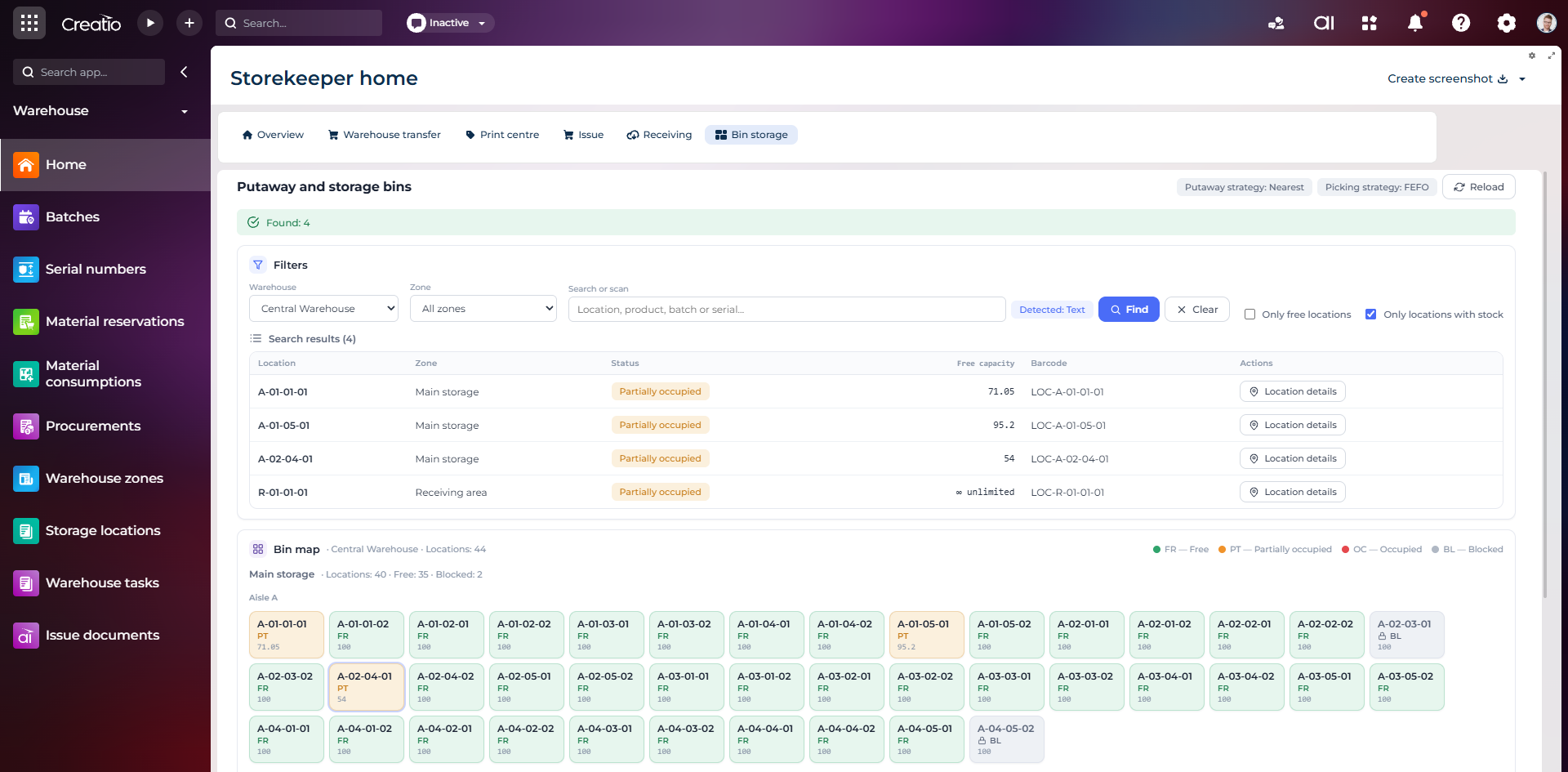
Коміркове зберігання
Пошук складських комірок за зоною, товаром, партією або серійним номером із відображенням місткості та статусу.
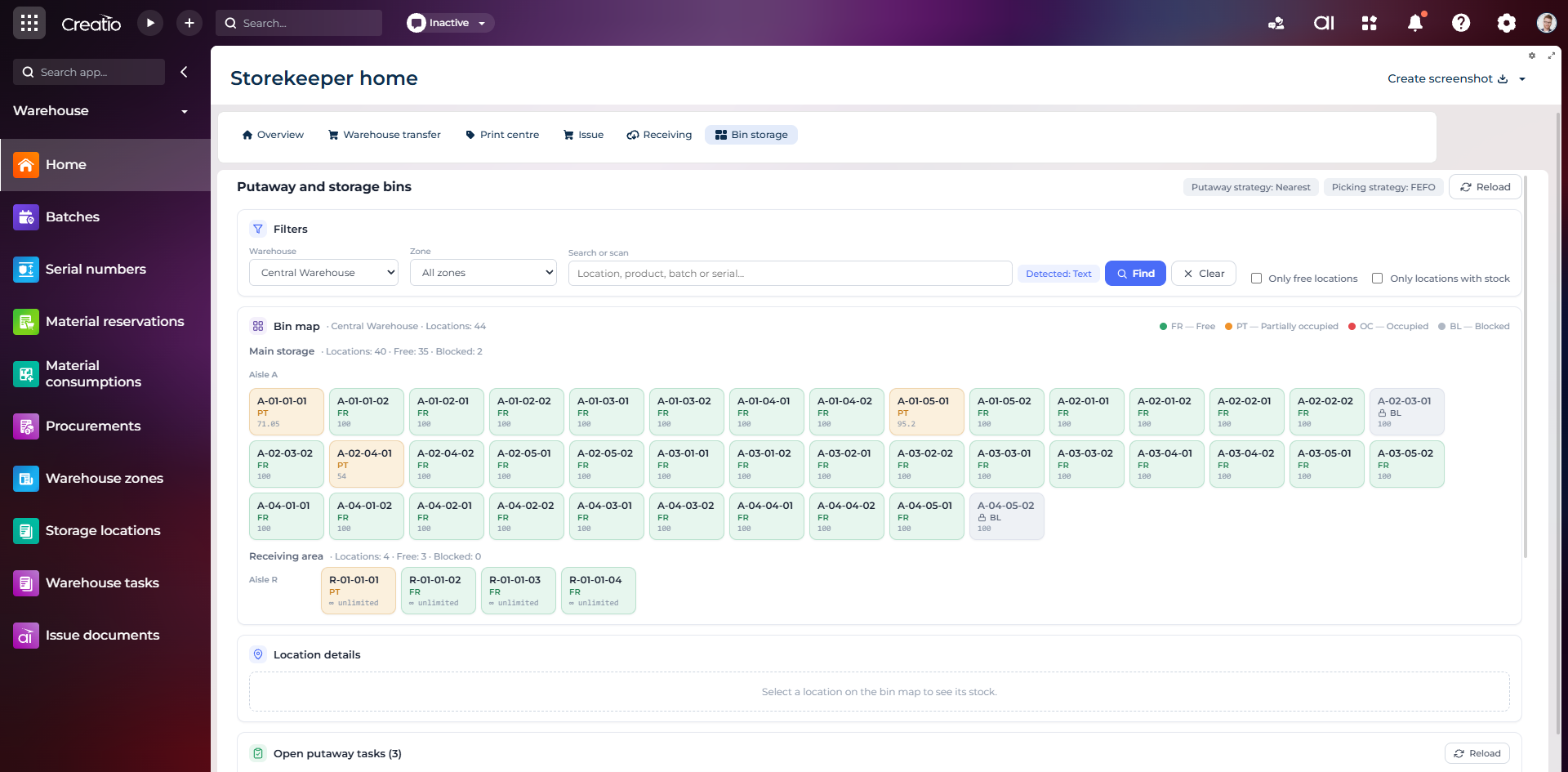
Карта складських комірок
Візуальна карта зон і проходів зі статусами вільних, частково зайнятих, зайнятих та заблокованих комірок.
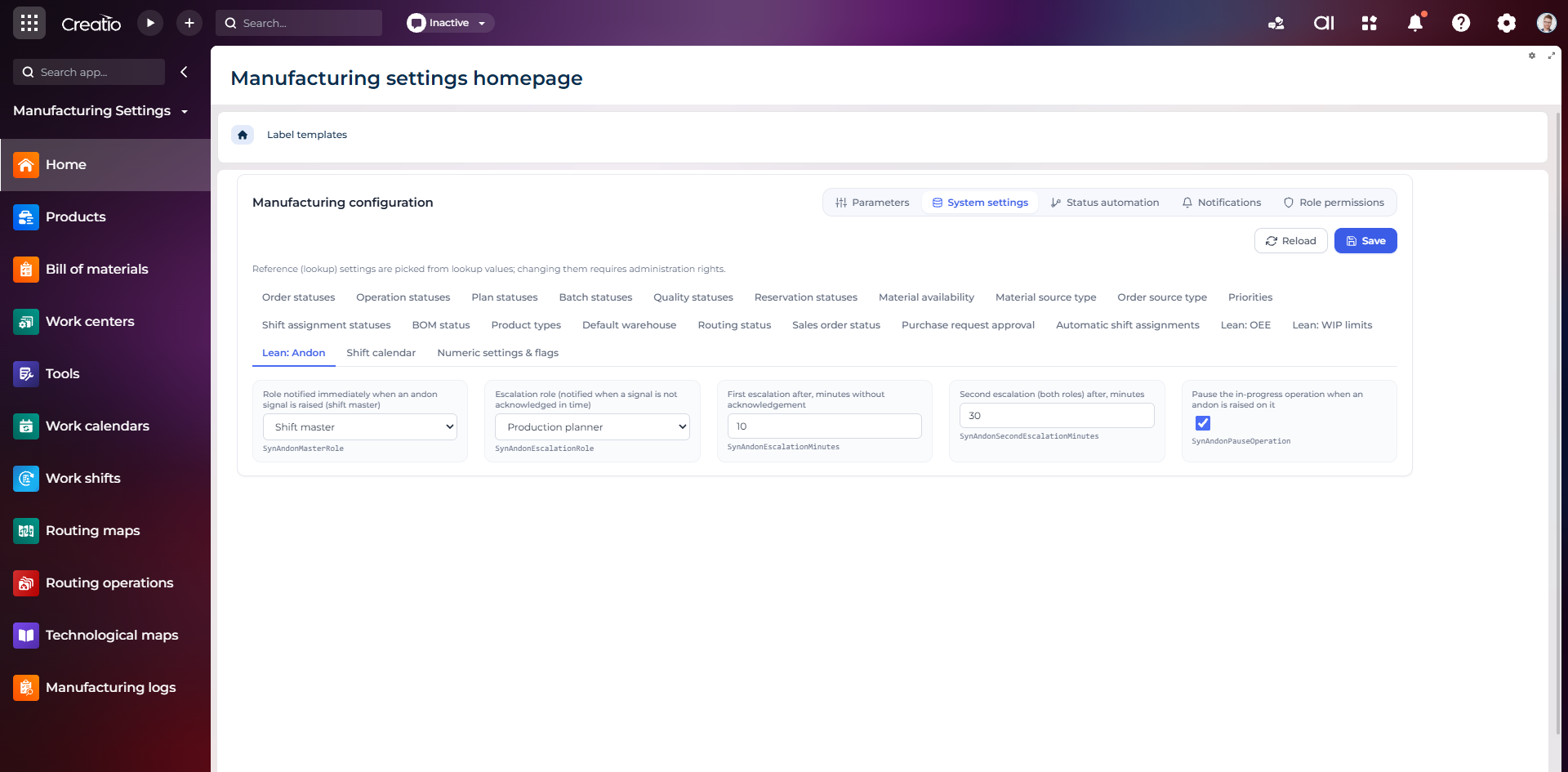
Налаштування Andon
Налаштування ролей сповіщення, строків ескалації та автоматичної зупинки операції після Andon-сигналу.
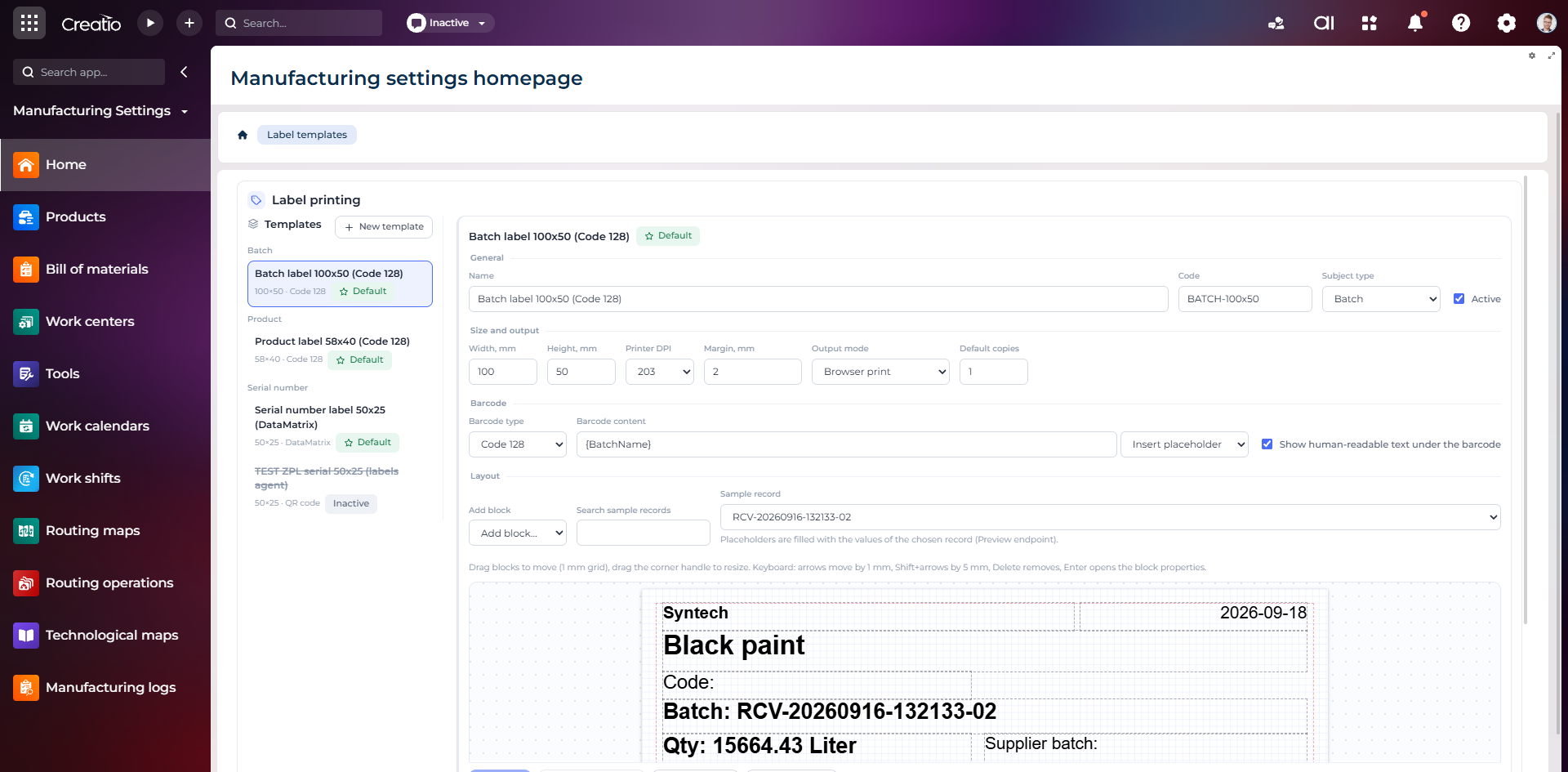
Конструктор шаблонів етикеток
Візуальне створення етикеток для партій і серійних виробів із плейсхолдерами, штрихкодами та попереднім переглядом.