
The state contract, visible on the shop floor
A delivery schedule, production orders tied to each delivery, military representative acceptance acts and the evidence behind them — in one system, inside your own perimeter.
The contract is in one place, production in another
A state contract usually lives in three places at once: the signed copy with the lawyer, the delivery schedule in the planner's spreadsheet, the acceptance acts in the military representative's folder. When the customer asks about a delivery, the answer is assembled by hand: what has shipped, what is still in production, whether the batch was accepted. Syntech Manufacturing keeps the contract, production and acceptance in one Creatio database: a delivery knows its production orders, an order knows its contract, and a serial number knows the act that accepted it.
How it works
- 01
Mark the contract as a state contract
on the contract card, in the "State contract" group, set the flag, the defence order code, the customer's military unit and its code, the military representative office and the advance offset per shipment in per cent. The side panel immediately shows the worst delivery status and the next delivery.
- 02
Break the contract into stages
the "Stages" tab: number, name, start, due date, amount, status. Specification lines, deliveries and advances all refer back to these stages.
- 03
Fill in the specification and the delivery schedule
in the specification each product gets its stage and its required acceptance: military representative, customer or internal QC. Below it, one row per planned delivery with date, quantity and amount. A line can be split into several equal deliveries in one action.
- 04
Plan production from the schedule
"Plan production" creates a production plan with one plan item per delivery that is not yet covered. Orders generated from that plan inherit the contract, the specification line, the delivery, the customer and the customer due date. An existing order can be linked to a delivery by hand.
- 05
Run the portfolio from the State contracts board
the board sits on the planner's home page and on the "Production" tab of the contract card. Every delivery gets a forecast from its production orders and a status: on track, at risk, late or delivered, with the slack in days and the delay reason. A separate "Order queue" tab shows the ranked queue for this contract with its promised dates. Every day the system recalculates all state contracts and notifies the production planner and procurement manager roles.
- 06
Present the product for acceptance
create an acceptance act of the required type and press "Add from order": the picker shows the whole batch and every serial number with its state, its inspection result and a mark for what is already in another act. Inspections and test protocols are collected into the act automatically, and the "Before presenting" box lists whatever blocks it. Then press "Present for acceptance".
- 07
Record the decision and keep the evidence
the military representative opens the presented act and chooses the decision: accepted, accepted with remarks, returned for rework or rejected with remarks. Acceptance stamps the serial numbers with the act, the acceptance status and the date; a rejection can raise a non-conformance (NCR) automatically. The act prints in the Ukrainian form, the scan of the signed copy goes into the attachments, and the act is afterwards reachable from the batch, serial number, production order and contract cards.
- 08
Ship against the delivery
"Ship" creates a draft shipment for the remaining quantity with the contract already set; from there it is an ordinary warehouse shipment. If the product requires acceptance, a shipment without an accepted act does not go through: the mode is off, warn or block. Shipped quantities and the advance offset are recalculated from the issued documents, and cancelling a document reverses both.
What you get
A delivery status, not a guess
each delivery's forecast is computed from its production orders: completed quantity is available now, the rest at the order's planned end date, and overdue orders are pulled forward to today.
Production stays attached to the contract
orders created from the schedule carry the contract, the delivery and the customer due date, so "which contract is this batch for" is a field on the card, not an investigation.
Quantities follow the documents
shipped quantity is counted from issued shipments and the advance offset from their amounts, and cancelling a document takes both back.
Acceptance with the evidence attached
the scope, the inspections, the test protocols, the decision and the remarks all live in the act itself. A serial number or a batch can belong to only one accepted act of a given type.
Electronic signature is a connection point
no signature provider is included. Acts are prepared, decided and archived in the system and signed by whatever means the plant already uses; the scan of the signed act stays in the attachments.
Escalation only works with people in the roles
the planner, procurement and military representative roles ship empty: until you add users, the notifications reach nobody. Role names themselves are available in English only in Creatio.
Let us walk through your contract
Bring one real state contract with its delivery schedule. In the demo we take it from specification to acceptance act to shipment, and show where every date comes from.
Як це виглядає в системі
Реальні екрани Syntech Manufacturing на платформі Creatio: планування, склад, якість, зміни, OEE, Andon і маркування.
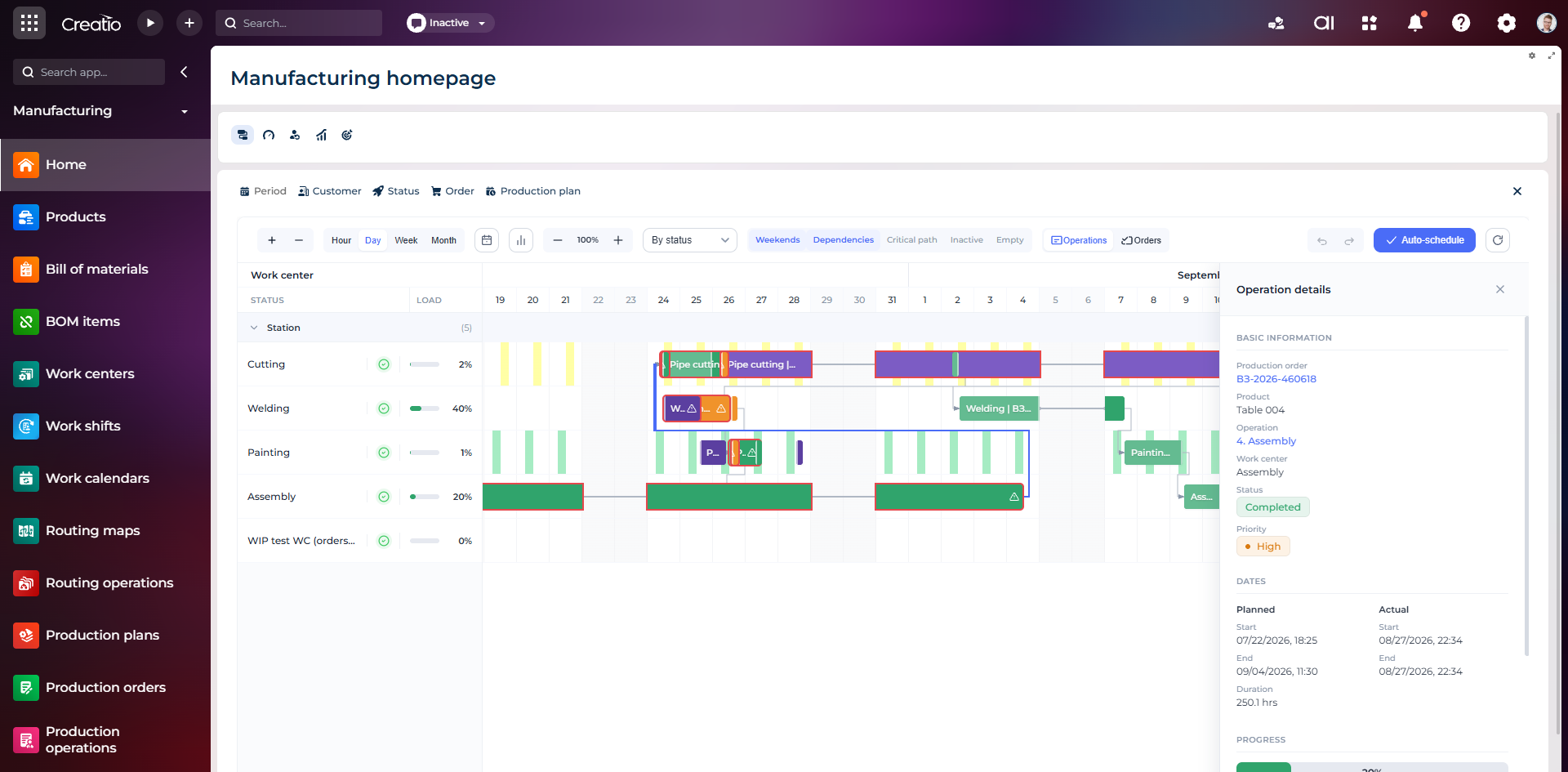
Виробниче планування
Діаграма Ганта за робочими центрами з залежностями, статусами, завантаженням і деталями кожної операції.
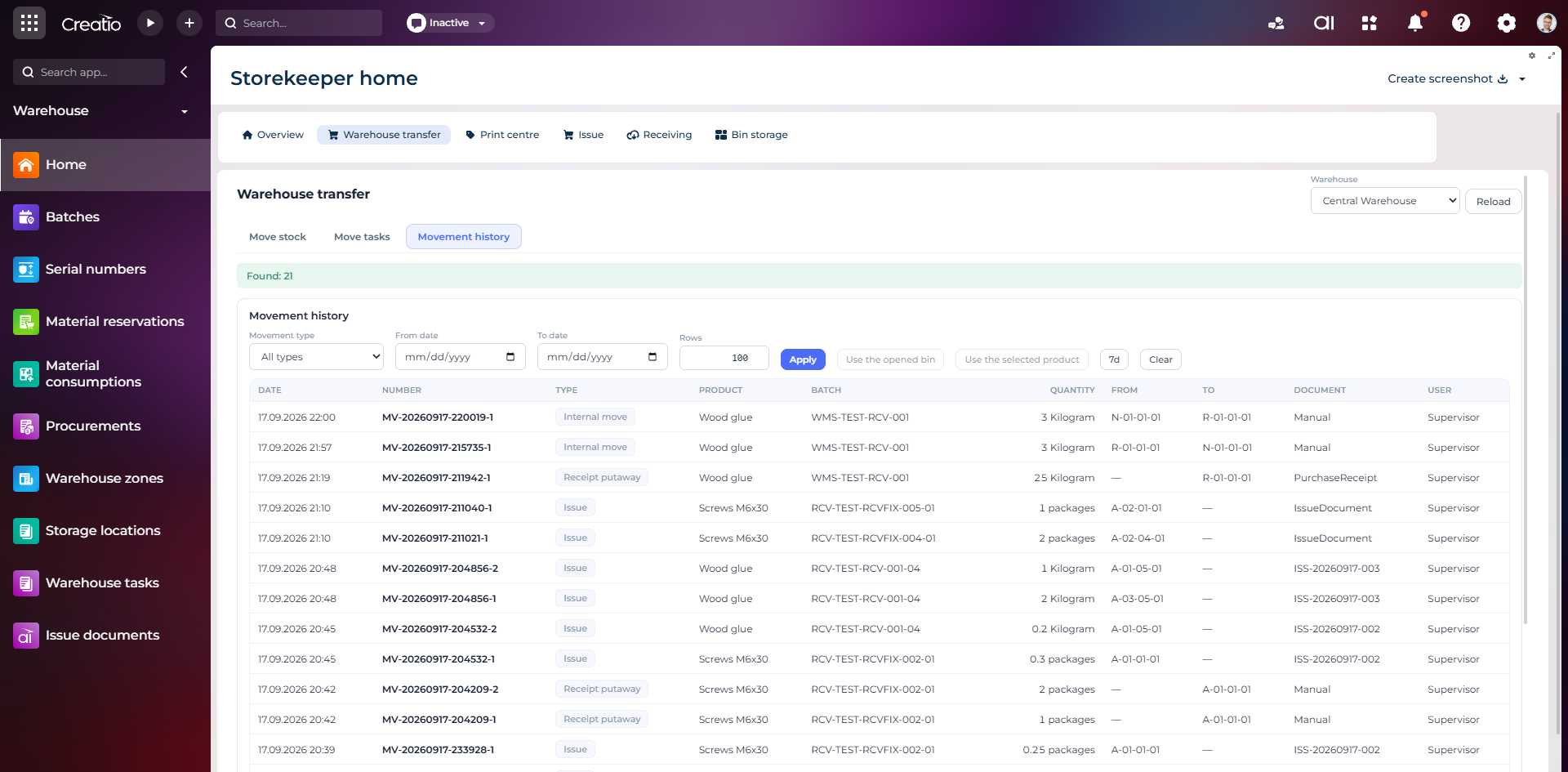
Історія руху запасів
Повний журнал приймання, видачі та внутрішніх переміщень із партією, кількістю, комірками, документом і відповідальним.
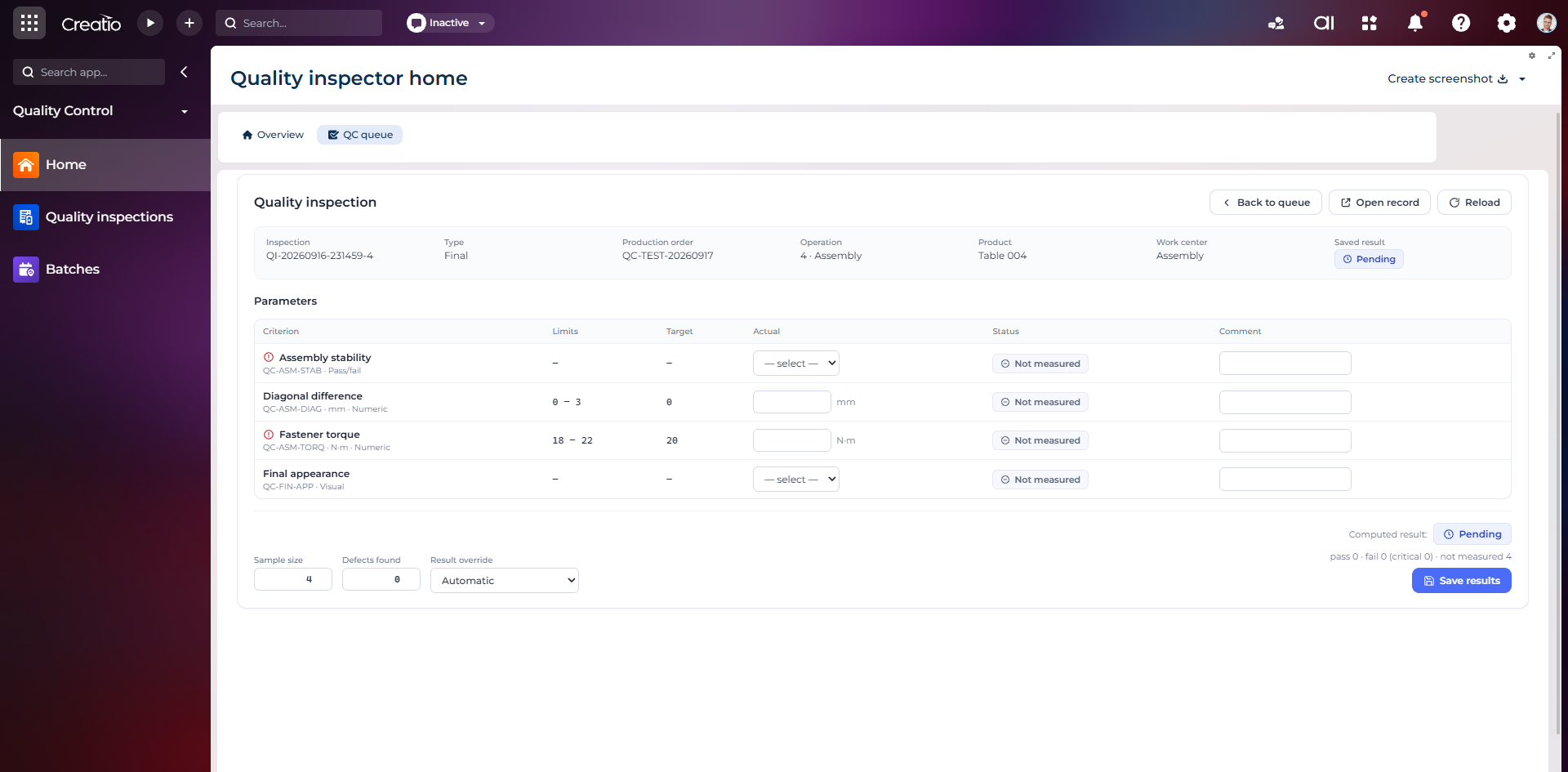
Контроль якості
Фінальна інспекція за критеріями: допустимі межі, фактичні значення, статуси вимірювань, коментарі та підсумковий результат.
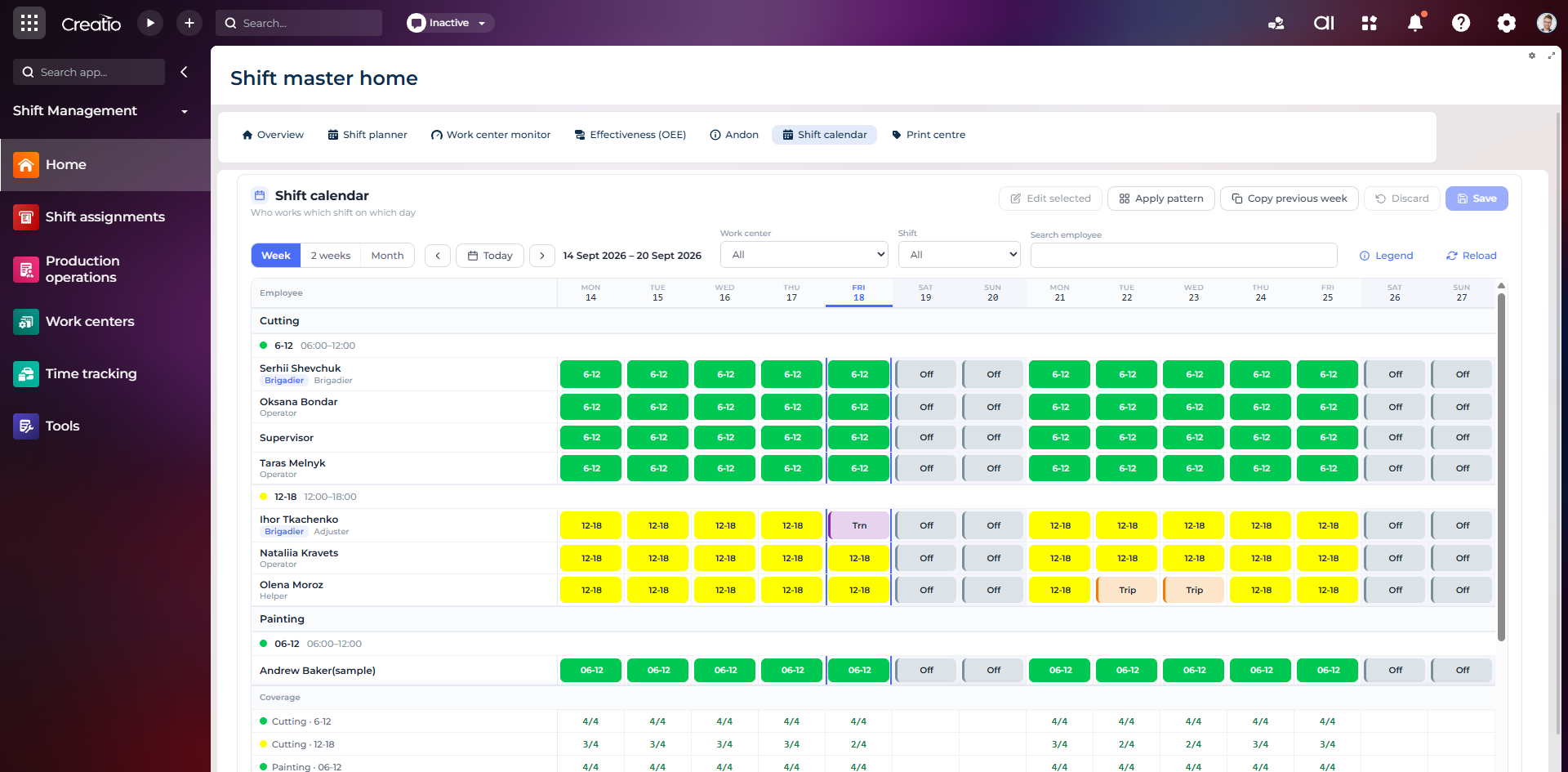
Календар змін
Планування персоналу за робочими центрами: зміни, вихідні, відрядження та контроль покриття потрібної кількості працівників.
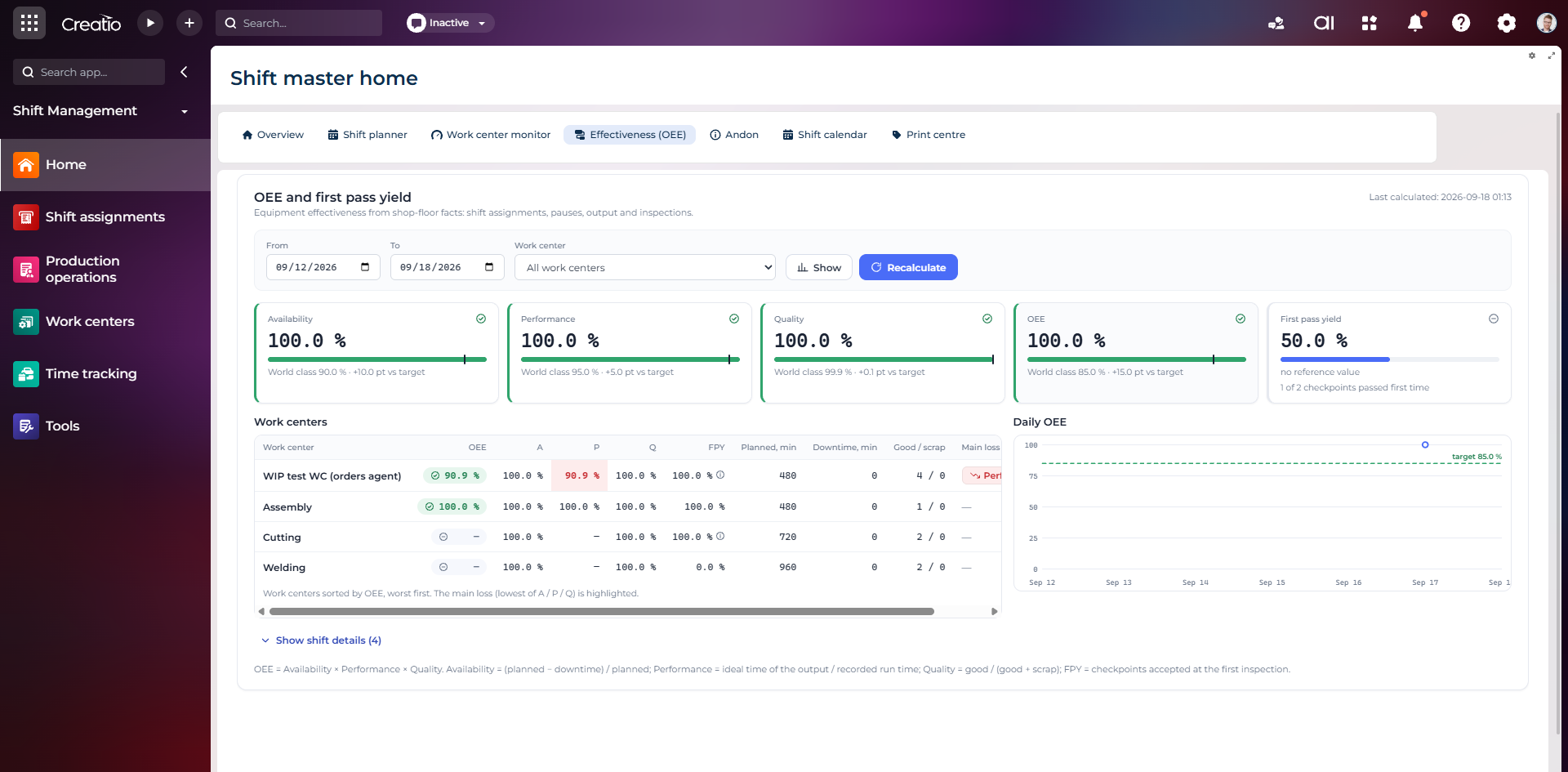
OEE та First Pass Yield
Доступність, продуктивність, якість, OEE і FPY по робочих центрах із порівнянням з цільовими показниками.
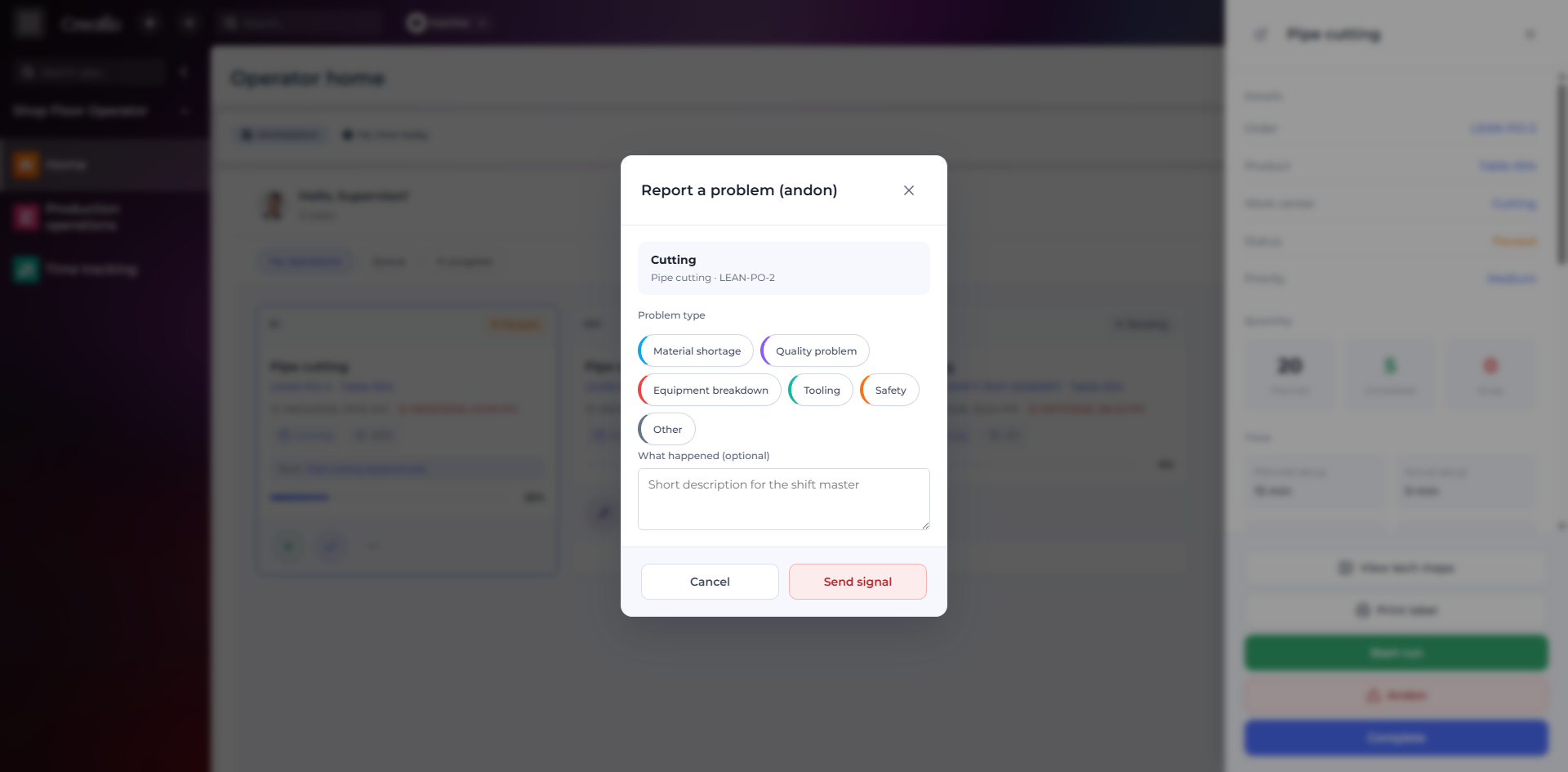
Andon-сигнал з робочого місця
Оператор повідомляє про нестачу матеріалів, проблему якості, поломку, інструмент або небезпеку безпосередньо з операції.
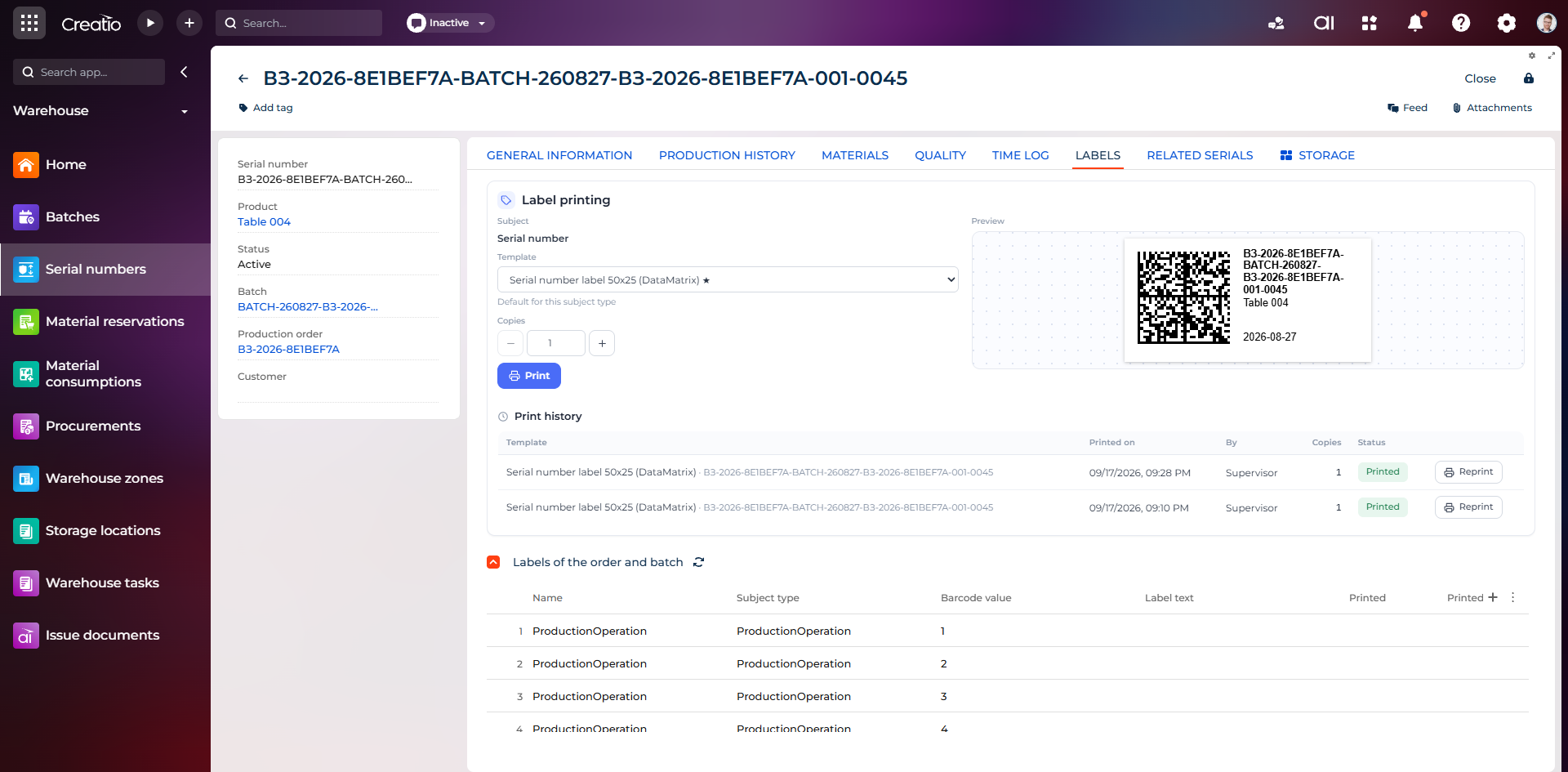
Маркування серійного виробу
Друк етикетки DataMatrix для серійного номера з шаблоном, попереднім переглядом та історією друку.
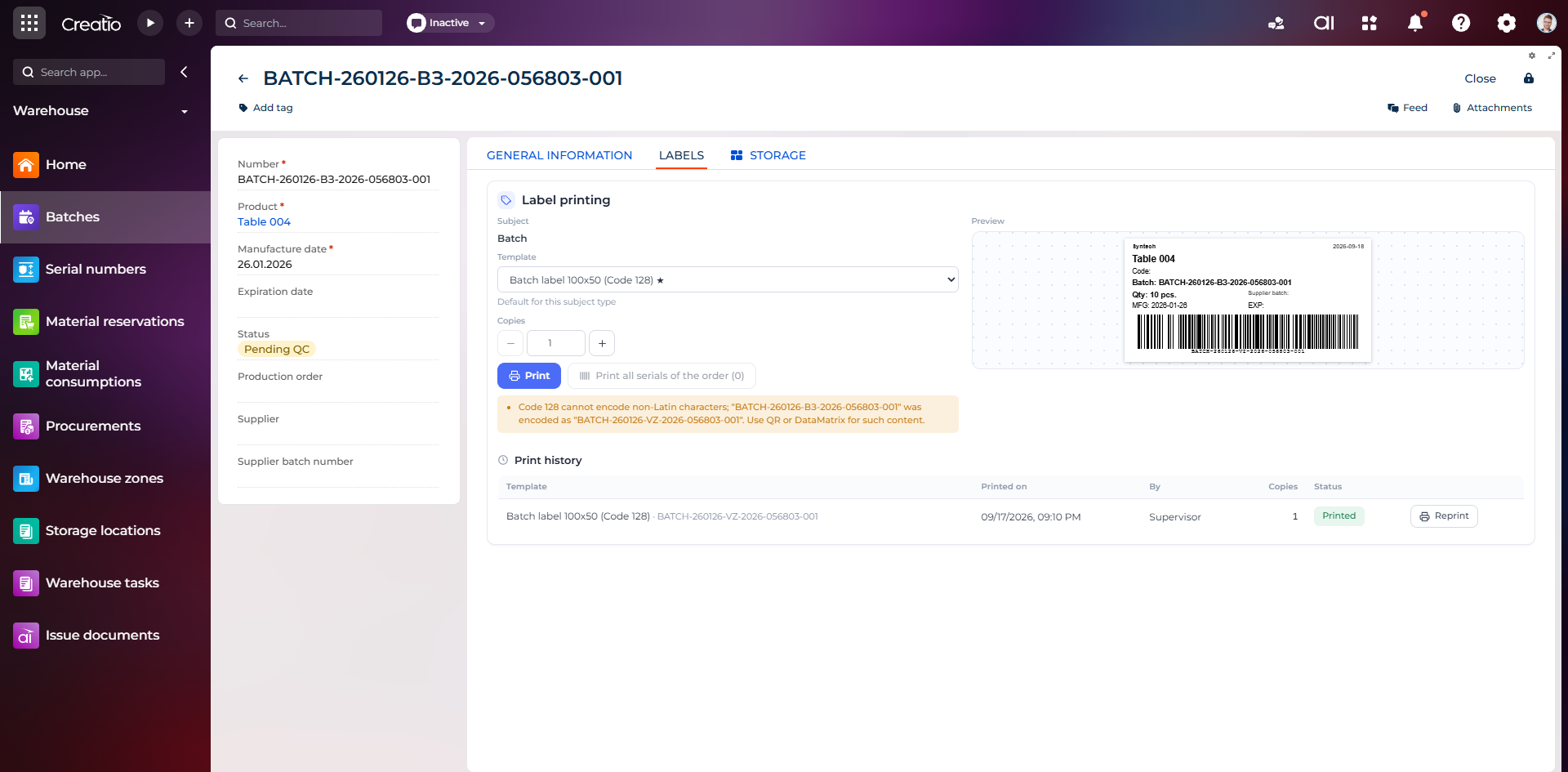
Маркування партії
Етикетка партії з кодом, кількістю, датою виготовлення, терміном придатності та штрихкодом Code 128.
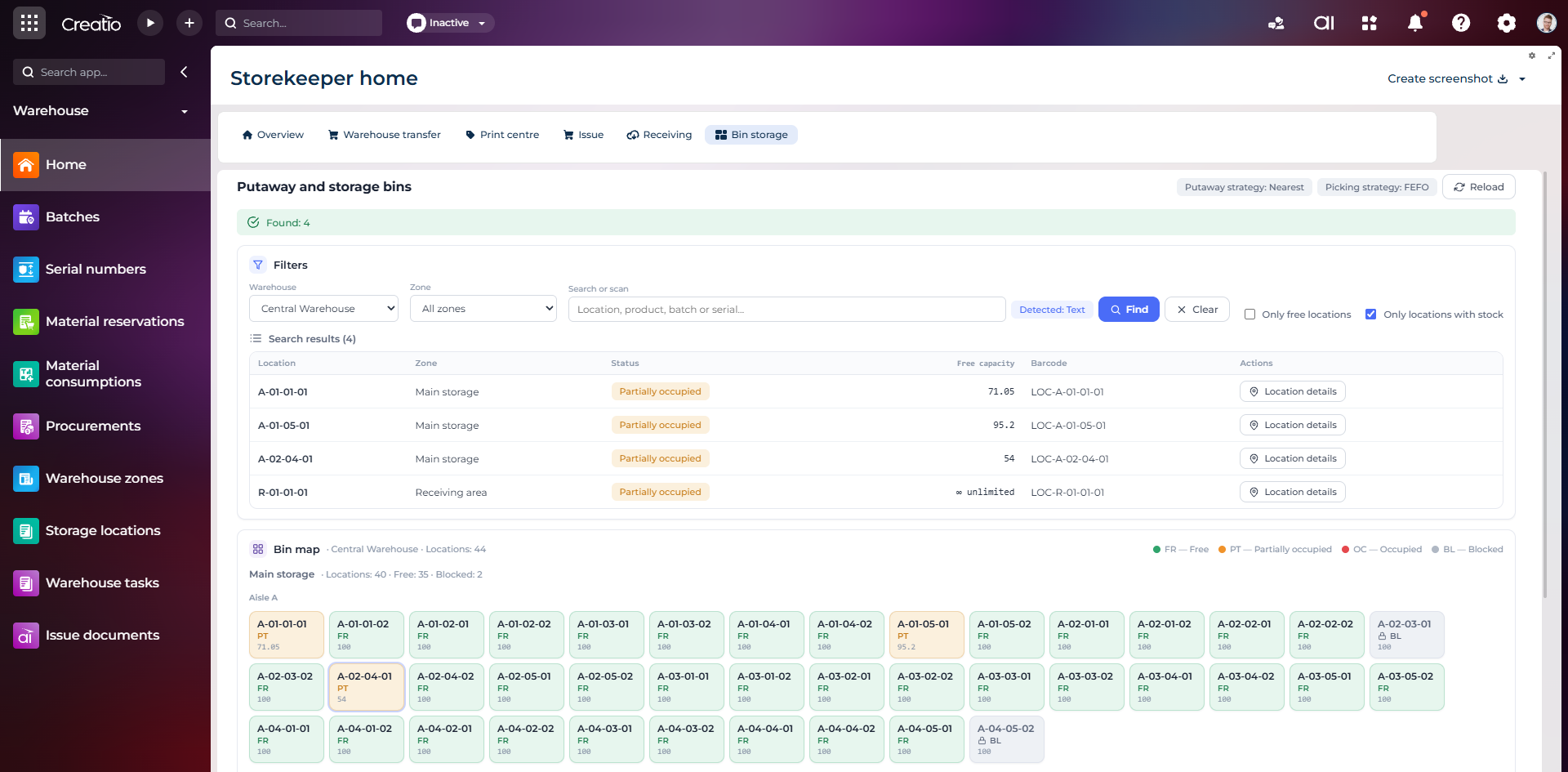
Коміркове зберігання
Пошук складських комірок за зоною, товаром, партією або серійним номером із відображенням місткості та статусу.
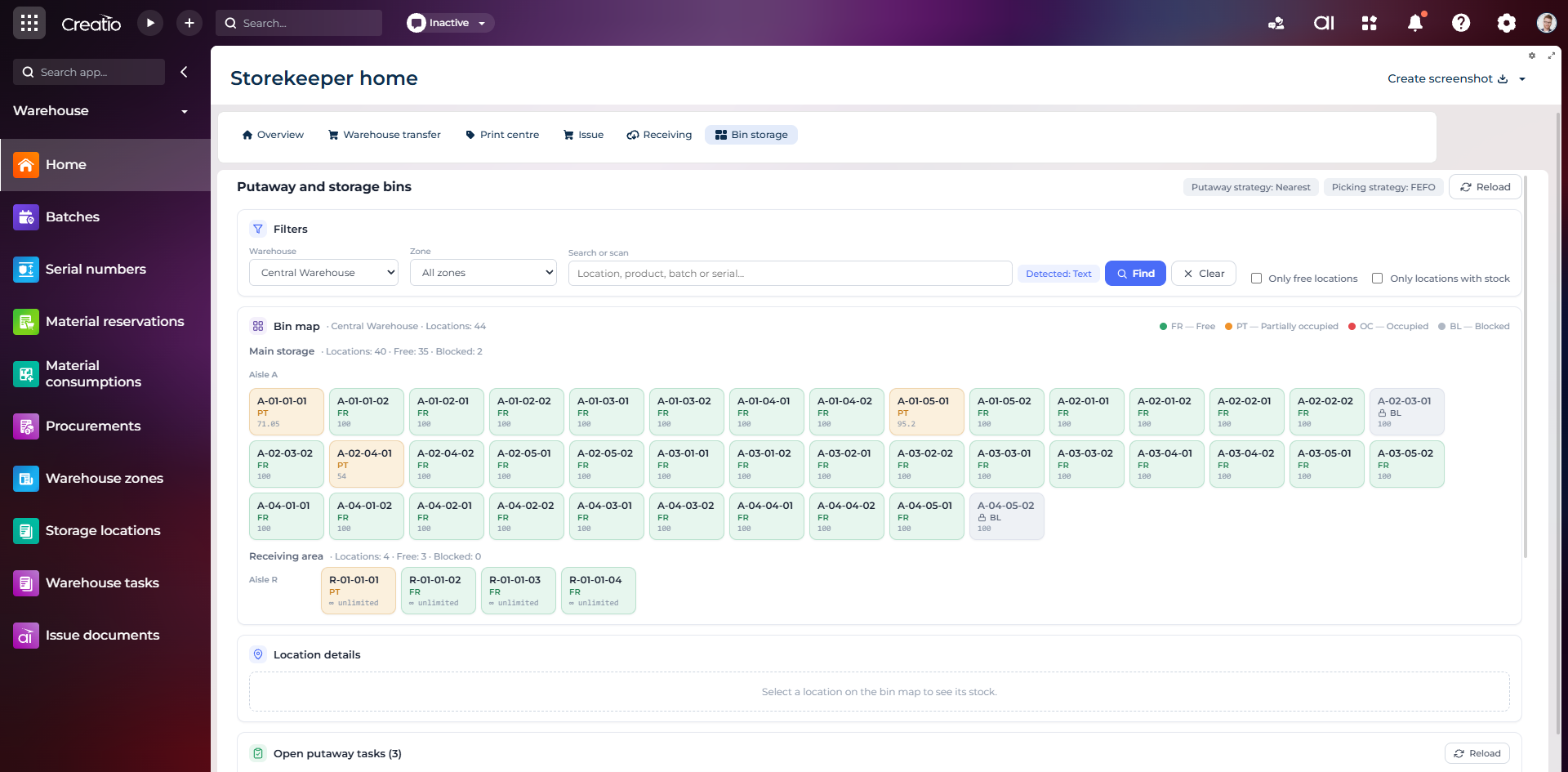
Карта складських комірок
Візуальна карта зон і проходів зі статусами вільних, частково зайнятих, зайнятих та заблокованих комірок.
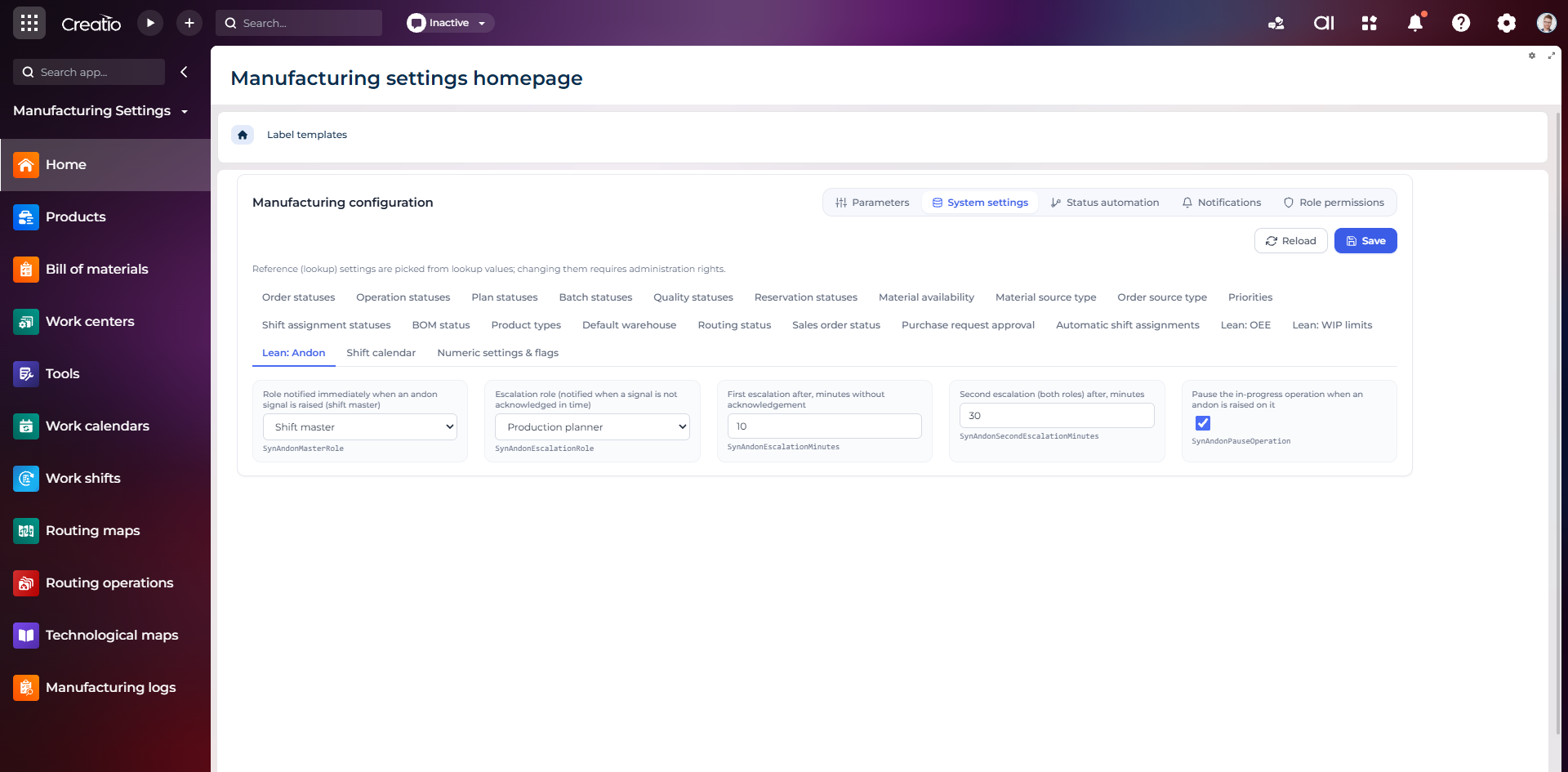
Налаштування Andon
Налаштування ролей сповіщення, строків ескалації та автоматичної зупинки операції після Andon-сигналу.
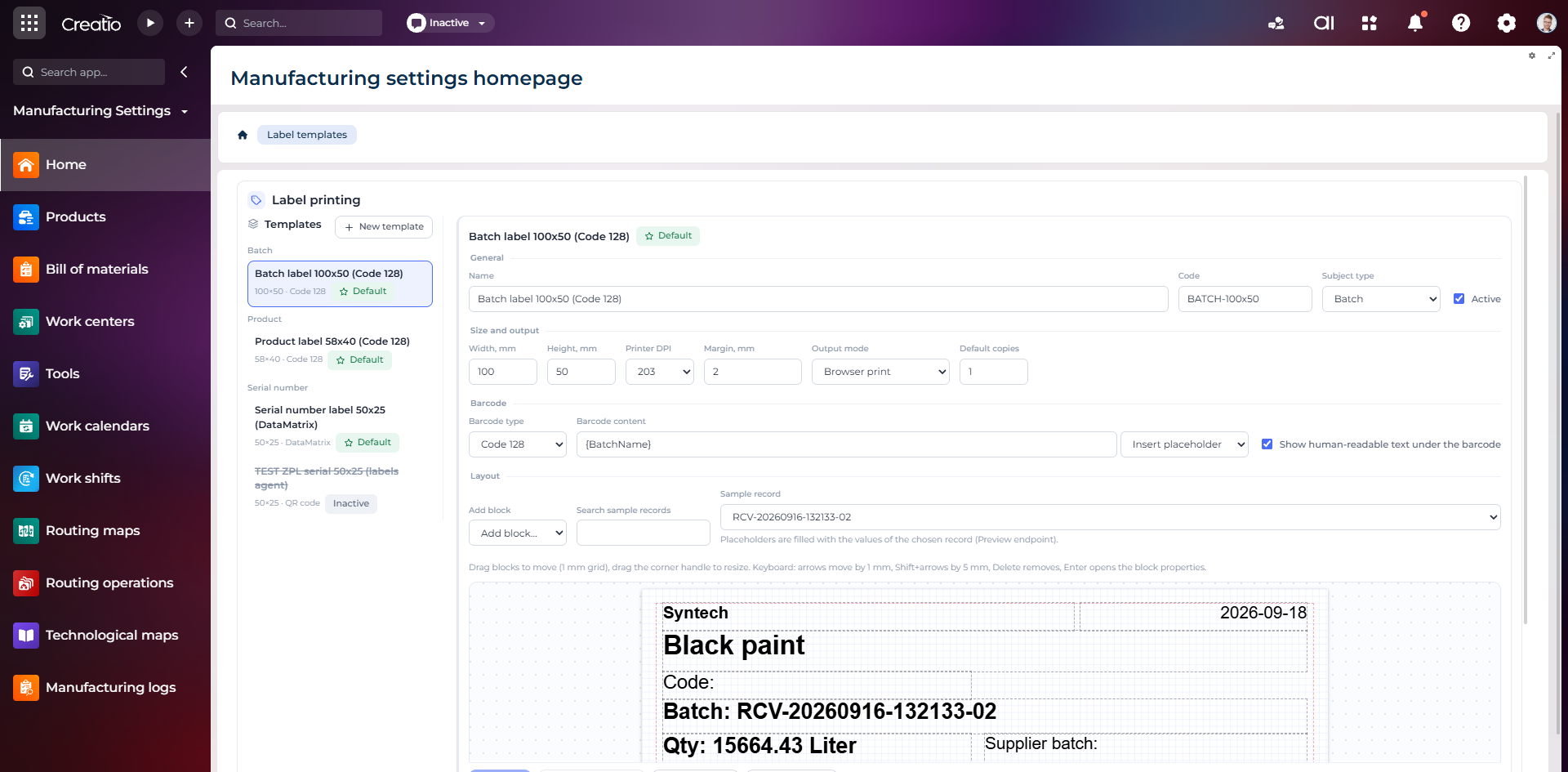
Конструктор шаблонів етикеток
Візуальне створення етикеток для партій і серійних виробів із плейсхолдерами, штрихкодами та попереднім переглядом.