
Buy what production actually needs
Requests come out of MRP and a daily stock check, get approved by amount, and one press of Receive creates the batch, the incoming inspection and the label. The supplier batch number is captured here — it is what makes traceability possible later.
A shortage is always noticed too late
Purchasing lives in email and a spreadsheet, production in the plan, the warehouse in its own ledger. That the bolts will run out is discovered when the brigade is already standing at the machine. Approval runs as a separate chain of messages where nobody sees the amount or who is holding it up.
And when the goods finally arrive, they are booked in as a quantity. The supplier batch number and the certificate stay in the storekeeper’s folder. Six months later a customer asks which steel went into one particular unit, and there is no answer.
How it works
- 01
Let the demand raise the request
MRP explodes the bills of materials, nets requirements against stock and open supply, and generates purchase requests from the production plan. Every morning a separate check walks the bought-in products: when available stock falls to the minimum or safety level, a Draft request “Safety Stock Replenishment” appears per supplier. What open requests already cover is not ordered twice. You can also create a request by hand.
- 02
Check the lines and send it for approval
A request shows the product, the requested quantity and the estimated price; the total is recalculated on sending. Then it is one button. A request with no lines, or a line with no quantity, cannot be sent.
- 03
Approve by amount, not by name
The route depends on the amount: up to the threshold the procurement manager approves, above it the finance director approves as well. The approver roles and the threshold are system settings, not code. Visas are addressed to a role, so every member sees them — on the Approvals tab of the Procurement workplace, on the request card, or in the notification panel.
- 04
Order it, and let MRP count it
Once approved, the request counts as incoming supply in the next MRP run (requested minus received), so the plan stops proposing the same purchase again. The buyer marks it as ordered and the warehouse sees it as an expected delivery.
- 05
Receive against the request lines
The storekeeper opens an ordered request or scans a line barcode. The line shows the expected, already received and remaining quantities. He enters the received quantity and the supplier batch number, and can set the incoming QC result there and then. One press of “Receive” creates the batch, the incoming inspection and the label, adds the quantity to the line and moves the request to Partially received or Received.
- 06
Put it away and keep the batch papers
The receipt books the batch into the receiving zone and raises a putaway task. The batch card keeps the supplier, the supplier batch number, the dates, the certificate and the bin. That record is what will answer, a year from now, what a particular unit was made of.
What you get
The supplier batch number, from minute one
A batch enters the system with the supplier’s own number, its certificate and its inspection, not just a quantity. Months later a serial number can name the batch of steel it came from.
Quality decides before the material reaches the floor
The incoming inspection is created together with the batch and linked to it. A rejected result books the batch as rejected, and rejected stock is never allocated, reserved or issued.
Nobody types the status
Draft, pending approval, approved, ordered, partially received, received. Approvers and real receipts move it — not operator discipline.
Over-delivery inside your own tolerance
A line expects its approved quantity, or the requested one when the approved is zero. You may receive slightly more, up to the tolerance in a system setting (5% by default). Anything beyond that is refused.
A failed receipt names the reason
The line was changed or deleted, the request is not in a receivable status, the quantity is not positive. Instead of “an error occurred”, the storekeeper sees what to do next.
Walk the road from shortage to shelf
In the demo we drop a stock level below safety stock, wait for the morning request, approve it through two visas and receive the goods with a batch, a certificate and a label.
Як це виглядає в системі
Реальні екрани Syntech Manufacturing на платформі Creatio: планування, склад, якість, зміни, OEE, Andon і маркування.
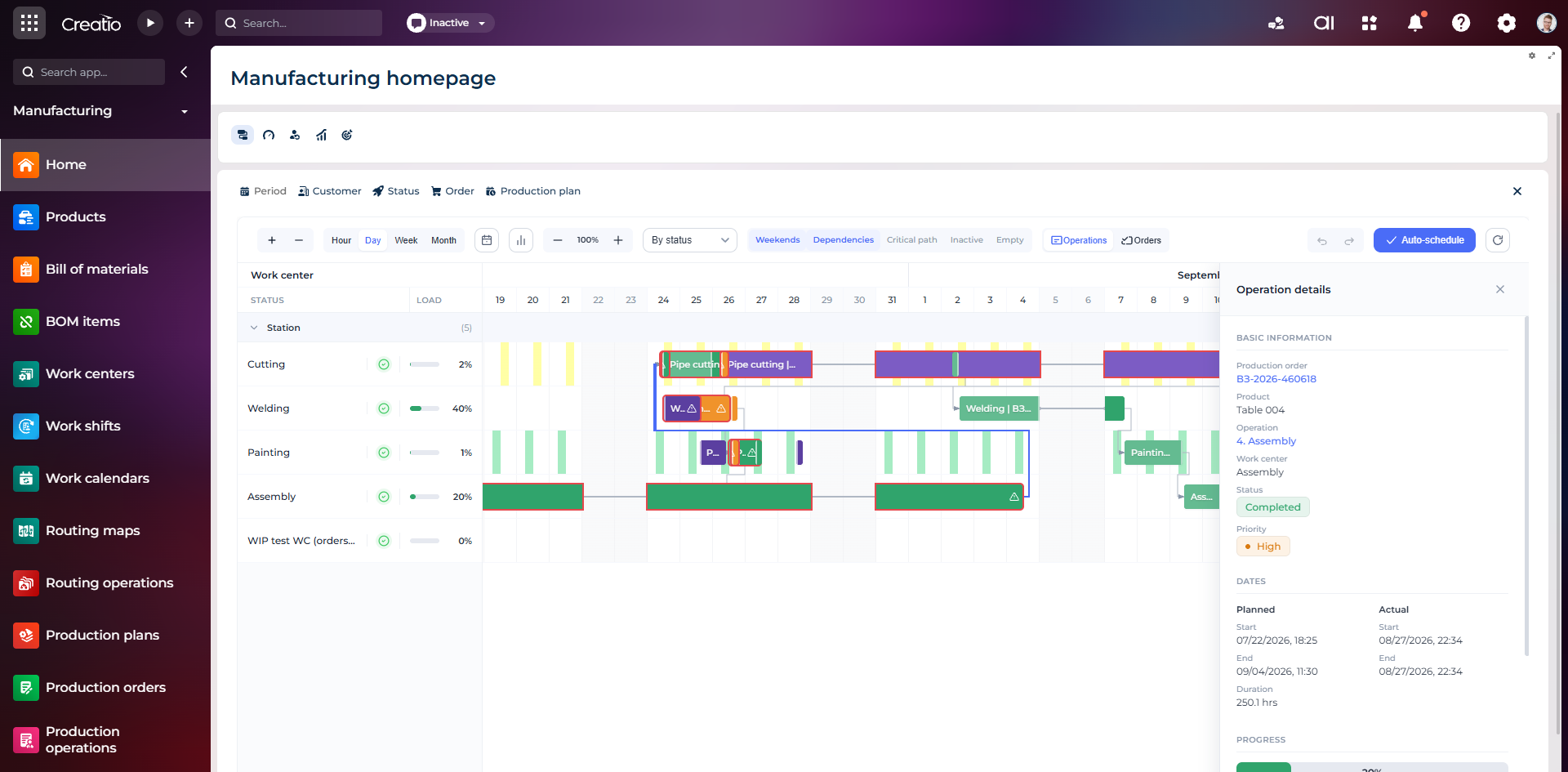
Виробниче планування
Діаграма Ганта за робочими центрами з залежностями, статусами, завантаженням і деталями кожної операції.
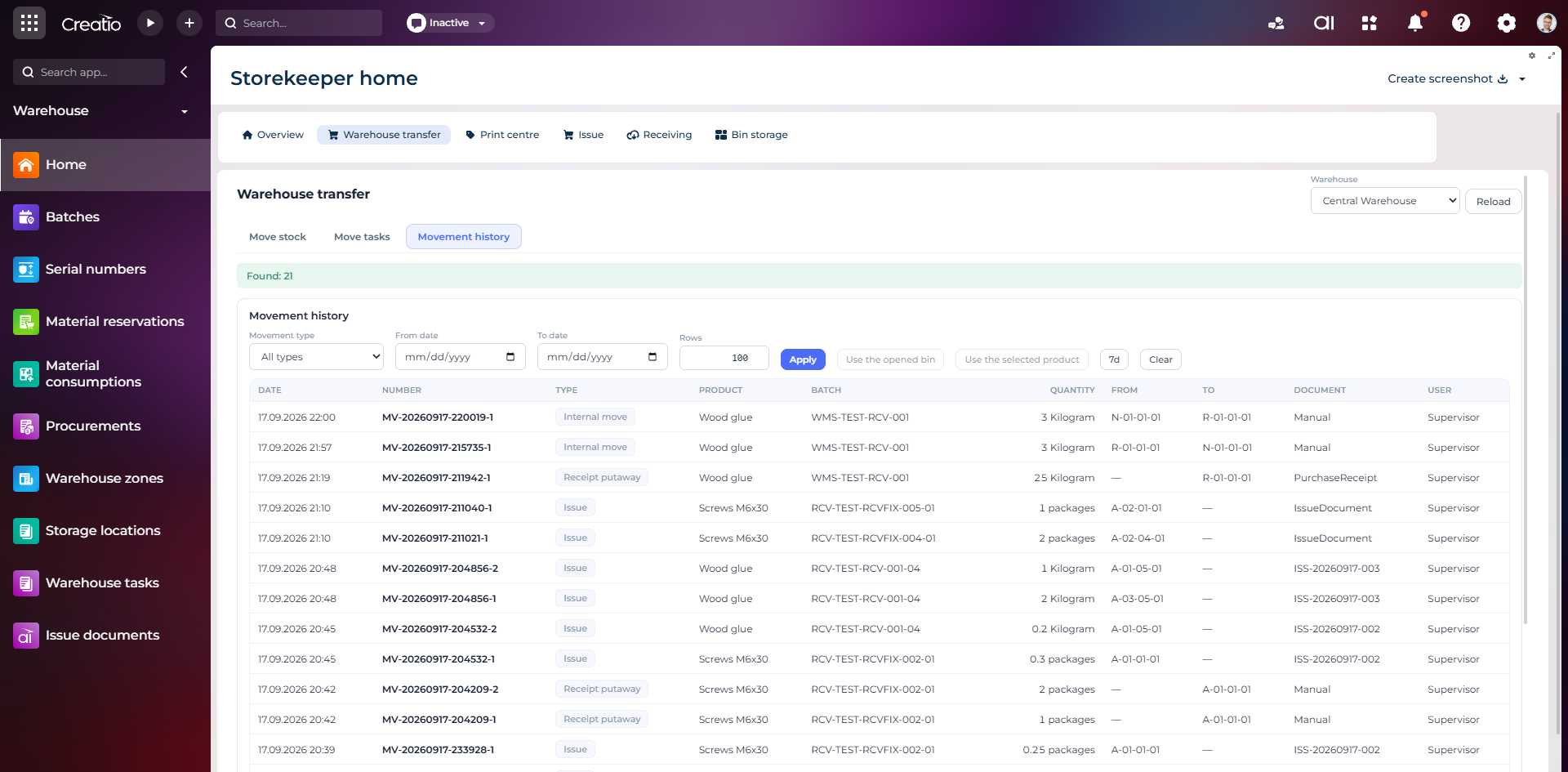
Історія руху запасів
Повний журнал приймання, видачі та внутрішніх переміщень із партією, кількістю, комірками, документом і відповідальним.
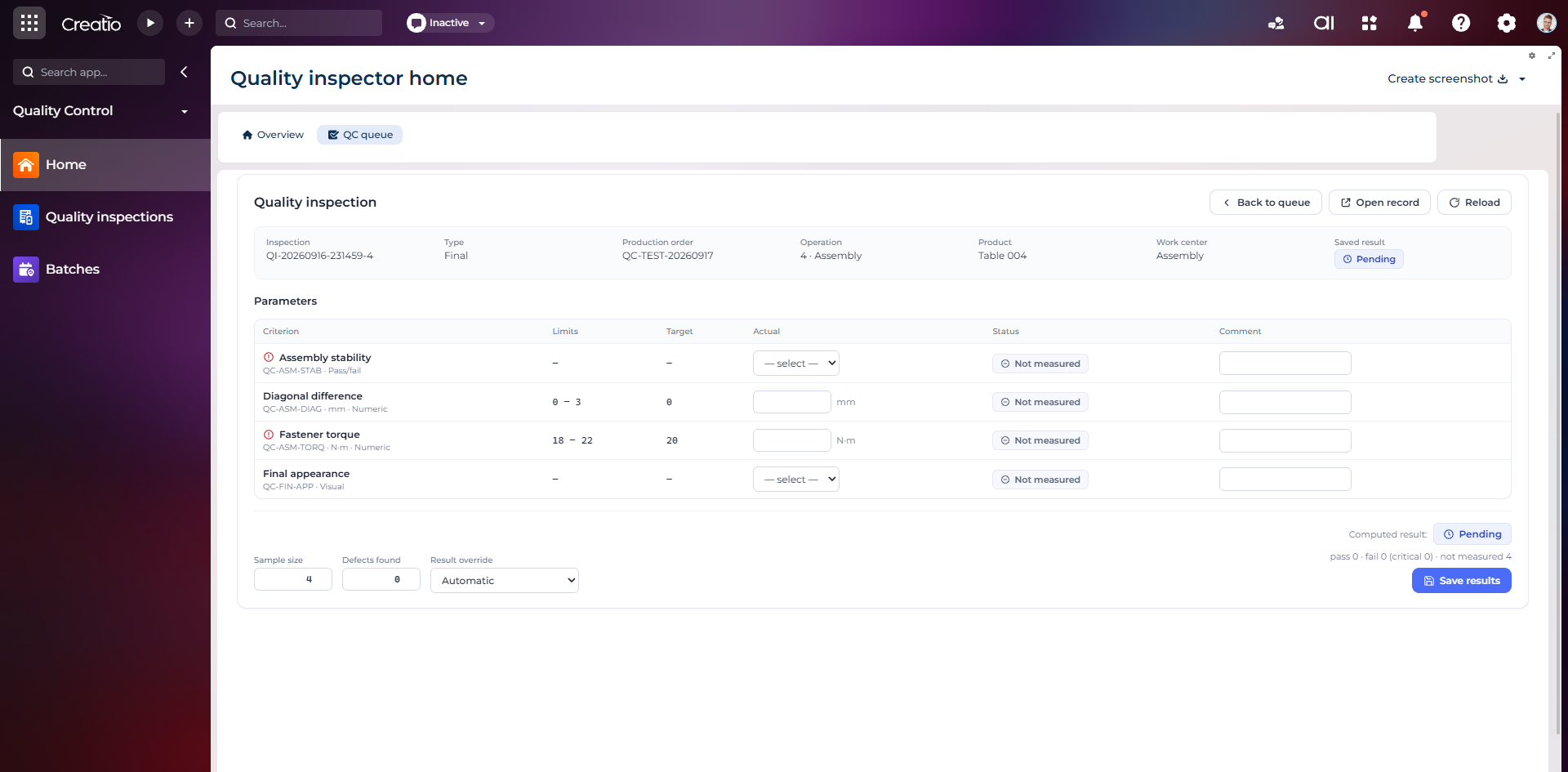
Контроль якості
Фінальна інспекція за критеріями: допустимі межі, фактичні значення, статуси вимірювань, коментарі та підсумковий результат.
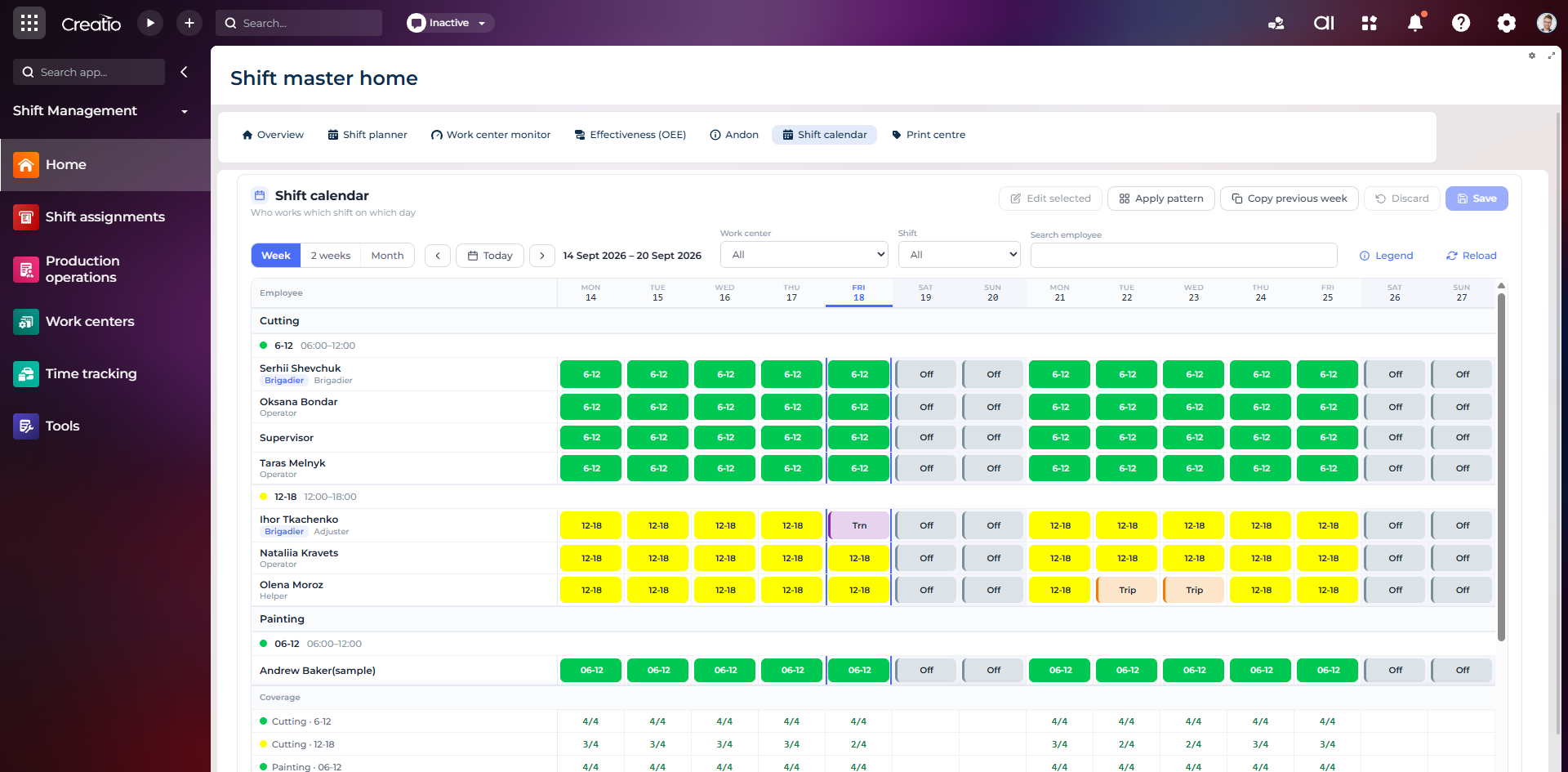
Календар змін
Планування персоналу за робочими центрами: зміни, вихідні, відрядження та контроль покриття потрібної кількості працівників.
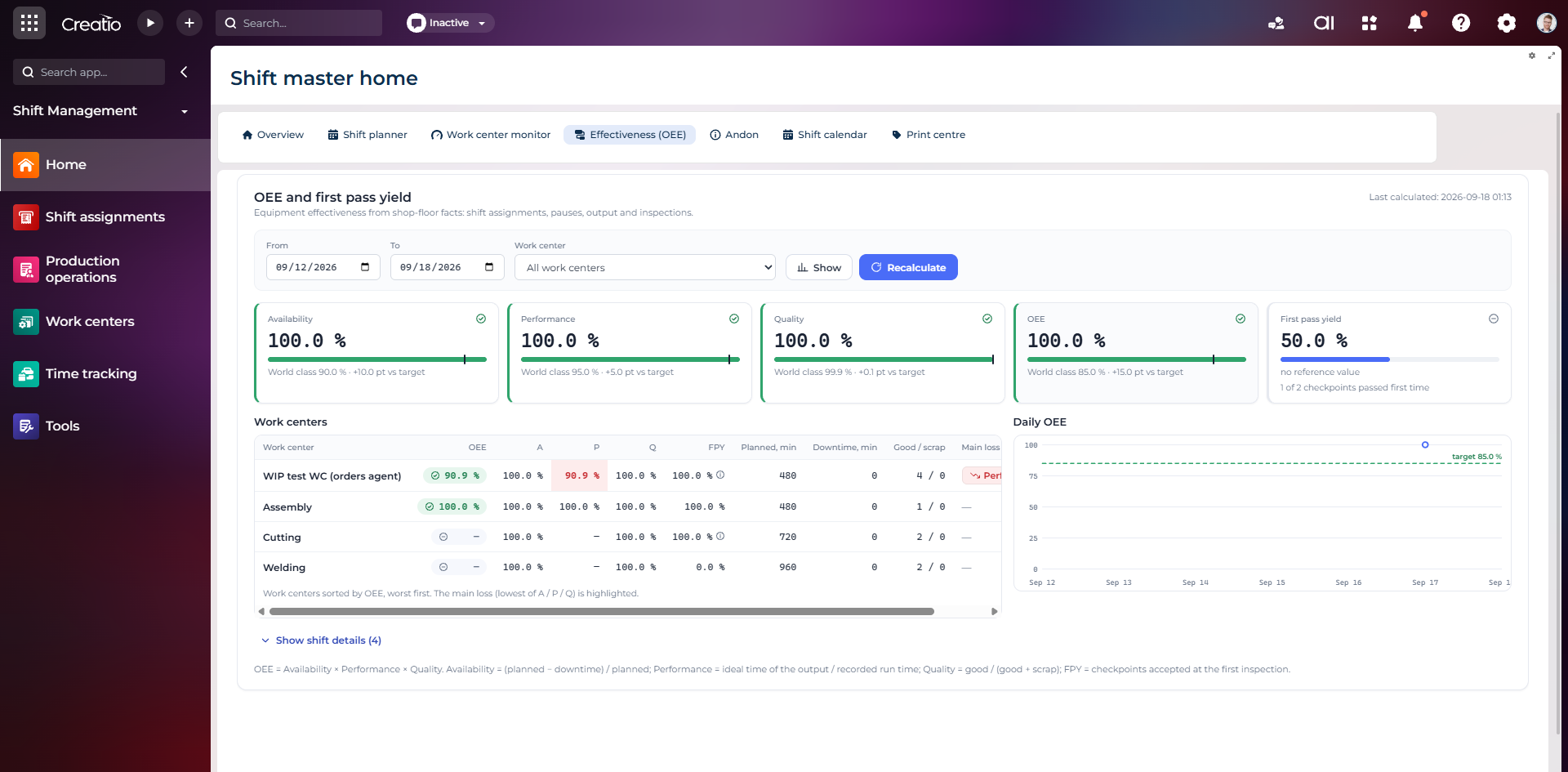
OEE та First Pass Yield
Доступність, продуктивність, якість, OEE і FPY по робочих центрах із порівнянням з цільовими показниками.
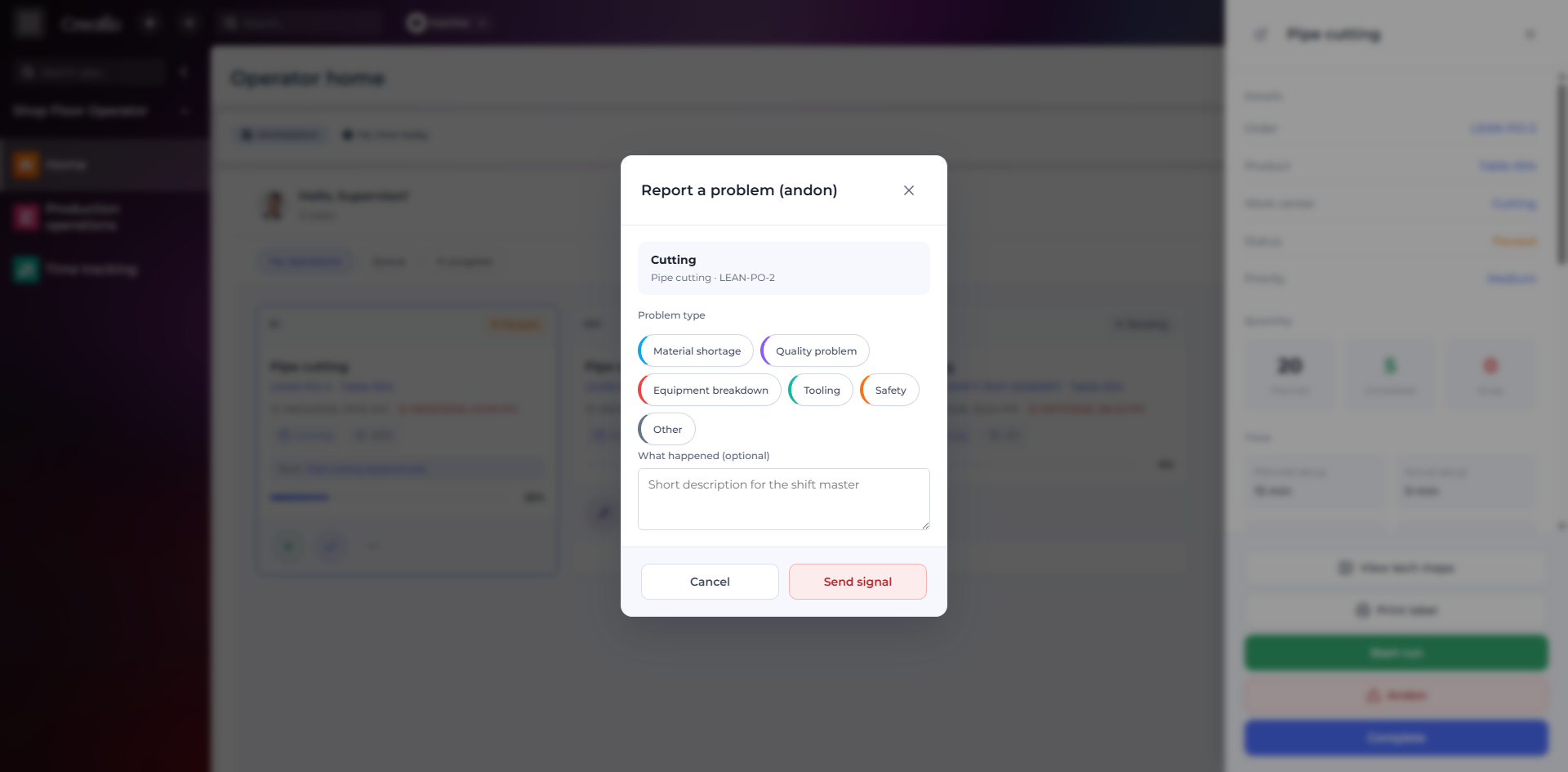
Andon-сигнал з робочого місця
Оператор повідомляє про нестачу матеріалів, проблему якості, поломку, інструмент або небезпеку безпосередньо з операції.
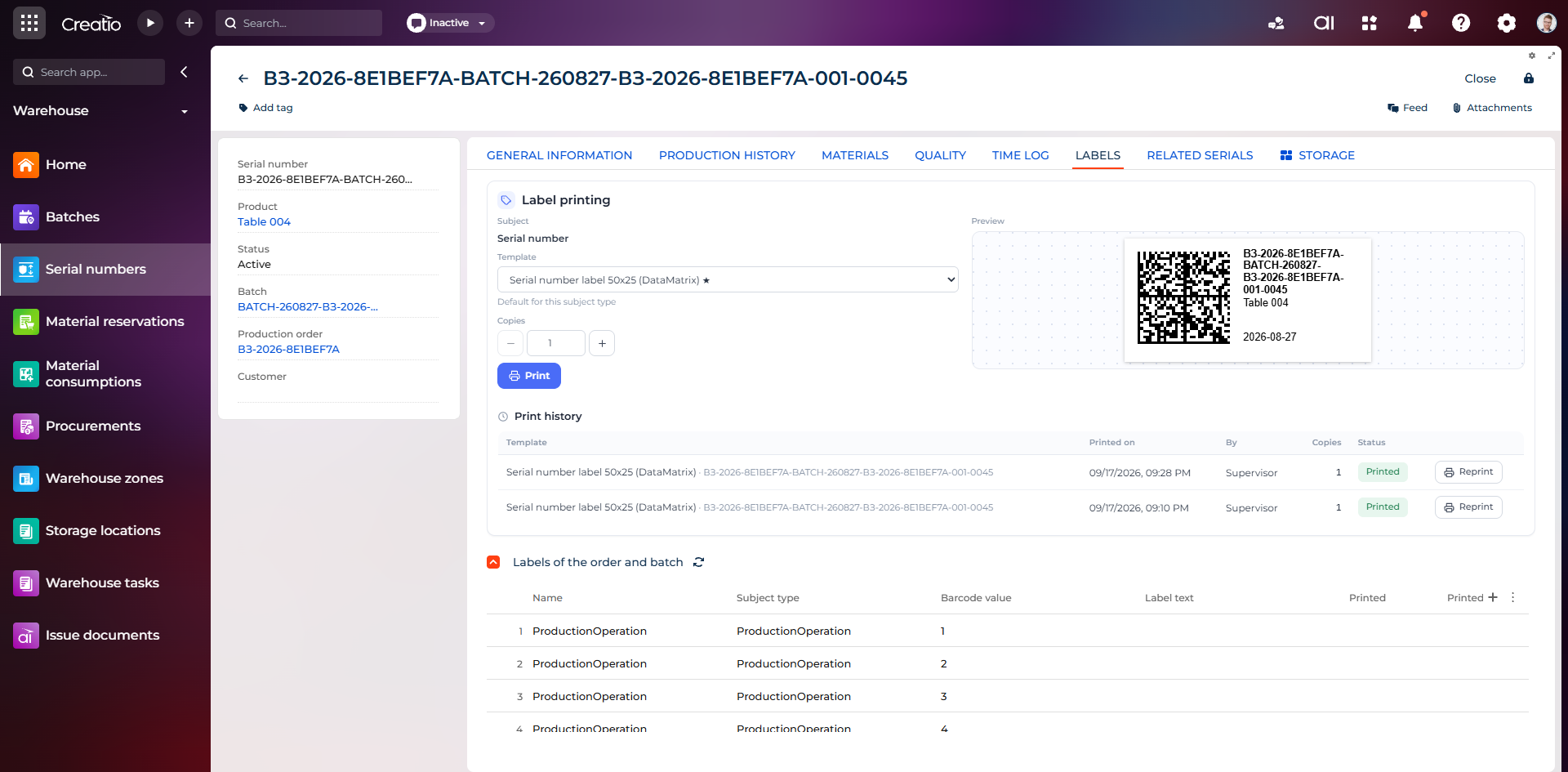
Маркування серійного виробу
Друк етикетки DataMatrix для серійного номера з шаблоном, попереднім переглядом та історією друку.
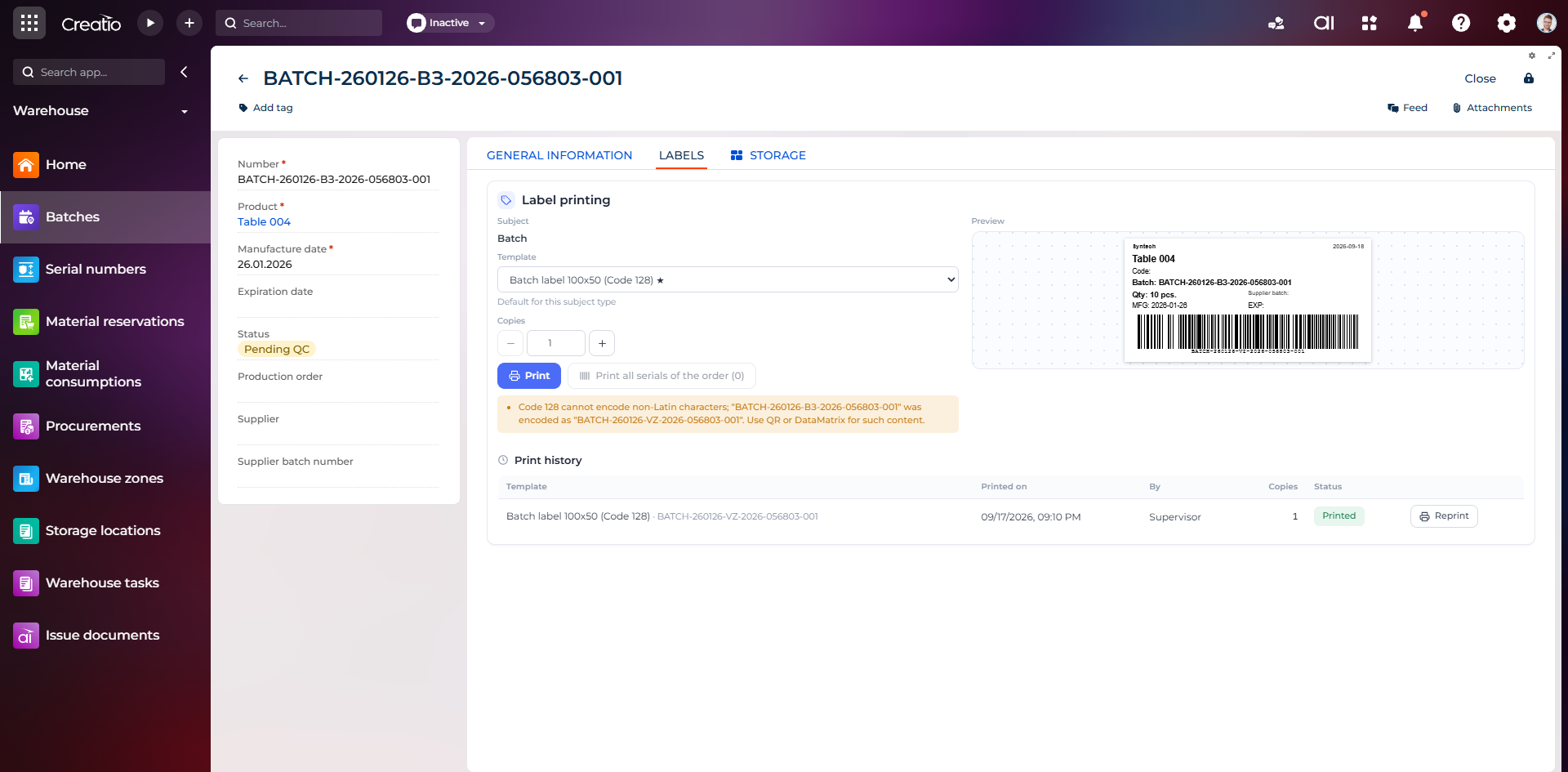
Маркування партії
Етикетка партії з кодом, кількістю, датою виготовлення, терміном придатності та штрихкодом Code 128.
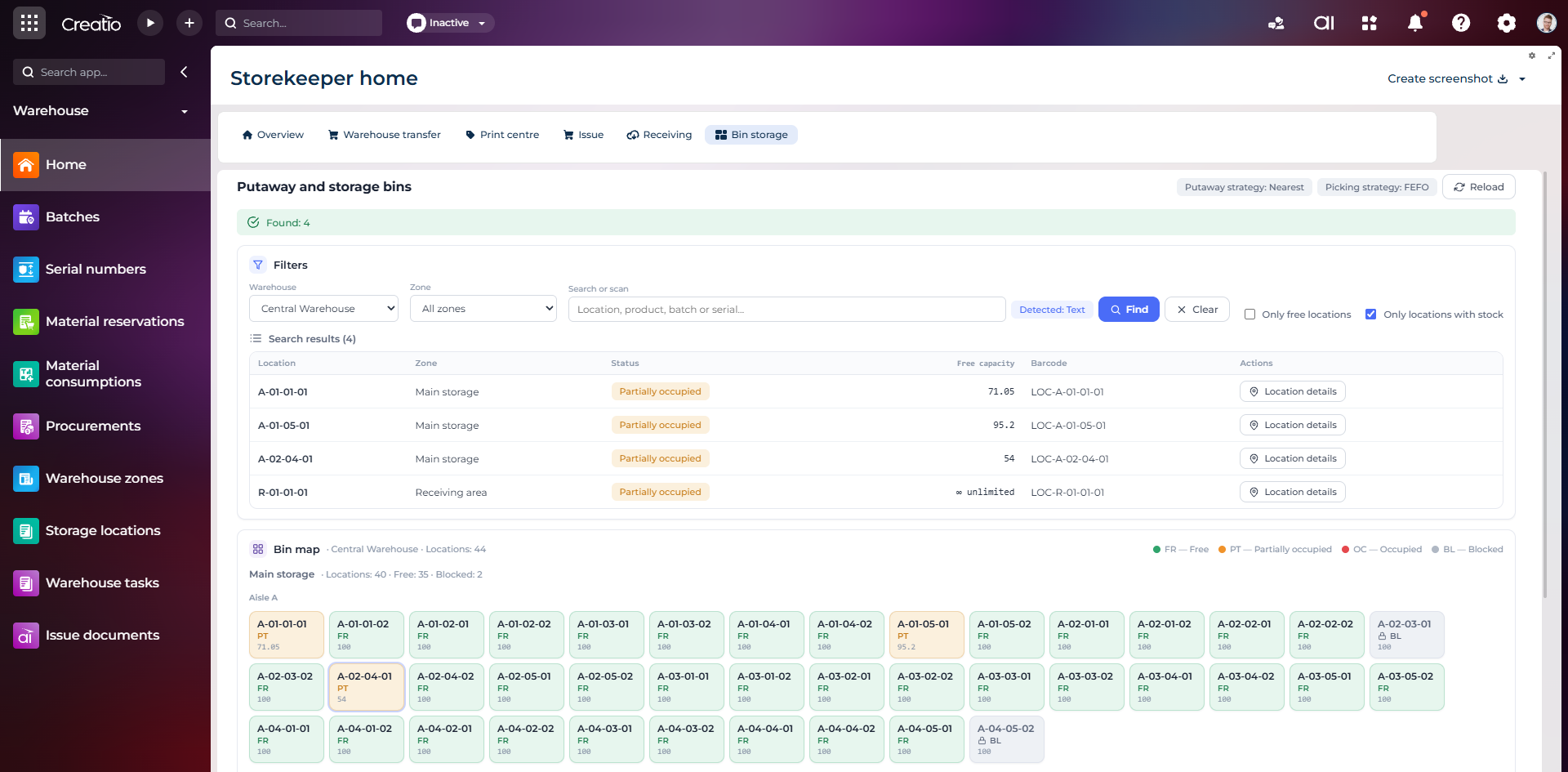
Коміркове зберігання
Пошук складських комірок за зоною, товаром, партією або серійним номером із відображенням місткості та статусу.
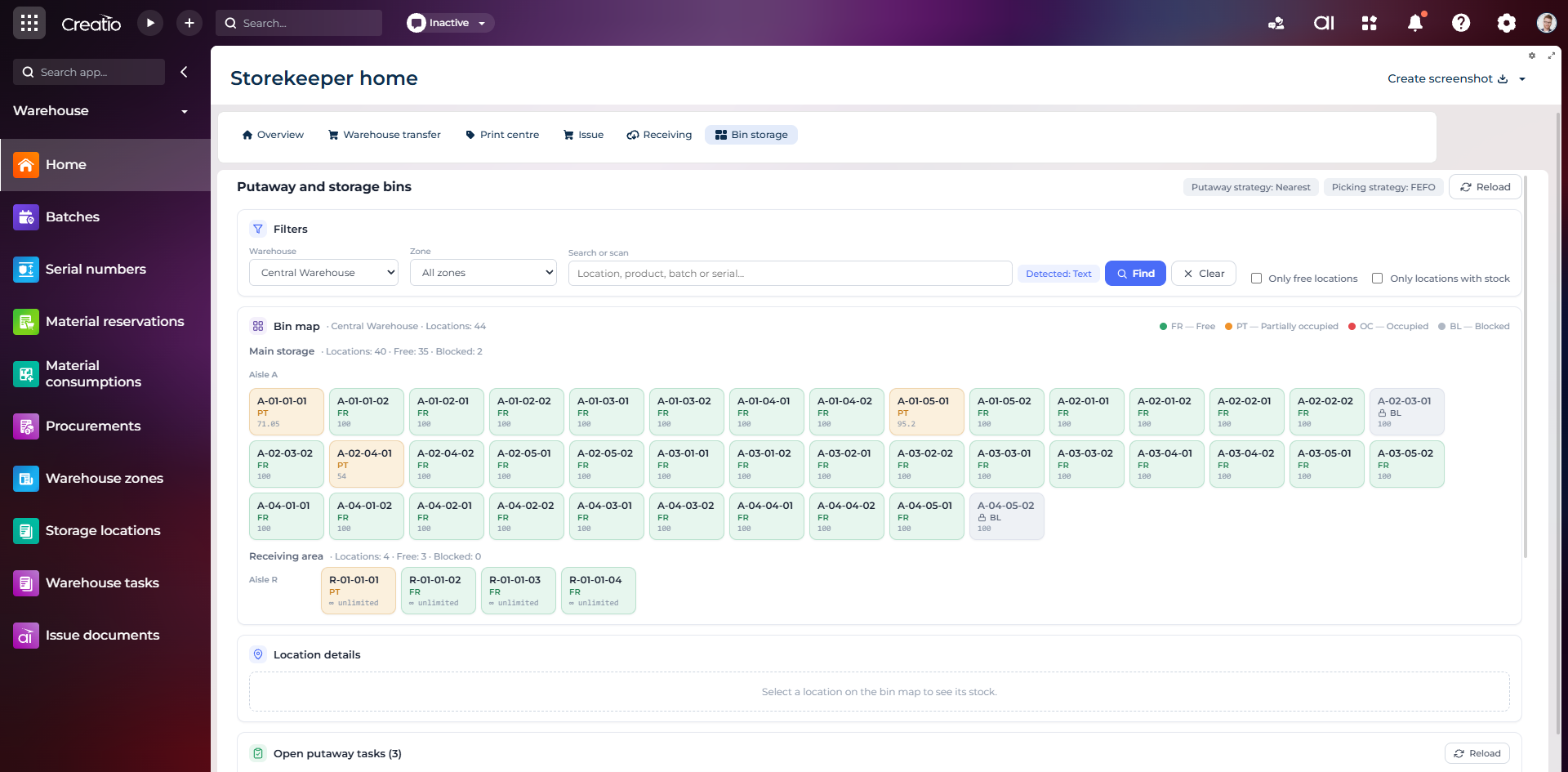
Карта складських комірок
Візуальна карта зон і проходів зі статусами вільних, частково зайнятих, зайнятих та заблокованих комірок.
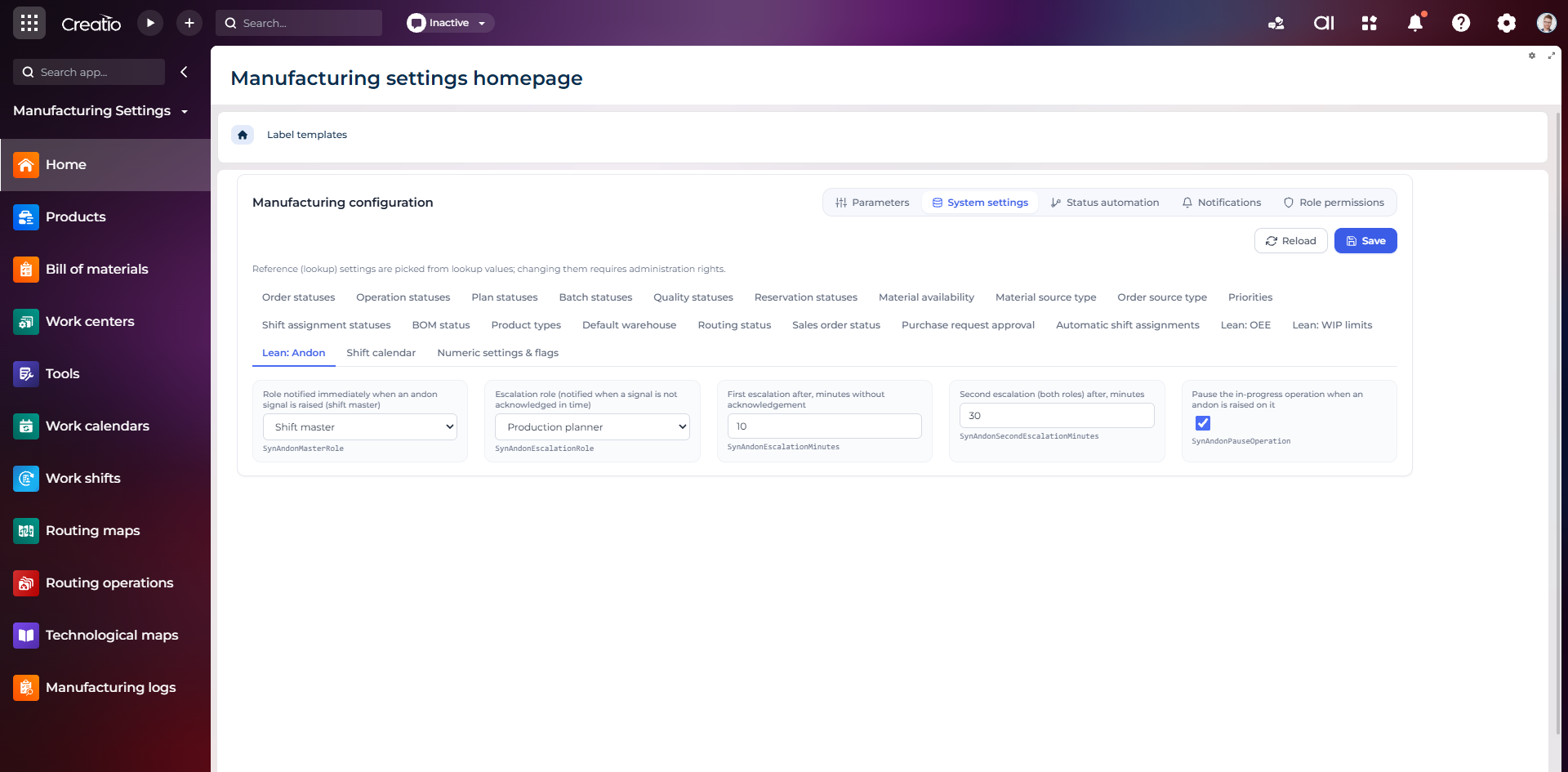
Налаштування Andon
Налаштування ролей сповіщення, строків ескалації та автоматичної зупинки операції після Andon-сигналу.
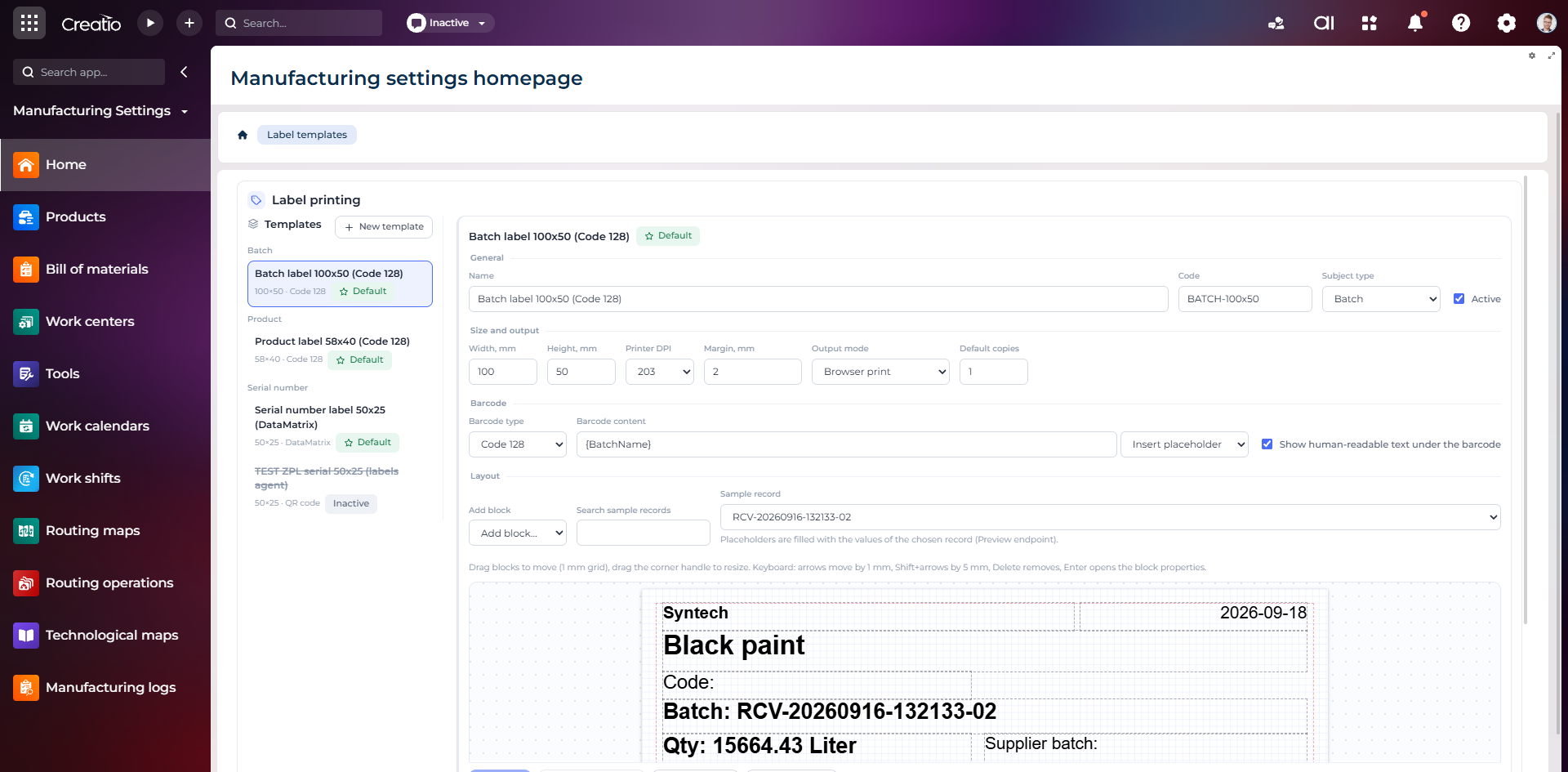
Конструктор шаблонів етикеток
Візуальне створення етикеток для партій і серійних виробів із плейсхолдерами, штрихкодами та попереднім переглядом.