
Not "live in three months" — 13 phases with a readable scope
Each phase has a deliverable and an effort range in working days. Checks are switched on gradually, so the plant is never stopped by a system it has not learned.
The worst thing you can do is switch everything on at once
A production system breaks on data and rules, not on features. Master data arrives incomplete, routings are written the way a technologist remembers them, blocking is turned on in week one, and a shift stands still. So the work is split into 13 phases, each with an effort range instead of a calendar promise.
What has to be in place first
A Creatio 8.x environment (on-premise, private cloud or Creatio cloud) licensed for your users, a decision on interface language and time zone, and people on your side: a process owner, a technologist, a storekeeper, quality and a Creatio administrator. We install the `SynManufacturing` package with its components and compile the configuration. Demo data is a separate decision: good for learning, never moved to production.
The 13 phases and what each delivers
- 01
Preparation
Packages, licences, languages, time zone, the demo-data decision.
3–6 days
- 02
Organisation and access
Users, roles, workplaces, operation rights, approval routes.
3–6 days
- 03
Master data
Products, partners, warehouse structure, work centres, calendars, tools, equipment, qualifications, people.
10–25 days
- 04
Engineering
Bills of materials, routings, technological maps, revisions, change notices, quality criteria.
8–30 days
- 05
System settings
Every settings group with a starting value and the Off → Warn → Block ramp-up.
3–6 days
- 06
Opening balances
Stock by bin, batch and serial number, open orders, a reconciled balance.
3–8 days
- 07
Planning go-live
Demand, contracts, the order queue, plans, MRP, purchasing, scheduling.
5–10 days
- 08
Shop-floor go-live
Shift calendar, assignments, the operator workstation, andon, time, shift fact, OEE.
5–12 days
- 09
Warehouse go-live
Receiving, putaway, issue, transfer, backflush, the print centre.
4–8 days
- 10
Quality and defence go-live
Inspections, NCR / CAPA / 8D, traceability, acceptance acts, export control, staff reservation.
5–12 days
- 11
Maintenance go-live
Equipment board, preventive and repair orders, calibration, the equipment check.
3–6 days
- 12
Background jobs
Twelve scheduled jobs: what they do and how to see they ran.
1–2 days
- 13
Pilot, cutover and hypercare
A pilot line, a parallel run, the KPIs, the cutover and the way back.
15–30 days
That is 68 to 161 working days of effort. It is not a calendar duration: phases with independent dependencies run in parallel, and the pace is set by your data and your people. We draw the calendar after phase two, when the real state of the master data is visible.
Off → Warn → Block: checks are switched on gradually
The key checks — export control, the equipment check, material shortage on backflush, qualifications, WIP limits, acceptance acts — have three modes. **Off**: the check does not run and you collect data. **Warn**: the system warns and records the reason, but lets the action through. **Block**: the action is refused until the reason is cleared. In 2.1.0 export control, the equipment check and material shortage ship in **warn** on purpose, and modes are switched in one place: Manufacturing settings → System settings.
Who does what
Yours
Master data, engineering data and opening balances. Nobody but you knows which routing is current and what is really in the bin. We supply import templates and completeness checks.
Joint
Configuration to your rules, roles and approval routes, training and the pilot. We show the mechanism, you say how your plant must work, and decisions go into settings, not conversations.
Ours
The `SynManufacturing` package and its components, the settings model, documentation, migration scripts and support.
The pilot, the parallel run and the way back
The cutover happens on one line or one area. The pilot runs alongside your current bookkeeping until the KPIs agree: output per shift, operation start times, stock discrepancy, andon signals. Then the next area follows. The way back is written in advance: which checks return to **warn**, and how to restate balances.
Training and handover
Training is by role: planner, shift master, operator, storekeeper, quality inspector, buyer, HR and administrator. The operator learns at the operator workstation, not in a presentation. Administrators get their own block: settings, roles and rights, approval routes, background jobs, label templates, fields and reports with Creatio's own tools.
After go-live
The first weeks are hypercare: we are available daily and watch the log, the background jobs and what users complain about. Then regular support: write to info@syntech.digital. What it covers, the hours and the response times are set in the support agreement rather than on this website, and you see them before you sign. Upgrades to our releases come with it: the package installs over the old one, and your own work sits in your own packages, untouched. The warranty period is agreed per project and written into the contract.
The documents you receive
The user guide
65 sections across 11 areas, in three languages, describing every screen and action. A working document, not a brochure.
The commissioning plan
The same 13-phase document, with checklists and dependencies, that we run the project from.
Let us size your scope, not an average one
Send us how many products, BOM levels and routings you have, and we will walk the 13 phases with your numbers. The calendar comes out of that conversation, not out of an average.
Як це виглядає в системі
Реальні екрани Syntech Manufacturing на платформі Creatio: планування, склад, якість, зміни, OEE, Andon і маркування.
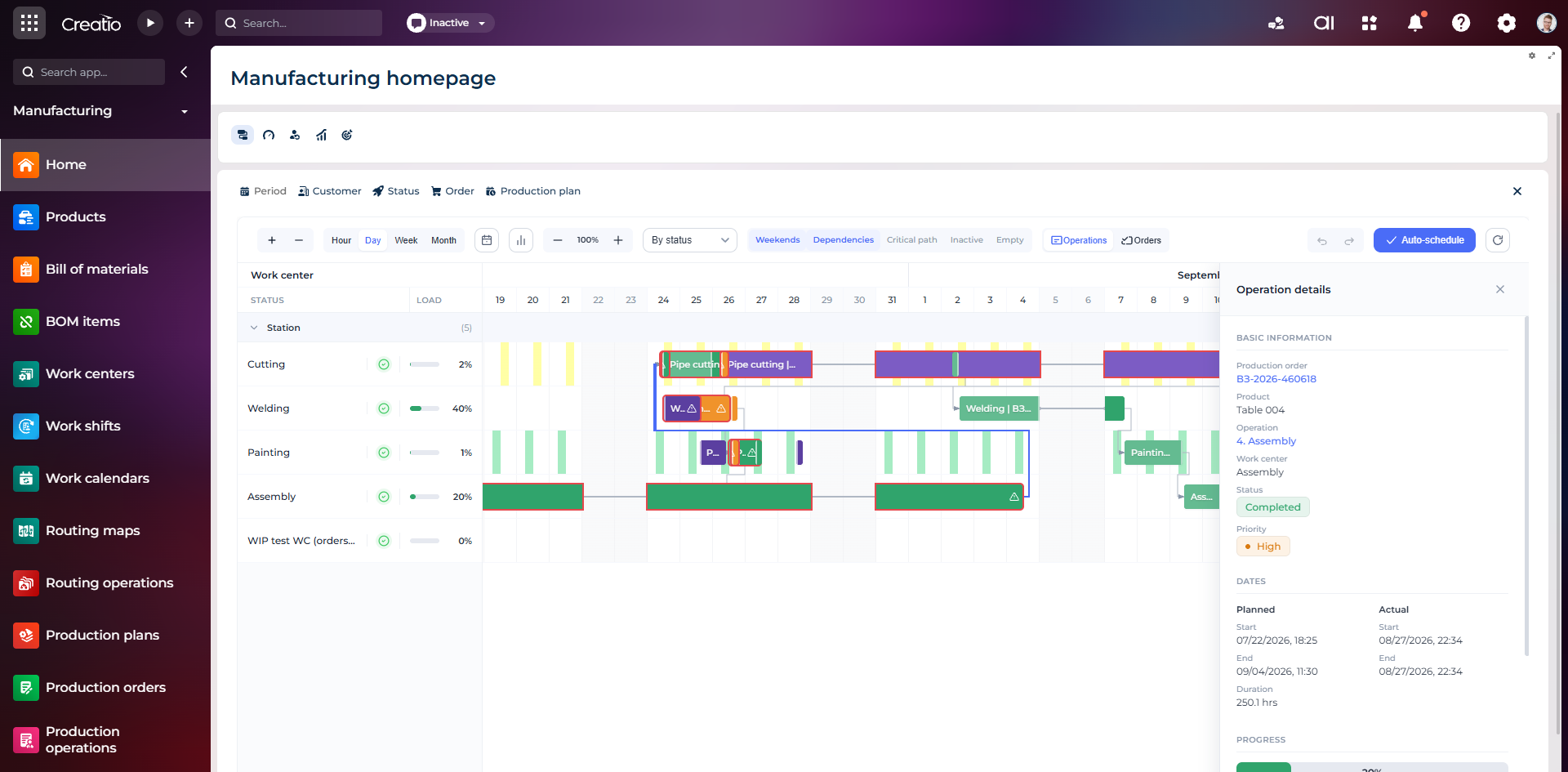
Виробниче планування
Діаграма Ганта за робочими центрами з залежностями, статусами, завантаженням і деталями кожної операції.
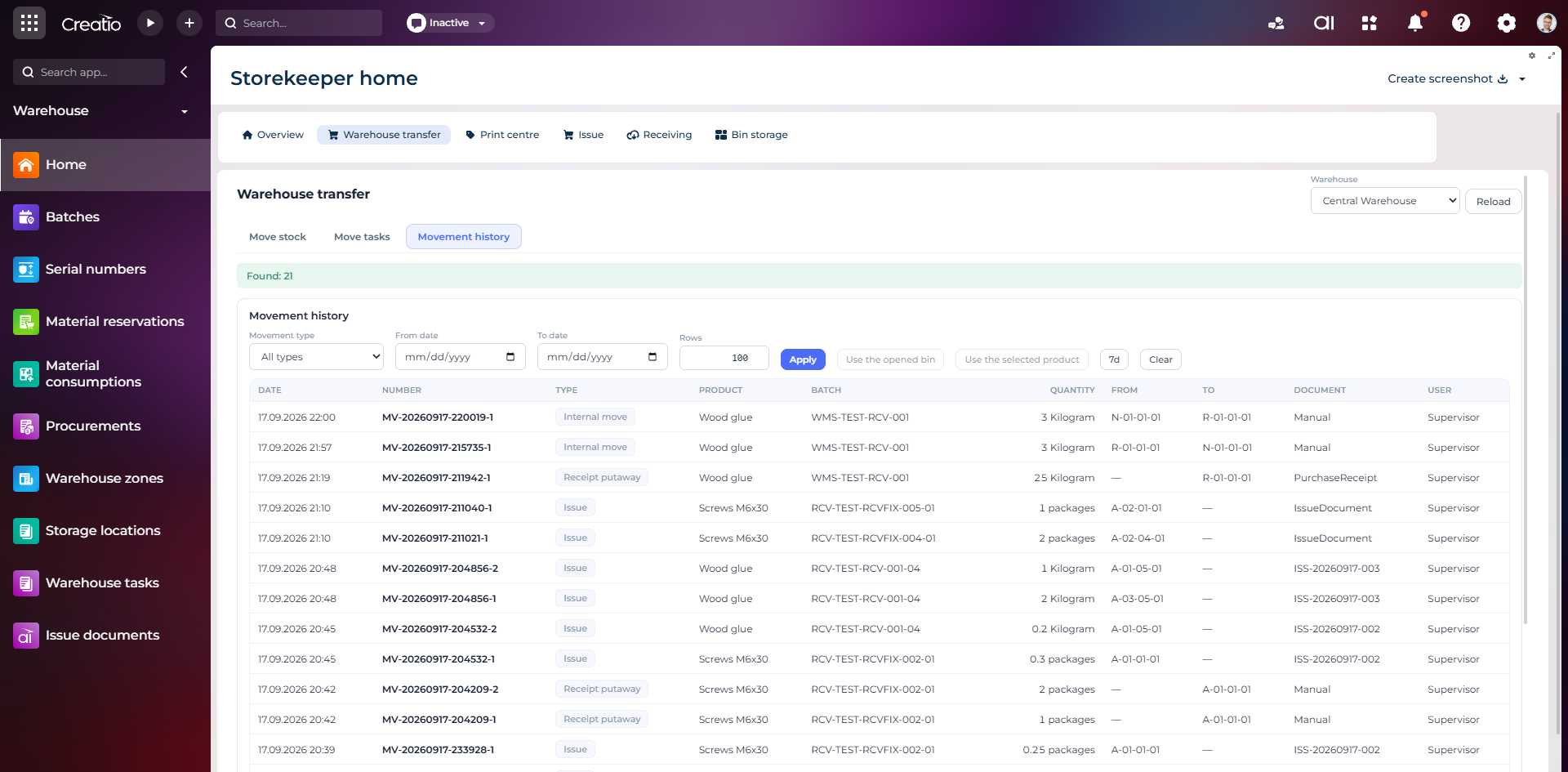
Історія руху запасів
Повний журнал приймання, видачі та внутрішніх переміщень із партією, кількістю, комірками, документом і відповідальним.
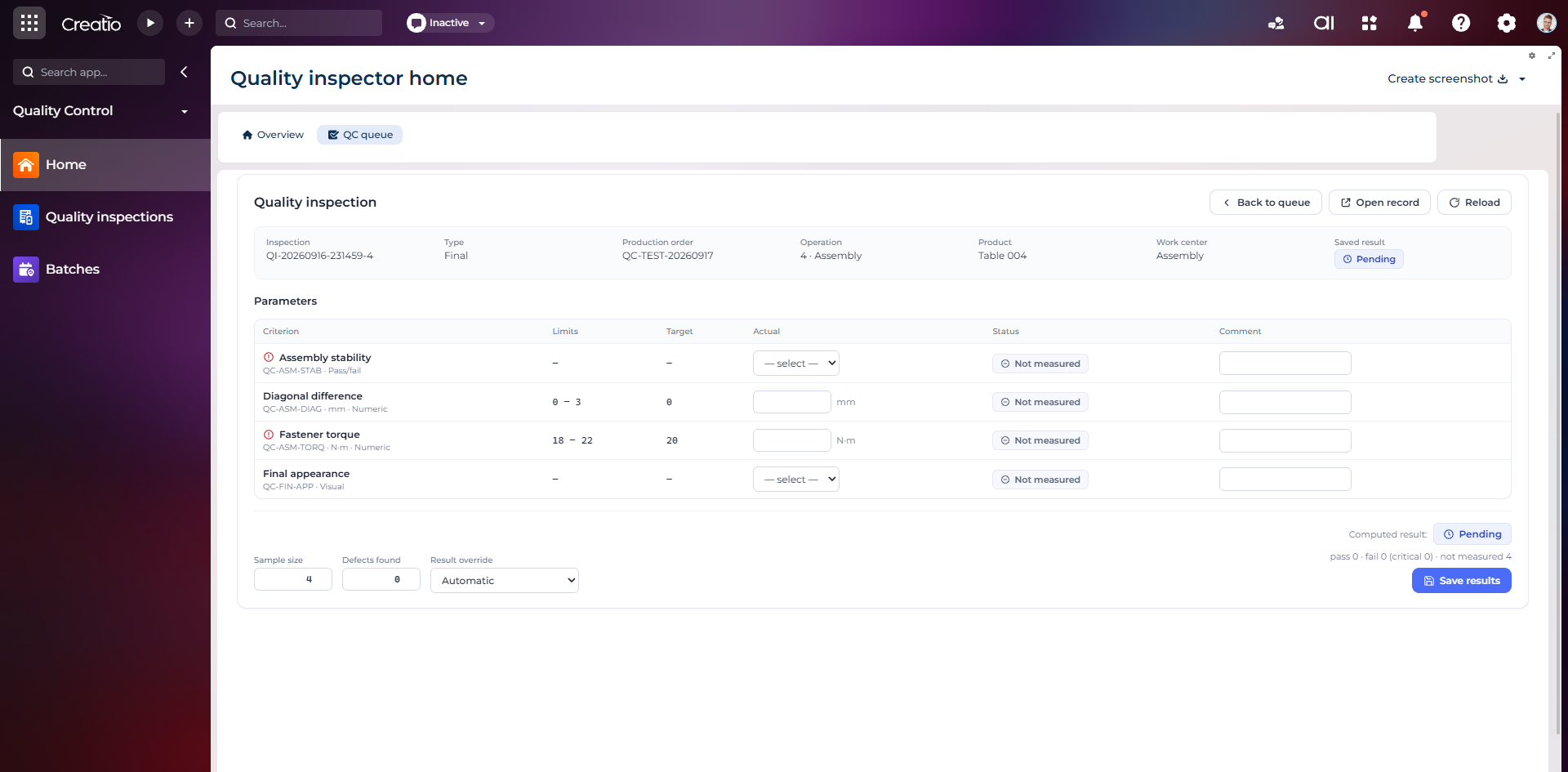
Контроль якості
Фінальна інспекція за критеріями: допустимі межі, фактичні значення, статуси вимірювань, коментарі та підсумковий результат.
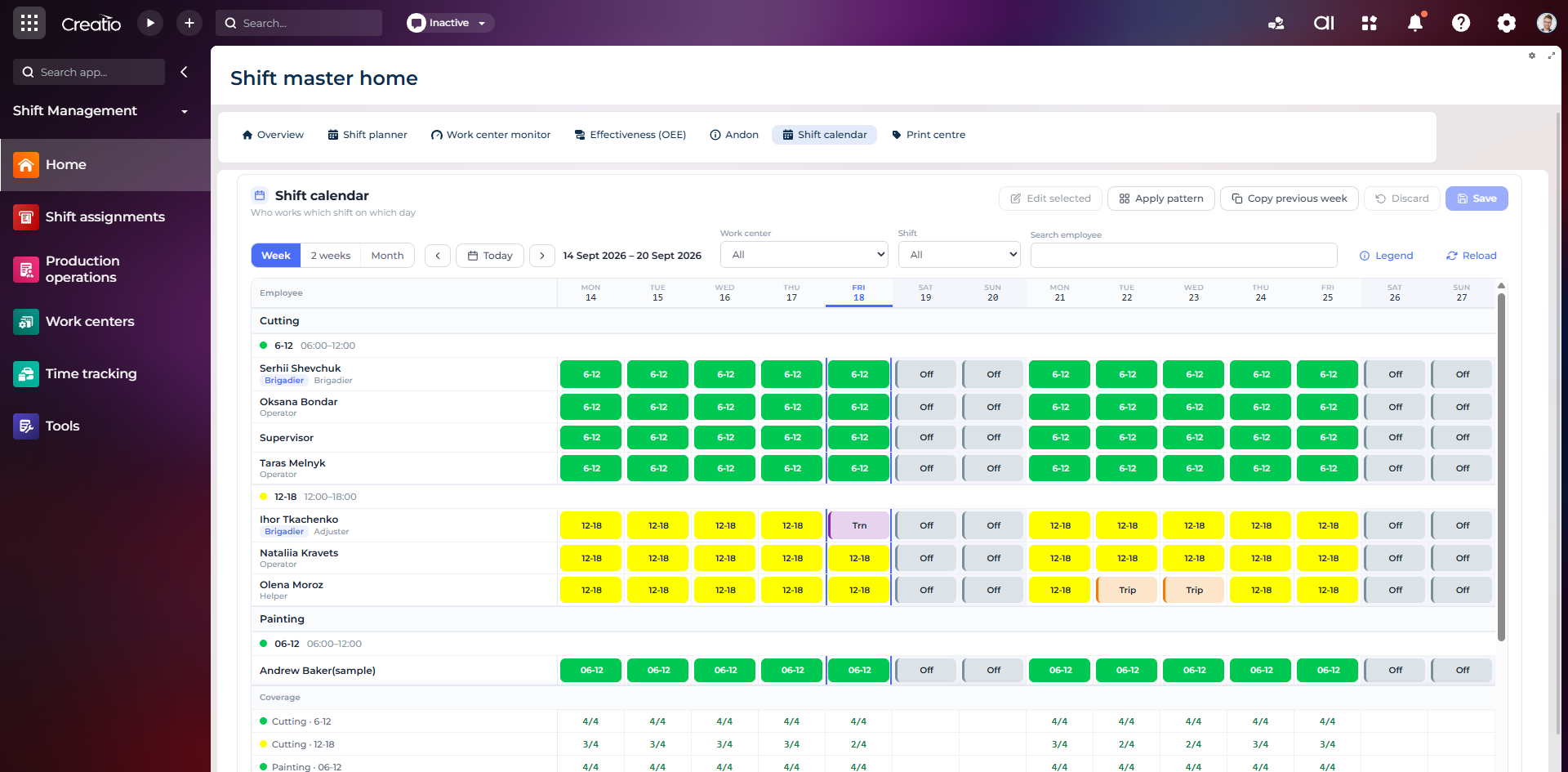
Календар змін
Планування персоналу за робочими центрами: зміни, вихідні, відрядження та контроль покриття потрібної кількості працівників.
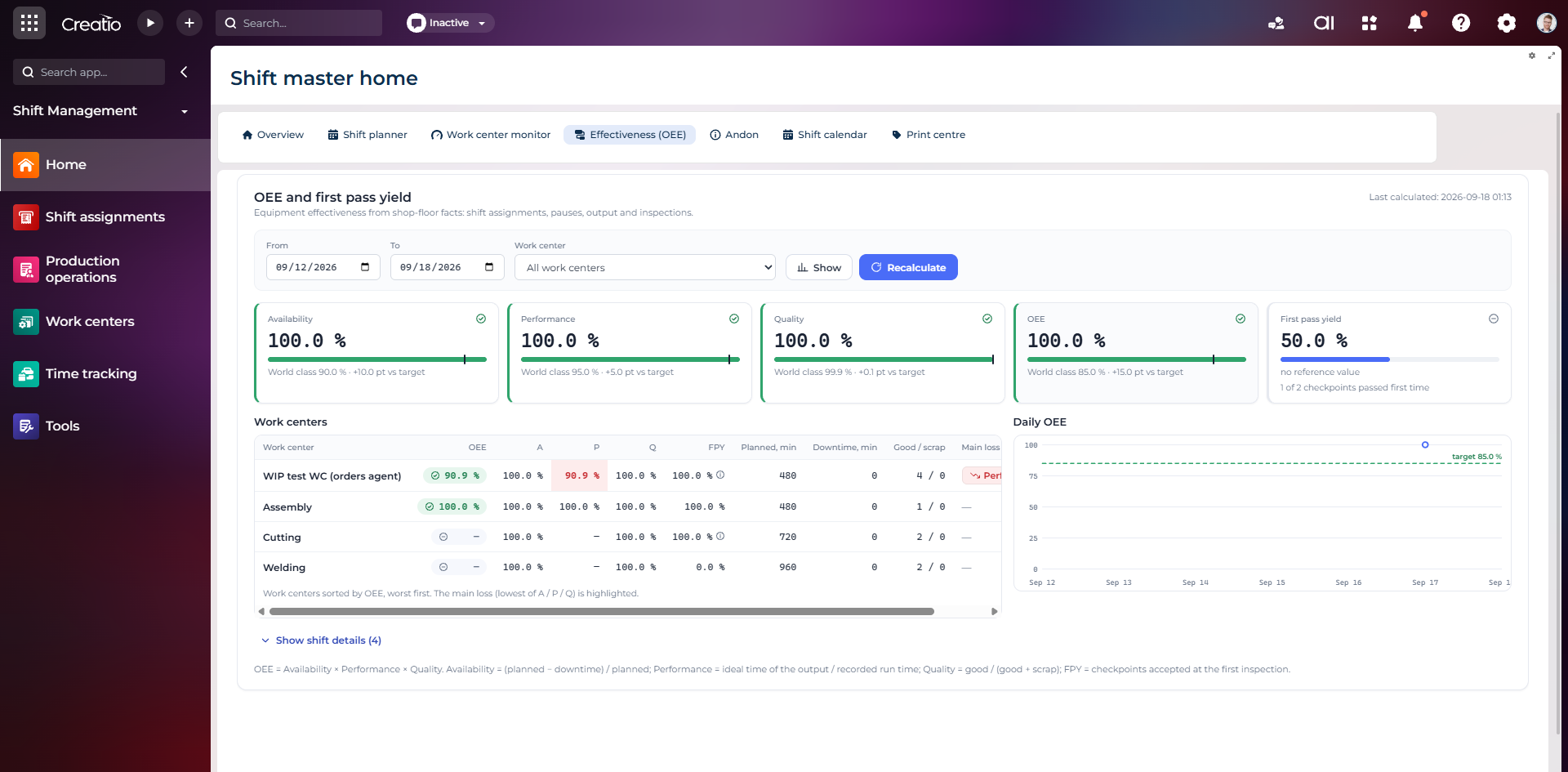
OEE та First Pass Yield
Доступність, продуктивність, якість, OEE і FPY по робочих центрах із порівнянням з цільовими показниками.
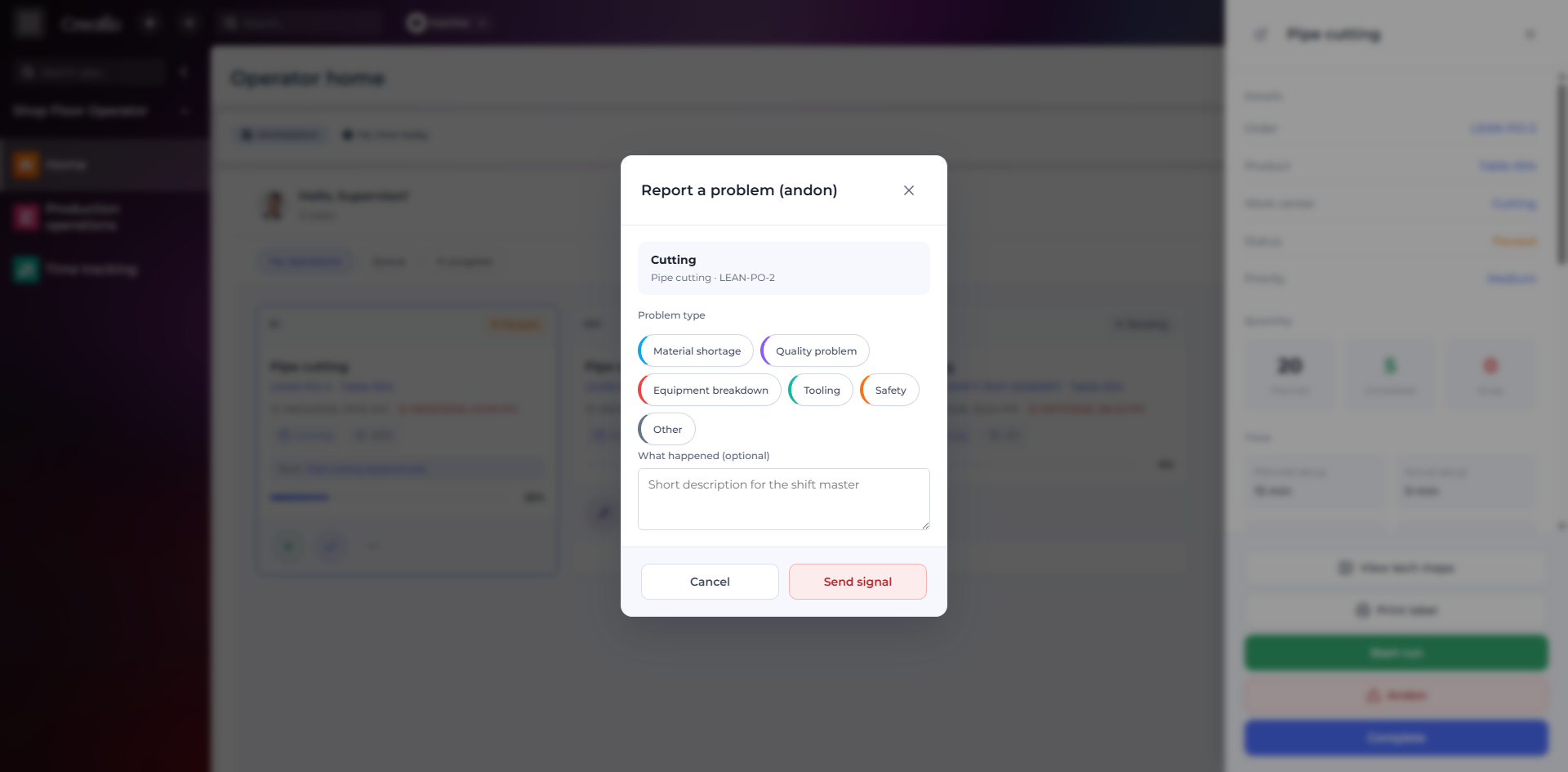
Andon-сигнал з робочого місця
Оператор повідомляє про нестачу матеріалів, проблему якості, поломку, інструмент або небезпеку безпосередньо з операції.
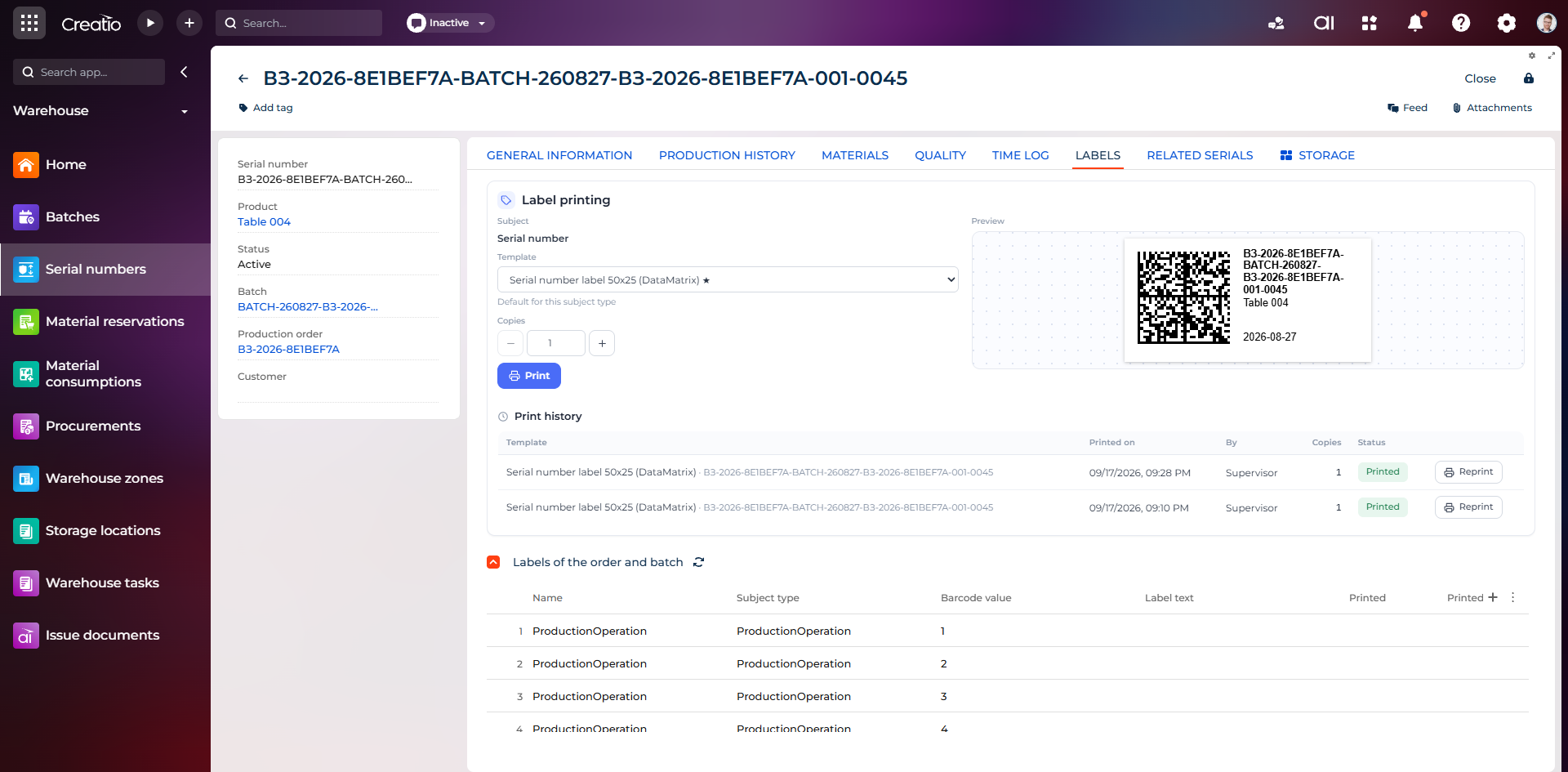
Маркування серійного виробу
Друк етикетки DataMatrix для серійного номера з шаблоном, попереднім переглядом та історією друку.
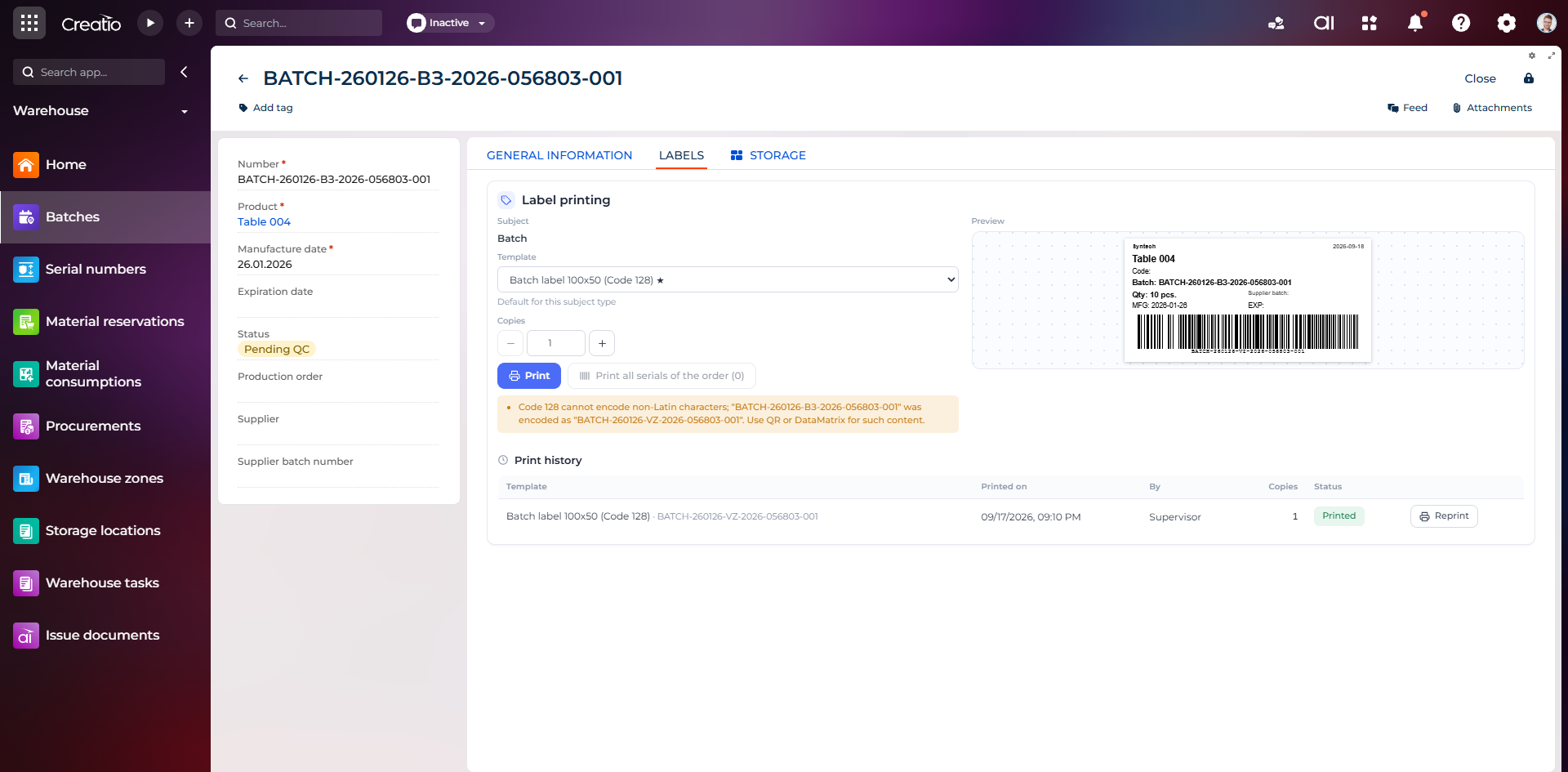
Маркування партії
Етикетка партії з кодом, кількістю, датою виготовлення, терміном придатності та штрихкодом Code 128.
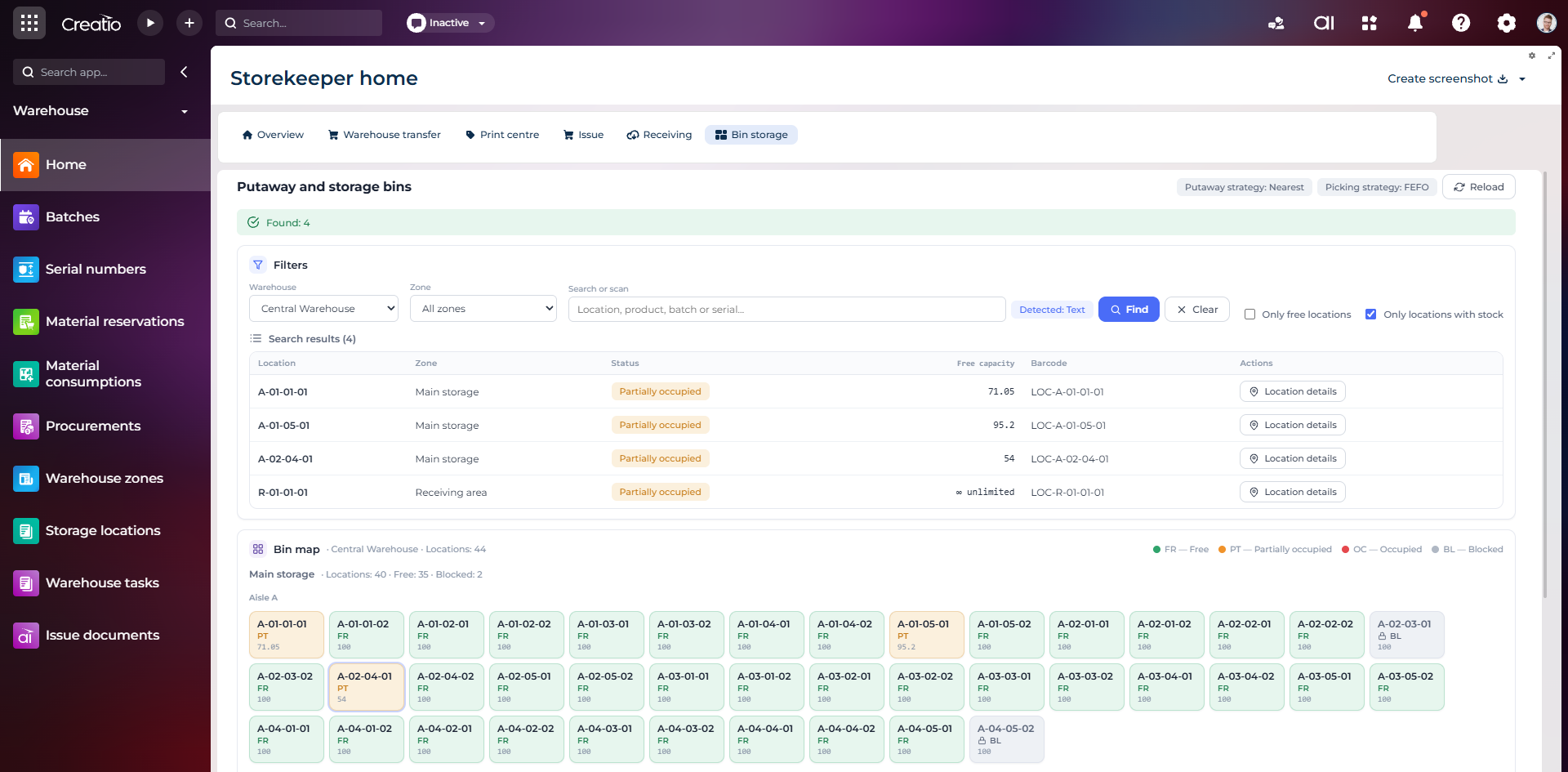
Коміркове зберігання
Пошук складських комірок за зоною, товаром, партією або серійним номером із відображенням місткості та статусу.
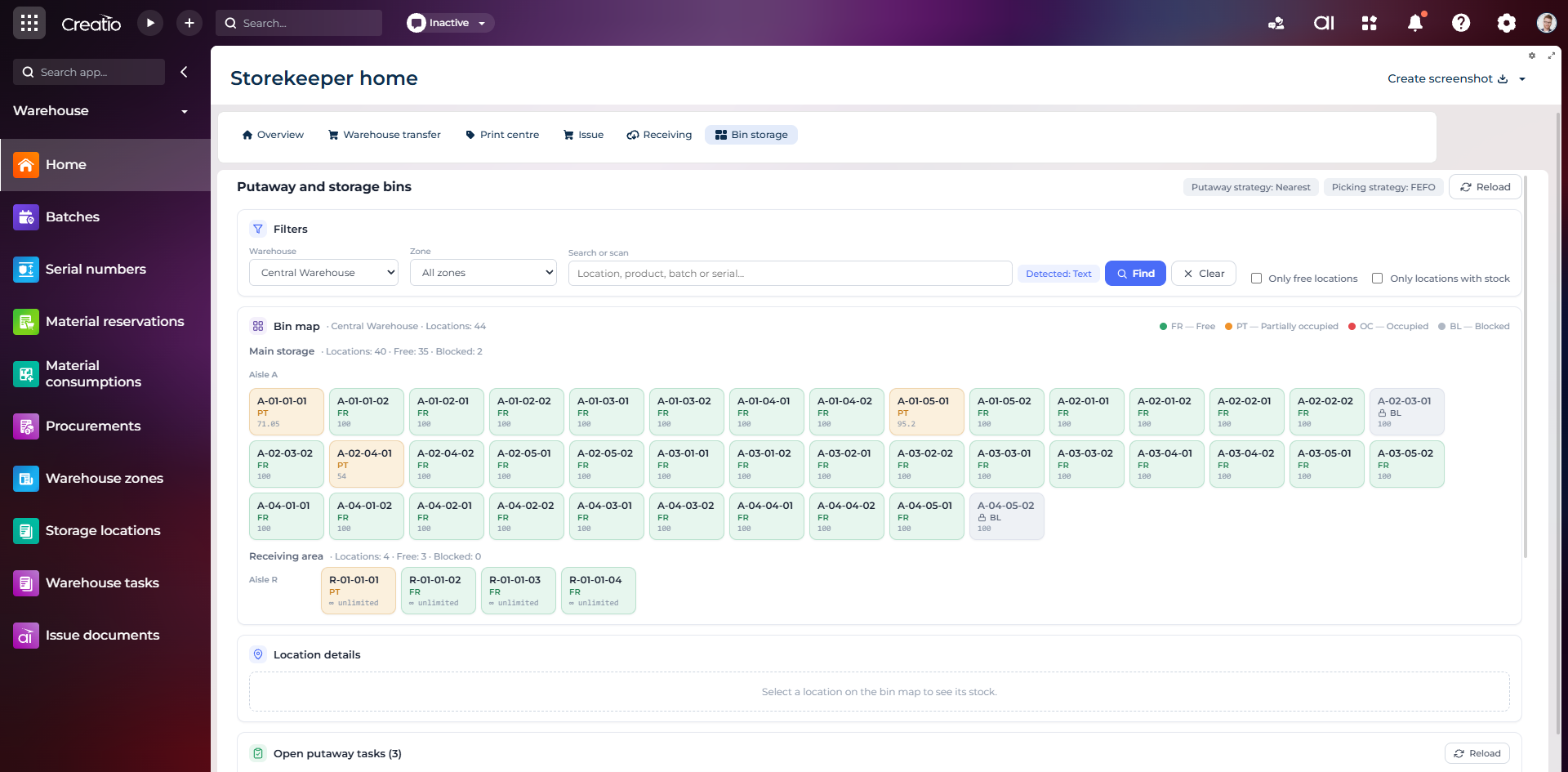
Карта складських комірок
Візуальна карта зон і проходів зі статусами вільних, частково зайнятих, зайнятих та заблокованих комірок.
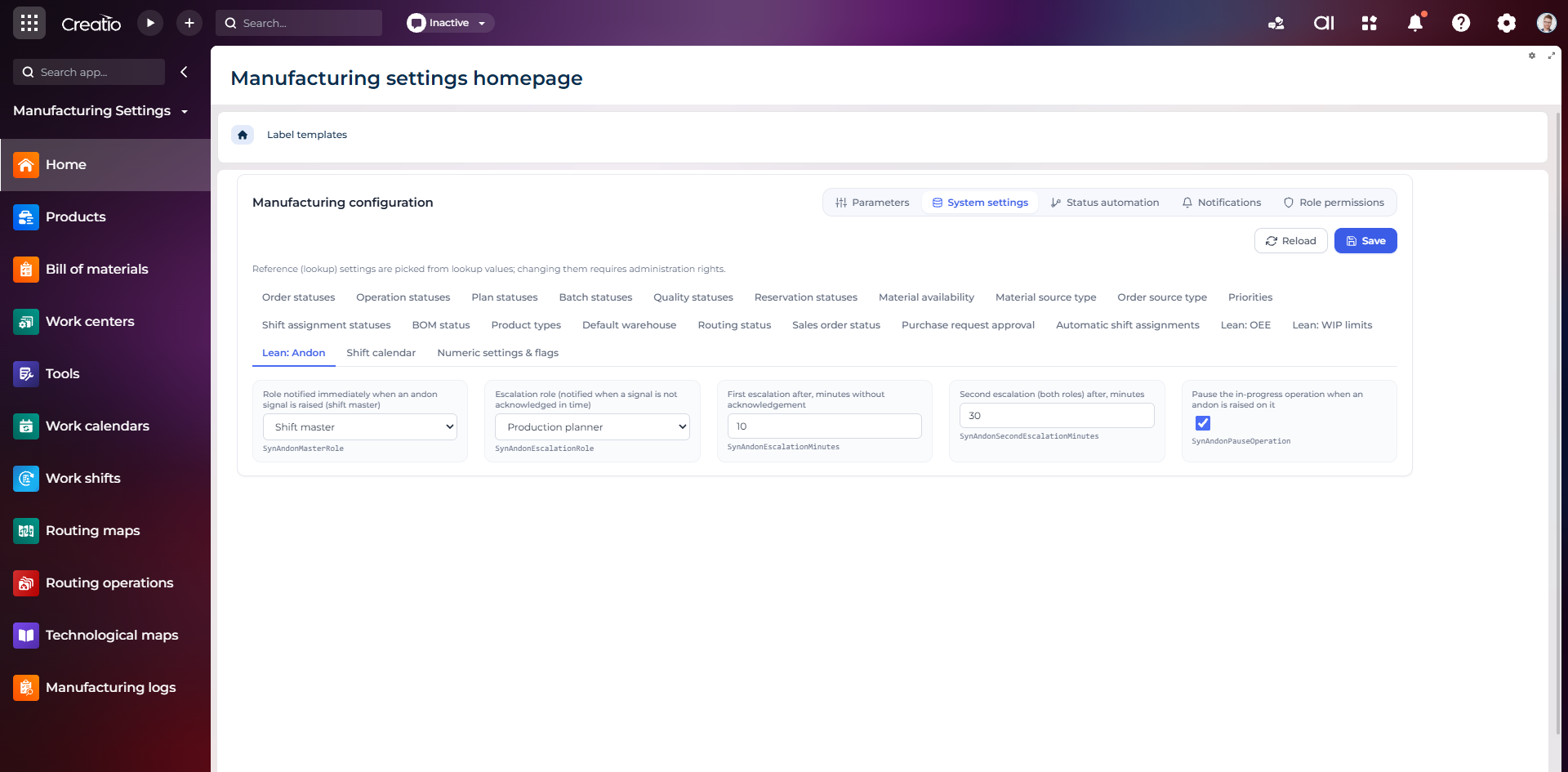
Налаштування Andon
Налаштування ролей сповіщення, строків ескалації та автоматичної зупинки операції після Andon-сигналу.
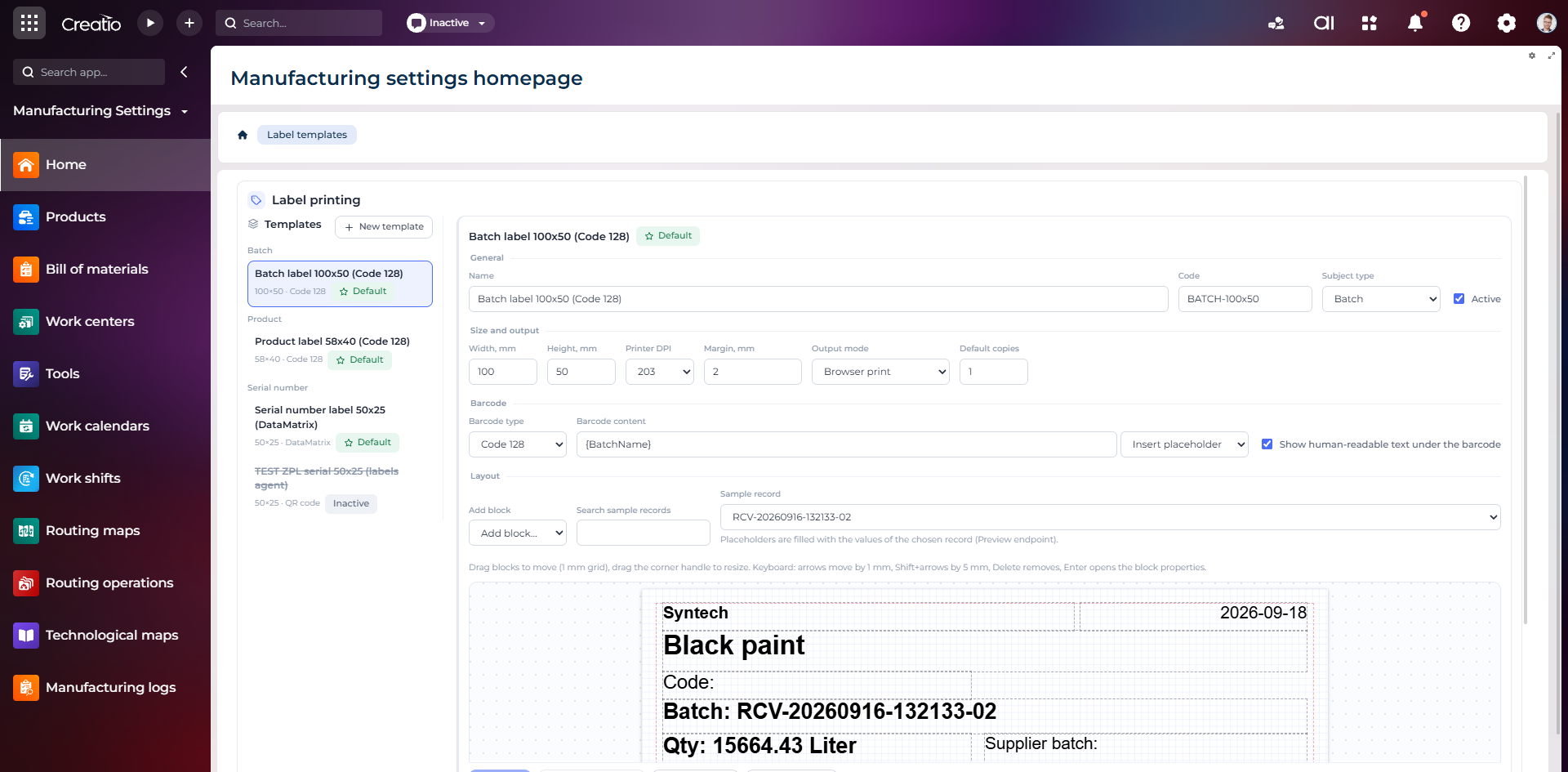
Конструктор шаблонів етикеток
Візуальне створення етикеток для партій і серійних виробів із плейсхолдерами, штрихкодами та попереднім переглядом.