
Configure the plant, not the code
Every tunable behaviour sits on one configuration screen: parameters, a searchable settings catalogue, approvers, role rights and status automation. And the shop floor carries it: 47 sections in the Creatio mobile app.
Who approves this, and where is it switched on
In most MES projects the answer to “who signs a request above half a million” lives in a consultant’s head or in a process. Changing the threshold means a change request, a release and a week of waiting. When a button refuses, the administrator gets “an error occurred” and nowhere to read why.
The second question is worse: the system runs, but half the approval routes point at empty roles. That surfaces in the second week of live operation, when visas reach nobody.
How it works
- 01
Open one configuration screen
The Manufacturing configuration screen, in the Manufacturing settings workplace, is the single place the solution is set up. Parameters are grouped by topic: costing, MRP and planning, materials and execution, payroll, quality and tools. Changes take effect on Save, because the services read the active configuration on every run.
- 02
Find any setting by name
The settings catalogue gathers every manufacturing setting by area: statuses, planning and shop floor, purchasing and receiving, warehouse, quality, people, engineering and state contracts. Each is a card with its label, plain-language help, its code and an editor matching the value — a toggle, a number with limits, an HH:mm time, a lookup, or a mode such as warn or block. Search covers names, help, options and codes.
- 03
Say who approves what
The Approvers mode shows every approval and notification route as a card: purchase request visas with their amount threshold, change notices, plans and bills of materials, acceptance acts, non-conformances, shift assignments, state contracts and andon. The role is picked from a list and saved as a system setting, with its user count under it.
- 04
Grant operation rights by role
The Role permissions tab decides who may run MRP and scheduling, plan shifts, manage procurement, receive goods, manage quality, work andon signals, edit label templates, manage the warehouse, issue stock and see financial data. Rights carry localized names, not identifiers.
- 05
Let the safeguards run by themselves
Each morning the stock check raises draft purchase requests. Finite capacity stops a single-lane work centre being booked twice for the same time. Posting the same output twice returns the first result instead of consuming the bins again. Background jobs re-promise the order queue nightly and check maintenance, calibration and export licences daily; their last run shows in the catalogue.
- 06
Give every role a workplace — and a phone
On the web, eight role workplaces have a home dashboard — production planning, shift management, shop floor operator, warehouse, quality control, procurement, HR and maintenance — beside the shared Manufacturing home page with Gantt, monitoring, the operator workstation, dashboard and scheduling. In the mobile app all 47 sections open with a list and a record page, in seven mobile workplaces by role; a record page carries operations, holds, spare parts, issue lines, inspection parameters and bin stock as expandable lists.
What you get
Behaviour you change without a developer
An approval threshold, an approver role, a pick strategy, a warn-or-block mode, a daily job’s run time — each is a value in the catalogue, not code.
Empty roles visible before go-live
The approvers screen marks in amber every route whose role is unset or has no users — the list you would otherwise find in production, the day a visa reaches nobody.
Statuses nobody can type into a corner
A life cycle is moved by buttons, stages and services, not by editing the status field. Status values are bound to the logic through system settings, so renaming or translating a caption breaks nothing.
A log that says why a button refused
Services write to the manufacturing log what they did and why they refused: generation warnings, MRP results, approval outcomes, errors. An incident starts in one section, not an email thread.
Mobile with honest limits
Offline mode is not configured — the app needs a connection — and mobile approvals are not configured either. Starting an operation, receiving goods and approvals stay on the web. HR sections and the manufacturing log are read-only on the phone. Creatio role names are English only: the platform does not localize them.
See the settings screen yourself
Name any rule of your plant: an approval threshold, a pick strategy, the time a nightly job runs. We will find it in the catalogue and change it.
Як це виглядає в системі
Реальні екрани Syntech Manufacturing на платформі Creatio: планування, склад, якість, зміни, OEE, Andon і маркування.
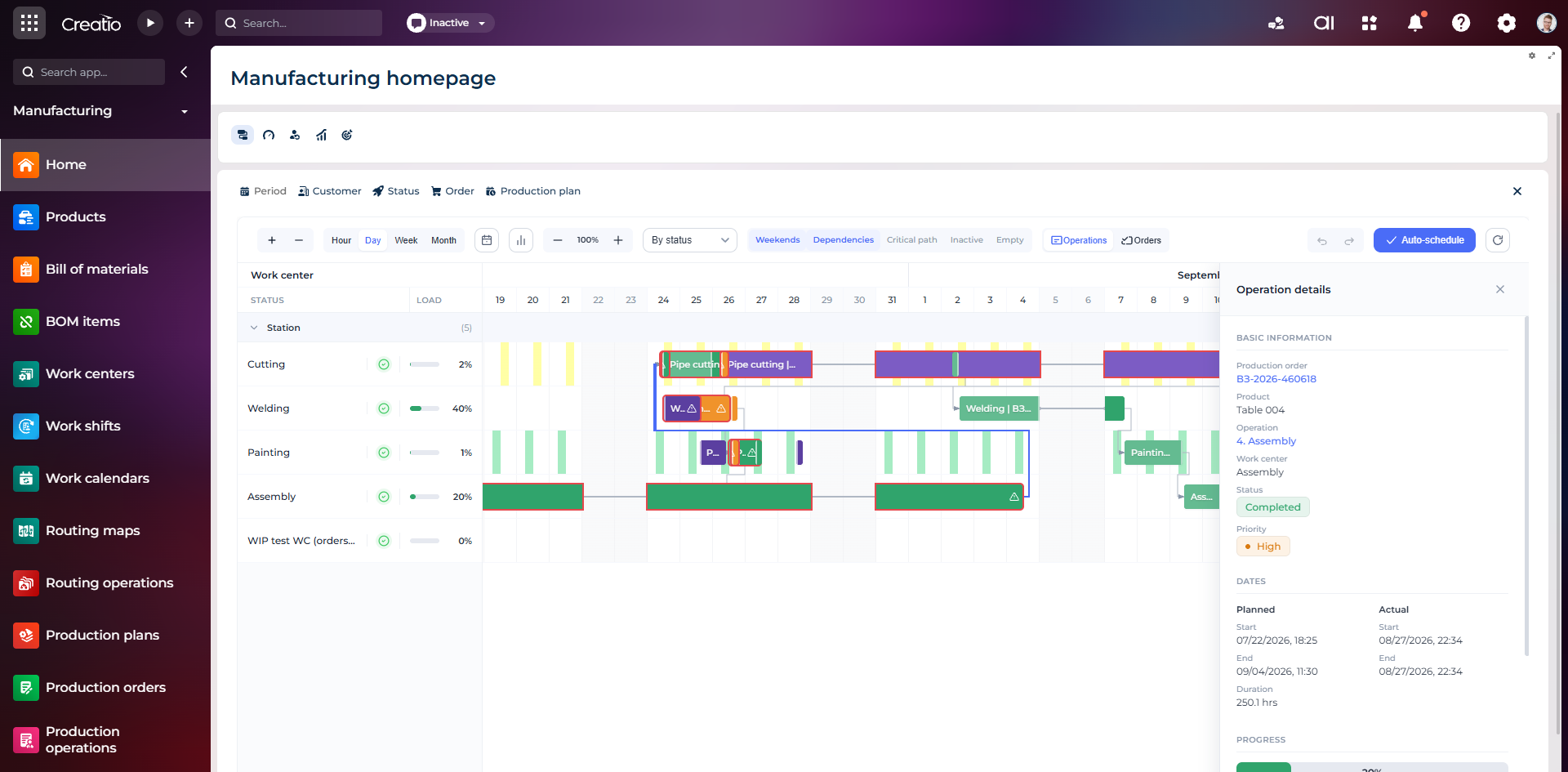
Виробниче планування
Діаграма Ганта за робочими центрами з залежностями, статусами, завантаженням і деталями кожної операції.
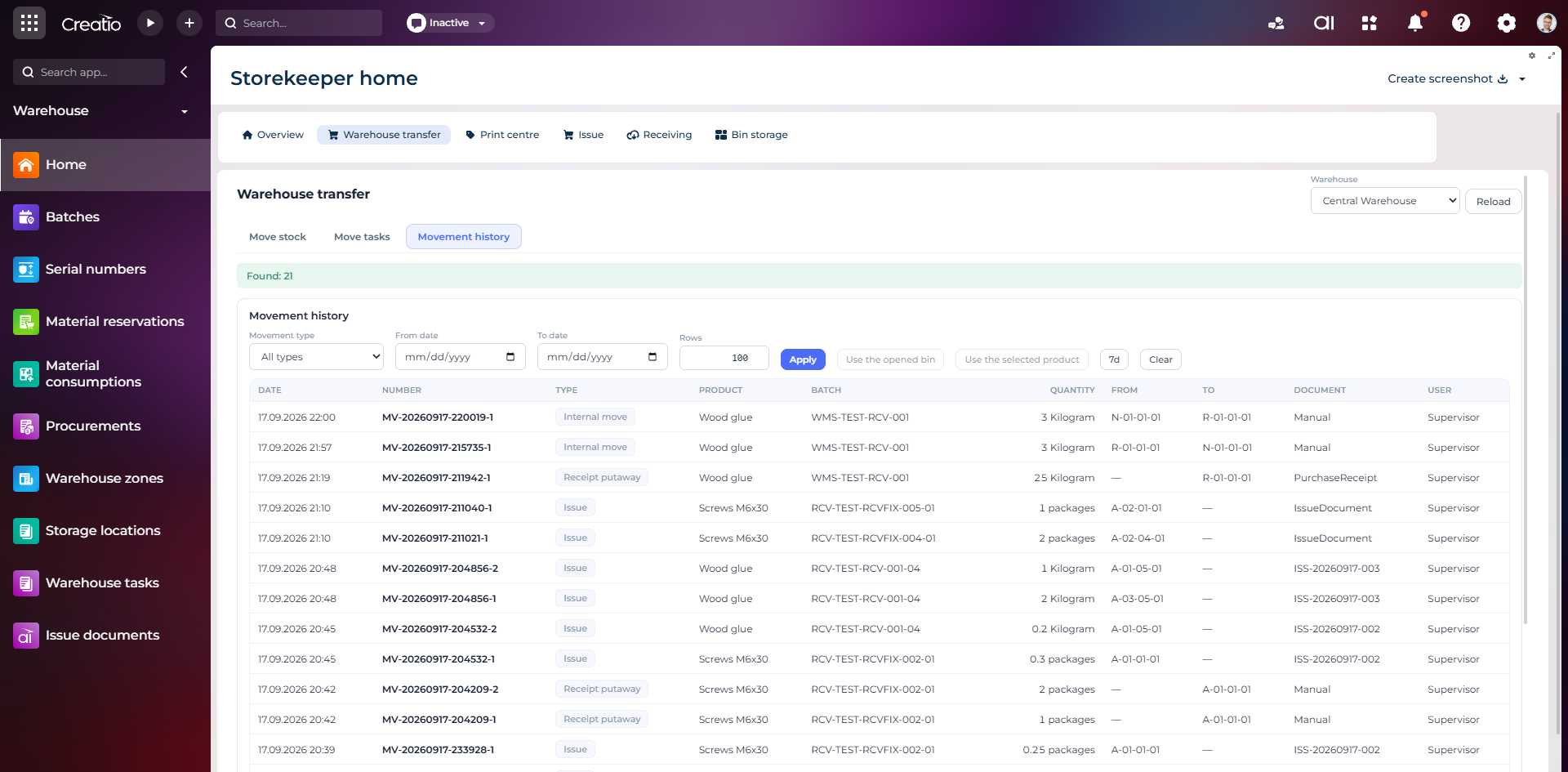
Історія руху запасів
Повний журнал приймання, видачі та внутрішніх переміщень із партією, кількістю, комірками, документом і відповідальним.
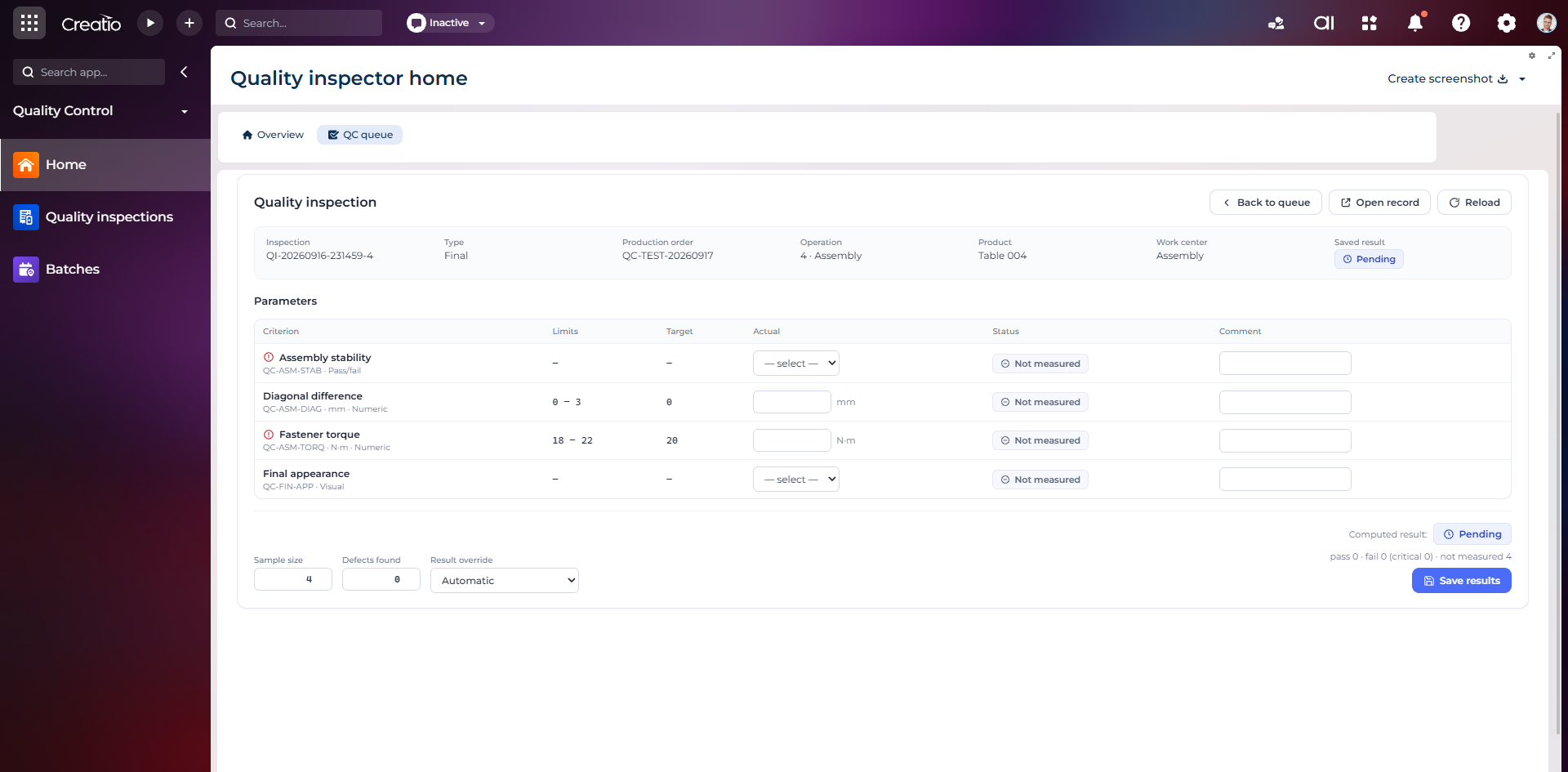
Контроль якості
Фінальна інспекція за критеріями: допустимі межі, фактичні значення, статуси вимірювань, коментарі та підсумковий результат.
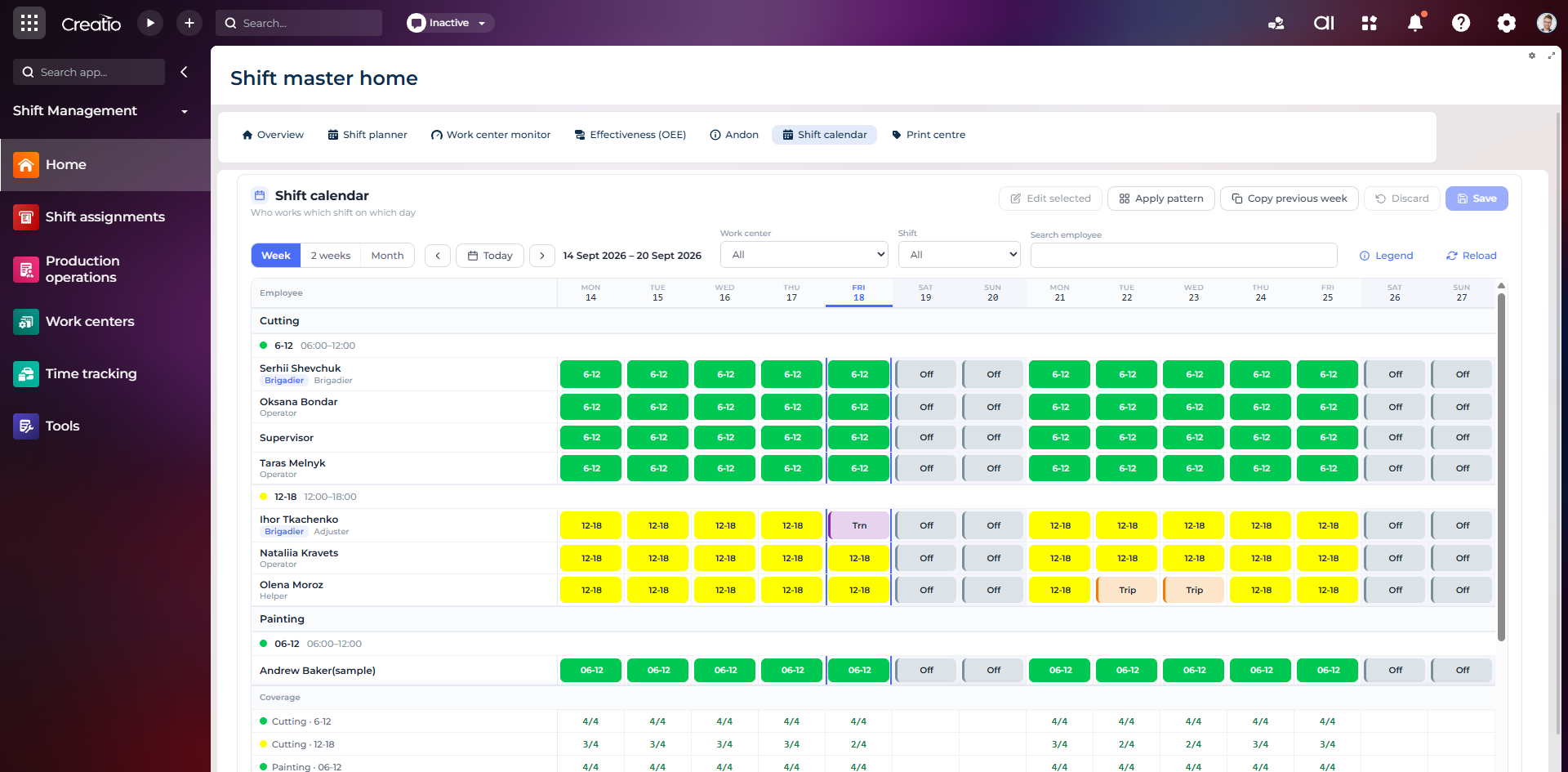
Календар змін
Планування персоналу за робочими центрами: зміни, вихідні, відрядження та контроль покриття потрібної кількості працівників.
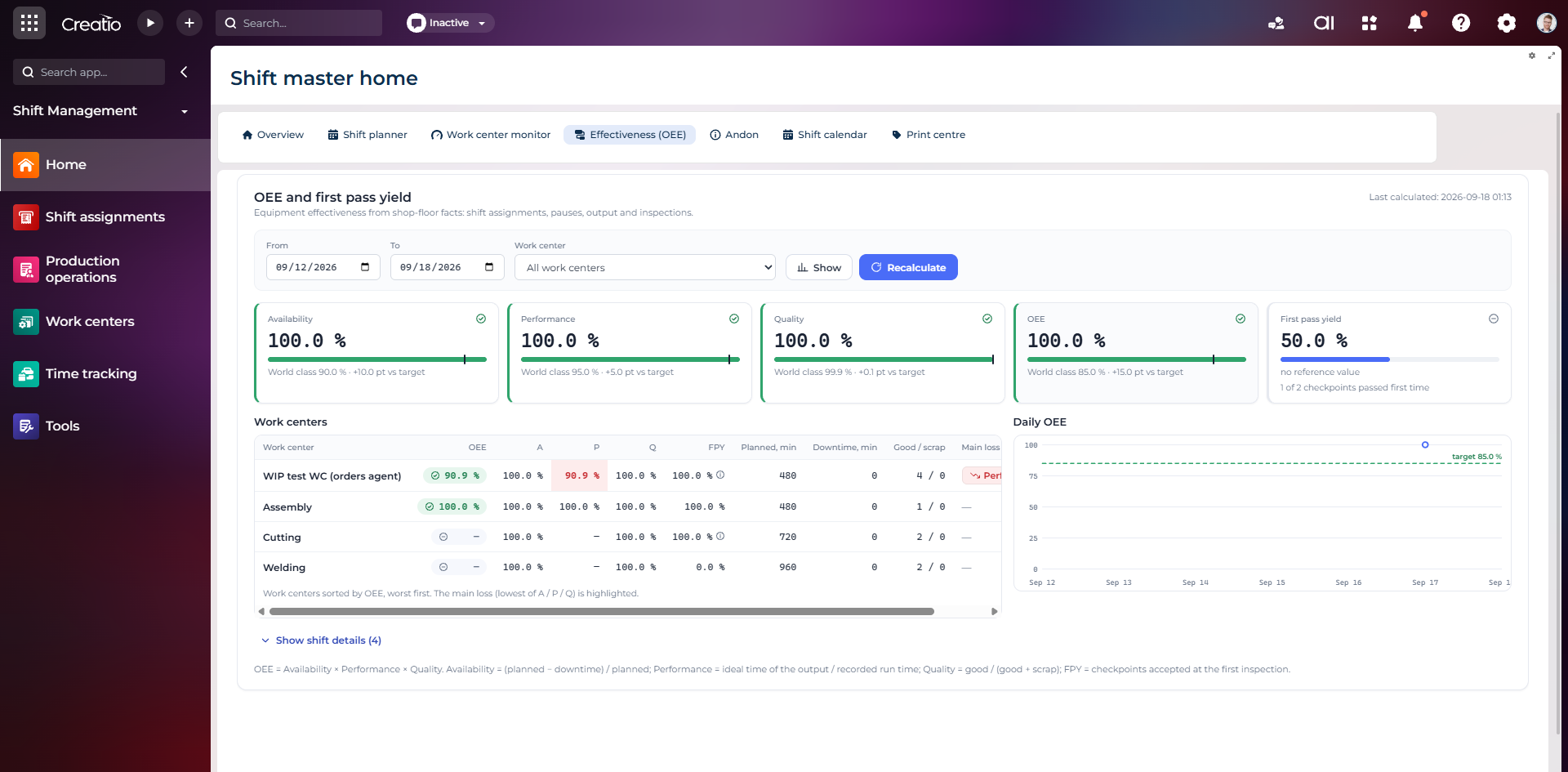
OEE та First Pass Yield
Доступність, продуктивність, якість, OEE і FPY по робочих центрах із порівнянням з цільовими показниками.
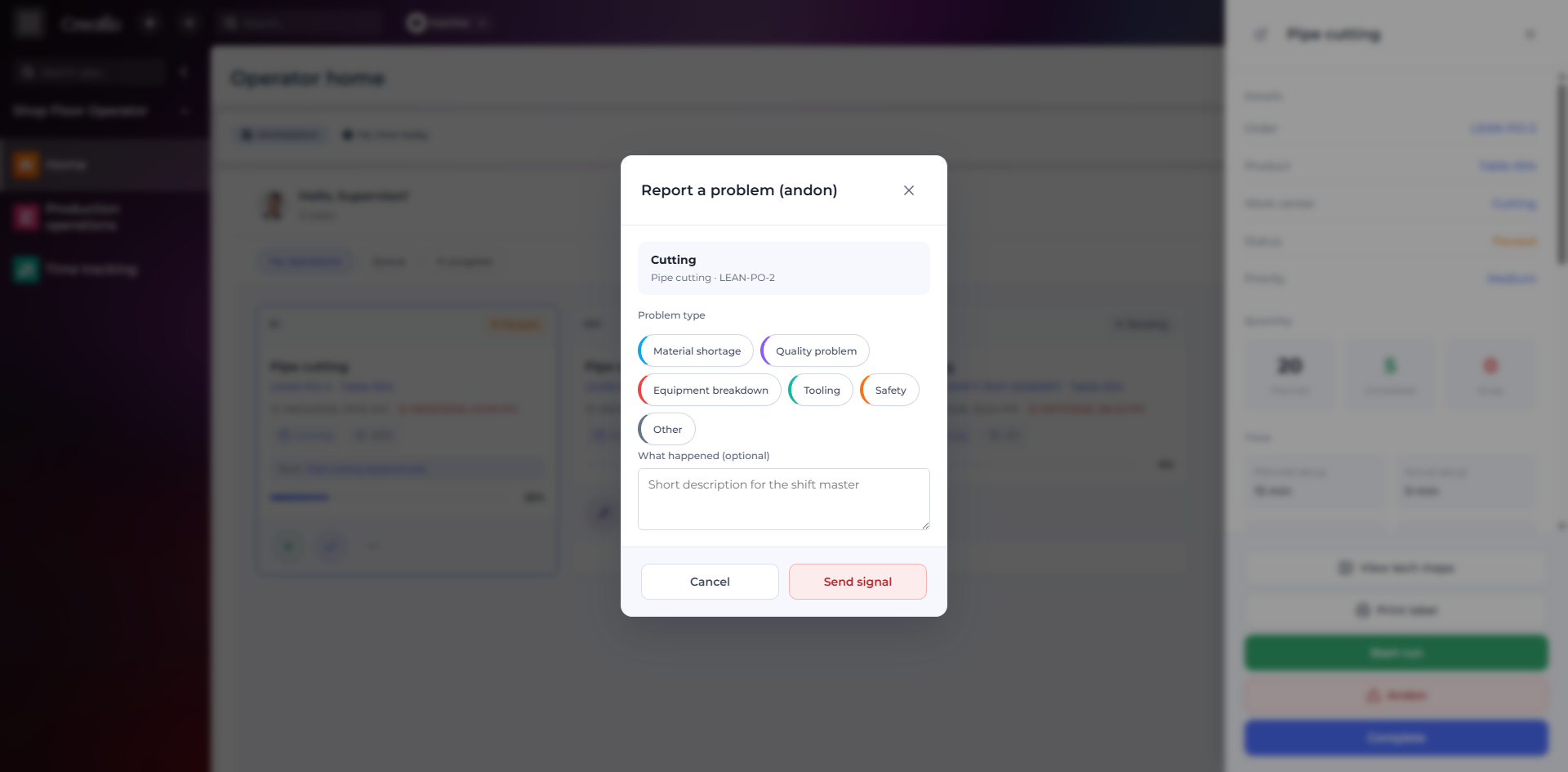
Andon-сигнал з робочого місця
Оператор повідомляє про нестачу матеріалів, проблему якості, поломку, інструмент або небезпеку безпосередньо з операції.
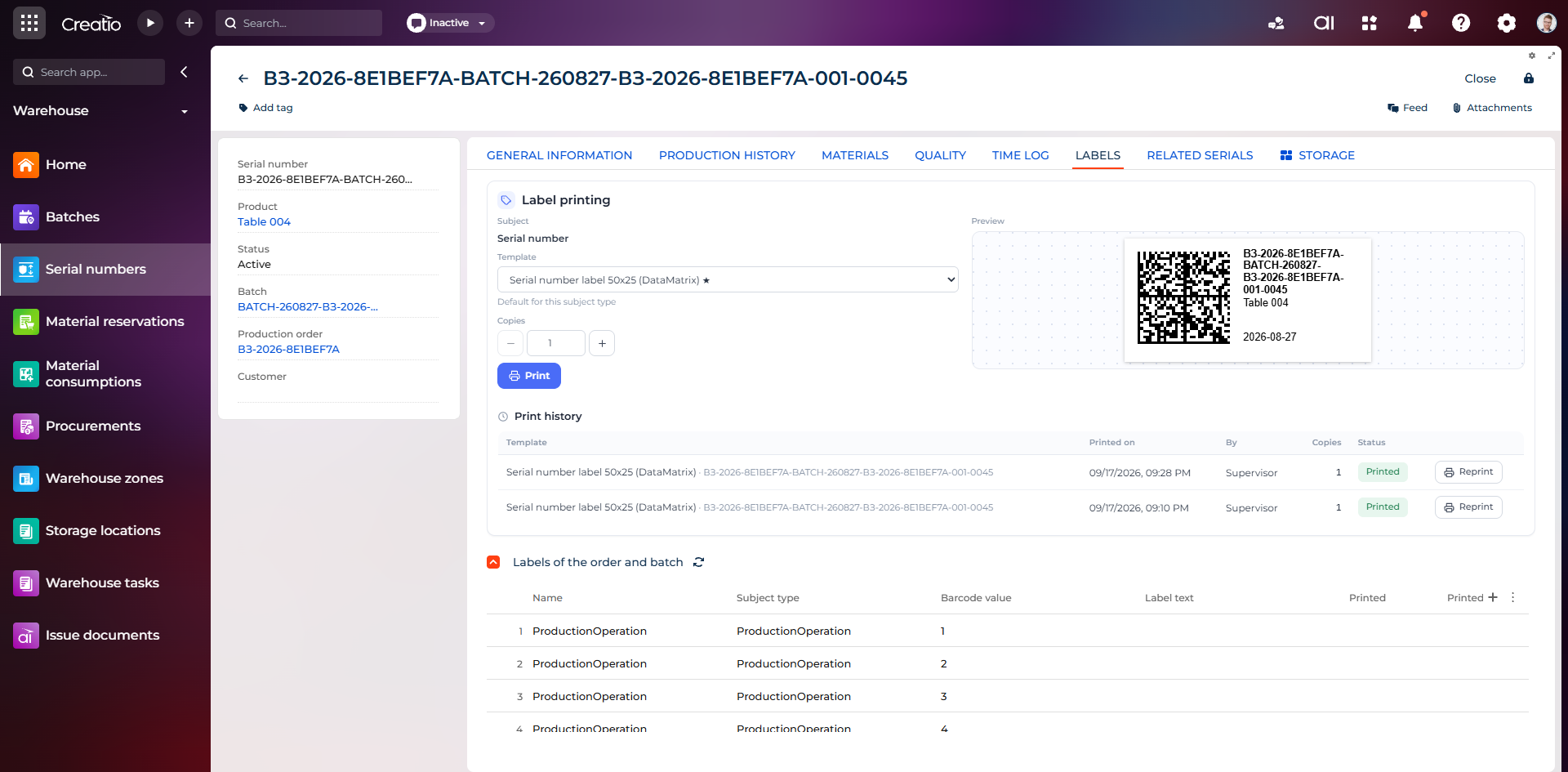
Маркування серійного виробу
Друк етикетки DataMatrix для серійного номера з шаблоном, попереднім переглядом та історією друку.
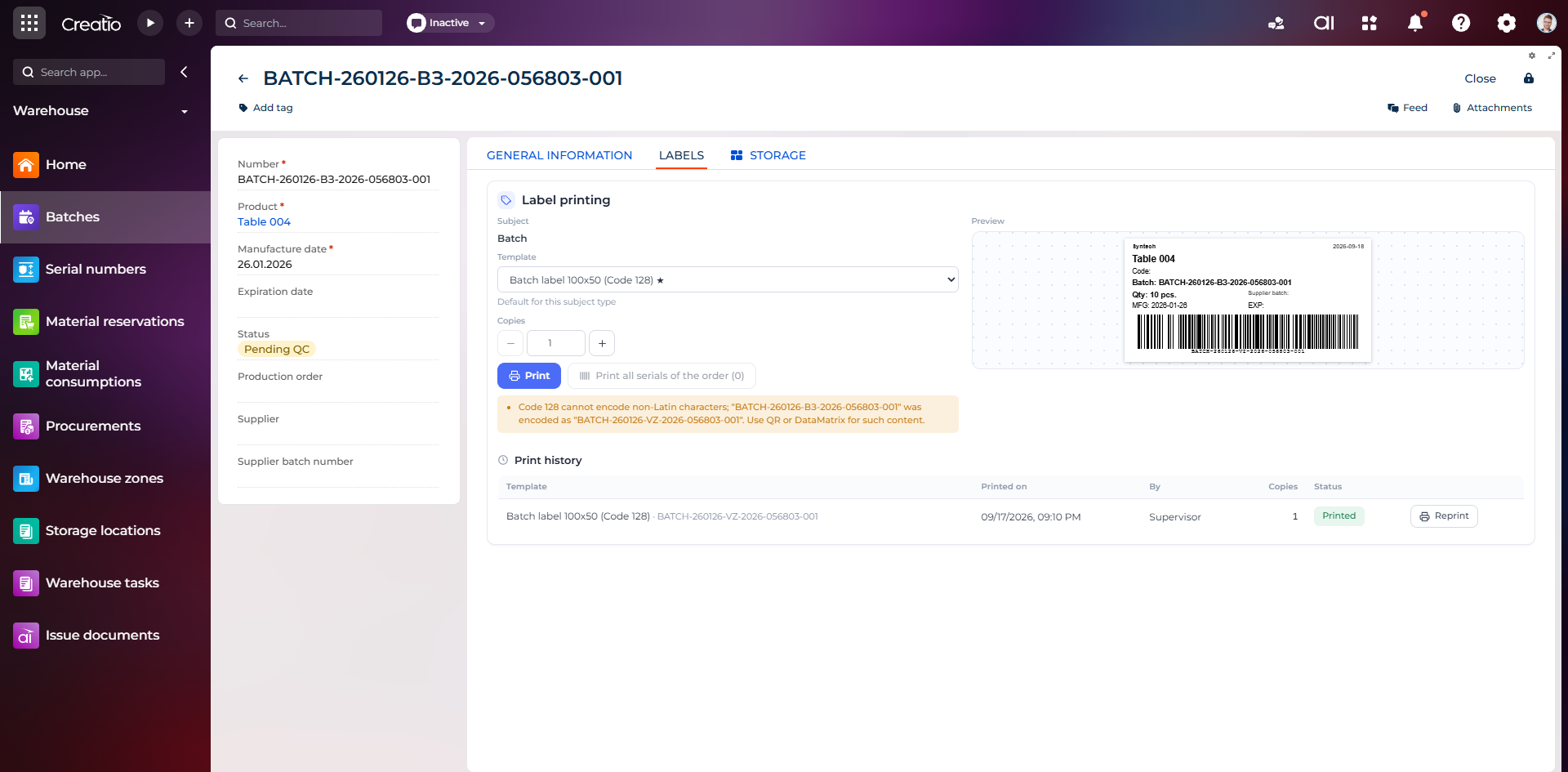
Маркування партії
Етикетка партії з кодом, кількістю, датою виготовлення, терміном придатності та штрихкодом Code 128.
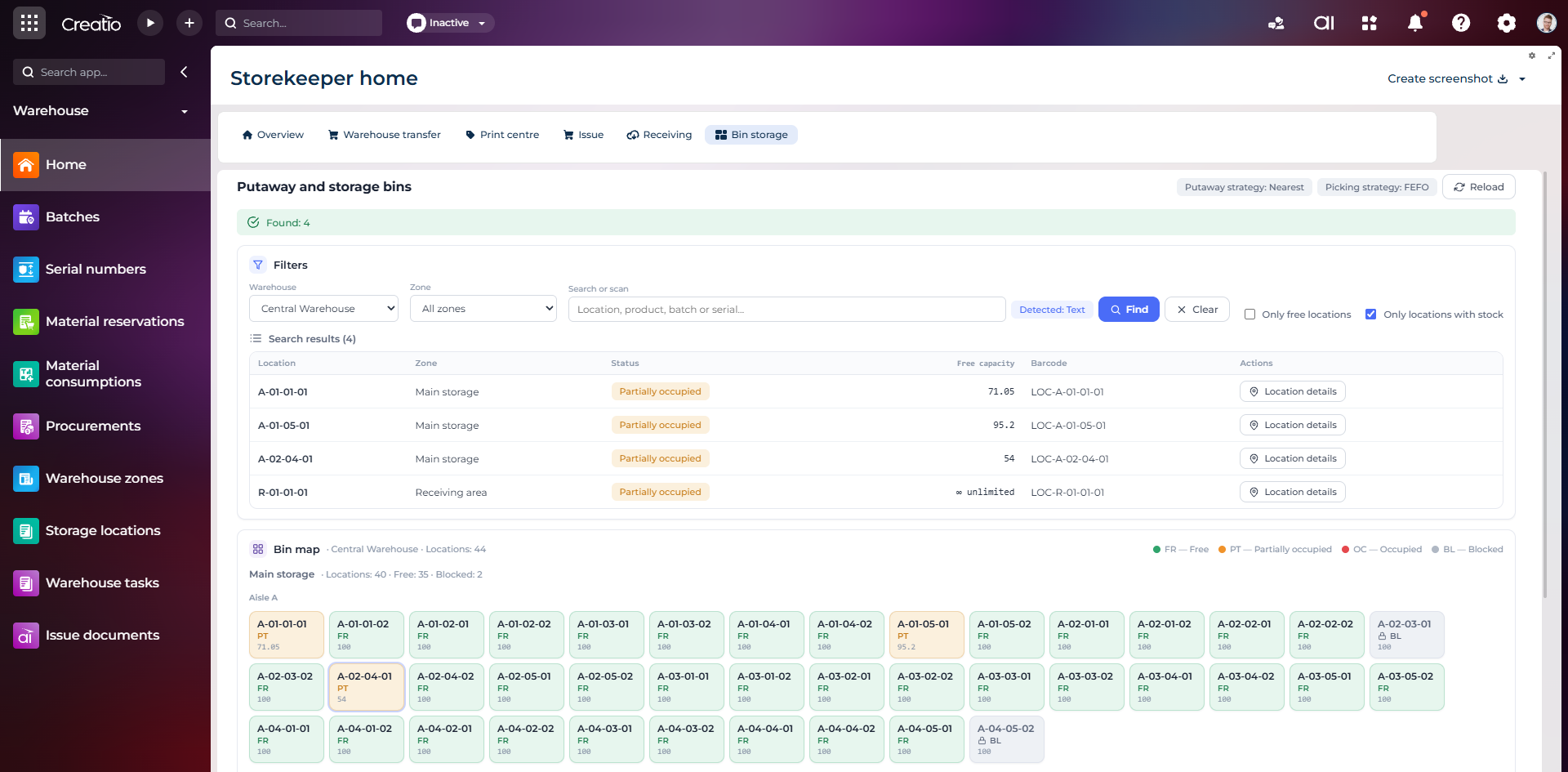
Коміркове зберігання
Пошук складських комірок за зоною, товаром, партією або серійним номером із відображенням місткості та статусу.
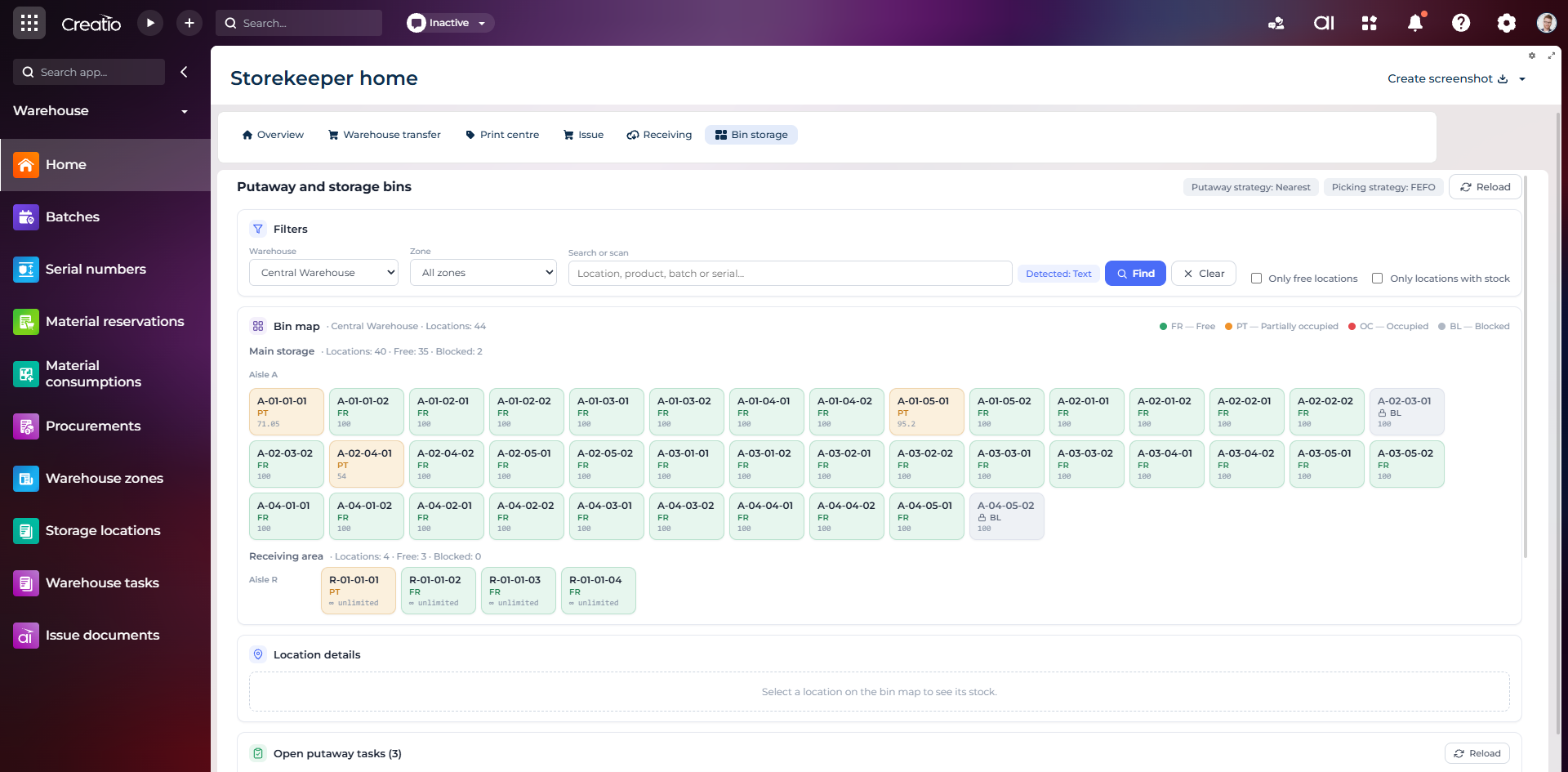
Карта складських комірок
Візуальна карта зон і проходів зі статусами вільних, частково зайнятих, зайнятих та заблокованих комірок.
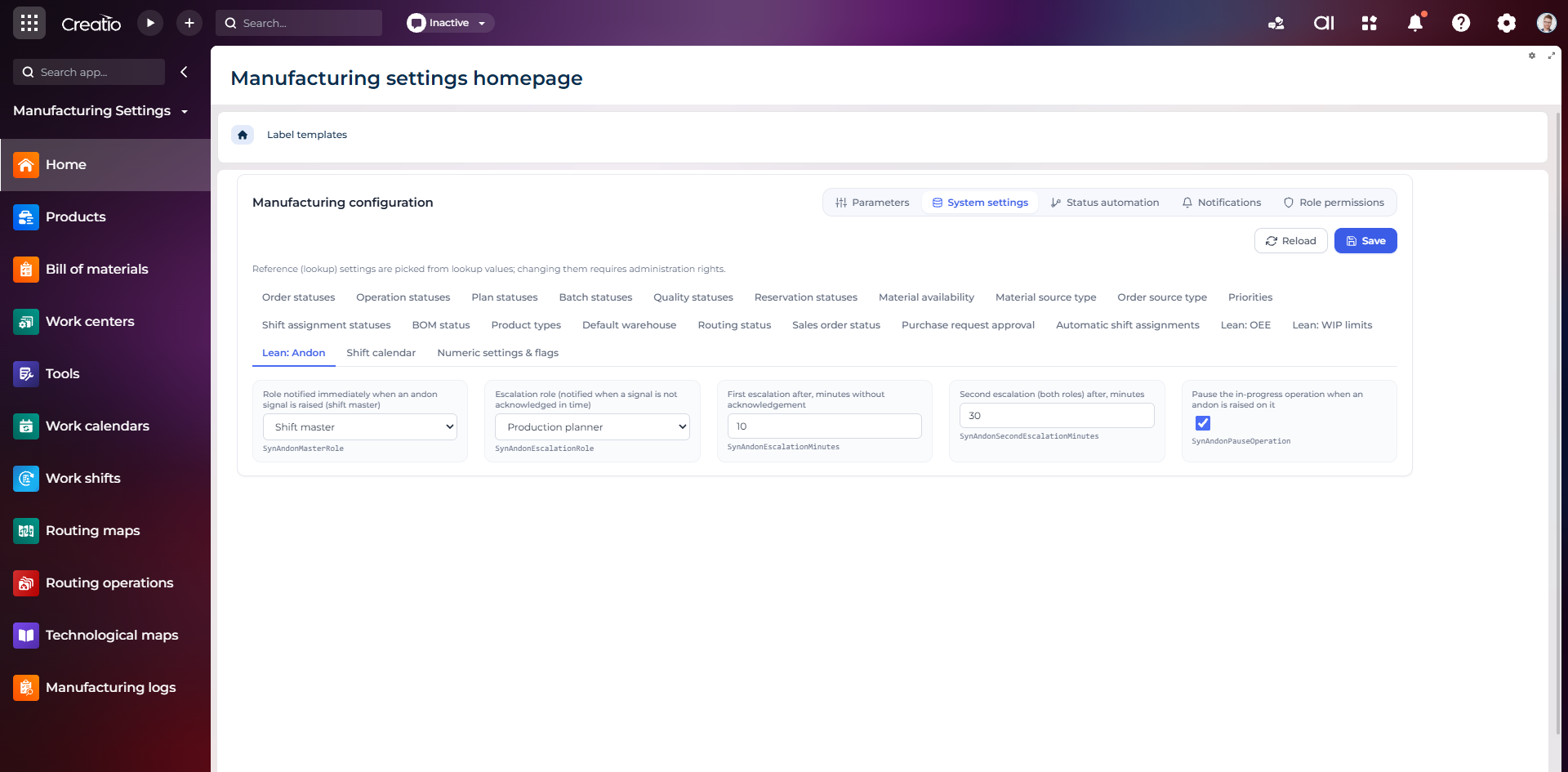
Налаштування Andon
Налаштування ролей сповіщення, строків ескалації та автоматичної зупинки операції після Andon-сигналу.
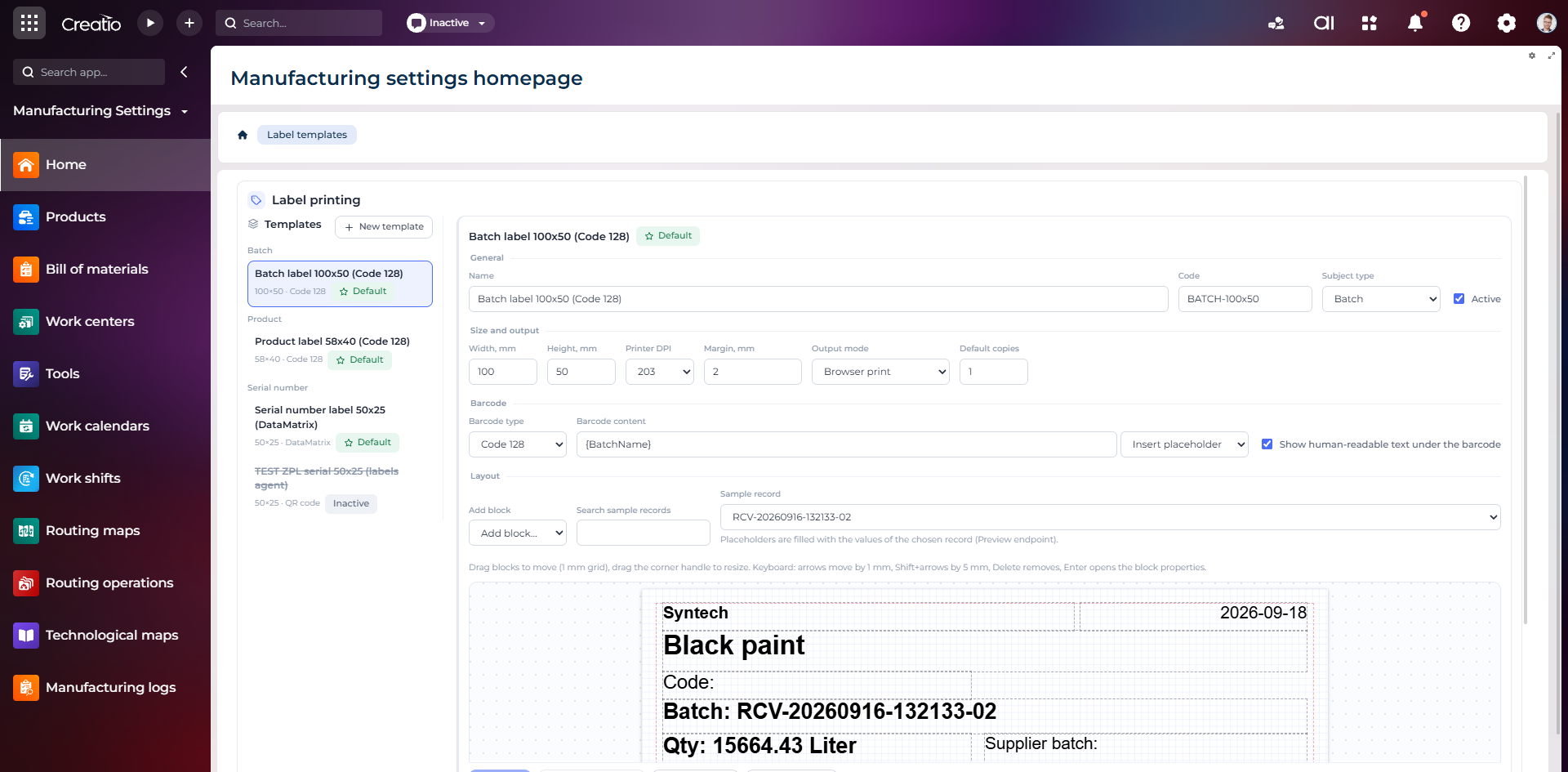
Конструктор шаблонів етикеток
Візуальне створення етикеток для партій і серійних виробів із плейсхолдерами, штрихкодами та попереднім переглядом.