
The shop floor that reports itself
The operator starts and finishes the operation at a terminal, time is credited to whoever did the work, problems are raised with one button, and the master sees the shift in real time.
By the evening it is already too late
The shop floor is asked the same questions every day: what is running now, why the line is standing, and who did this. A paper assignment answers in the evening, once the shift is over and half the downtime was never written down. The reason for a stoppage surfaces a week later, when the order is already late.
The operator workstation closes that loop at the station: time and materials are recorded as they happen, and every stoppage has a reason, an owner and a clock.
How a shift runs
- 01
The operator sees only his own work
The "Operator workstation" home page shows his operations as cards or a list with order, product, due date and progress, filtered by "My operations", "Queue" and "In progress". Operations with setup begin with "Start setup" and "Complete setup".
- 02
The start passes four checks
The quality gate on the previous operation, the WIP limit of the work centre, the workers' qualifications and the readiness of the equipment. Each check has a mode: Off, Warn (the default) or Block, and the message names the rule that stopped the start.
- 03
The work is done at the terminal
A live timer runs in the active-task bar. "View tech maps" opens the drawings, photos and PDFs of the operation, "Print label" prints a batch, serial number or operation label, and materials are consumed from the reserved batches. "Pause" asks for a reason.
- 04
Andon raises the problem from the line
The operator presses "Andon" and picks the type: material shortage, quality problem, equipment breakdown, tooling, safety or other. The operation is paused and the shift master is notified at once. Without an acknowledgement the signal escalates after 10 minutes, and again to both roles after 30. A quality signal registers a non-conformance; a breakdown signal opens a repair order.
- 05
The master runs the shift from two boards
The work centre monitor shows status, current operation, workload and queue, auto-refreshed on a shop-floor screen. On the andon board the master presses "Acknowledge", which stops the escalation, then "Resolve" with what was done. Downtime is counted from raised to resolved.
- 06
Tomorrow's assignments build themselves
Once a day (18:00 by default) the system prepares draft assignments from the active plans: operations whose planned start falls into the shift window, within capacity. The brigade comes from the shift calendar, so only people rostered that day are taken, and qualified workers are assigned first. In the morning the master reads "Needs attention", checks load against capacity and issues them. "Print assignment" gives a barcoded A4 sheet for the brigade.
- 07
The fact closes the shift
After the shift the master types into one table the good quantity, scrap, setup and run minutes per operation, plus attendance and worked minutes per worker. Each line posts through the standard operation completion, so time logs and quantities are never doubled. Unfinished operations are carried to the next shift or returned to the pool.
What you get
Time follows the person who worked
At completion you name the actual operator. Time tracking, the operation time log, the operation's worker and payroll follow that person, not the user who pressed the button.
Downtime has a reason and an owner
Pauses, andon signals and repair-order downtime are the same records. The downtime Pareto and OEE availability are built from them.
Nothing is lost silently
Operations that do not fit the shift capacity stay in the pool and are reported; unfinished ones move on as you choose.
OEE comes from the shift fact
Availability, performance and quality per work centre, shift and date, next to first pass yield. It recalculates as soon as an assignment is closed.
The WIP limit keeps the flow
A work centre does not start more operations than it can finish. Resuming a paused operation is always allowed, so the limit never blocks work under way.
See your own shop floor in a demo
We will show the operator workstation, andon, assignments and OEE on your own operations and work centres.
Як це виглядає в системі
Реальні екрани Syntech Manufacturing на платформі Creatio: планування, склад, якість, зміни, OEE, Andon і маркування.
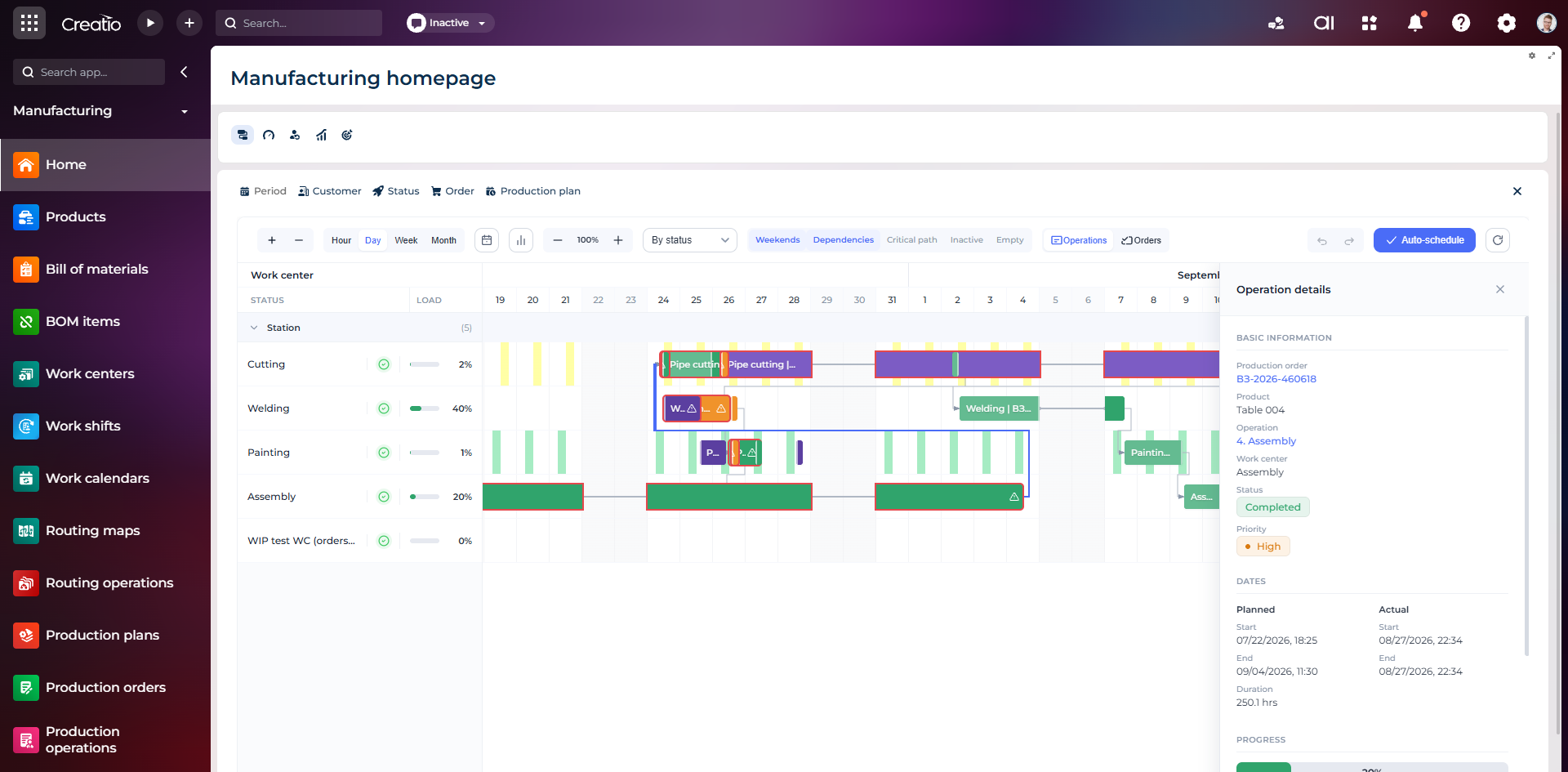
Виробниче планування
Діаграма Ганта за робочими центрами з залежностями, статусами, завантаженням і деталями кожної операції.
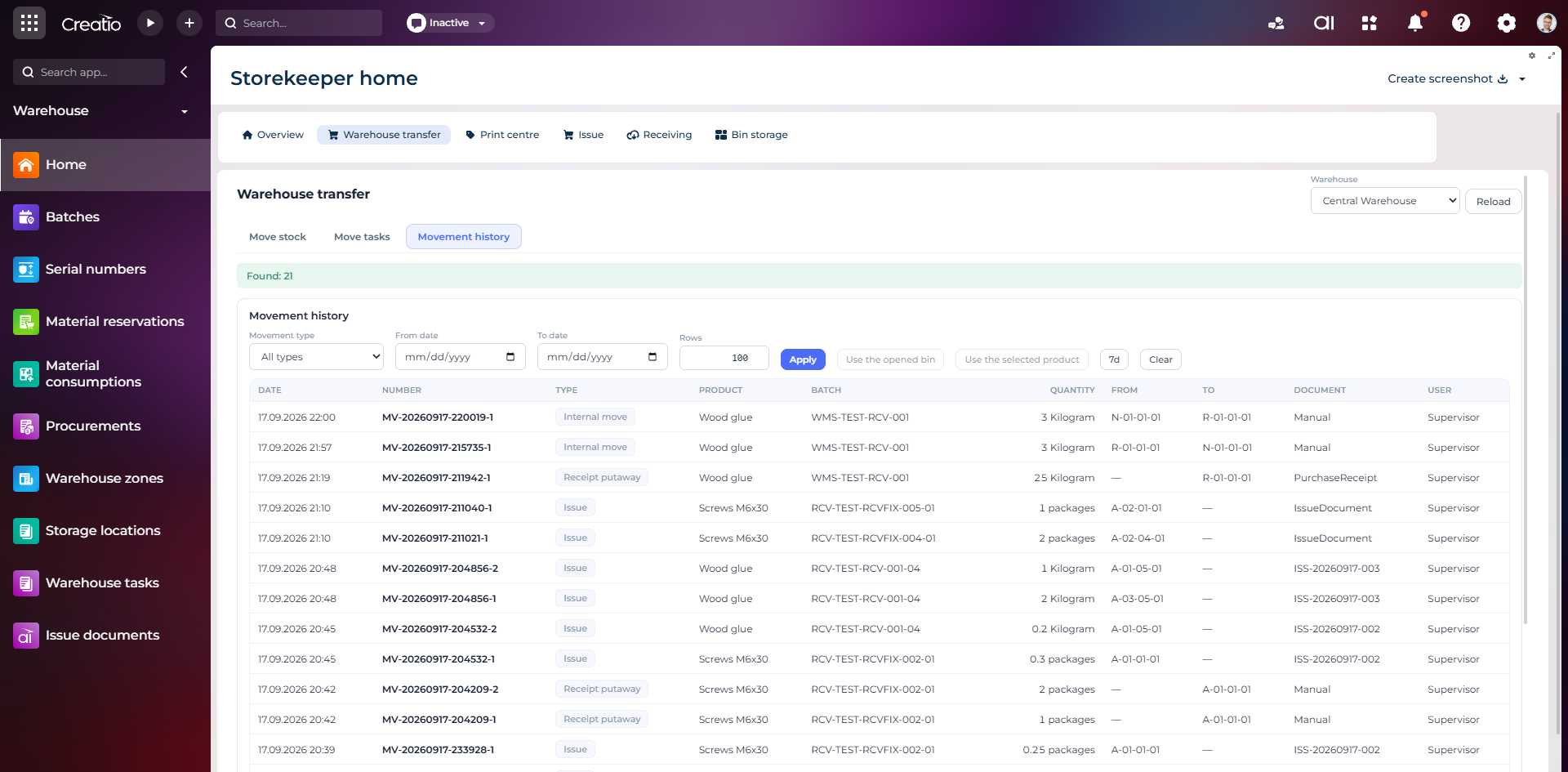
Історія руху запасів
Повний журнал приймання, видачі та внутрішніх переміщень із партією, кількістю, комірками, документом і відповідальним.
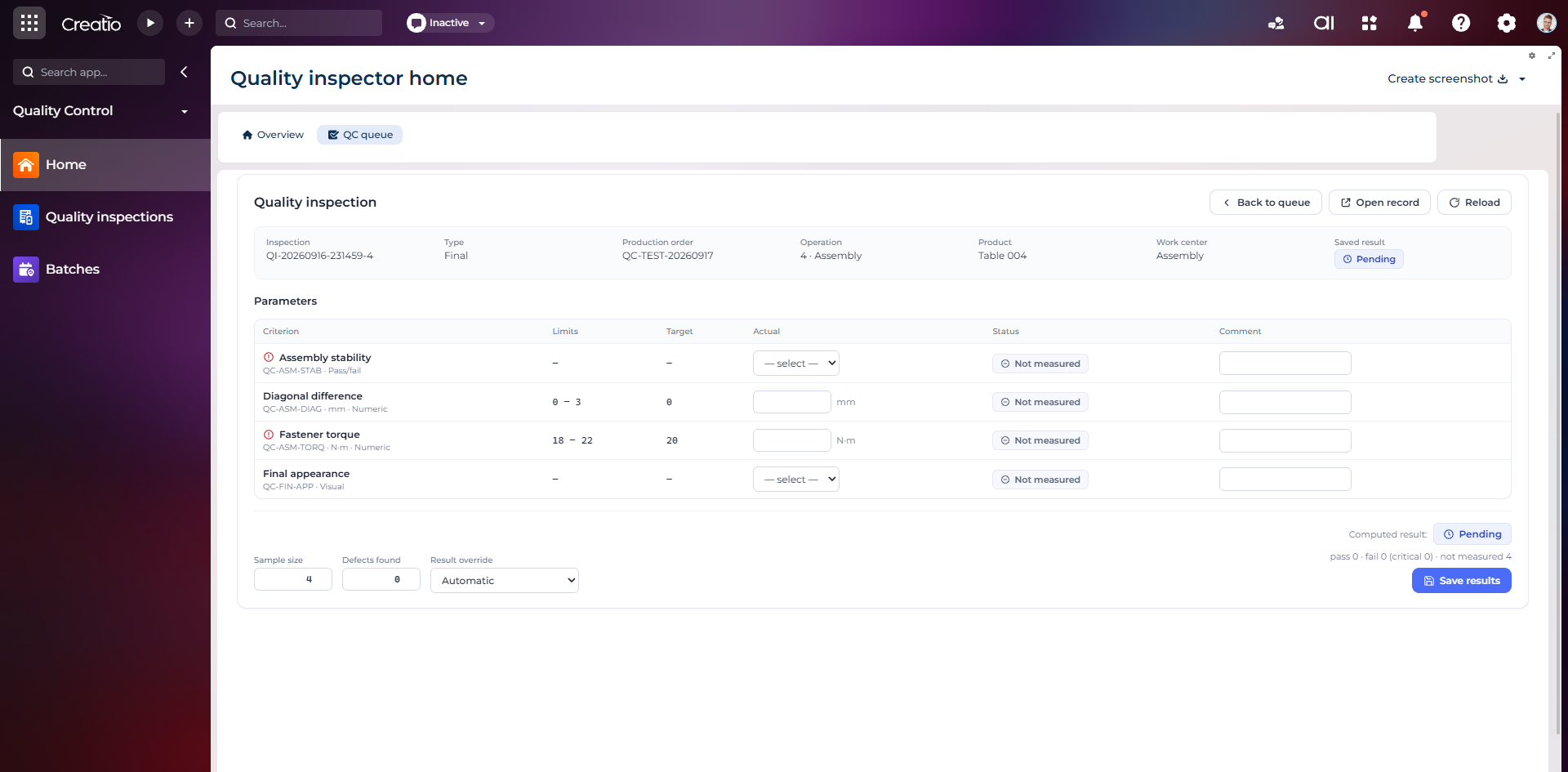
Контроль якості
Фінальна інспекція за критеріями: допустимі межі, фактичні значення, статуси вимірювань, коментарі та підсумковий результат.
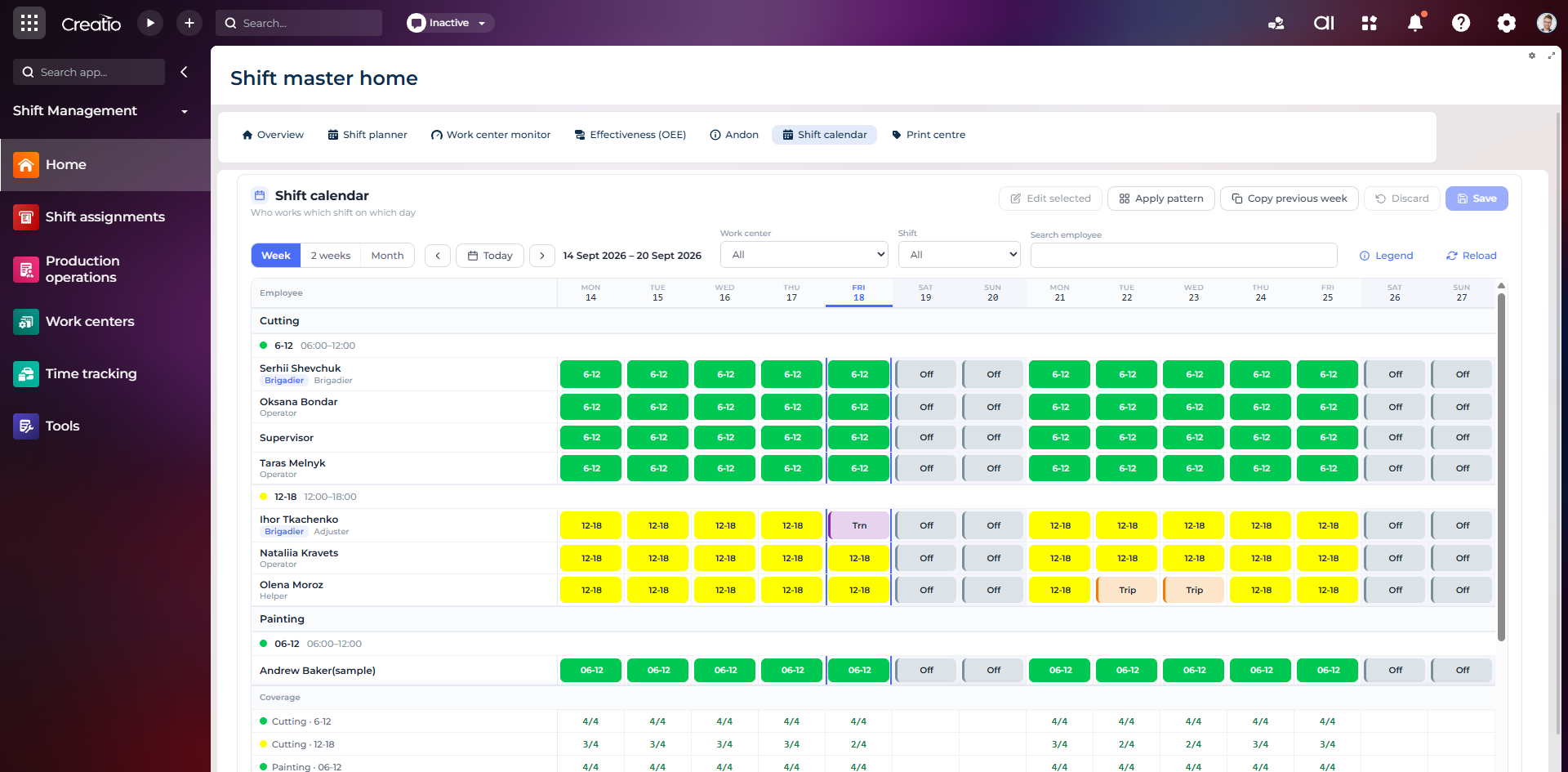
Календар змін
Планування персоналу за робочими центрами: зміни, вихідні, відрядження та контроль покриття потрібної кількості працівників.
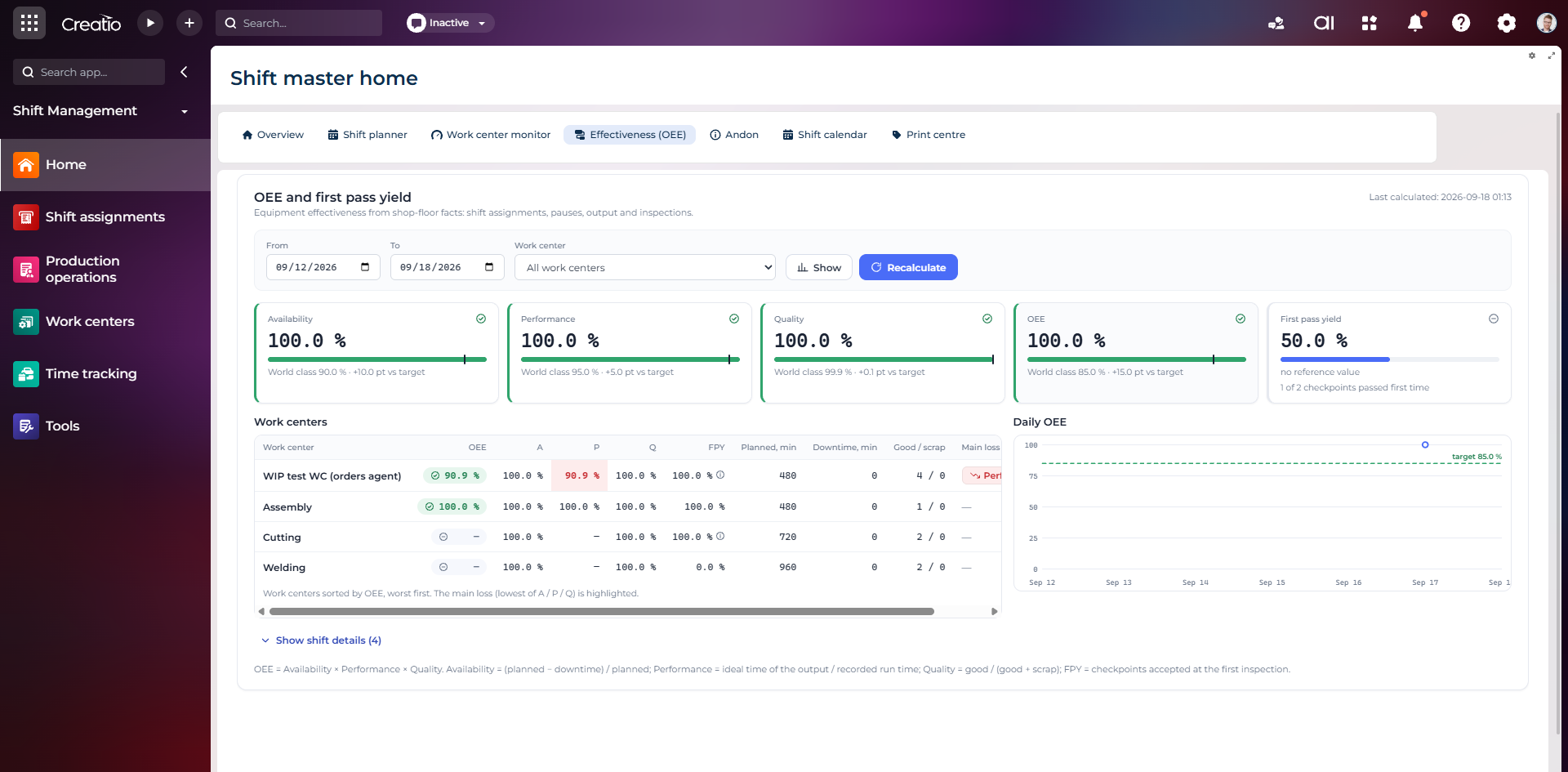
OEE та First Pass Yield
Доступність, продуктивність, якість, OEE і FPY по робочих центрах із порівнянням з цільовими показниками.
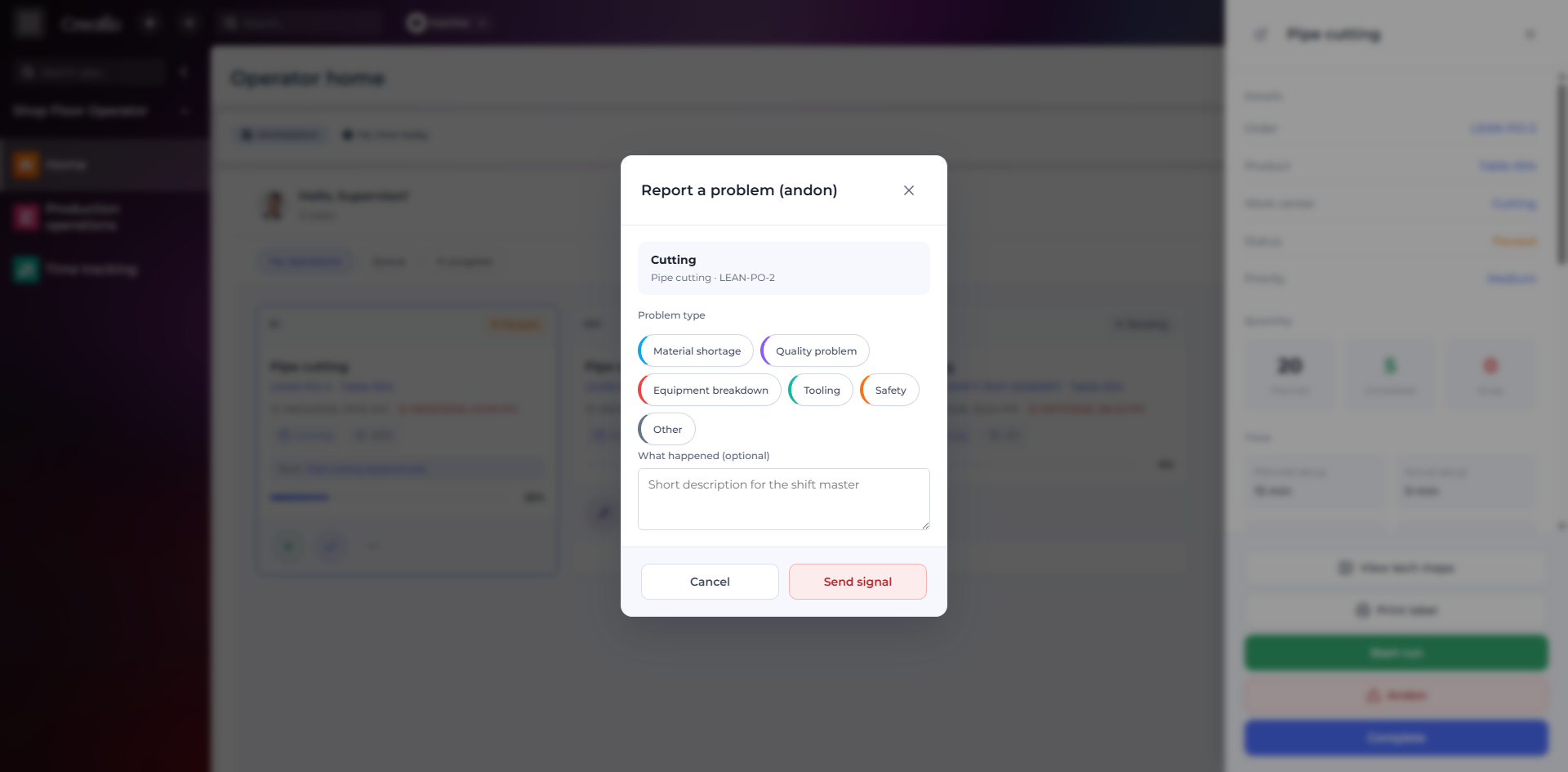
Andon-сигнал з робочого місця
Оператор повідомляє про нестачу матеріалів, проблему якості, поломку, інструмент або небезпеку безпосередньо з операції.
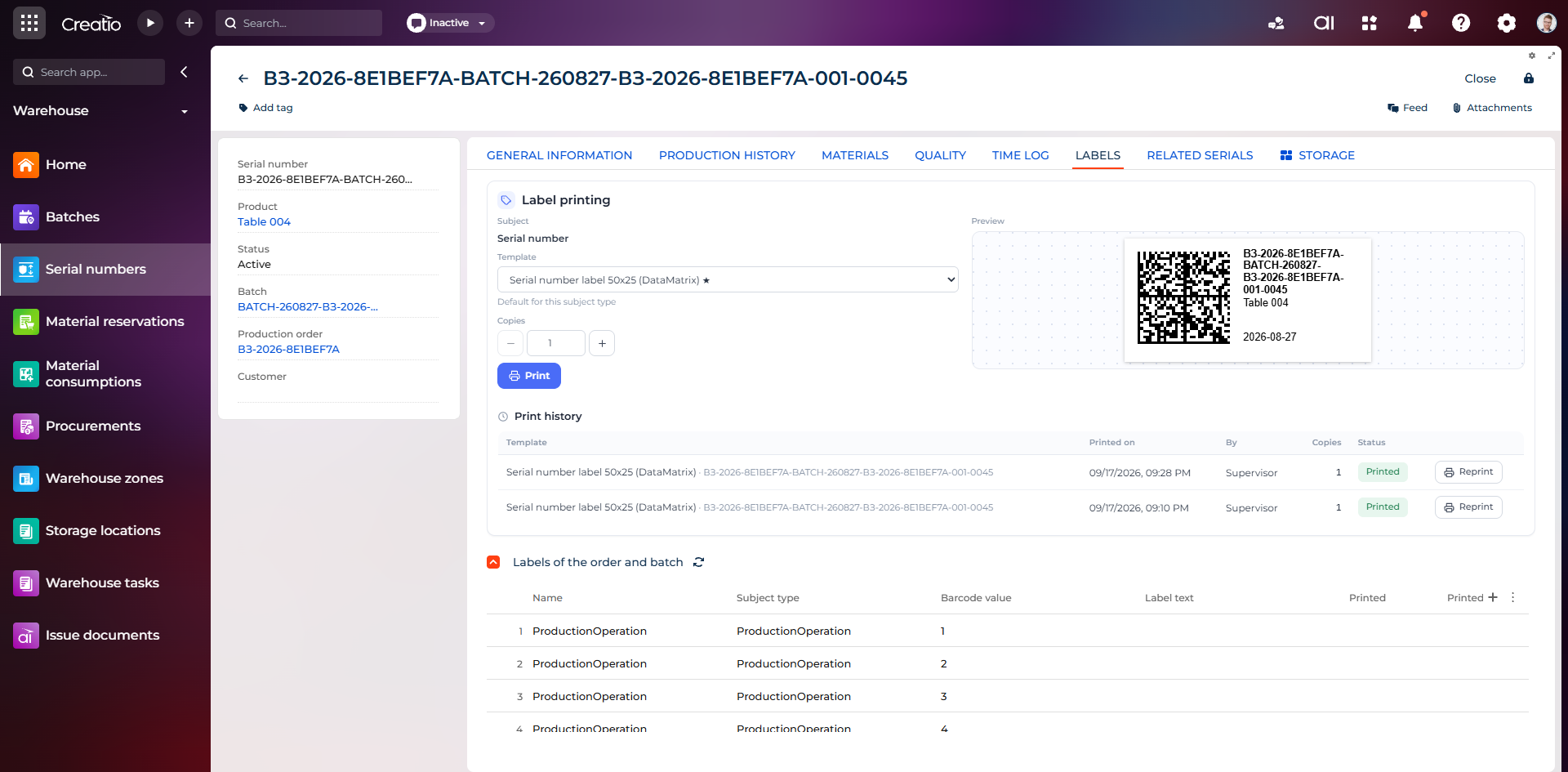
Маркування серійного виробу
Друк етикетки DataMatrix для серійного номера з шаблоном, попереднім переглядом та історією друку.
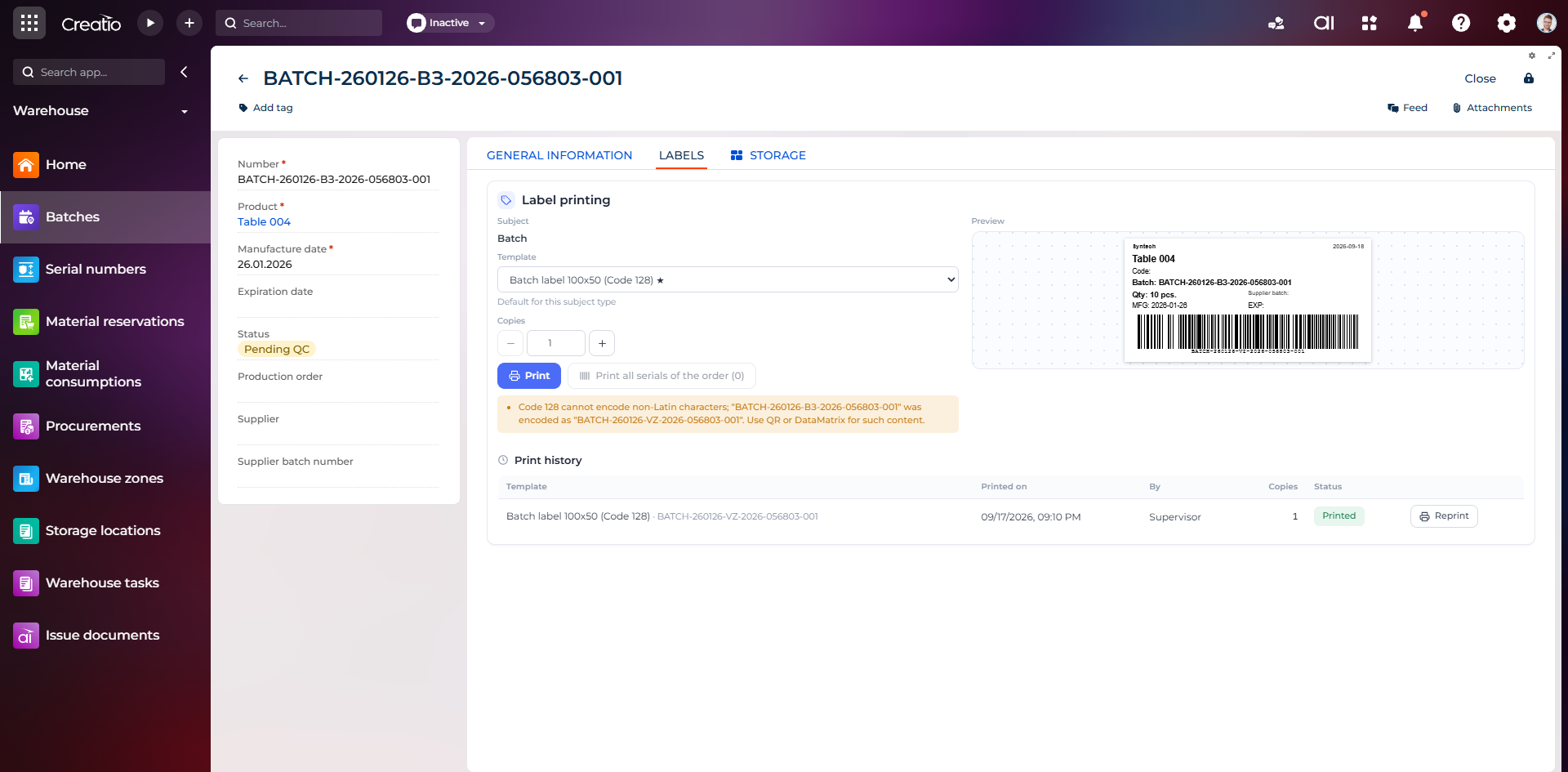
Маркування партії
Етикетка партії з кодом, кількістю, датою виготовлення, терміном придатності та штрихкодом Code 128.
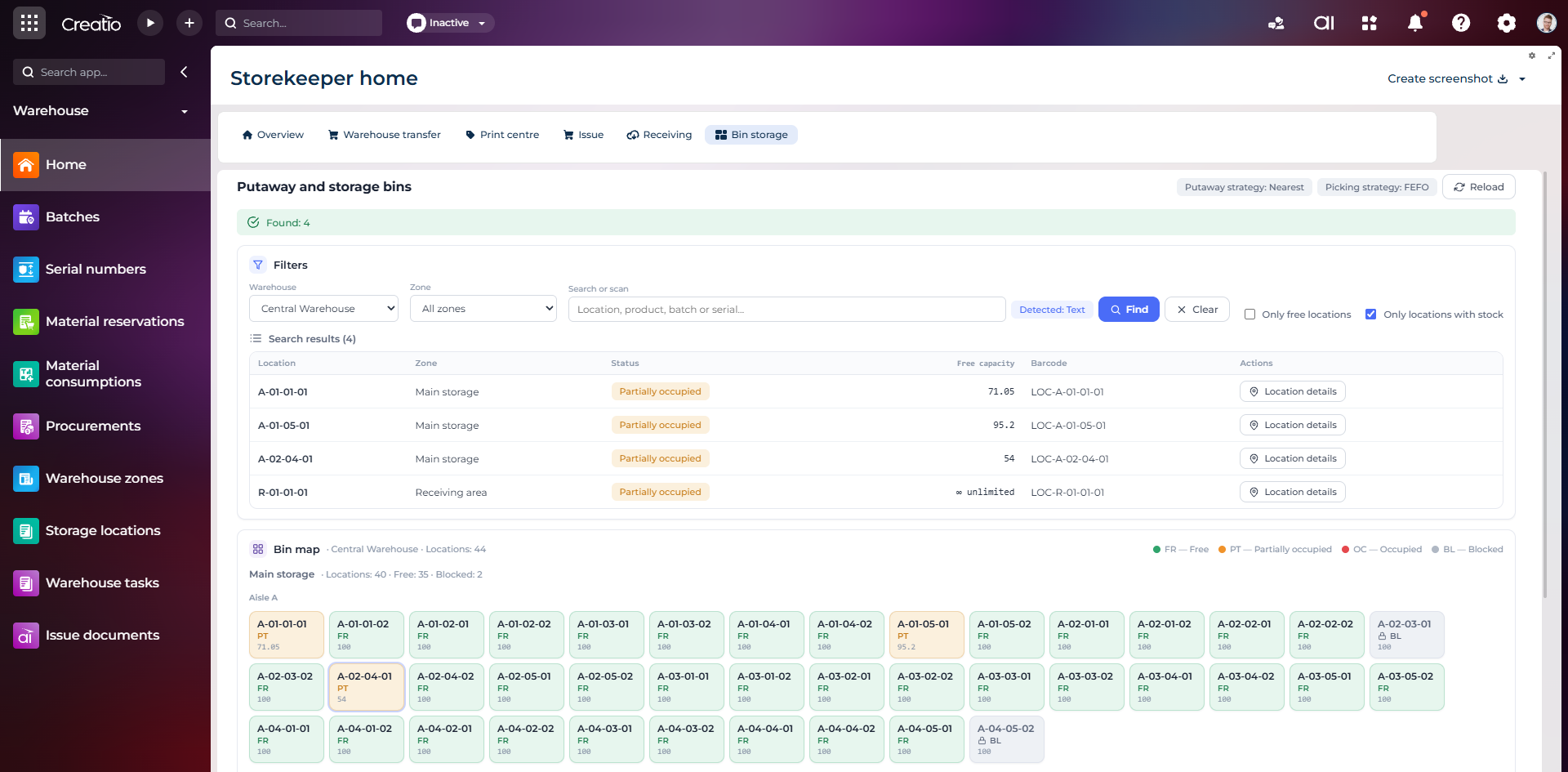
Коміркове зберігання
Пошук складських комірок за зоною, товаром, партією або серійним номером із відображенням місткості та статусу.
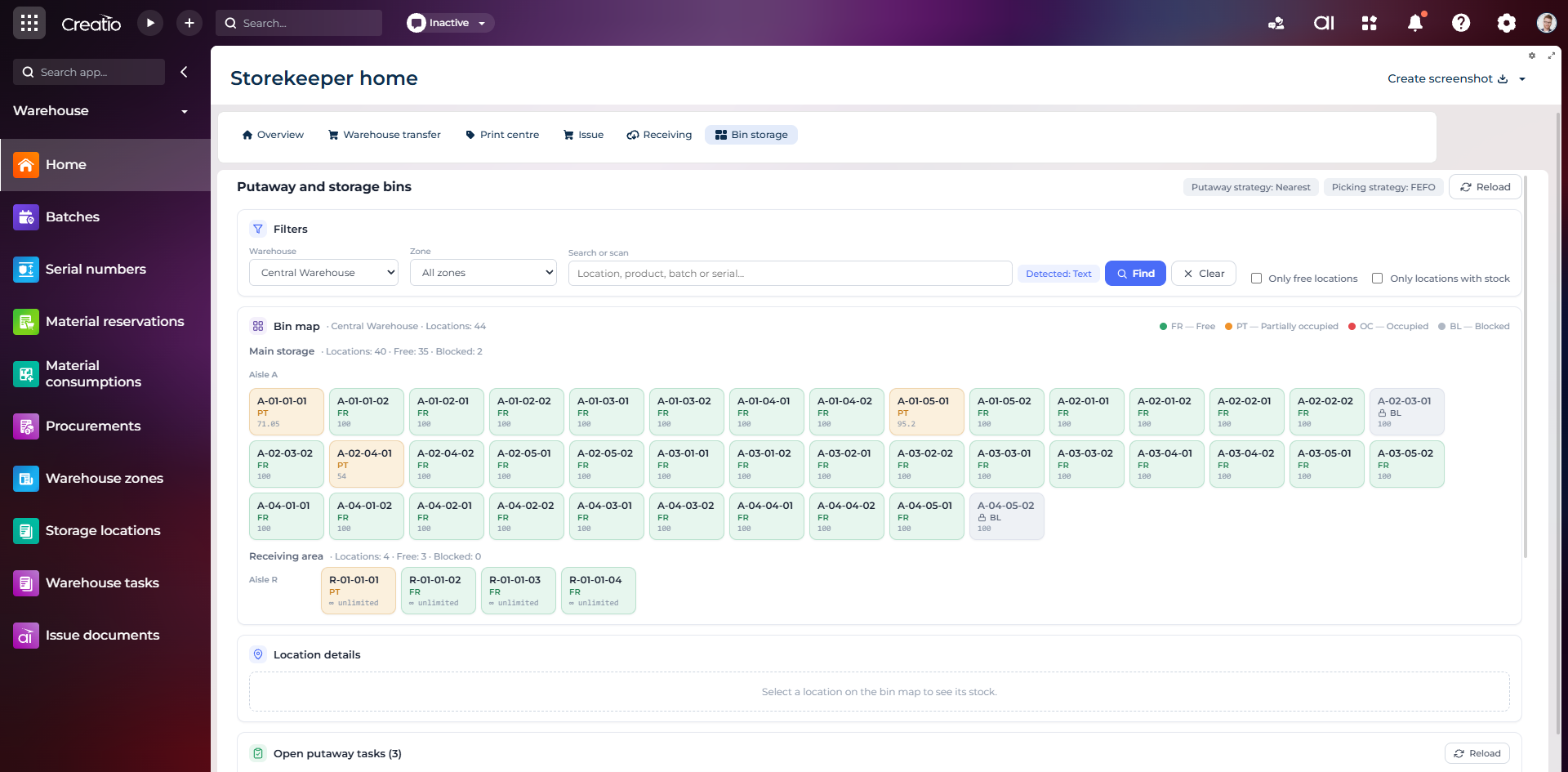
Карта складських комірок
Візуальна карта зон і проходів зі статусами вільних, частково зайнятих, зайнятих та заблокованих комірок.
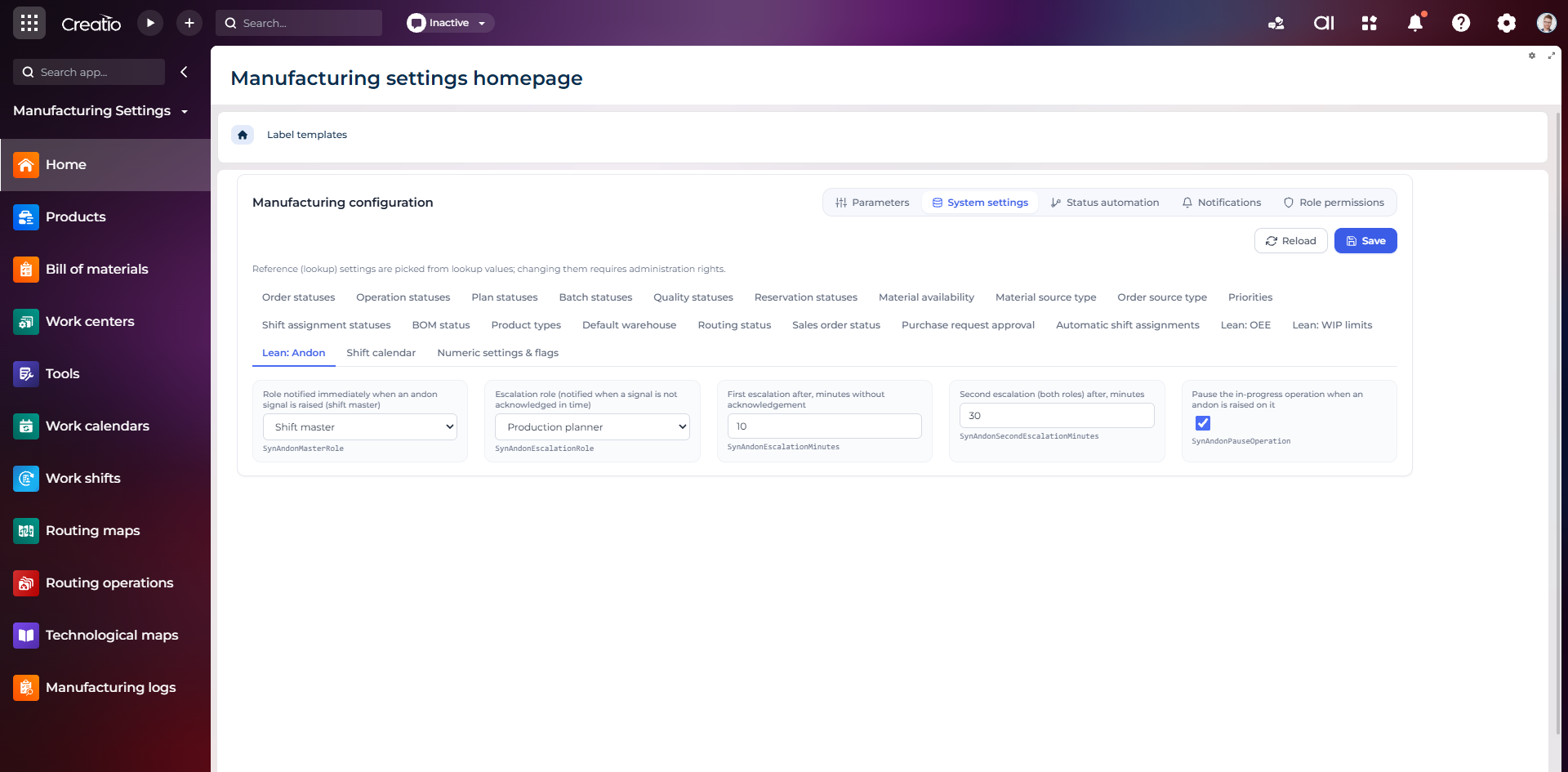
Налаштування Andon
Налаштування ролей сповіщення, строків ескалації та автоматичної зупинки операції після Andon-сигналу.
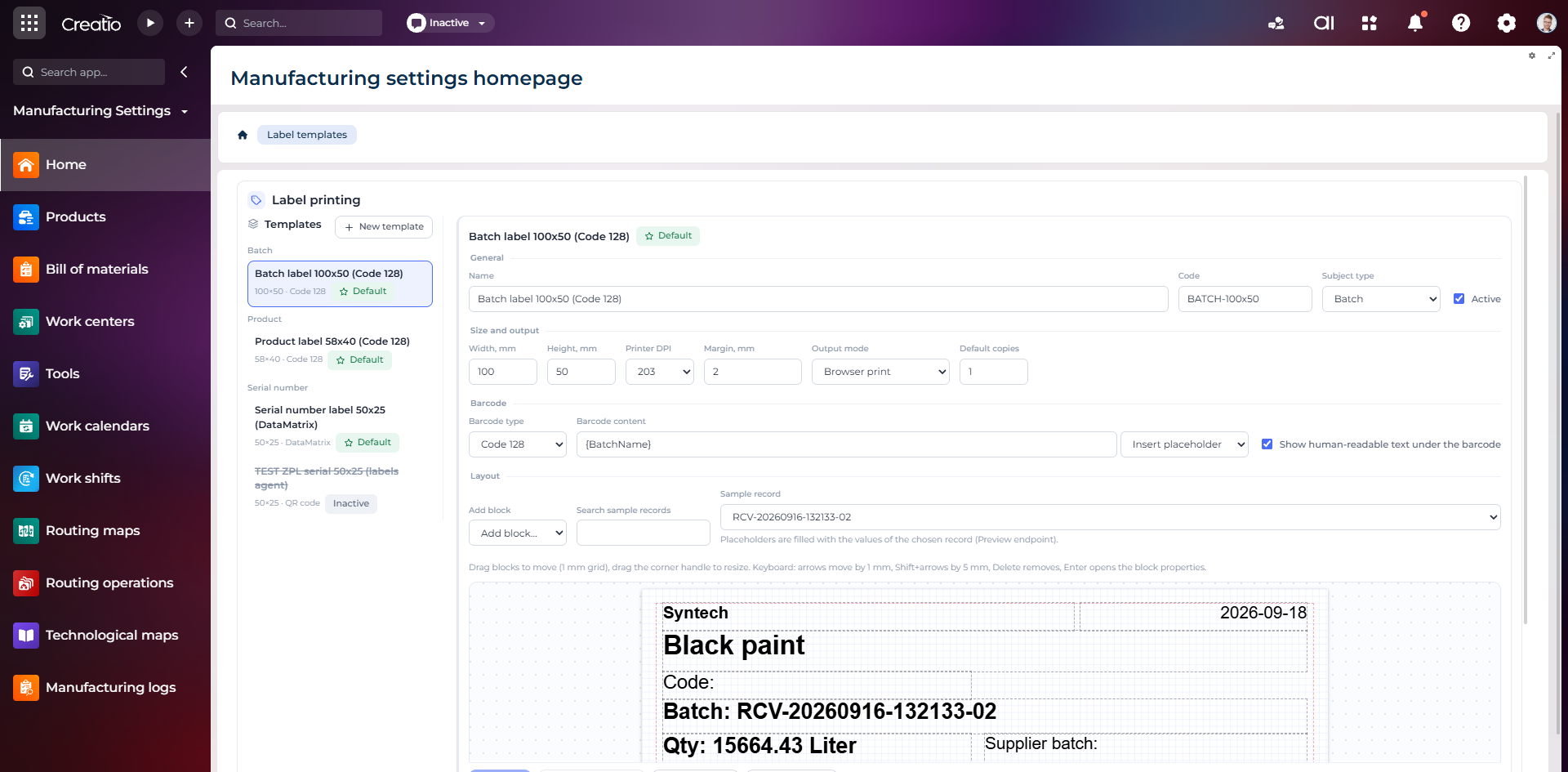
Конструктор шаблонів етикеток
Візуальне створення етикеток для партій і серійних виробів із плейсхолдерами, штрихкодами та попереднім переглядом.