
One engineering record, from CAD to the work centre
Bills of materials and routing maps, CAD and PDM import, revisions compared side by side, change notices approved by visa and NATO codification, inside the system that plans production.
Engineering: bills of materials, revisions, change control
A designer releases a new version of an assembly; a process engineer retypes it into a spreadsheet. The planner sees the old quantity, the storekeeper issues the old kit, and parts nobody will use pile up in the warehouse. When a customer asks which revision a serial number was built to, the answer is hunted for in email. And the NATO stock number lives in yet another file.
Engineering: bills of materials, revisions, change control
- 01
Import the BOM from CAD or PDM
The file is read in the browser, with no plugins: CSV, TSV, TXT, Excel, XML from SOLIDWORKS PDM or Autodesk Inventor, and JSON. The wizard walks you through column mapping, matching each position against products, and a preview with the diff against the current BOM. Nothing is written until you confirm; the import is all-or-nothing and always produces Draft revisions.
- 02
Keep the BOM and the routing
The bill of materials lists components with quantity, unit and operation number; sub-assemblies have their own BOMs, so the structure is multi-level. The routing map sets the operations in order: work centre, setup and run time, rates, workers and the "Quality check required" flag, and each operation holds its materials, tools and acceptance criteria.
- 03
Put the work instructions on the operation
A technological map belongs to one routing operation and holds drawings, photos and PDFs. The operator opens them from the workstation with "View tech maps". Maps carry a version and a current-version flag, and a new routing revision copies them with their files.
- 04
Create a revision
"New revision" copies the current revision with all its lines into a Draft: for a routing together with tools, materials, quality criteria, qualification requirements and technological maps. Lines of a revision that is no longer a draft cannot be edited; the system asks for a new revision instead.
- 05
Raise an engineering change notice
A notice bundles the BOM and routing change of one product: number, reason (design change, customer requirement, quality problem, cost reduction, supplier, CAD import), description, effective date and the serial number it applies from. "Add current BOM and routing" creates the draft revisions, "Send for approval" locks their lines and raises a visa for the chief technologist; a rejection needs a comment and returns them to Draft.
- 06
Compare and release
The Revisions tab lists every revision with its status, "Current" badge, validity dates and line count, and compares two of them side by side: added lines green, removed red, changed amber. After release exactly one revision stays current, the previous one becomes Superseded, and "Affected orders" lists the open orders left on the old one. A revision can take effect from a future date.
- 07
Fill in the NATO codification
The NATO codification tab on the product card stores a 13-digit NSN, derives the NIIN automatically, upper-cases the NCAGE code and refuses invalid values on save. The list of NATO codes by supplier links one item to the stock numbers of several suppliers. Search works by NSN or NIIN, and label templates carry an {NSN} placeholder.
Engineering: bills of materials, revisions, change control
No retyping from CAD
The product structure comes in from the system it was designed in, with sub-assemblies, quantities and units; missing products are created during the import.
A released document is never changed quietly
Lines of non-draft revisions are locked, an import always produces a draft, and release goes through a change notice with a visa.
You see who the change hits
Before release you get the list of open orders that stay on the old revision, and you decide what to do with them.
The shop floor builds the revision you planned
MRP, plan explosion and new orders use the current revision, while open orders keep theirs, so nothing changes retroactively.
NSN where it is needed
NATO stock numbers live on the product, are searchable by NSN or NIIN and reach the label without a separate file.
Bring your own exported BOM to the demo
We import your CAD or PDM file during the call, build a revision, run a change notice and show the orders it affects.
Як це виглядає в системі
Реальні екрани Syntech Manufacturing на платформі Creatio: планування, склад, якість, зміни, OEE, Andon і маркування.
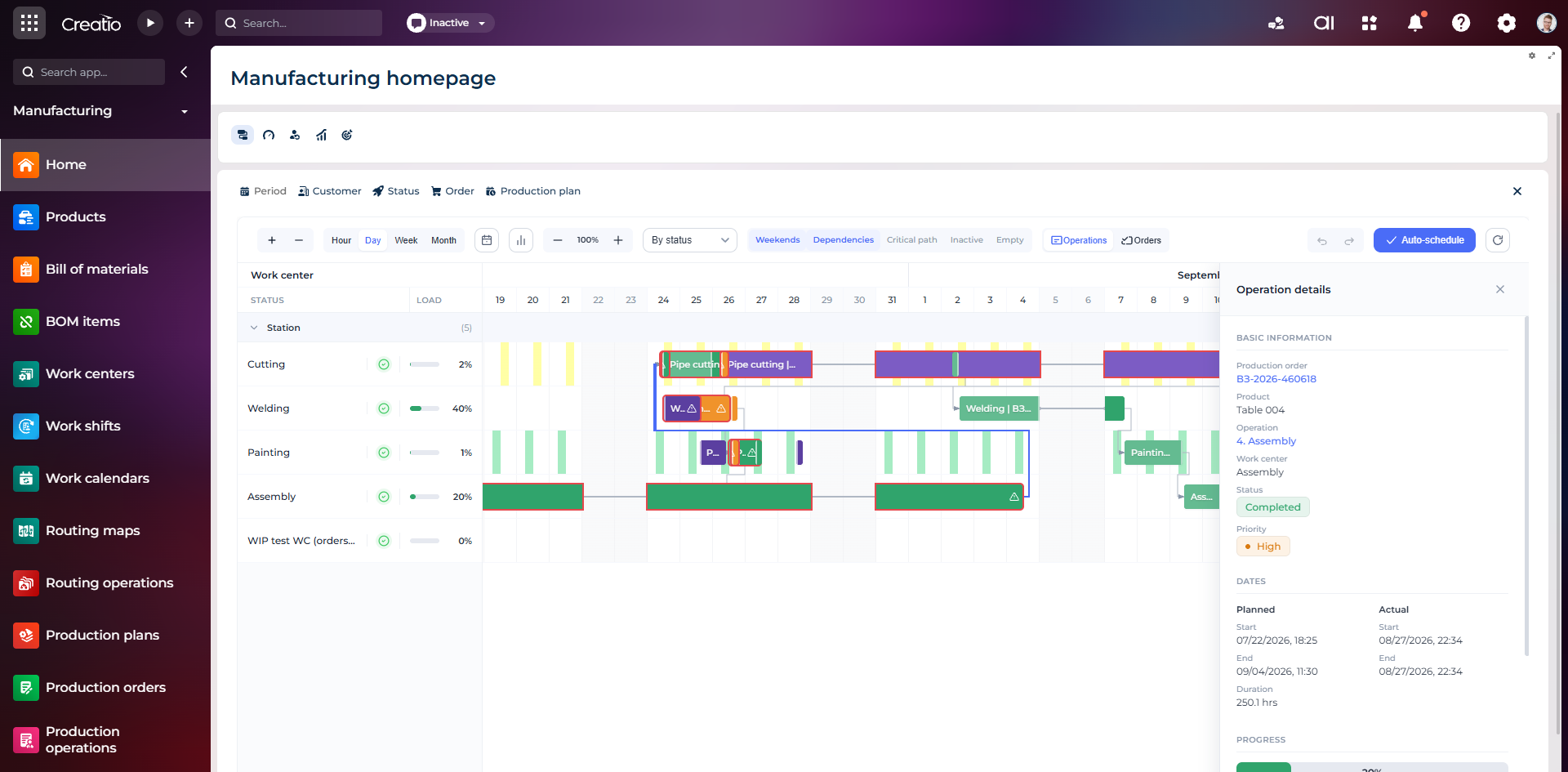
Виробниче планування
Діаграма Ганта за робочими центрами з залежностями, статусами, завантаженням і деталями кожної операції.
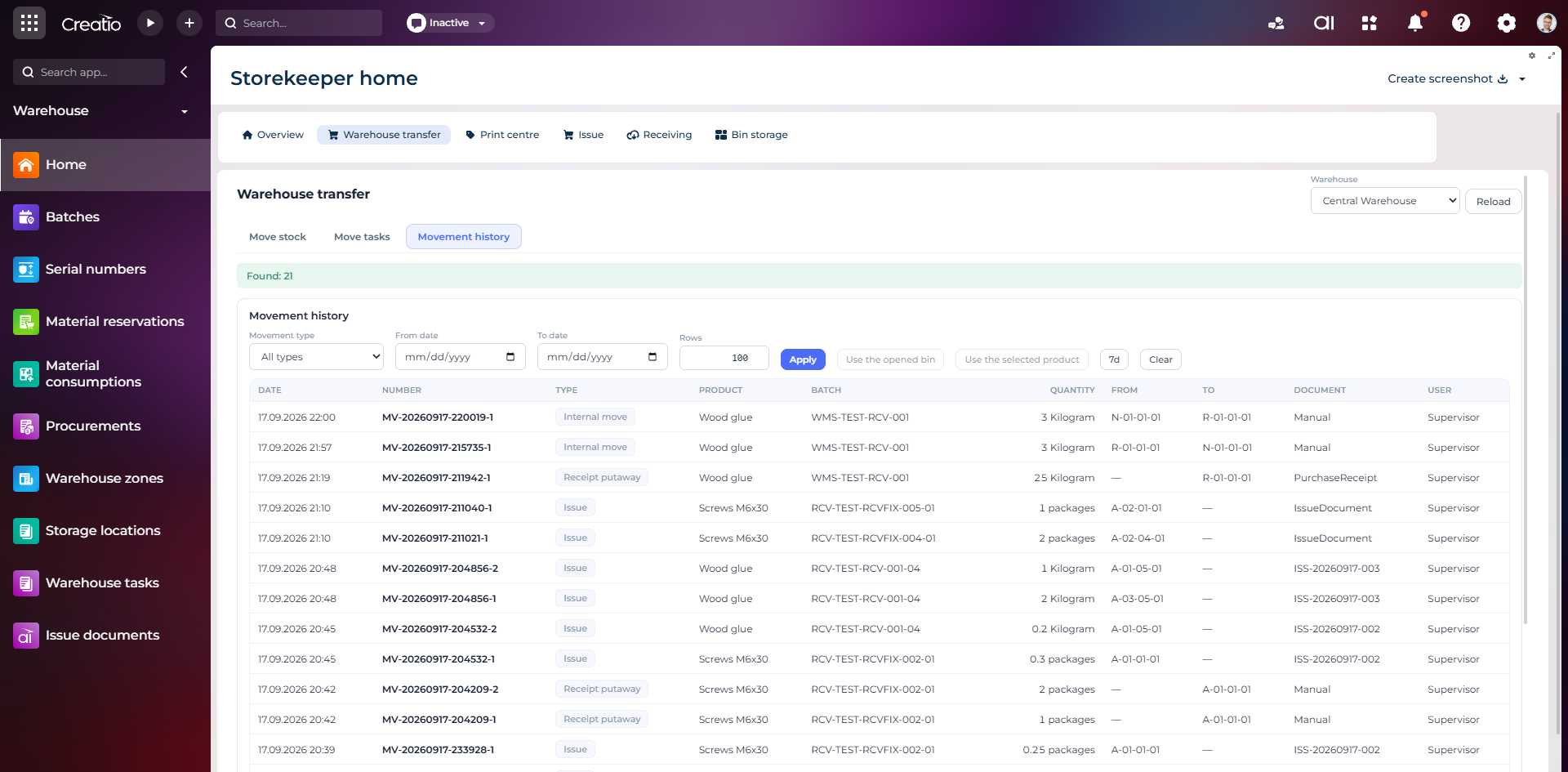
Історія руху запасів
Повний журнал приймання, видачі та внутрішніх переміщень із партією, кількістю, комірками, документом і відповідальним.
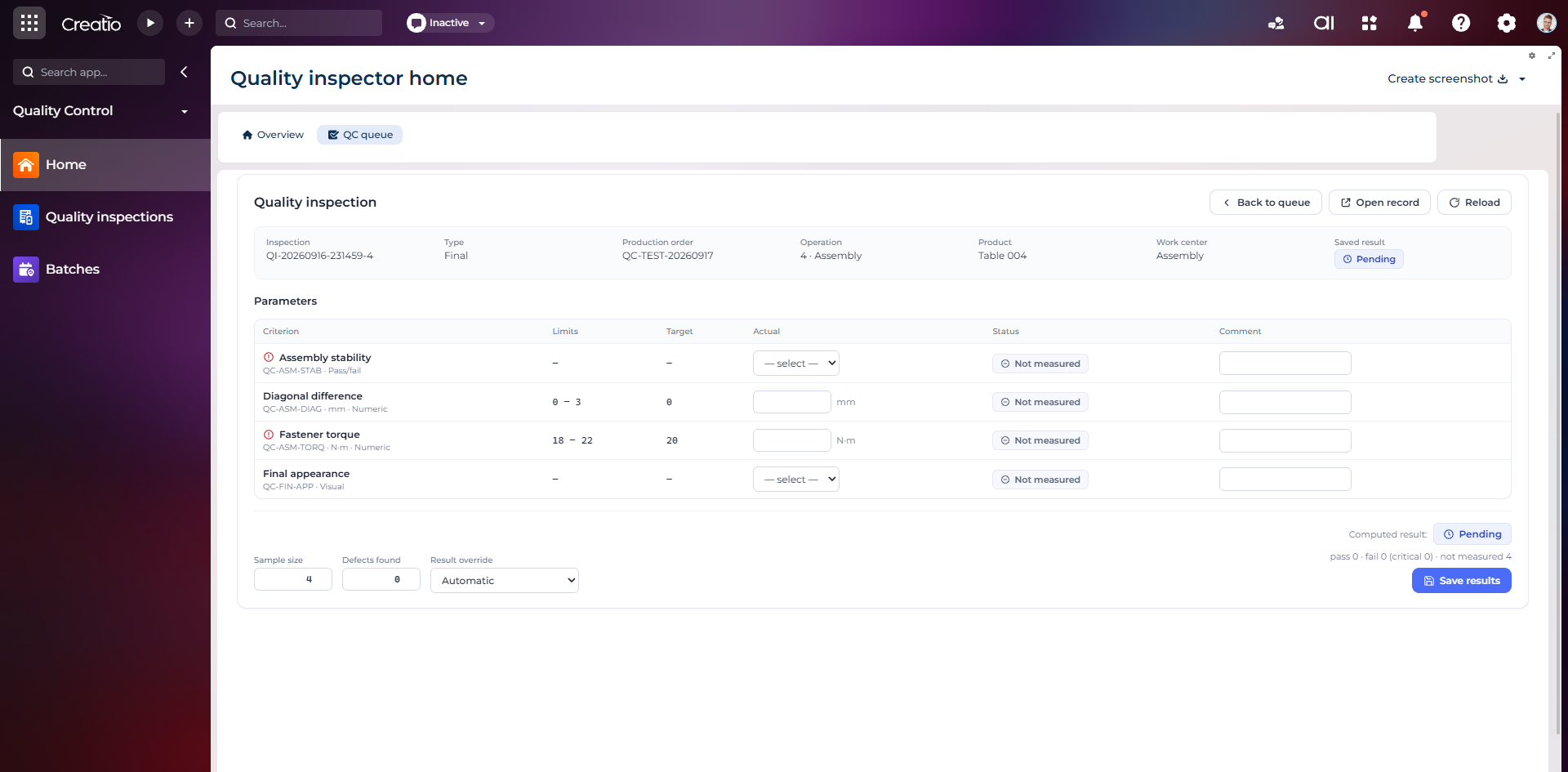
Контроль якості
Фінальна інспекція за критеріями: допустимі межі, фактичні значення, статуси вимірювань, коментарі та підсумковий результат.
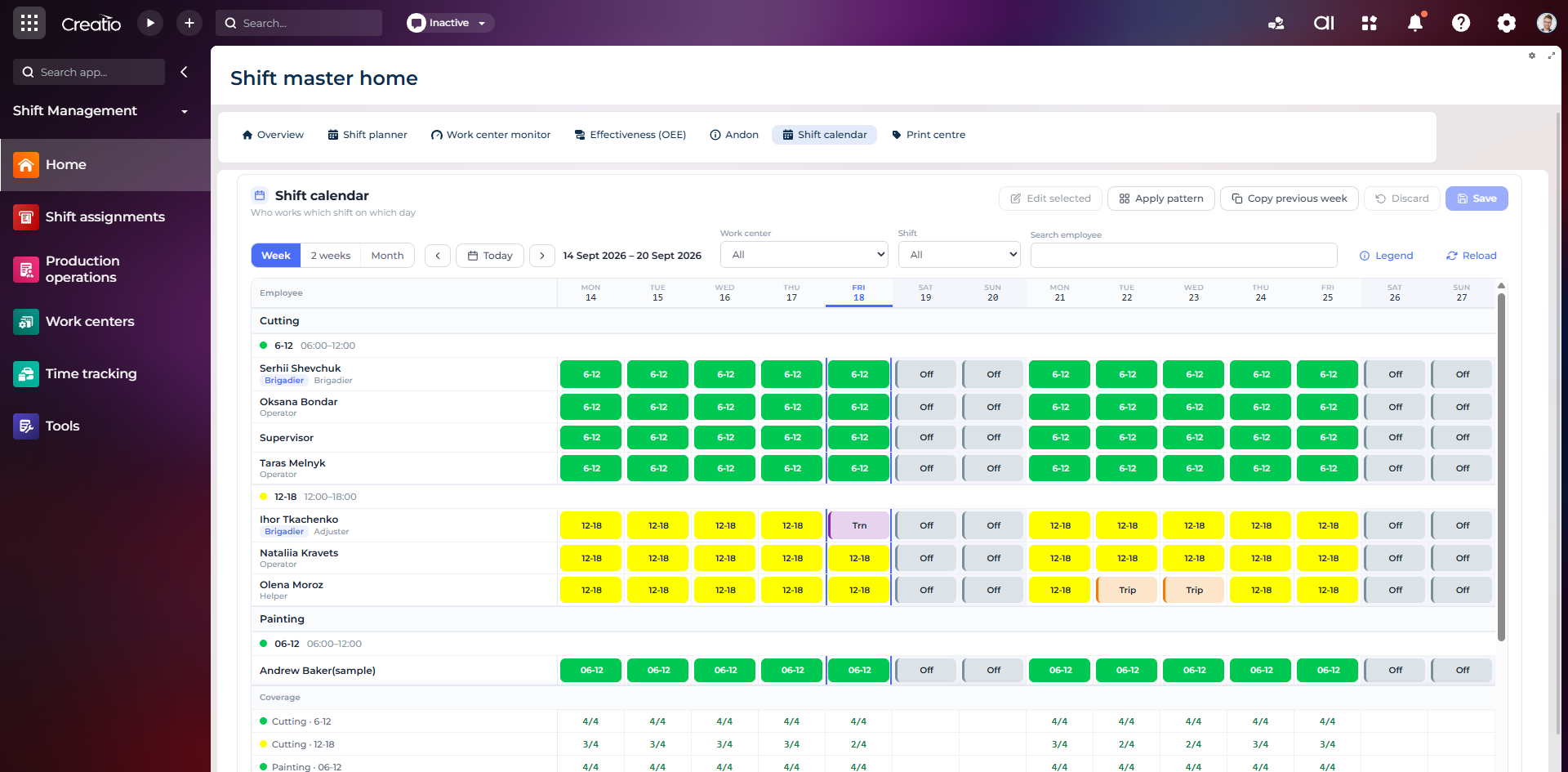
Календар змін
Планування персоналу за робочими центрами: зміни, вихідні, відрядження та контроль покриття потрібної кількості працівників.
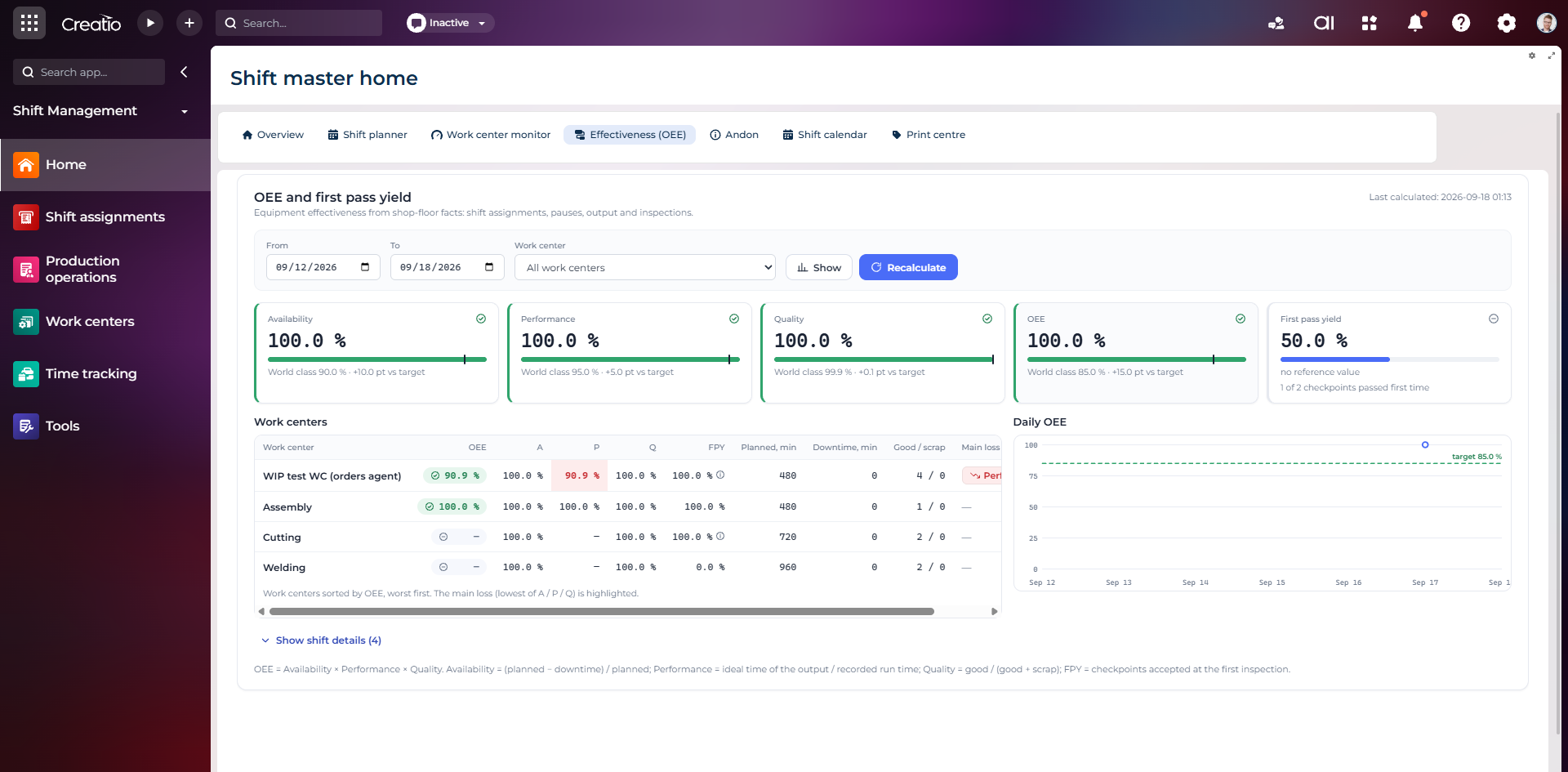
OEE та First Pass Yield
Доступність, продуктивність, якість, OEE і FPY по робочих центрах із порівнянням з цільовими показниками.
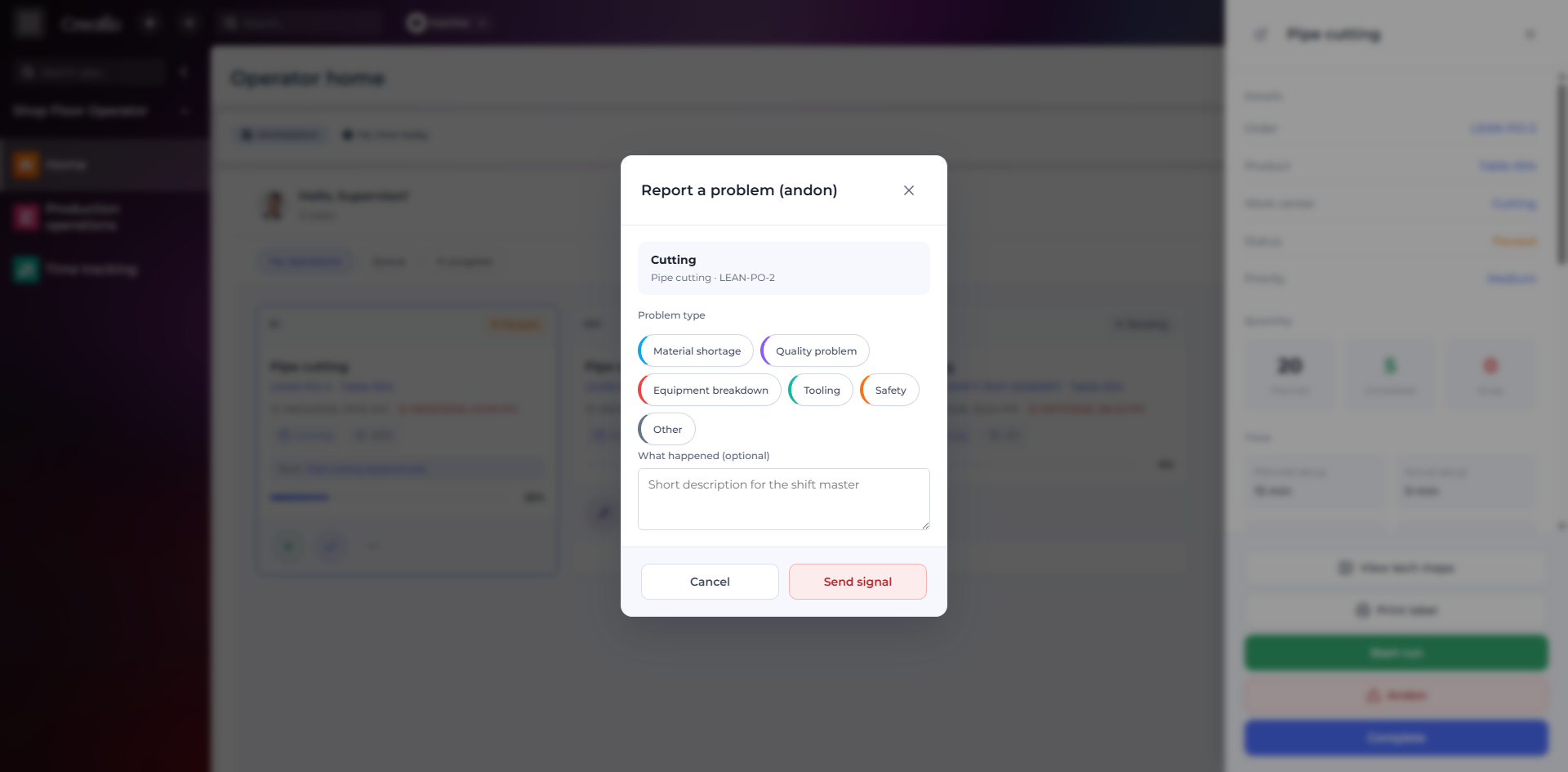
Andon-сигнал з робочого місця
Оператор повідомляє про нестачу матеріалів, проблему якості, поломку, інструмент або небезпеку безпосередньо з операції.
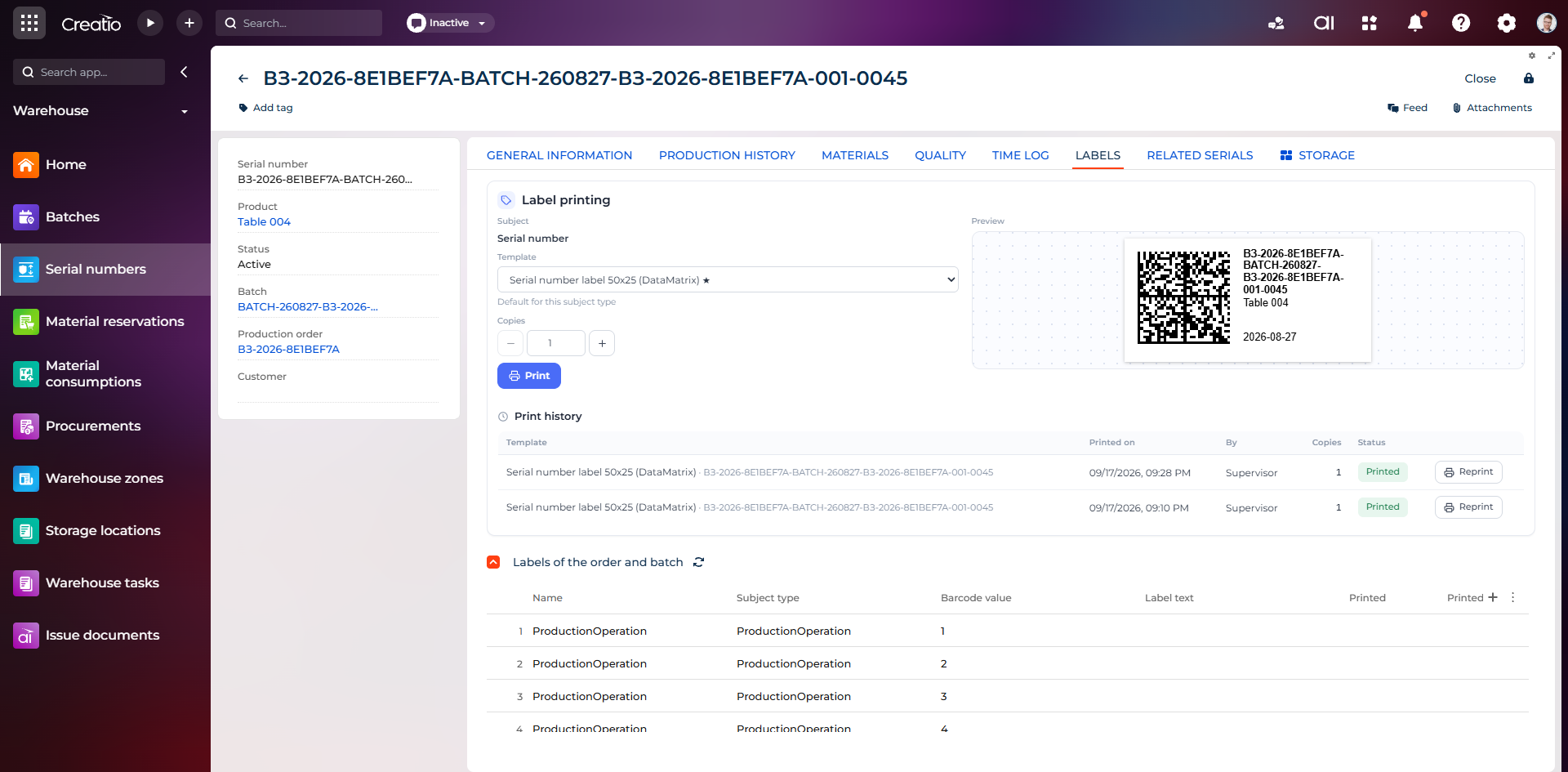
Маркування серійного виробу
Друк етикетки DataMatrix для серійного номера з шаблоном, попереднім переглядом та історією друку.
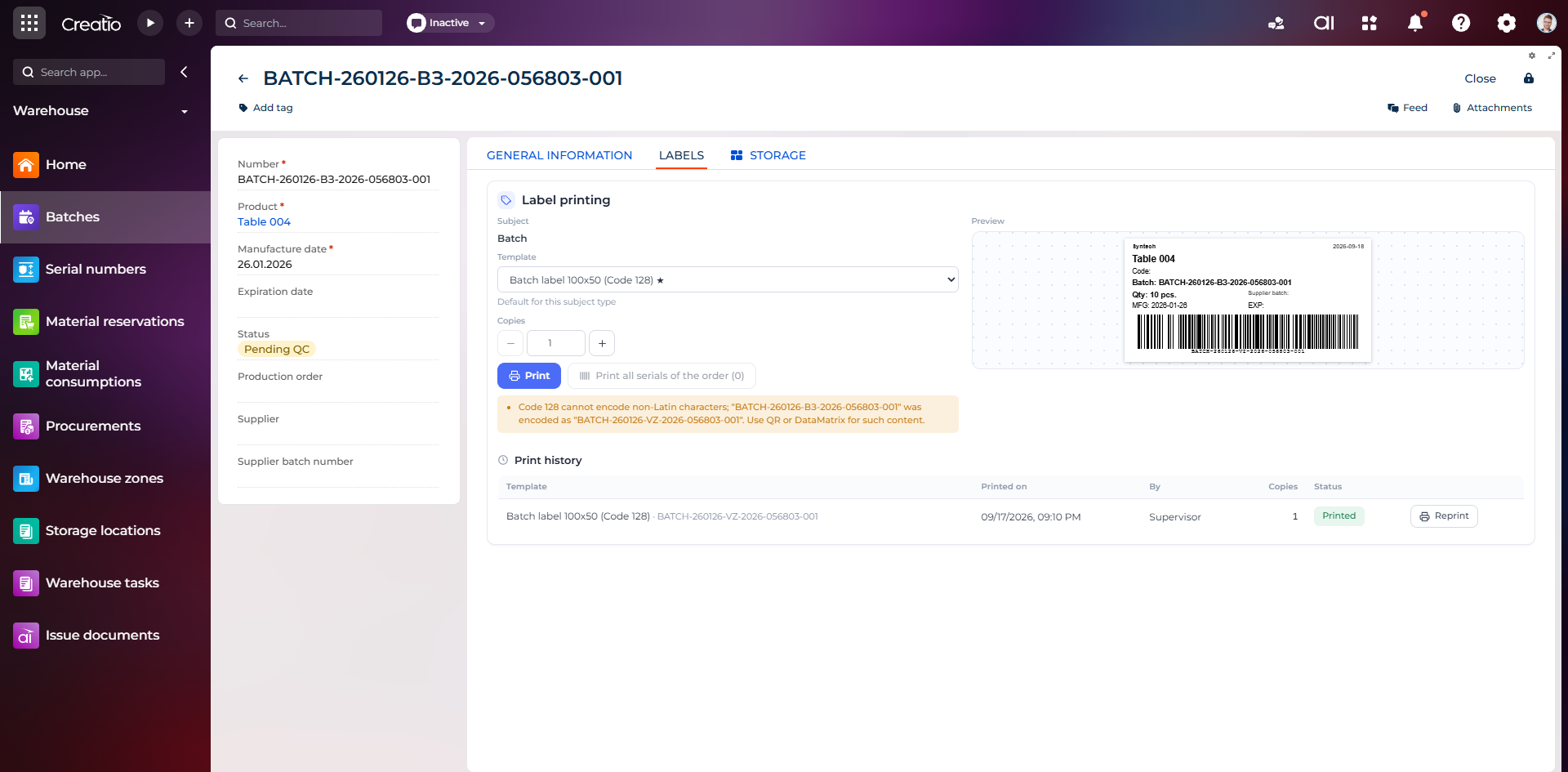
Маркування партії
Етикетка партії з кодом, кількістю, датою виготовлення, терміном придатності та штрихкодом Code 128.
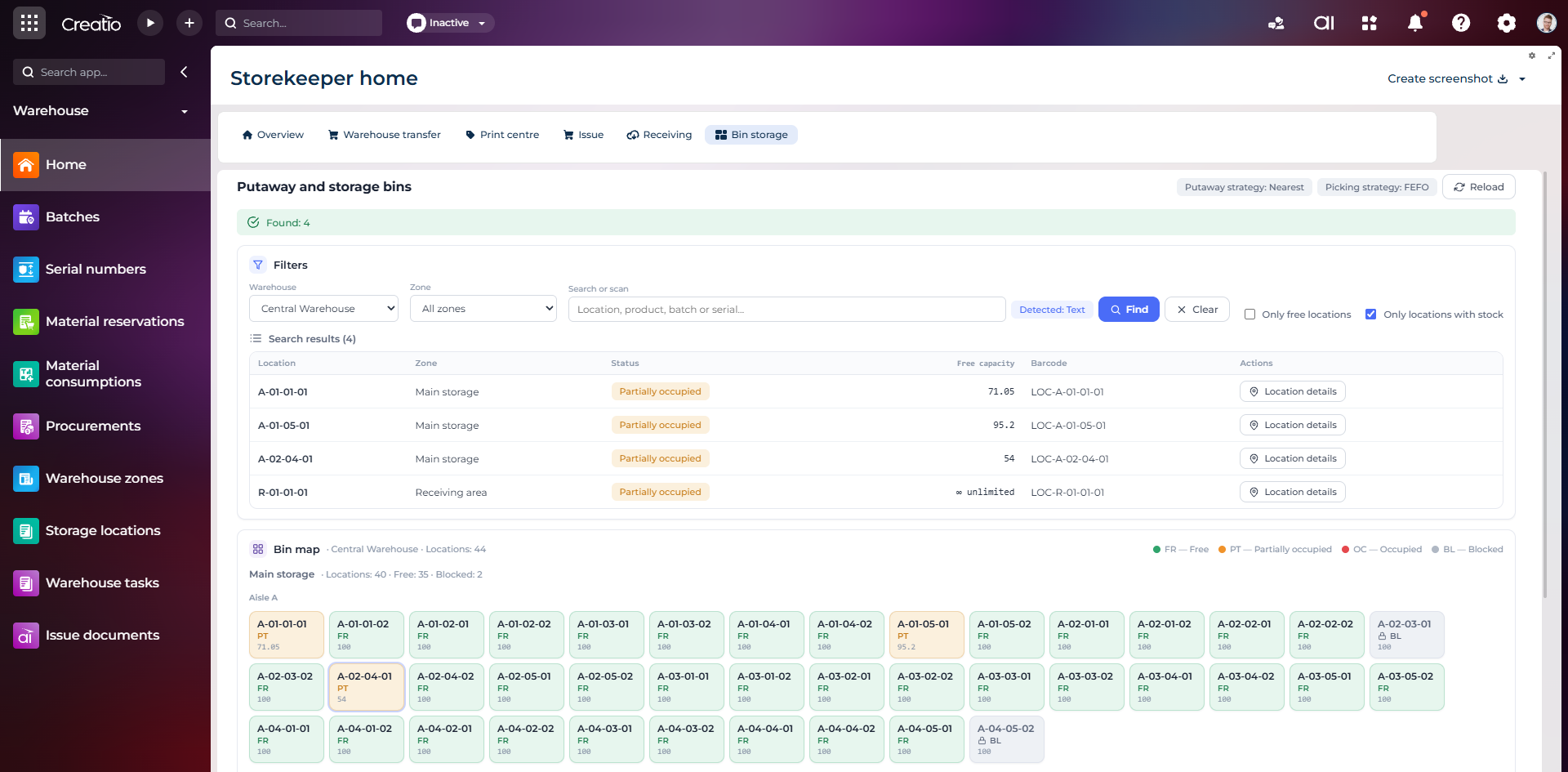
Коміркове зберігання
Пошук складських комірок за зоною, товаром, партією або серійним номером із відображенням місткості та статусу.
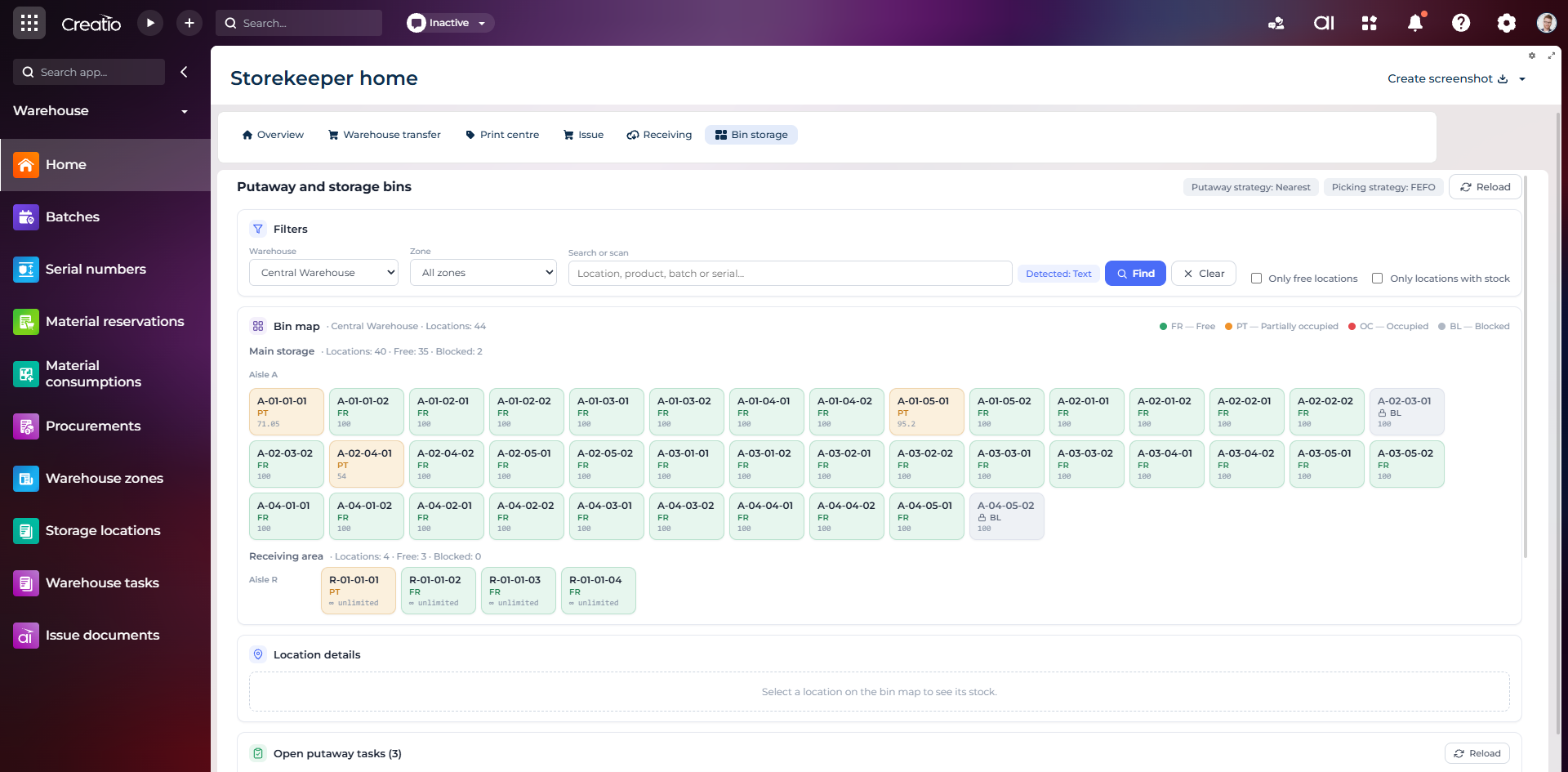
Карта складських комірок
Візуальна карта зон і проходів зі статусами вільних, частково зайнятих, зайнятих та заблокованих комірок.
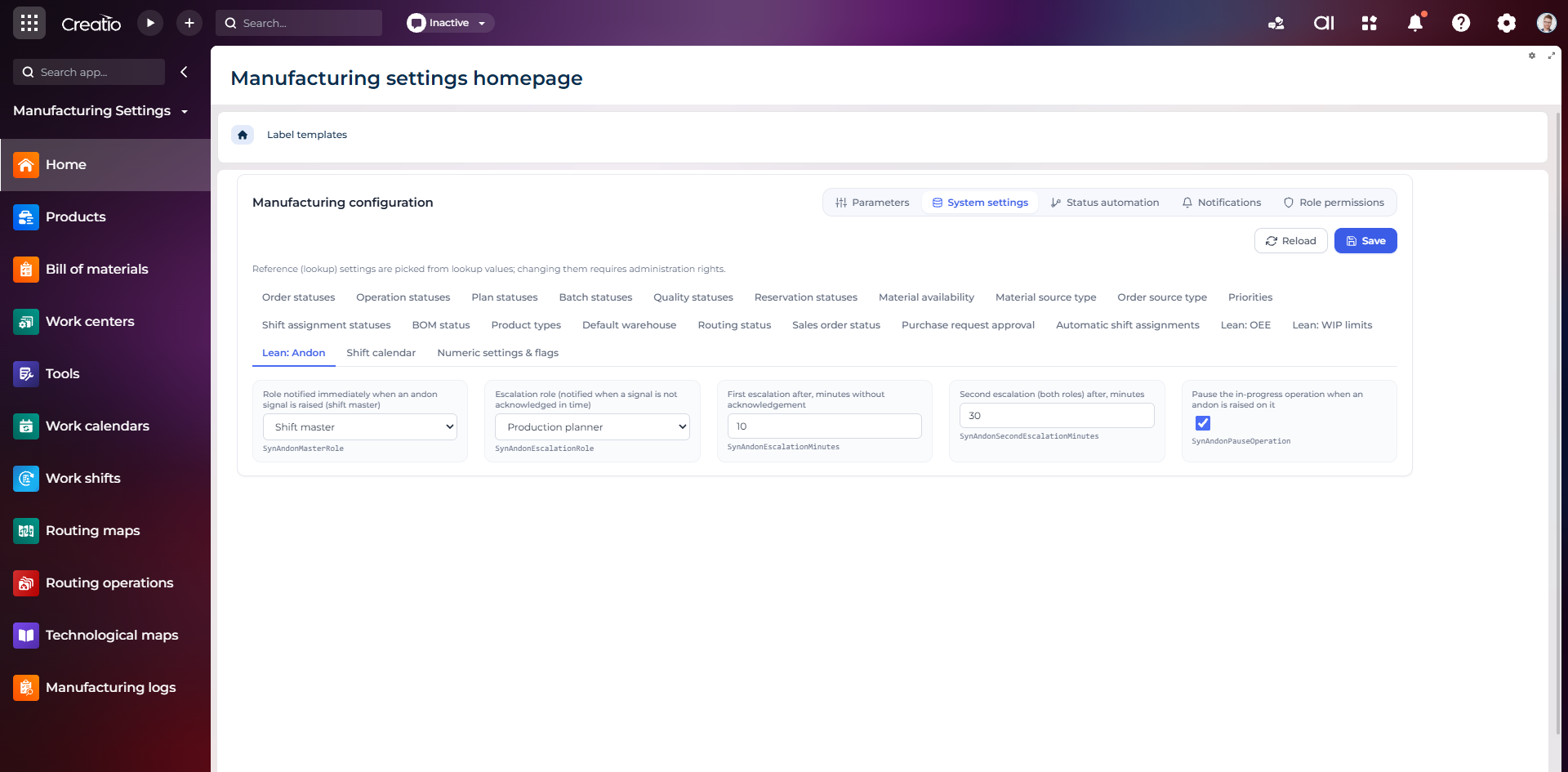
Налаштування Andon
Налаштування ролей сповіщення, строків ескалації та автоматичної зупинки операції після Andon-сигналу.
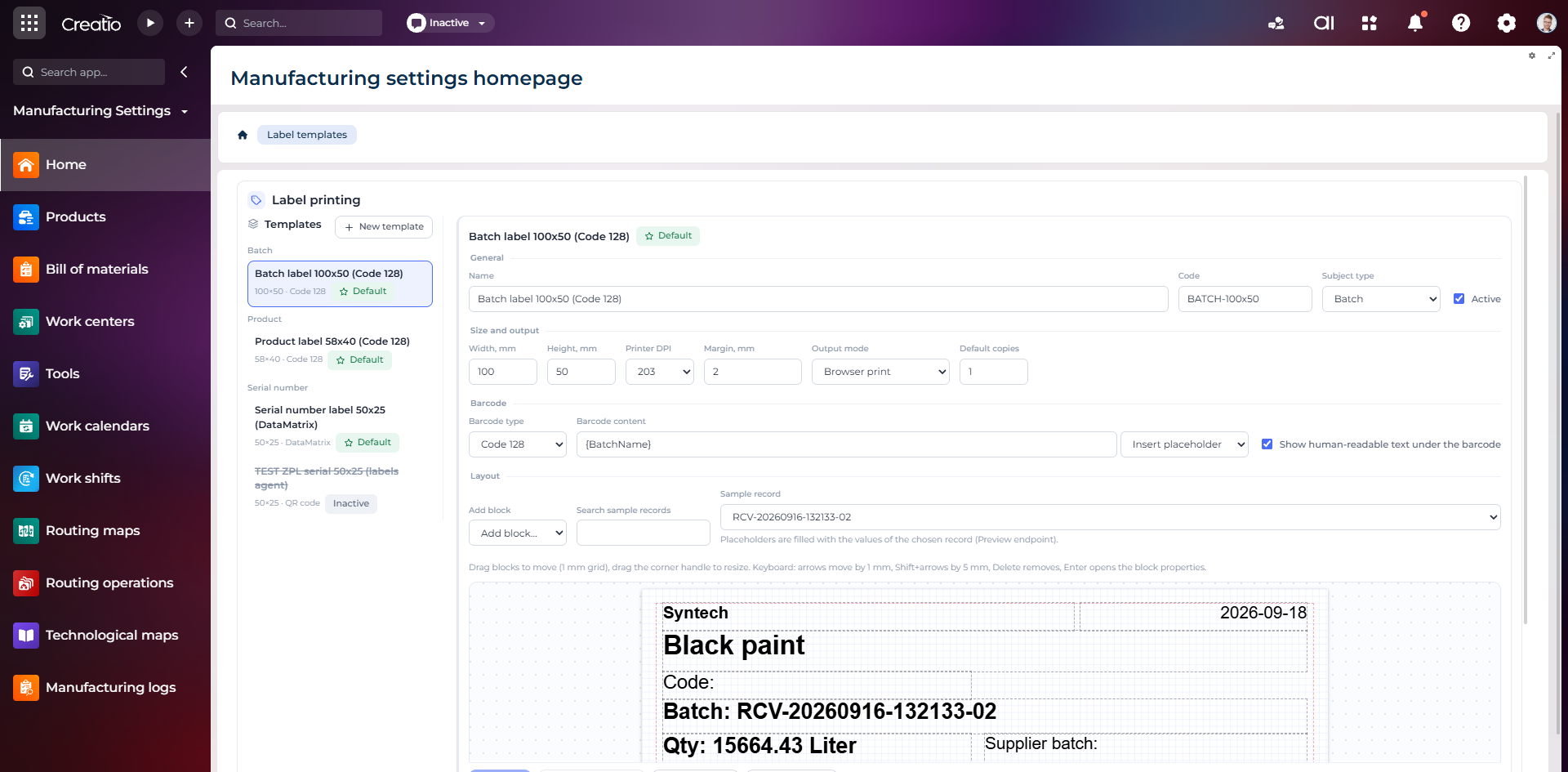
Конструктор шаблонів етикеток
Візуальне створення етикеток для партій і серійних виробів із плейсхолдерами, штрихкодами та попереднім переглядом.