
One plan, from forecast to the shop floor schedule
Production plans, MRP with BOM explosion, approval by visa, production orders, capacity analysis and the production Gantt live in one Creatio database together with sales, stock and procurement.
Production planning and MRP
The customer asks for a date. The supplier asks how much to ship and when. The director asks why a line is standing still. When the plan lives in a spreadsheet and stock and purchasing live somewhere else, those answers are assembled by hand over several days, and a material shortage surfaces on the day the operation was due to start. Plans are approved in email, so a month later nobody can show who signed one and when.
Production planning and MRP
- 01
Collect the demand
A forecast period gathers expected demand per product for a date range: forecast and base quantity, confidence level and growth rate, with an Analytics tab that shows which products dominate the period. Production scenarios give you a month-by-month what-if output plan, built before the real plan and compared against another scenario.
- 02
Build the production plan
In the Production plans section create a plan for the period and add its items: product, priority, unit, planned quantity and the date it is needed. A plan can be built from a state contract delivery schedule, and the orders it generates keep the link to the contract.
- 03
Run MRP
The Operations menu on the plan card explodes the bills of materials at their current revision, nets requirements against stock and open supply, applies lot sizing and lead time, and creates material requirements and purchase requests. Only requests in status Approved, Ordered or Partially received count as incoming supply; drafts from the same plan are topped up instead of duplicated.
- 04
Send the plan through approval
The stage bar on the card runs Draft, Waiting approval, Approved, In progress, Closed. When the plan enters Waiting approval a visa is created for the role Production plan approver, so every member of the role sees it. A positive visa moves the plan to Approved and fills "Approved by" and "Approved on"; a negative one returns it to Draft.
- 05
Generate production orders
An approved plan turns into production orders: each one copies the current BOM revision and the routing map and carries the operations the shop floor executes. The order card keeps operations, materials, output, quality inspections, labels, issue documents and the source sales order side by side.
- 06
Check the capacity
The Scheduling tab measures the plan's load against work centre capacity over a horizon, shows takt time and the constraint work centre, and reschedules the plan's operations by a chosen strategy, including drum-buffer-rope around the bottleneck. Capacity comes from work centres, calendars and shifts: hours per day, efficiency, parallel operations, non-working days. Finite capacity is enforced by a system setting, and WIP limits are set per work centre.
- 07
Lay the work out on the Gantt
Operations and orders are drawn per work centre with load bars, dependencies, the critical path and conflicts. You drag a bar with the mouse, start, pause or complete an operation straight from the chart, and let auto-scheduling rebuild the rest.
Production planning and MRP
Shortages appear before the shop floor does
MRP says what to buy and when, with the lead time included, so the purchase request exists before a line runs out of material.
A date with capacity behind it
Before you confirm a deadline you can see takt time, the bottleneck and the load of every work centre across the planning horizon.
Approval you can show to an auditor
Who approved the plan and on which date are fields on the card and a list of visas, not a message in somebody's mailbox.
One chain, no exports
Forecast, plan, materials, orders and operations sit in the same Creatio database, so the planner, the storekeeper and the buyer read the same numbers.
You change the system yourself
These are ordinary Creatio sections and pages: your administrator configures fields, processes, rights and reports without us.
See planning run on your own item list
In the demo we take one month end to end: forecast and plan, MRP, purchase requests, production orders and the Gantt chart.
Як це виглядає в системі
Реальні екрани Syntech Manufacturing на платформі Creatio: планування, склад, якість, зміни, OEE, Andon і маркування.
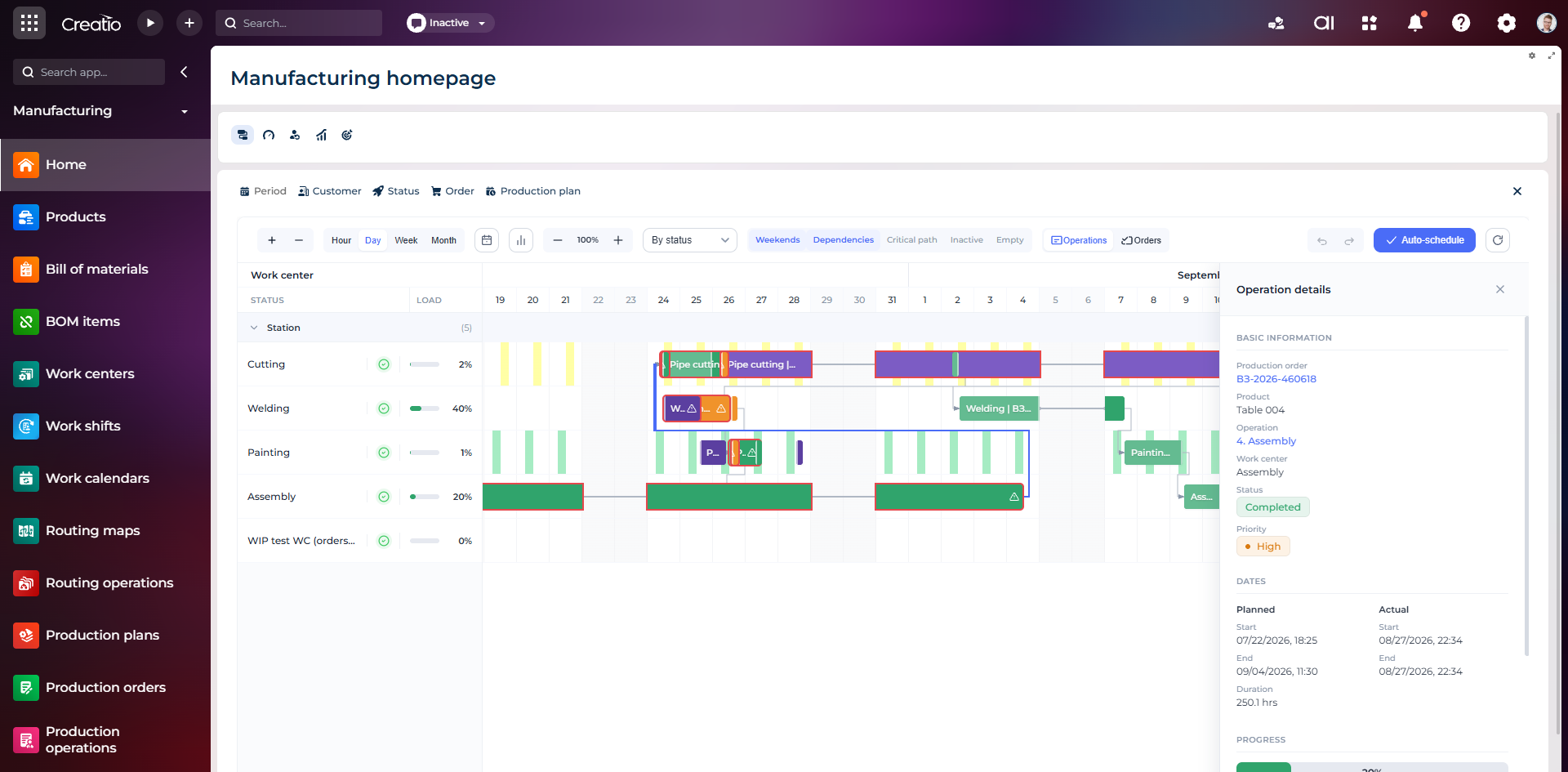
Виробниче планування
Діаграма Ганта за робочими центрами з залежностями, статусами, завантаженням і деталями кожної операції.
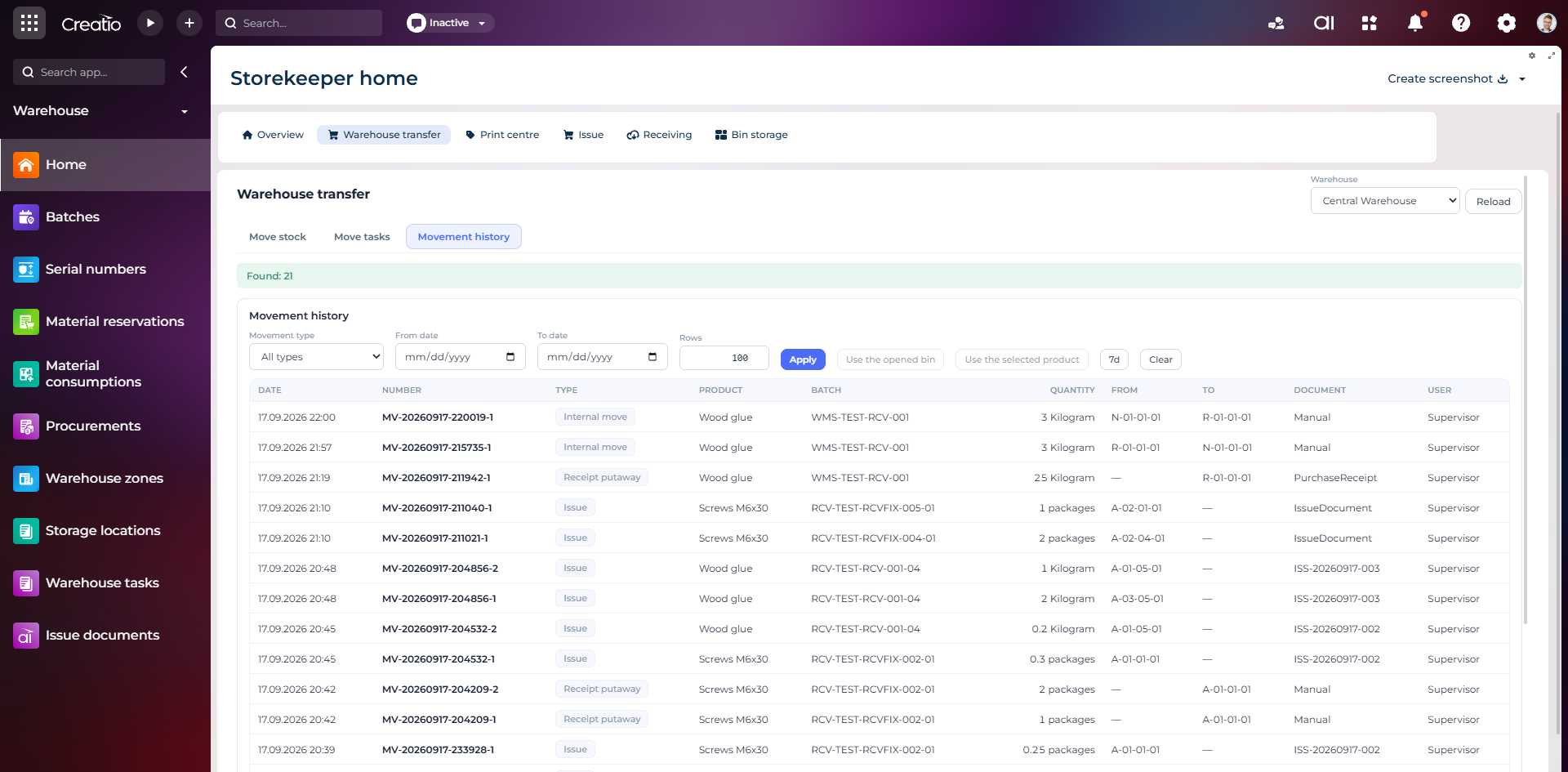
Історія руху запасів
Повний журнал приймання, видачі та внутрішніх переміщень із партією, кількістю, комірками, документом і відповідальним.
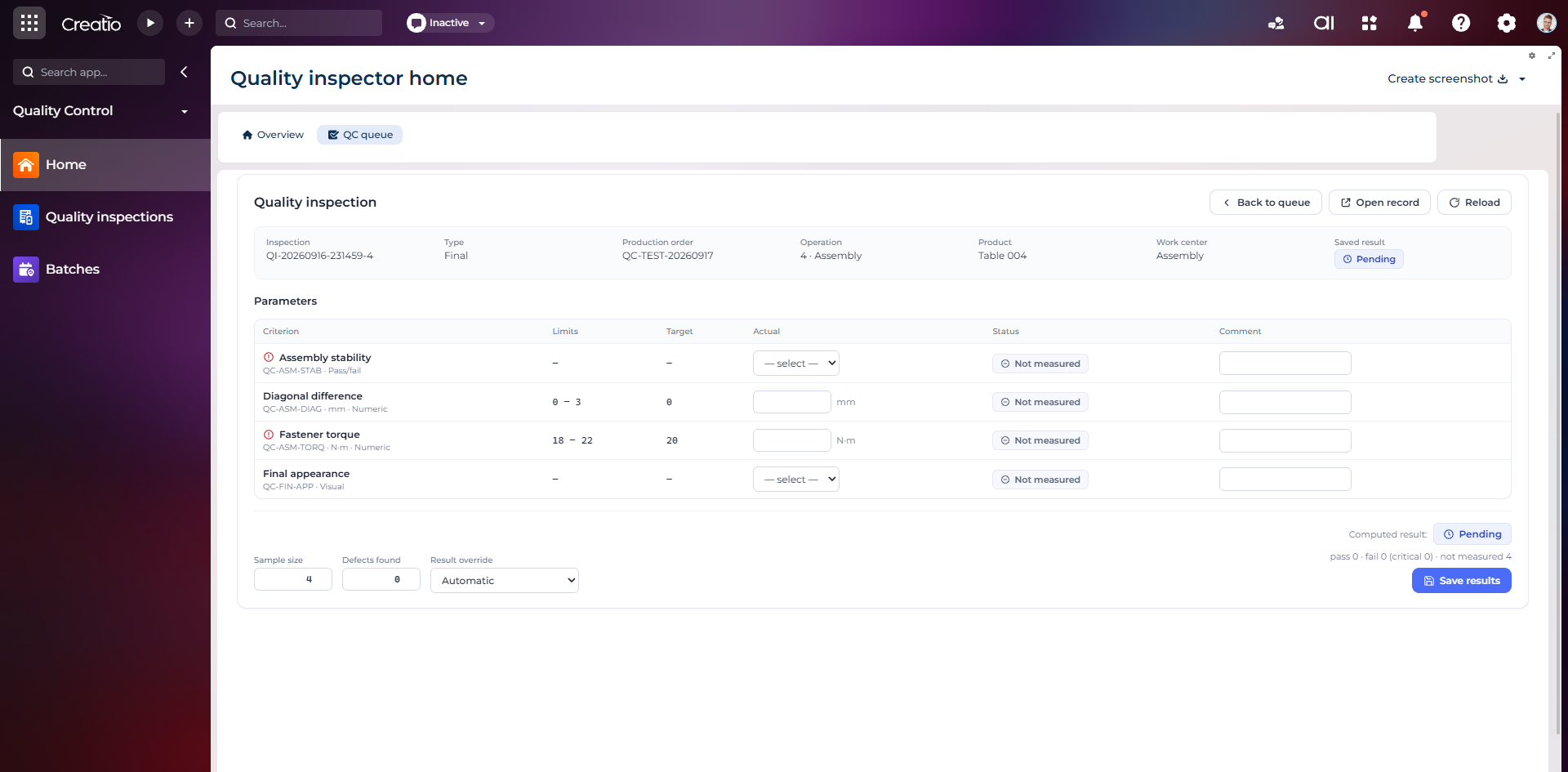
Контроль якості
Фінальна інспекція за критеріями: допустимі межі, фактичні значення, статуси вимірювань, коментарі та підсумковий результат.
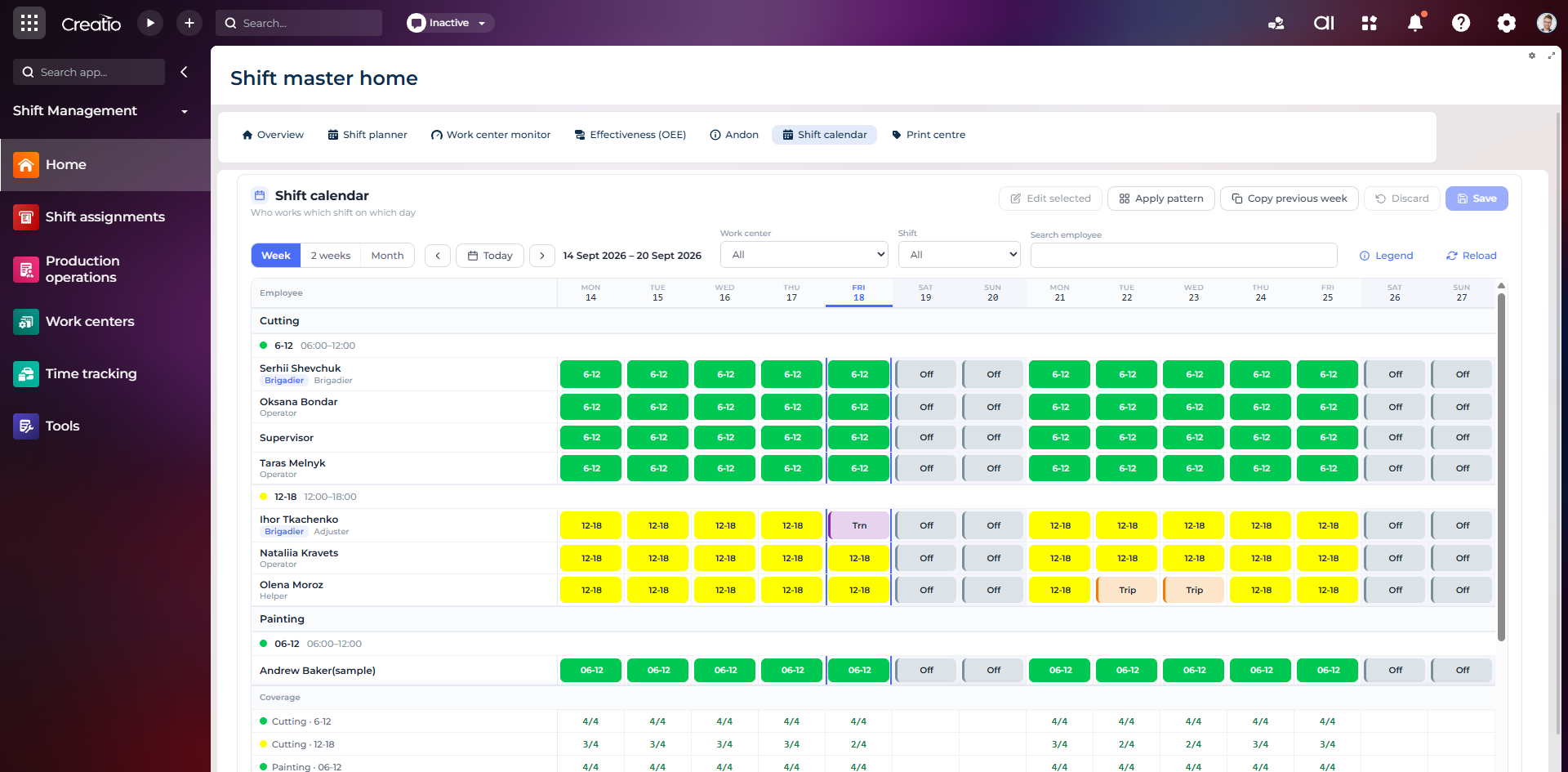
Календар змін
Планування персоналу за робочими центрами: зміни, вихідні, відрядження та контроль покриття потрібної кількості працівників.
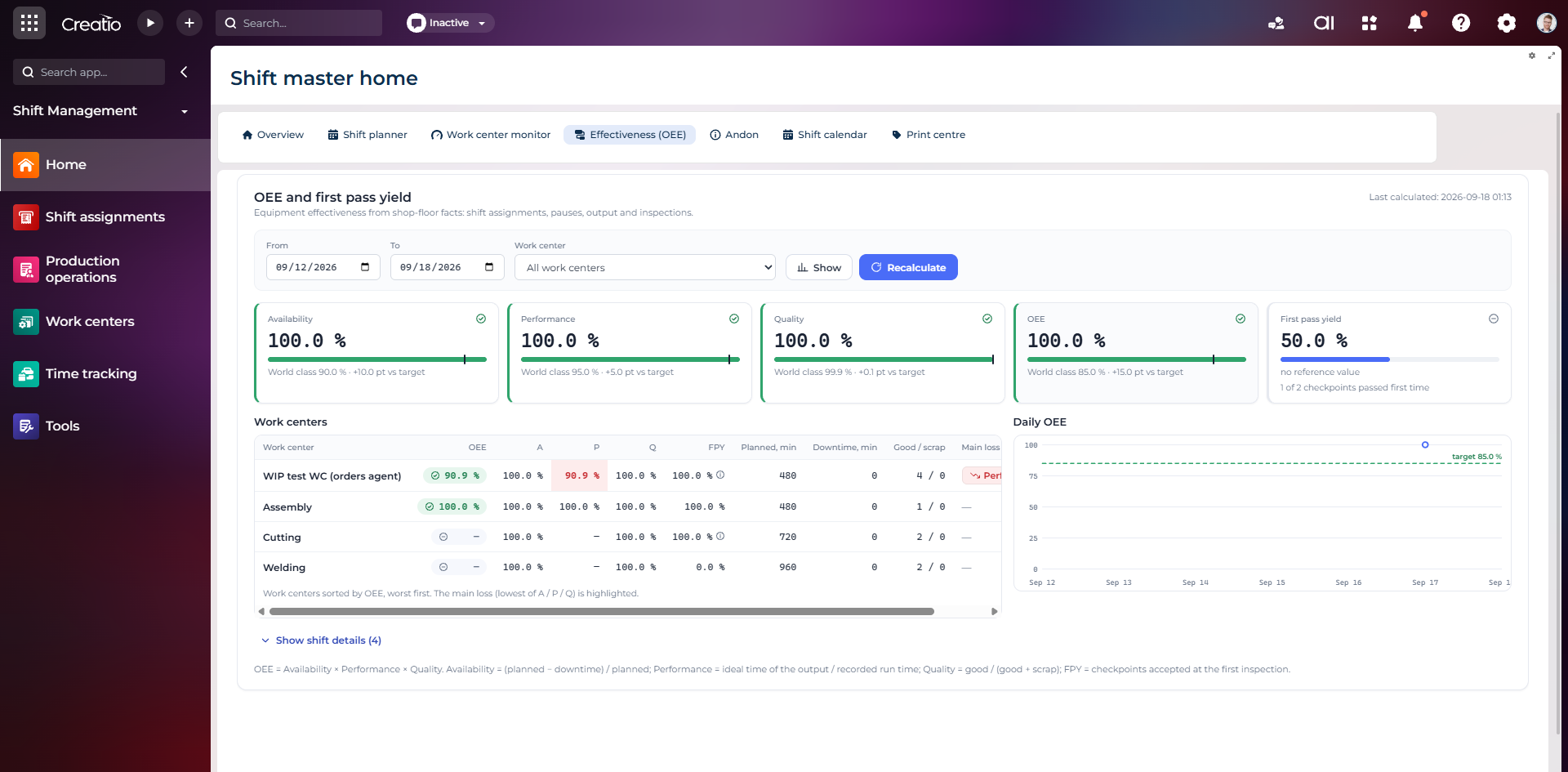
OEE та First Pass Yield
Доступність, продуктивність, якість, OEE і FPY по робочих центрах із порівнянням з цільовими показниками.
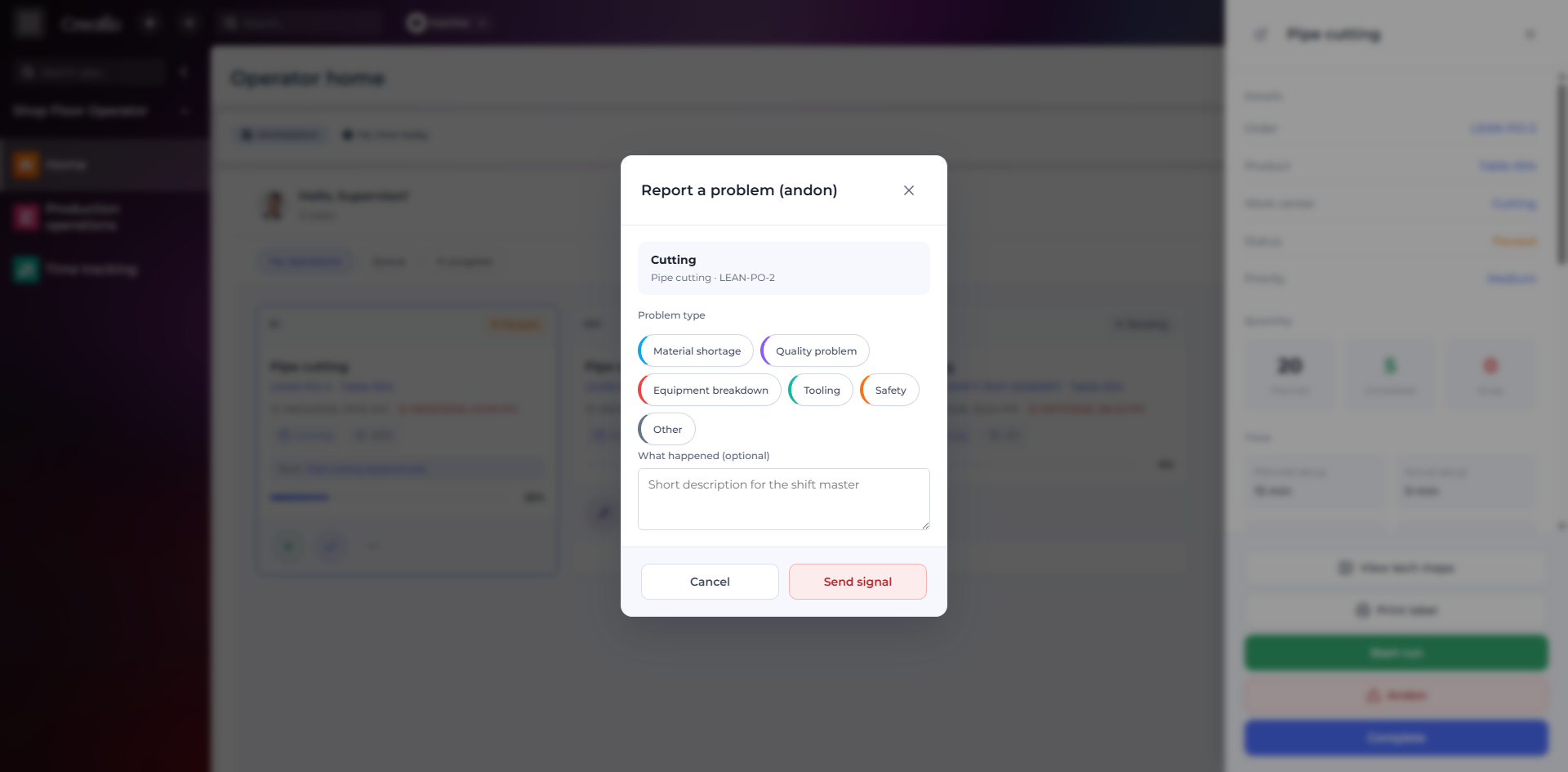
Andon-сигнал з робочого місця
Оператор повідомляє про нестачу матеріалів, проблему якості, поломку, інструмент або небезпеку безпосередньо з операції.
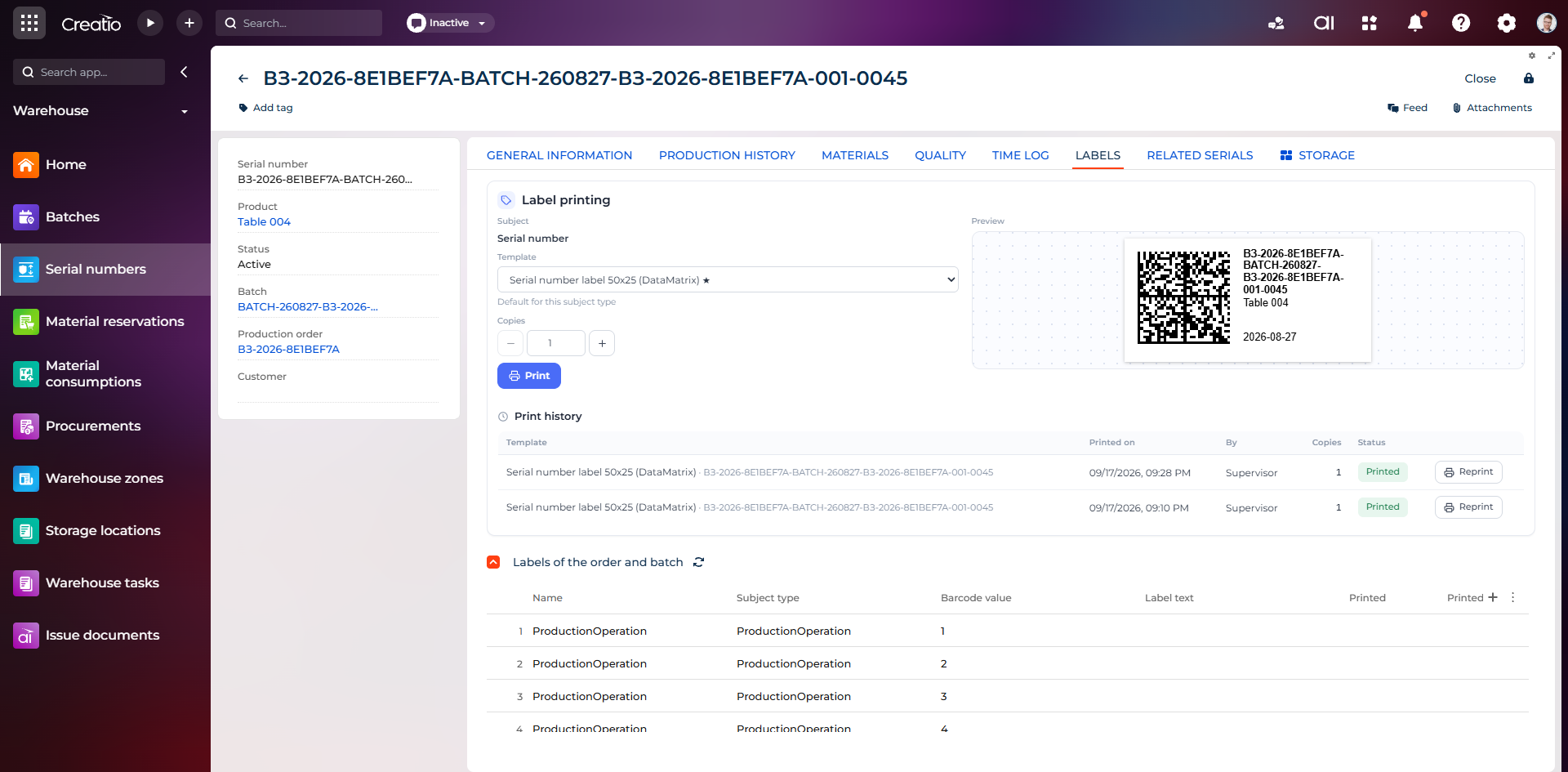
Маркування серійного виробу
Друк етикетки DataMatrix для серійного номера з шаблоном, попереднім переглядом та історією друку.
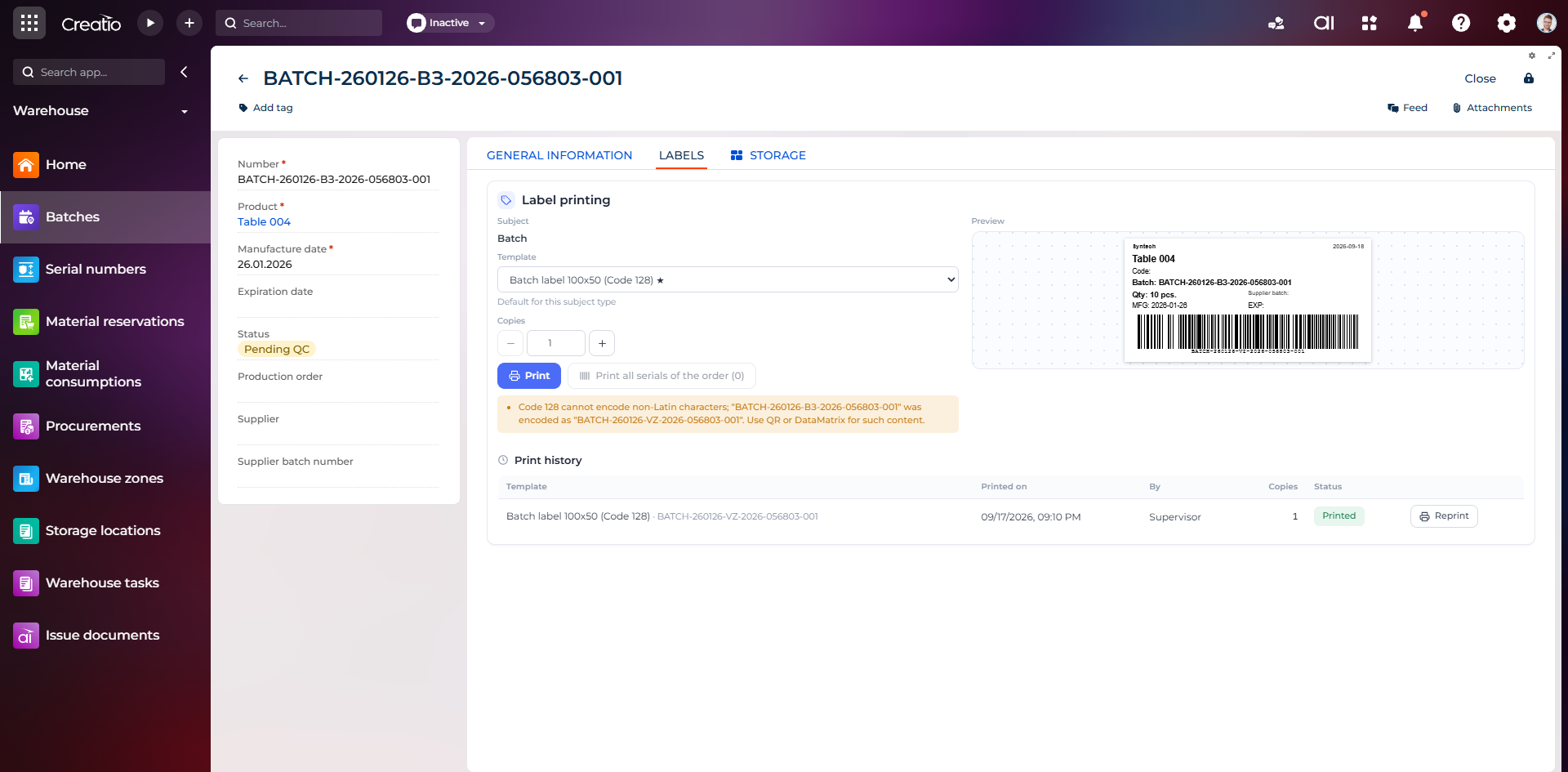
Маркування партії
Етикетка партії з кодом, кількістю, датою виготовлення, терміном придатності та штрихкодом Code 128.
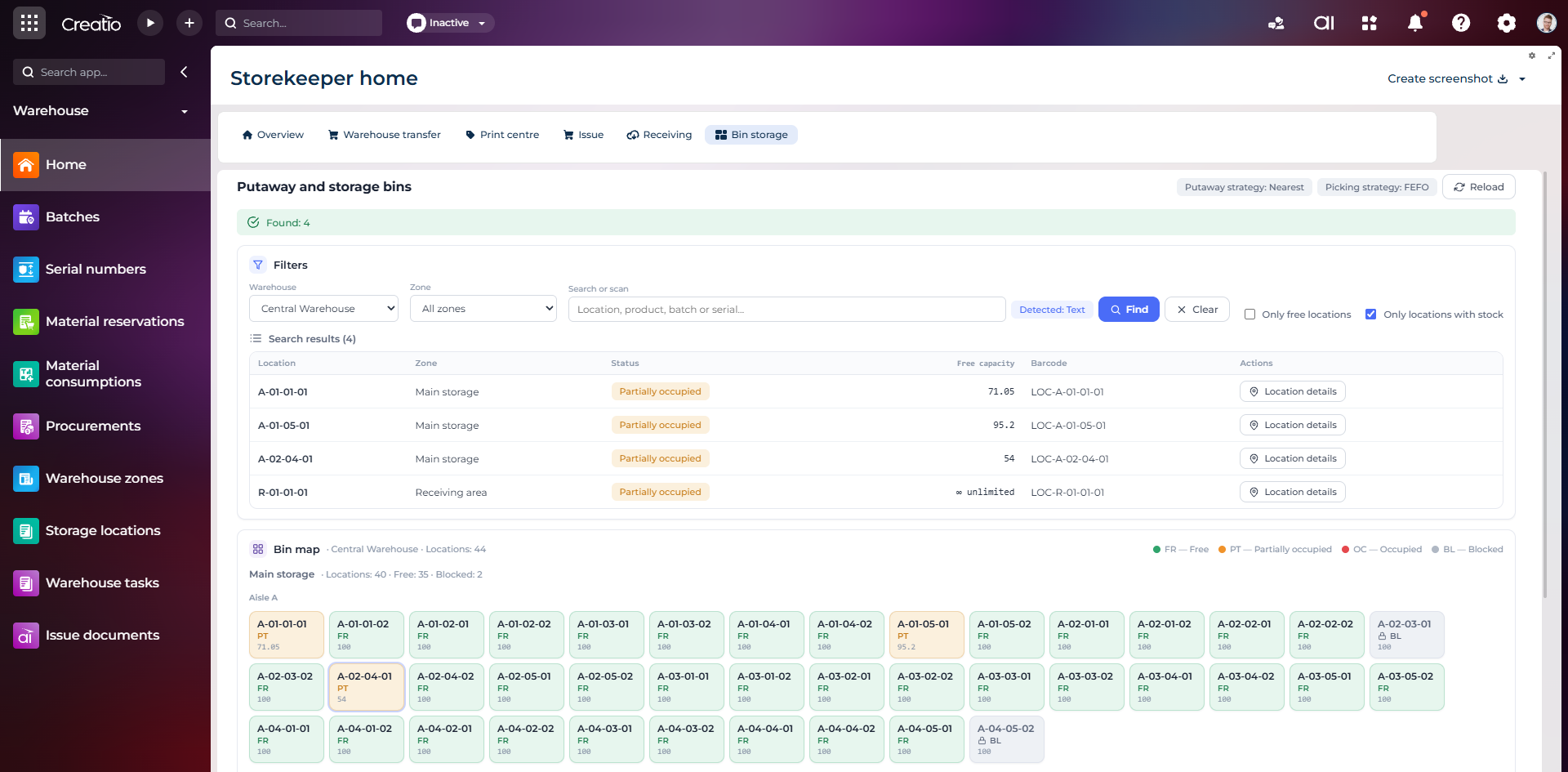
Коміркове зберігання
Пошук складських комірок за зоною, товаром, партією або серійним номером із відображенням місткості та статусу.
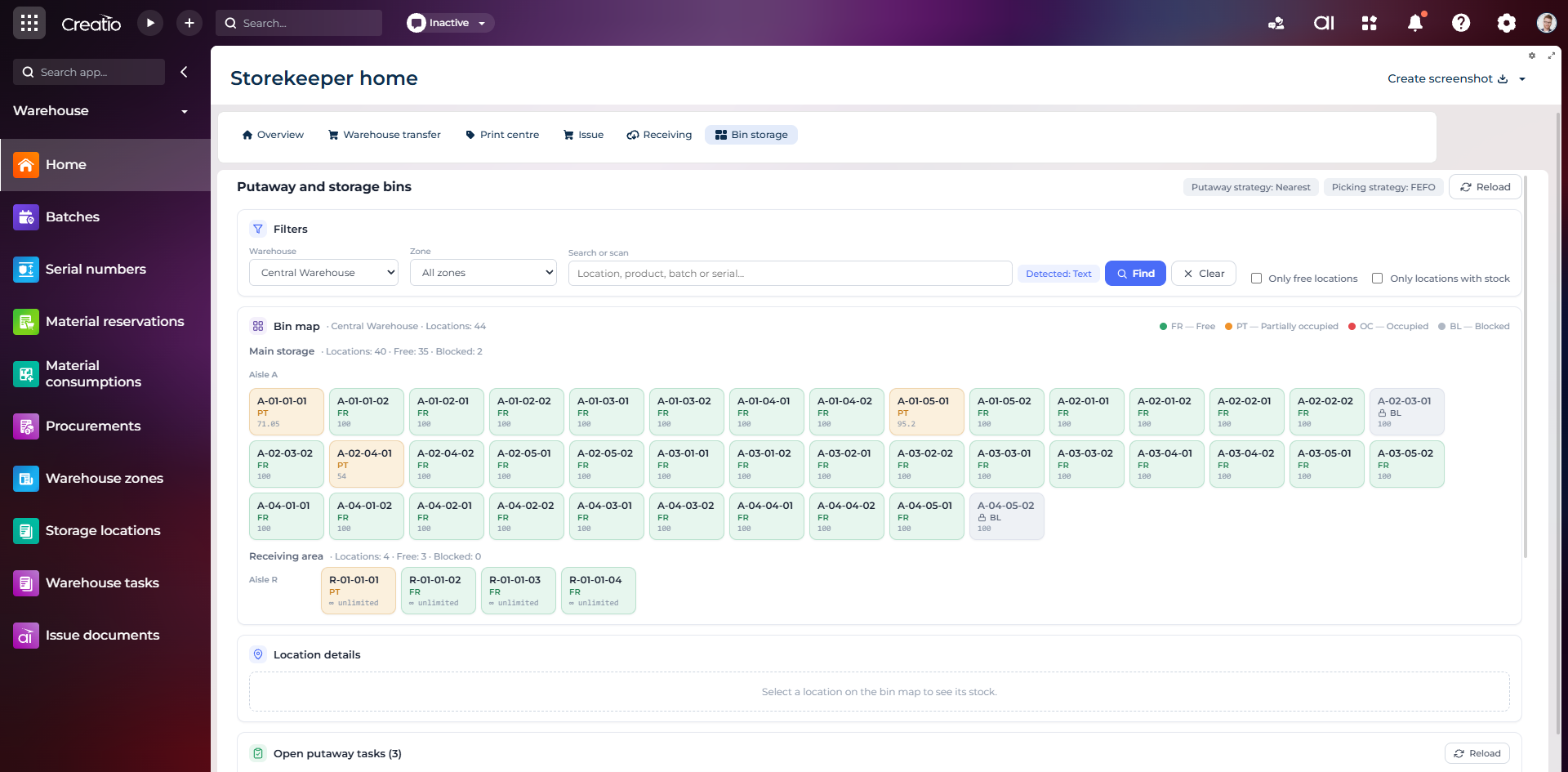
Карта складських комірок
Візуальна карта зон і проходів зі статусами вільних, частково зайнятих, зайнятих та заблокованих комірок.
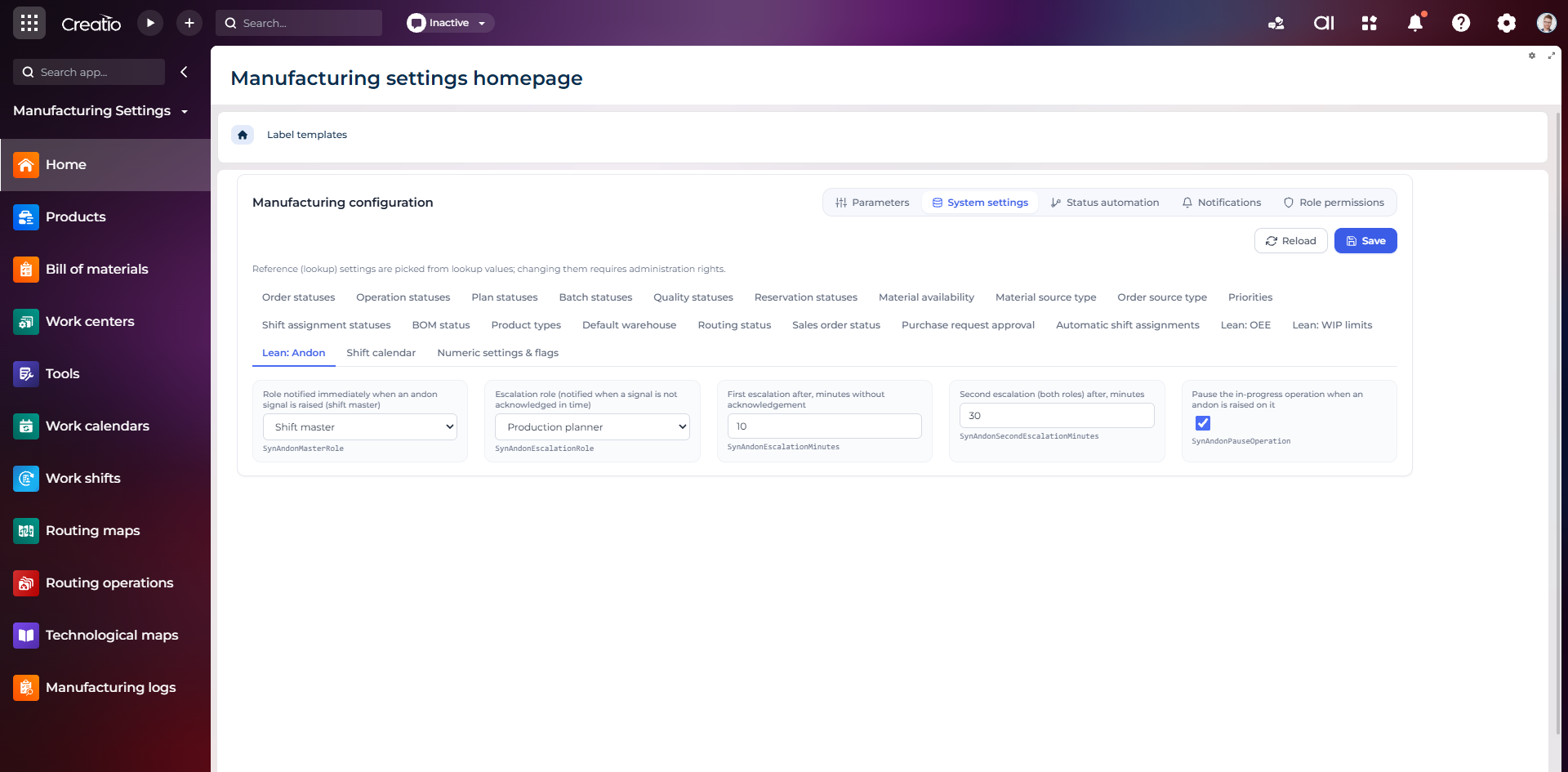
Налаштування Andon
Налаштування ролей сповіщення, строків ескалації та автоматичної зупинки операції після Andon-сигналу.
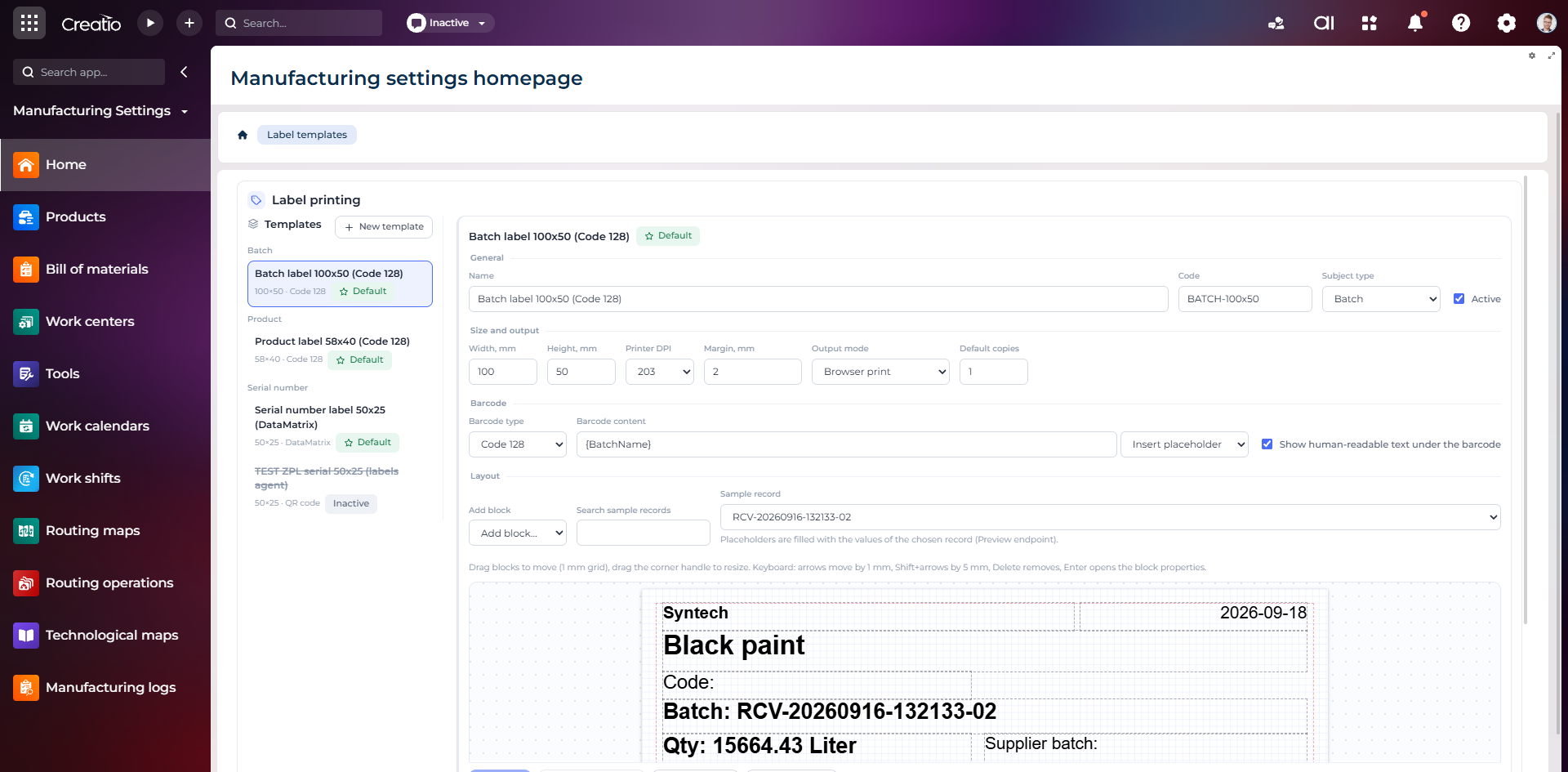
Конструктор шаблонів етикеток
Візуальне створення етикеток для партій і серійних виробів із плейсхолдерами, штрихкодами та попереднім переглядом.