
Know where every part is, down to the bin
Zones and bins with their own barcodes, guided putaway, FEFO picking, transfers and a write-off that takes stock out of real bins — in the same database as your orders and inspections.
A stock figure is not an address
The system says there are 40 metres of cable. The shift master still walks the aisles. Part is reserved for another order, part sits in quarantine after a failed incoming inspection, part is on a pallet nobody booked in. Nobody can say in a minute how much is usable and where it lies.
The other half is the write-off: material that leaves on a document instead of a named bin makes the books and the shelf drift apart until the next stocktake.
How it works
- 01
Lay the warehouse out once
A warehouse splits into zones — receiving, main storage, line-side supply, shipping, quarantine, scrap — and a zone into bins addressed rack-level-position, such as A-01-01-01. Each bin has its own barcode, a capacity, an ABC class, a pick-face flag, mixing rules and a blocked flag with a reason.
- 02
Read the bin map
The Warehouse workplace opens on the map of zones and bins. Colour shows whether a bin is free, partly occupied or occupied, a lock marks a blocked one, the figure under the code is its free capacity. Click a bin for its stock by product, batch, expiry and serial, the reserved part and the last movements.
- 03
Put away what arrives and what you make
A receipt and a production output each raise a putaway task. “Suggest location” ranks the candidates and names the reason: the product’s fixed zone, consolidation with the same batch, the nearest free bin, the ABC zone. Only bins whose capacity, mixing rules and status allow are offered; scan the barcode to confirm.
- 04
Issue materials and shipments
“Create from production order” builds the issue lines from the order’s reservations, or from the bill of materials. Picking runs FEFO, FIFO or LIFO, pick faces first; blocked and reserved stock is never taken. Scan the bin, then the batch or serial label; a mismatch is refused, and an emptied bin is released.
- 05
Move stock between bins
Scan a bin to see what lies in it, with the reserved part called out; only the free quantity is offered. Choose the target with “Suggest location” or search the eligible bins — those that do not fit show the reason and cannot be picked. Scan the target barcode to confirm; every move enters the movement history.
- 06
Let the output write off the materials
Registering output consumes real bin stock: the order’s own reservation first, then line-side bins, then FEFO or FIFO across the rest, skipping quarantined and held stock. If the bins hold less than needed, the shortage policy decides: warn posts the output and records the gap in its backflush notes, block refuses it and names each short material.
- 07
Print labels that scan
Templates set the size, the barcode — Code 128, QR code or DataMatrix — and the layout for batches, products and serial numbers. Print from a record page, or pull “everything not yet printed for this order” in the print centre, up to 500 labels a run. Thermal printers get ZPL.
What you get
A bin that explains itself
Putaway, pick, issue, internal move, adjustment and scrap are written as movements against the bin, with their document and their author. Nobody has to reconstruct how stock got there.
Held stock that cannot leave
Batches in quarantine, on hold or rejected, serials on quality hold, and anything in a quarantine bin are never allocated, reserved or issued. Allocation reports what it skipped; issuing refuses the line before anything is written.
A wrong issue undone in one action
Cancelling an issued document returns every quantity to the bin it came from as reversal movements, releases the reservations and restores the balance, so the material is available again.
A shortage rule you choose
Warn keeps the plant moving and records the gap. Block stops the posting and names the short material. It is a setting, not a rebuild.
One database, not an integration
Bins, batches, serial numbers, orders, inspections and contracts are the same Creatio records. There is no nightly sync between warehouse and shop floor.
See it on your own layout
Bring a zone plan, a few part numbers and one real order. We will walk the bin map, put a batch away, pick it FEFO and cancel the issue.
Як це виглядає в системі
Реальні екрани Syntech Manufacturing на платформі Creatio: планування, склад, якість, зміни, OEE, Andon і маркування.
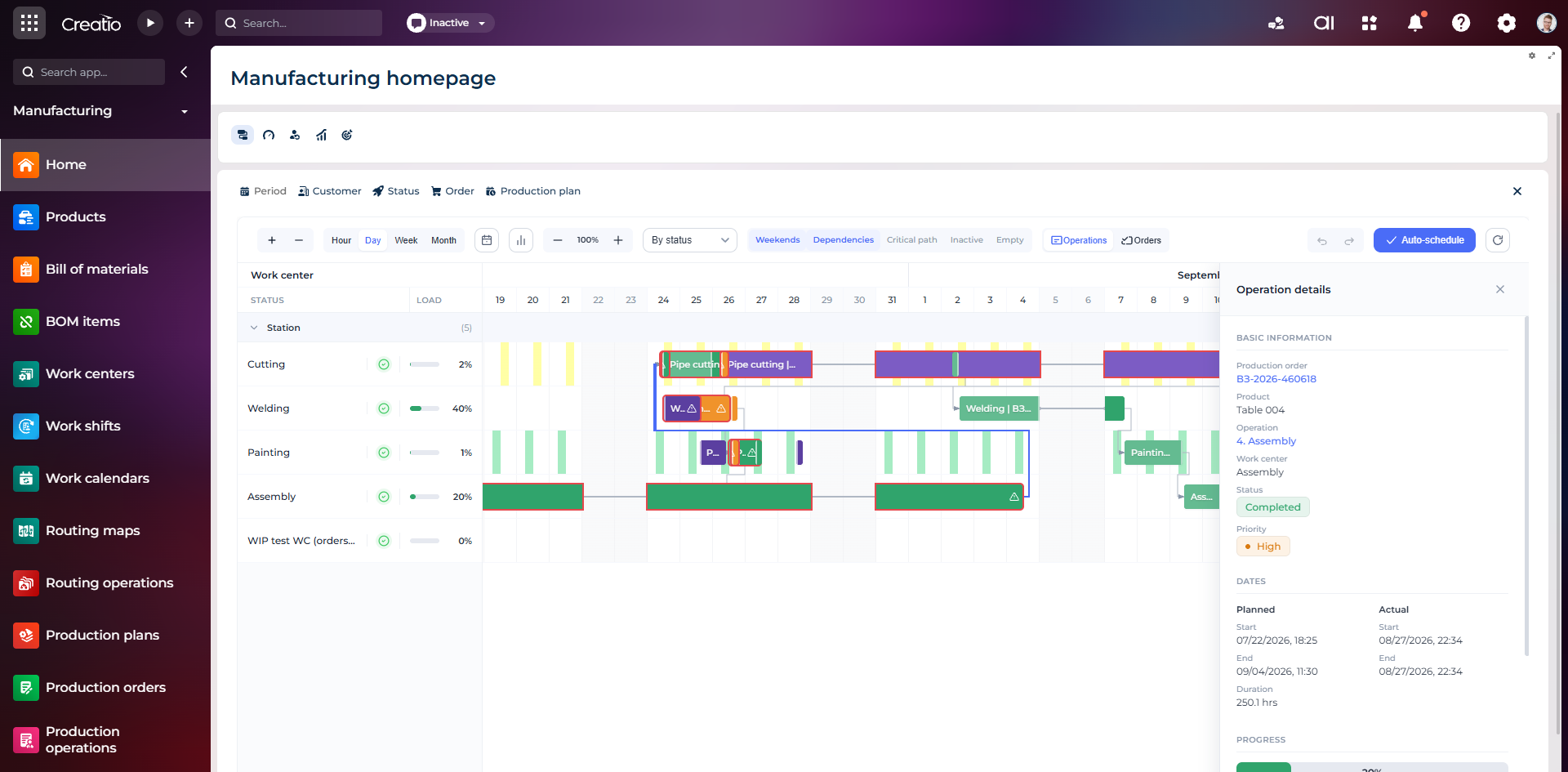
Виробниче планування
Діаграма Ганта за робочими центрами з залежностями, статусами, завантаженням і деталями кожної операції.
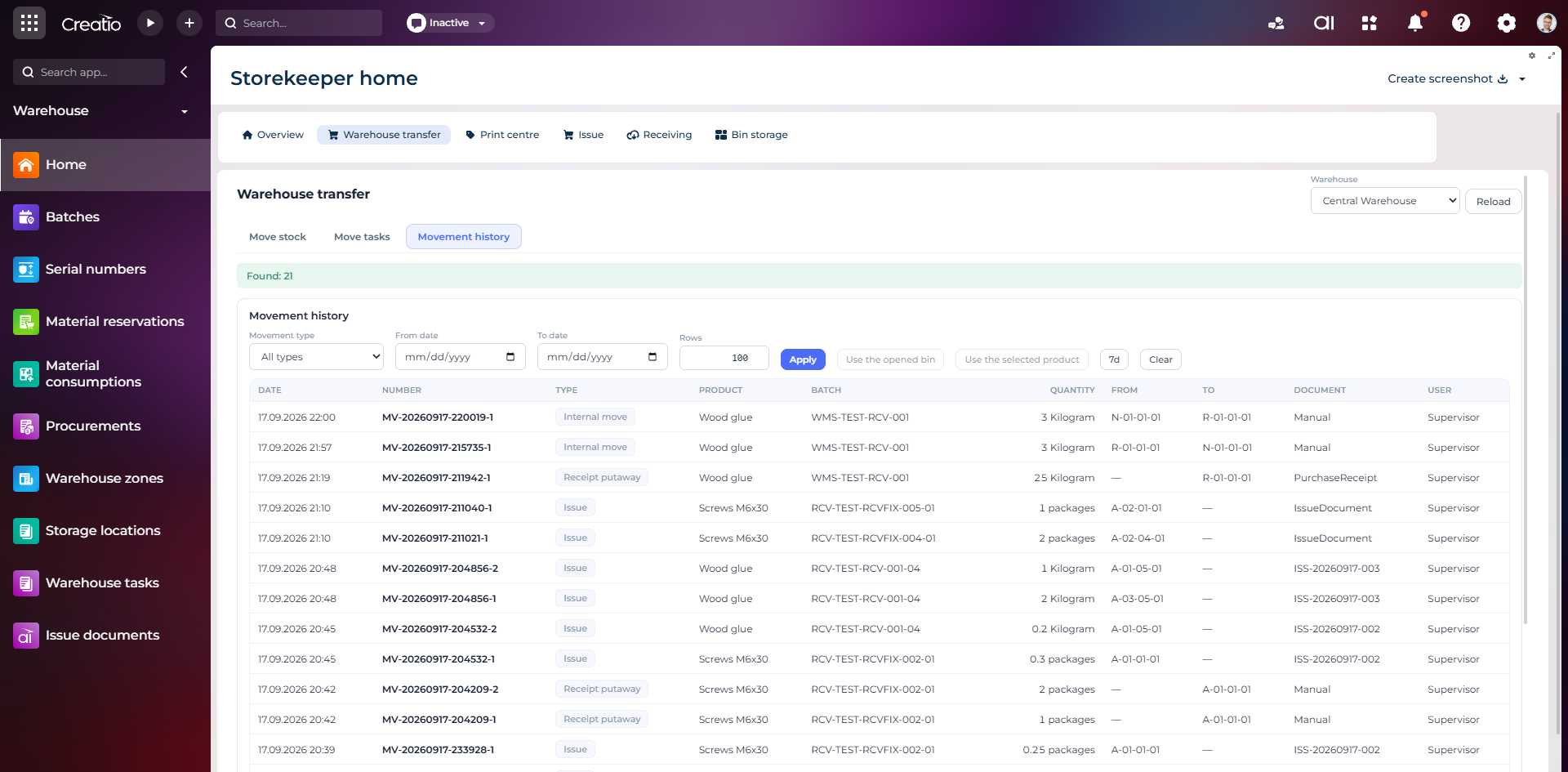
Історія руху запасів
Повний журнал приймання, видачі та внутрішніх переміщень із партією, кількістю, комірками, документом і відповідальним.
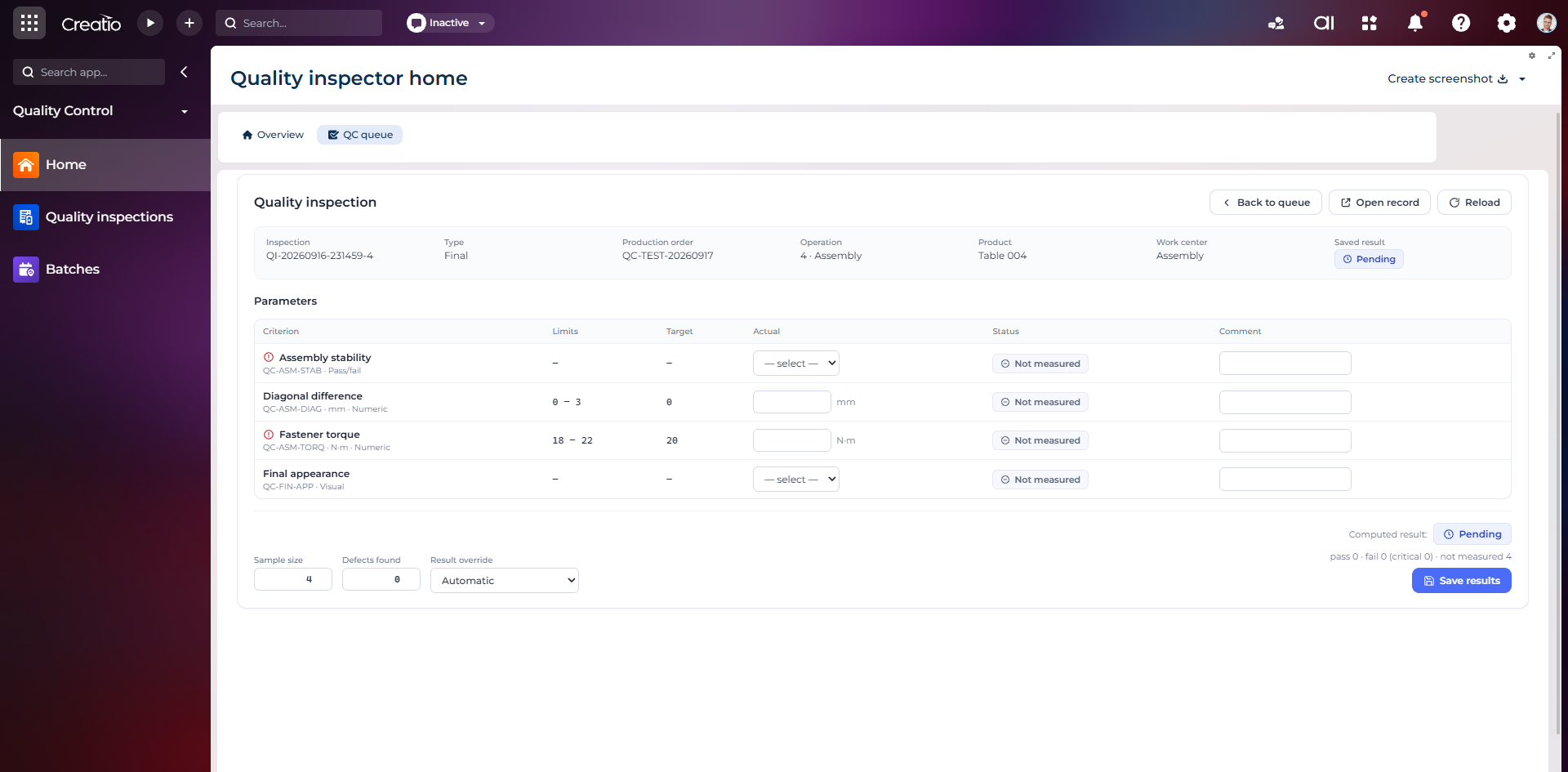
Контроль якості
Фінальна інспекція за критеріями: допустимі межі, фактичні значення, статуси вимірювань, коментарі та підсумковий результат.
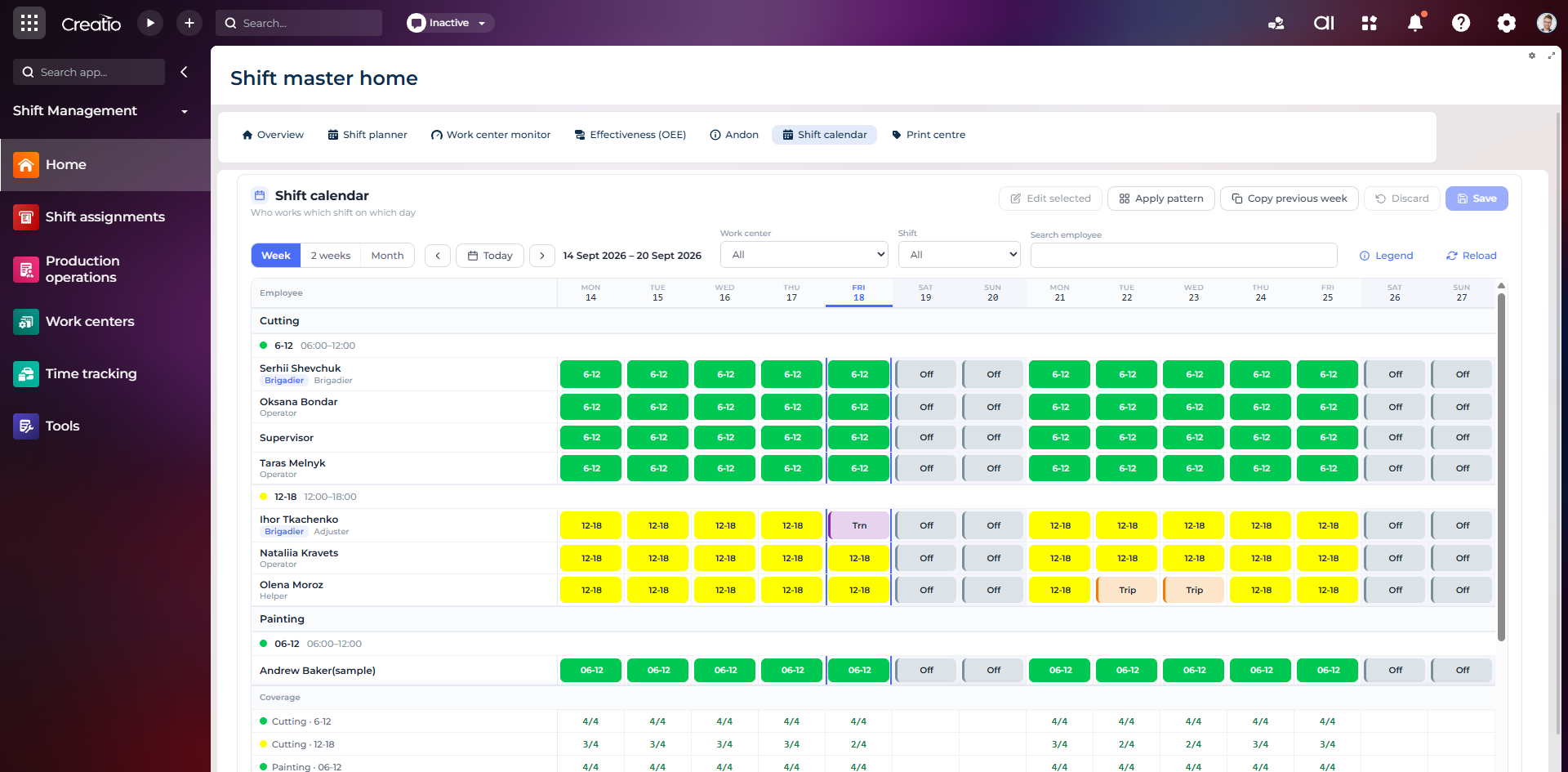
Календар змін
Планування персоналу за робочими центрами: зміни, вихідні, відрядження та контроль покриття потрібної кількості працівників.
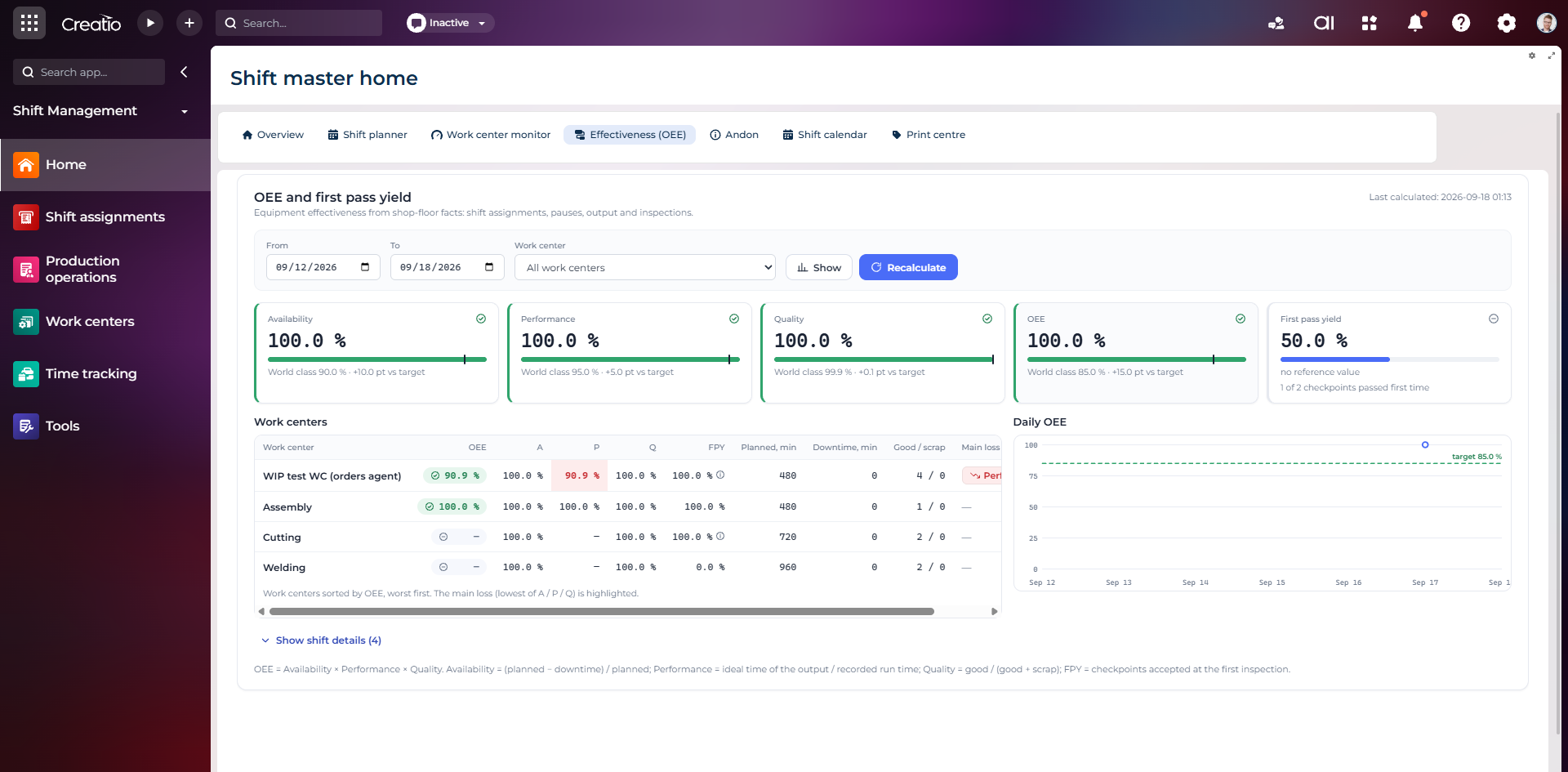
OEE та First Pass Yield
Доступність, продуктивність, якість, OEE і FPY по робочих центрах із порівнянням з цільовими показниками.
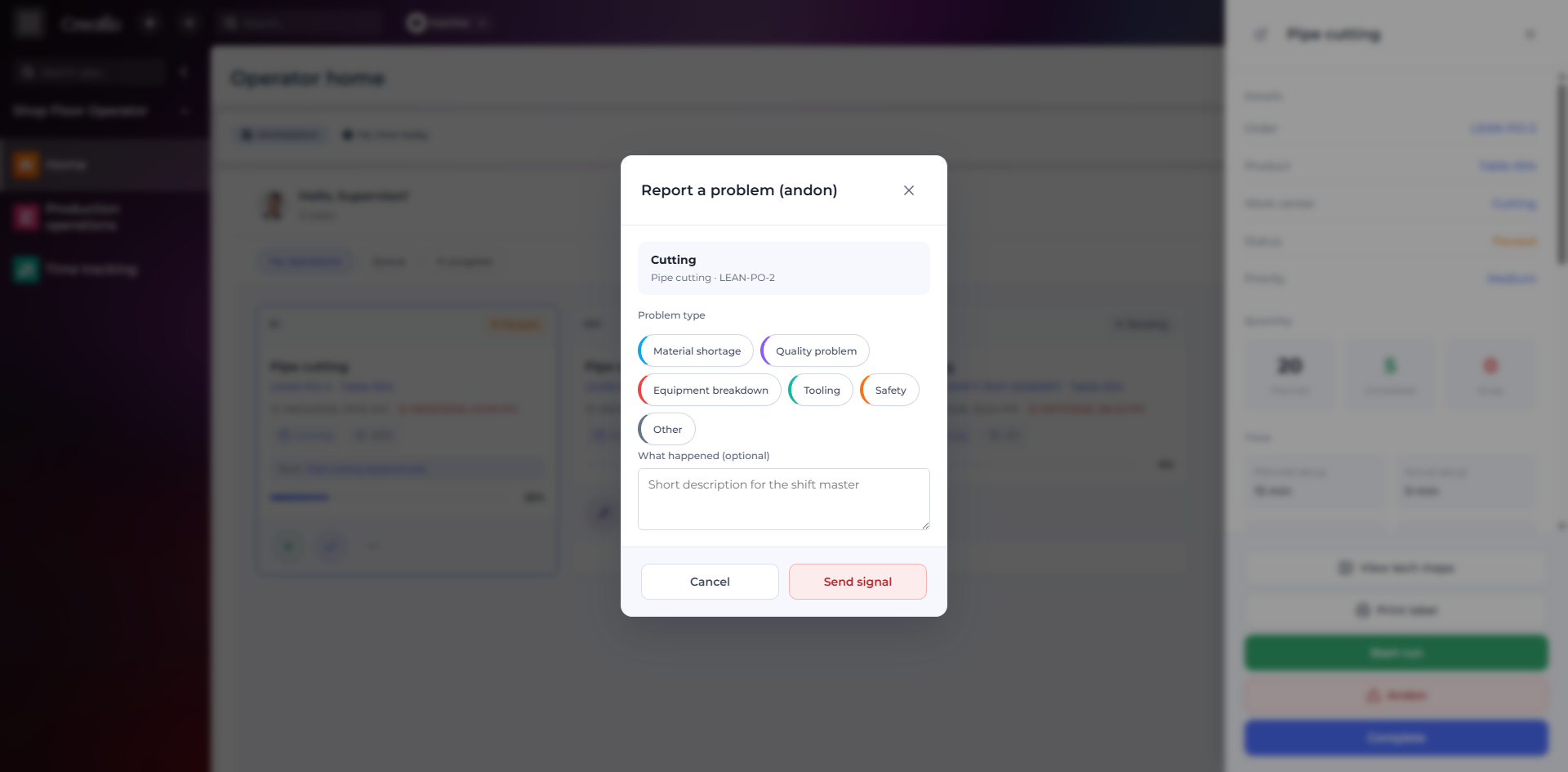
Andon-сигнал з робочого місця
Оператор повідомляє про нестачу матеріалів, проблему якості, поломку, інструмент або небезпеку безпосередньо з операції.
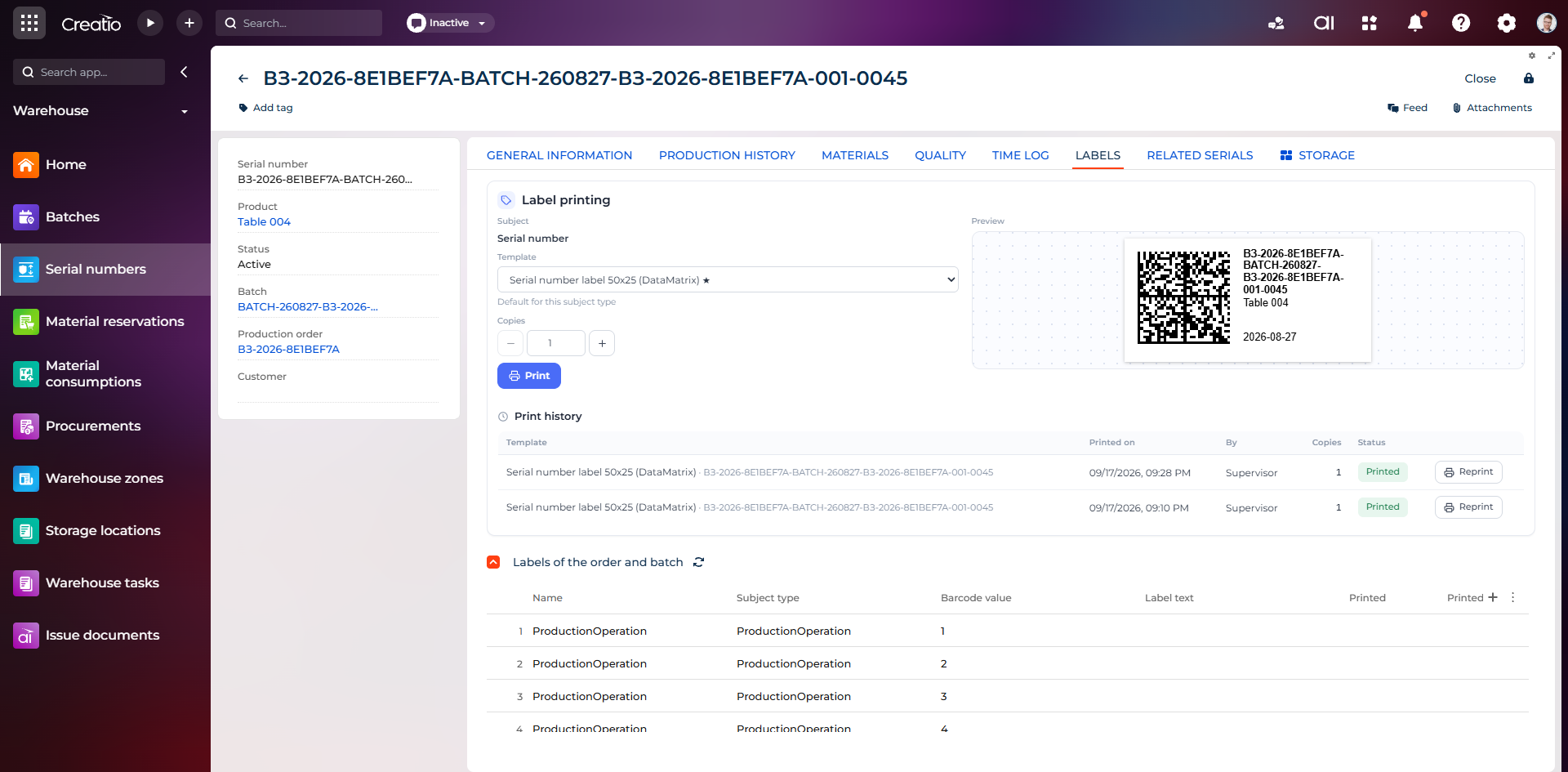
Маркування серійного виробу
Друк етикетки DataMatrix для серійного номера з шаблоном, попереднім переглядом та історією друку.
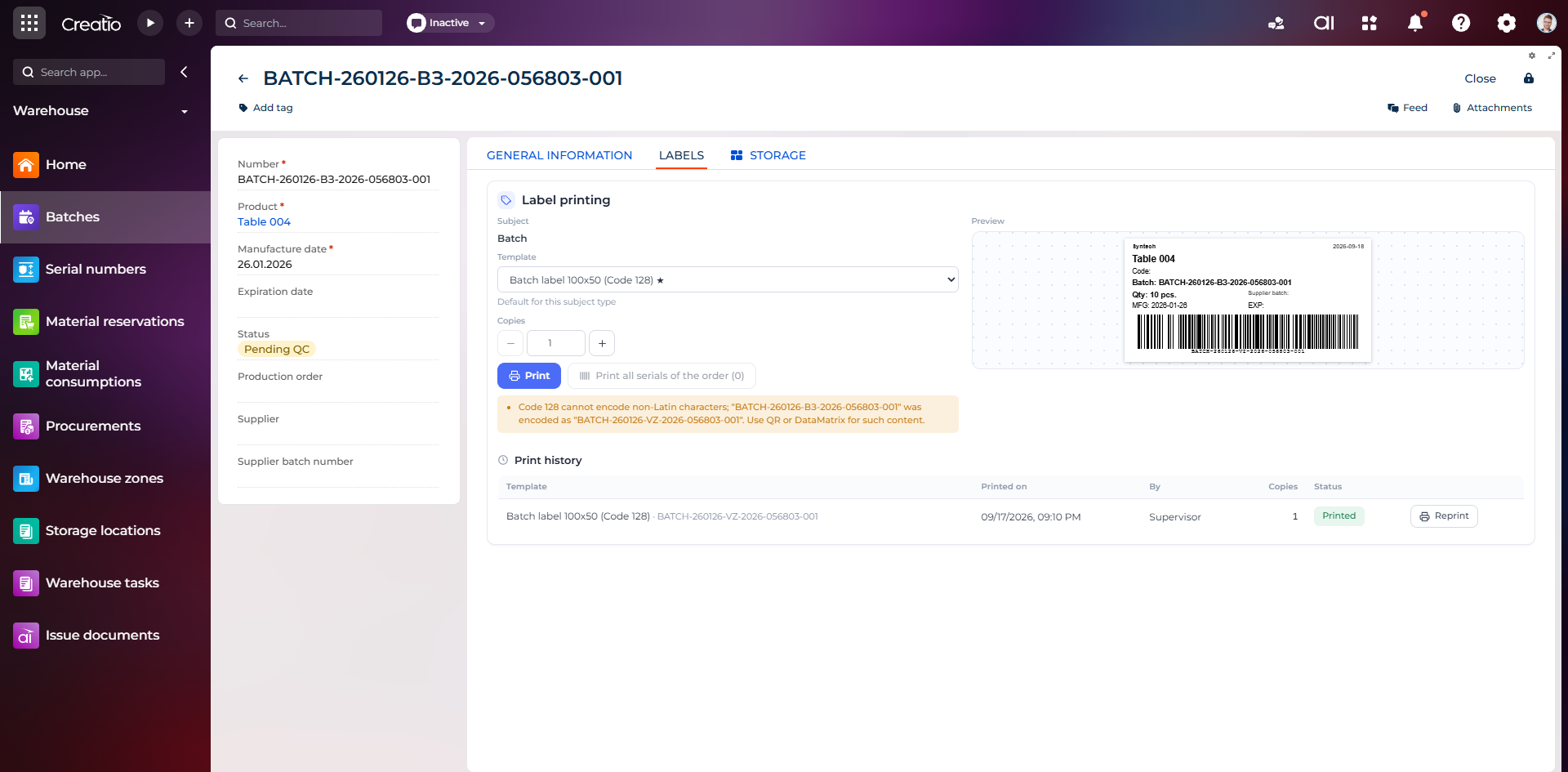
Маркування партії
Етикетка партії з кодом, кількістю, датою виготовлення, терміном придатності та штрихкодом Code 128.
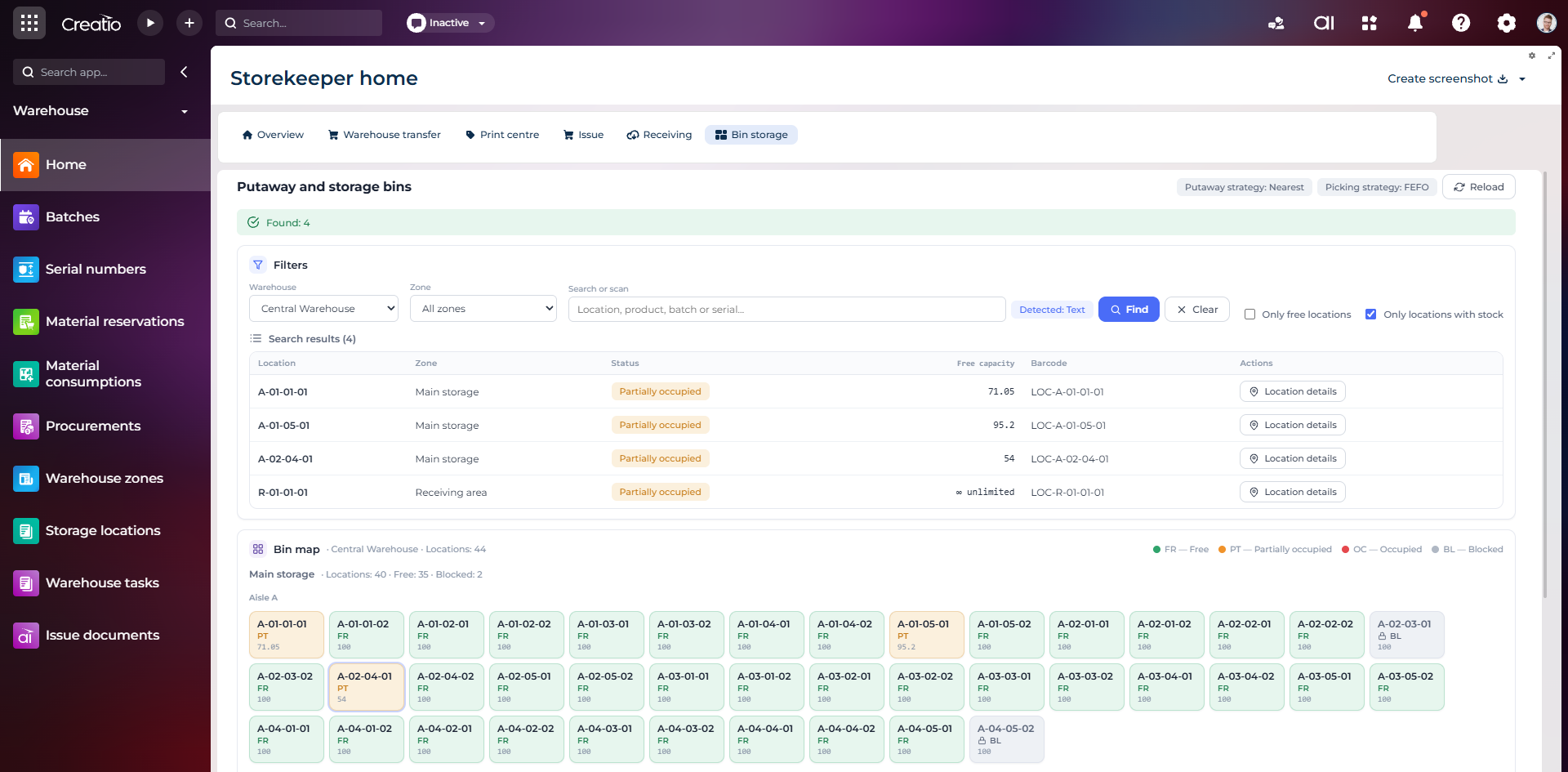
Коміркове зберігання
Пошук складських комірок за зоною, товаром, партією або серійним номером із відображенням місткості та статусу.
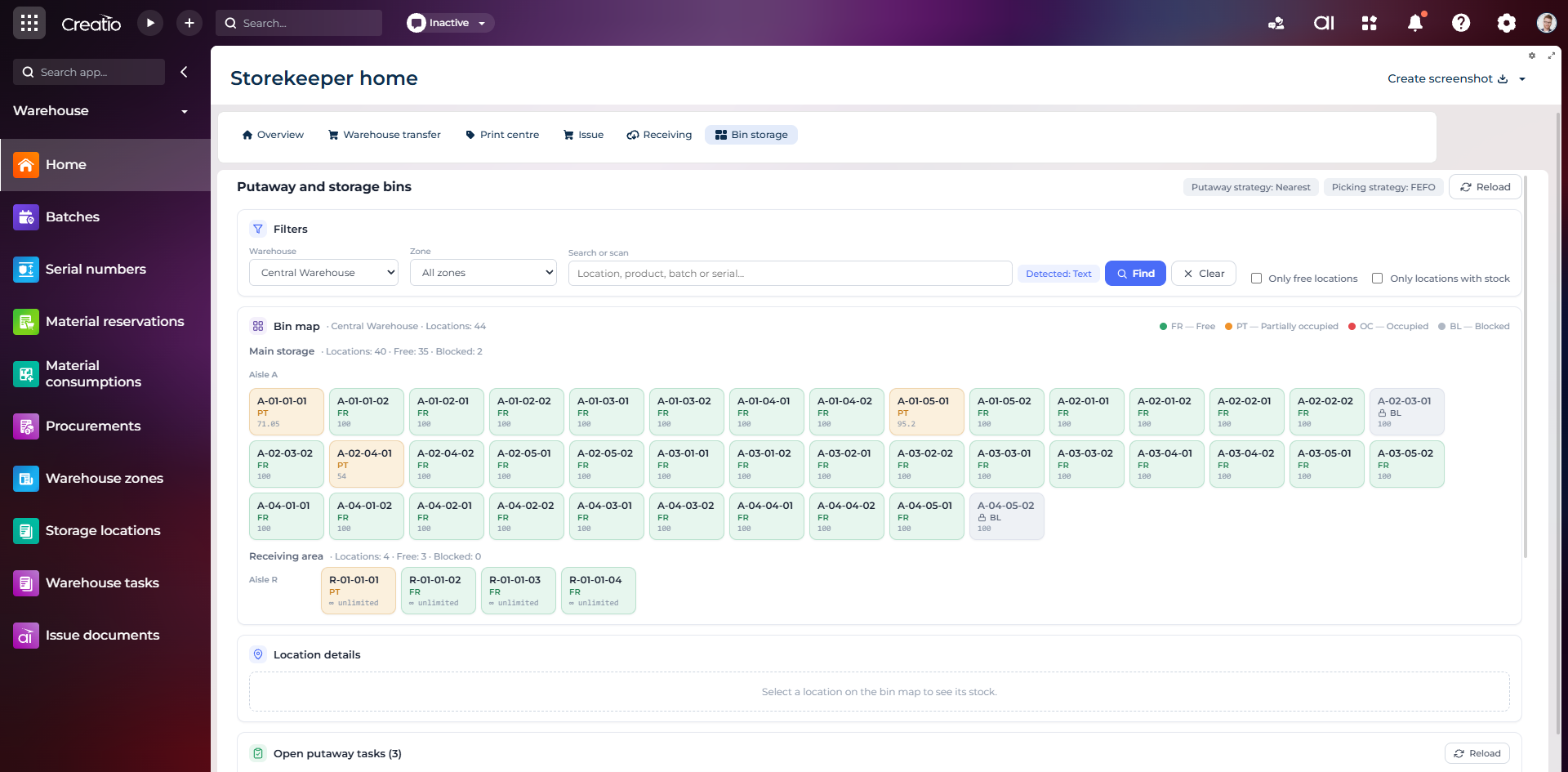
Карта складських комірок
Візуальна карта зон і проходів зі статусами вільних, частково зайнятих, зайнятих та заблокованих комірок.
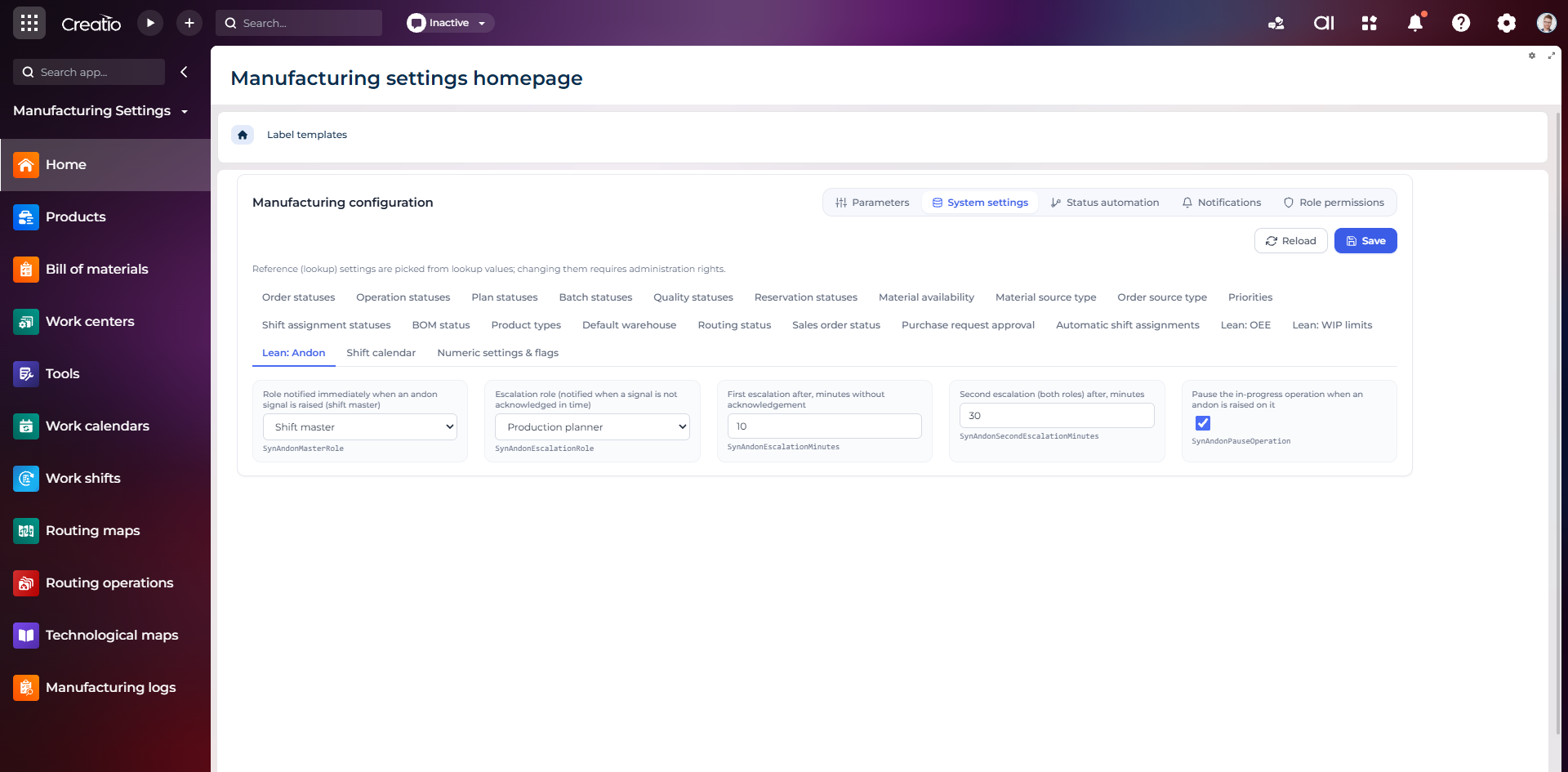
Налаштування Andon
Налаштування ролей сповіщення, строків ескалації та автоматичної зупинки операції після Andon-сигналу.
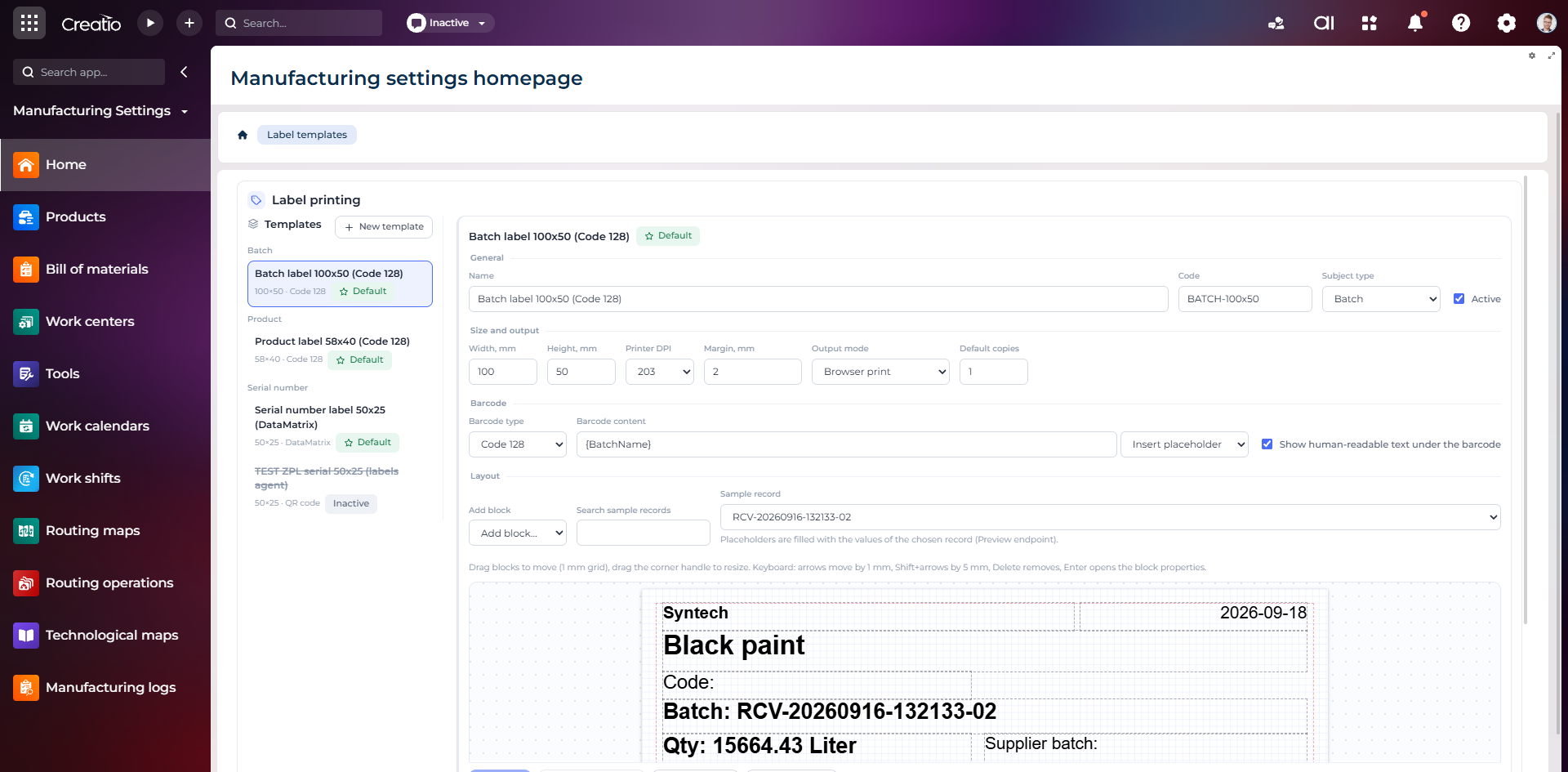
Конструктор шаблонів етикеток
Візуальне створення етикеток для партій і серійних виробів із плейсхолдерами, штрихкодами та попереднім переглядом.